
Legacy SoftLayer Configuration Reference
UseLast reviewed: September 24, 2026
This page is retained only as a legacy reference for environments that still mention SoftLayer-era cloud configuration.
Recommended guidance
- Do not use SoftLayer as the
SoftlayerdefaultCloudcloud-providerConfigurationrecommendationutilityfortonewdeployAIQyourdeployments. - Prefer
testcurrenttocloud,angrid,IBMorSoftlayertest-nodeCloud.configurationAccessguidance. - Keep this page only for historical support cases or migrations from older environments.
Validation workflow
- Confirm whether the
utilitycustomerinenvironment still depends on SoftLayer settings. - If not, redirect the
AIQ by clicking on the Options link from the Start Screen and navigating to Cloud Configuration tabAlso, there are options to Test the Configuration in the Softlayer Configuration service, including options to view a list of running instances, start and stop instances, and reboot instances.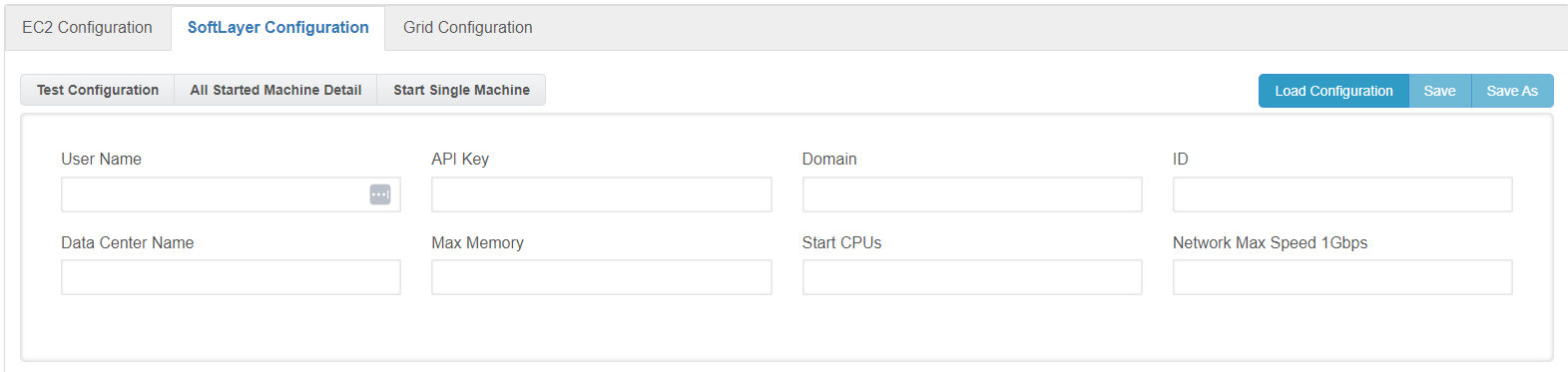
The user has to provide the valid user name and API Key and click the button available, This will pull all the data centers available for the account provided. This is done by making a REST call to Softlayer and requesting all data centers, then populating the drop-down dynamically. So it’s always up to date.AIQ provides the following options to run tests in a Cloud Testing environment. User NameThe “User Name” field correspondswork to theidcurrentusedcloudtoorloggridinconfigurationtoarticle.- If
Softlayeryes,Account fromdocument theweblegacypagedependency and plan a migration path.
APINote: KeySoftLayer content is a unique key the user has in order to execute REST calls through Softlayer’s REST API, if the user doesn’t know which its API Key is, it can askobsolete for supportmost oncurrent Softlayer’sAIQ portal page in order to obtain it
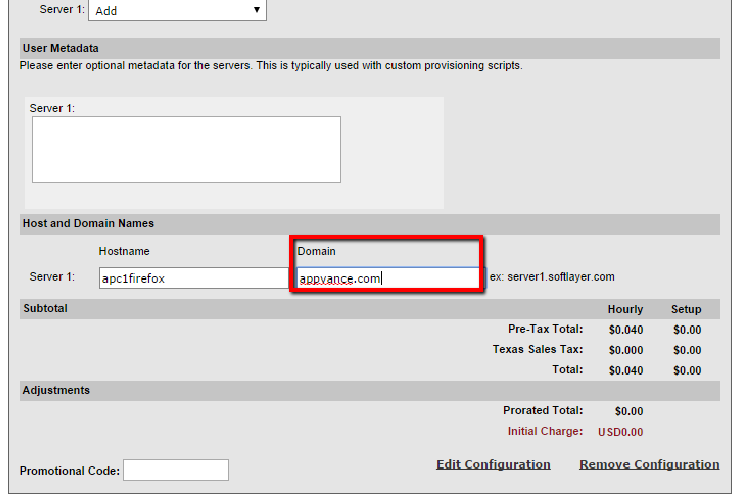
Domain The “Domain” field is a required field that identifies the respective machine’s domain. We can get this info while creating a new CCI (Cloud Computing instance)
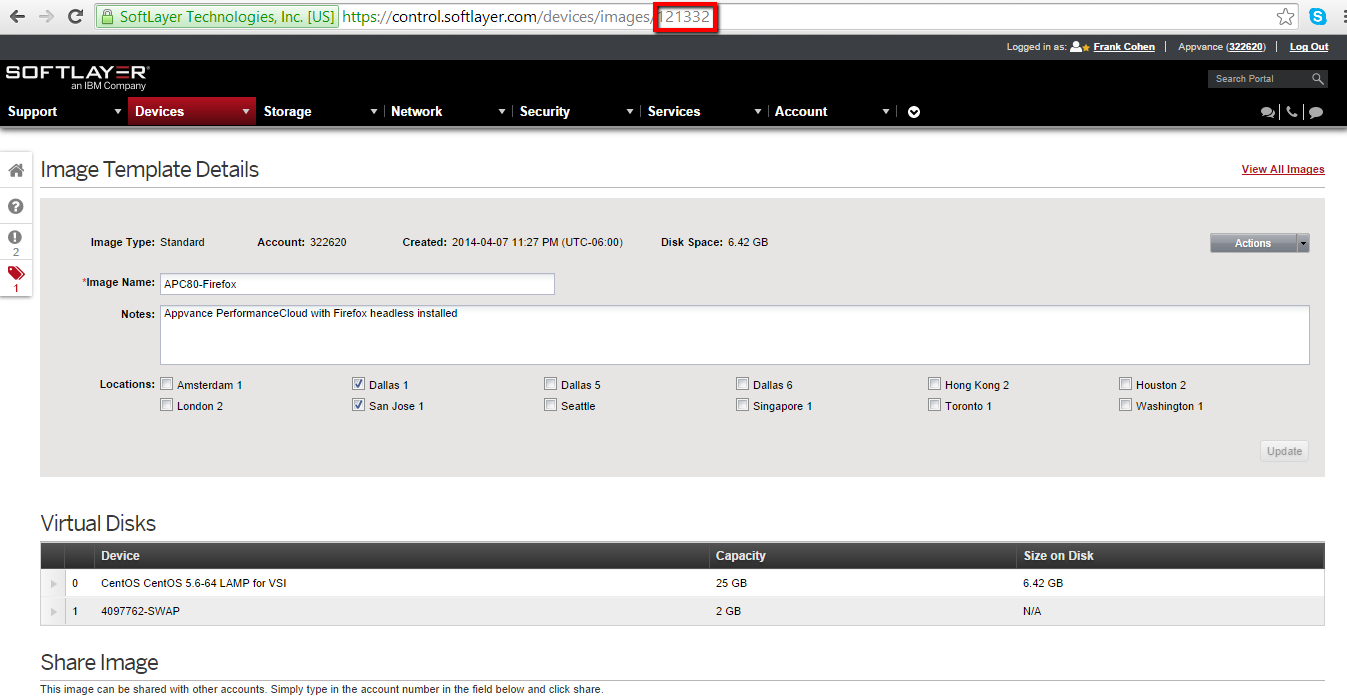
The ID field is the image disk id taken for the machines creation processdeployments and also it’s used for searching functional machines. The ID canshould be optioned by navigating to Image, Under Devices > Manage > Images - Click the image disk, and the URL will display the ID. Ex:https://control.softlayer.com/devices/images/121332 , In this case, 121332 is the image ID.
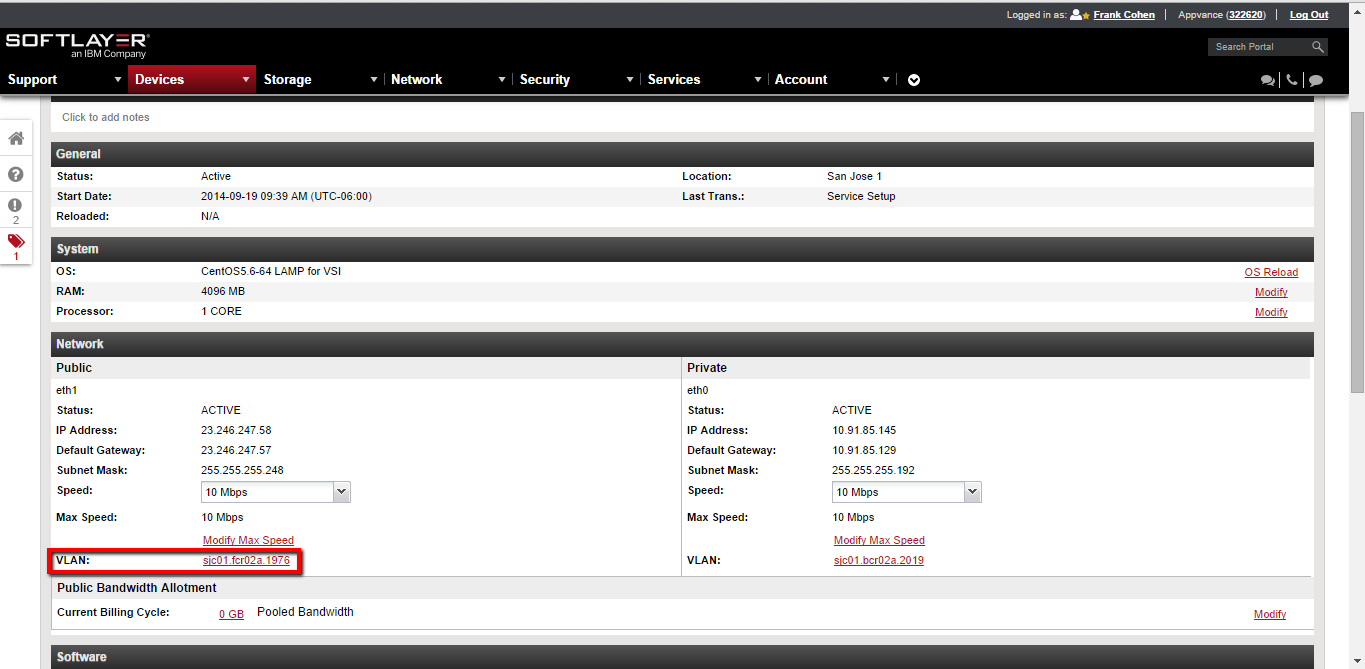
DataCenter Name is a very important field, this field is the code used in Softlayer for identifying a respective datacenter, e.g.: “San Jose 1” datacenter’s name is “sjc01”. Click the created Device, and look for VLAN on the page: The example would look like VLAN:sjc01.fcr02a.1976, in this case, sjc01 is the DataCenter Name.
Max Memory field represents the amount of memory the machine will use (in Megabytes), e.g: 4096.
Start CPU’s field which represents the amount of CPUs the machine will use.
Tools Section
This section has some functions related to the information provided in the configuration section previously mentioned.
The “Test Configuration” tool function is checking if the configuration provides is valid.
Then the “Functional Machines” tool opens a list of the machines that match the configuration.
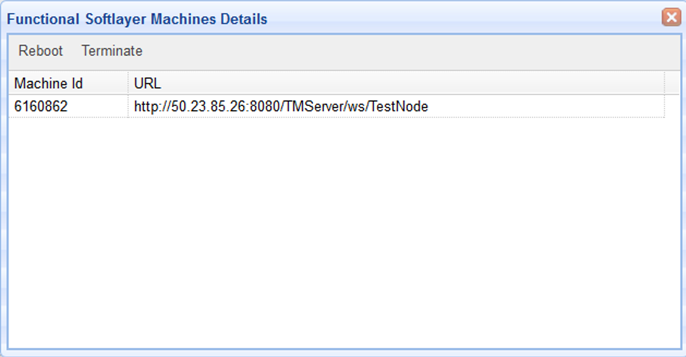
In this screen-shot shown the extension offers a couple of options, one is “Reboot”, which will execute a reboot call at an operating system level, usually this process takes a few minutes after selecting the option.
The other option is “Terminate” which deletes the selected machine,treated as thelegacy rebootsupport process, takes some minutes and it is important for the user to take into consideration that all the information stored in the respective machine will be deleted.material.
Finally, the “Start Single Machine” tool is in charge of the machine creation process, the parameters for the new machine will be taken from the configuration specified by the user. As the “reboot” and “terminate” process, “start a machine” will take some time, usually minutes and hours sometimes.
Appvance provides the above values to customers using the Appvance OnDemand service. Contact info@appvance.com for details.
Last updated: JulySeptember 17,24, 20232026
If you have any feedback on this topic, please contact us at documentation@appvance.ai.