
Configure Network Emulation in AIQ
UseLast thereviewed: NetworkSeptember Emulation22, page to enable or disable the use of network emulating for testing with AIQ. Test parameters such as bandwidth and latency can be configured from here.
2026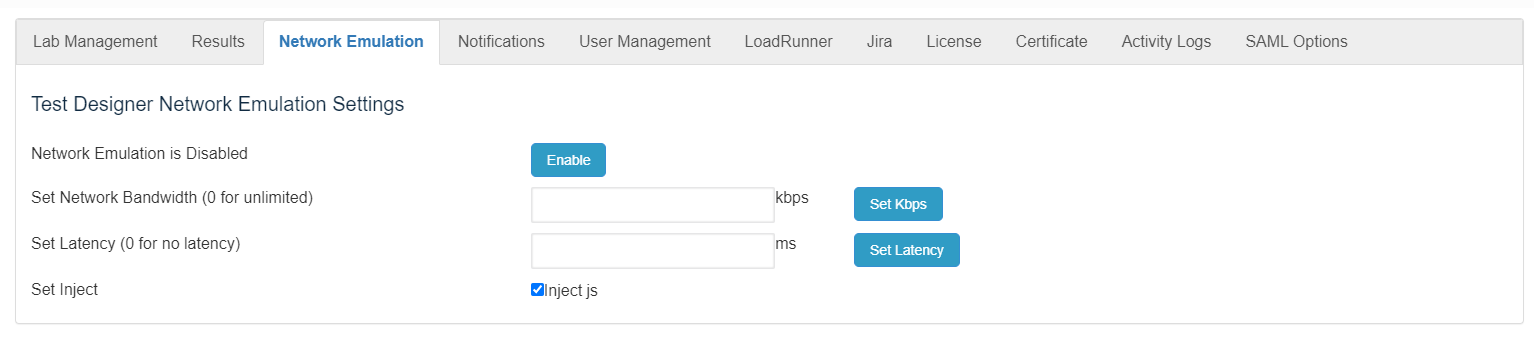
Network emulation ishelps evaluate application behavior under constrained latency, bandwidth, or packet-loss conditions.
Recommended guidance
- Use network emulation only when the test objective requires it.
- Document the network profile used for each run.
- Do not compare emulated and non-emulated results without noting the difference.
Validation workflow
- Define the target network profile and expected constraints.
- Apply the profile in the supported AIQ or test-node configuration.
- Run a
techniquesmallforvalidationtestingto confirm latency/bandwidth behavior. - Execute the
performancescenarioofandreallabelapplicationsresultsoverwitha virtual network. This is different fromthe networksimulationprofile. - Disable
whereorvirtualresetmodelsemulationofaftertraffic,the test if it was temporary.
Note: Leaving network models,emulation channels,enabled andaccidentally protocolscan areinvalidate applied.later Thetest aim is to assess performance, predict the impact of change, or otherwise optimize technology decision-making.From Wikipedia article on Network Emulationresults.
Last updated: JulySeptember 10,22, 20232026
If you have any feedback on this topic, please contact us at documentation@appvance.ai.