
Network Emulation
LastUse reviewed:the SeptemberNetwork 22,Emulation 2026page to enable or disable the use of network emulating for testing with AIQ. Test parameters such as bandwidth and latency can be configured from here.
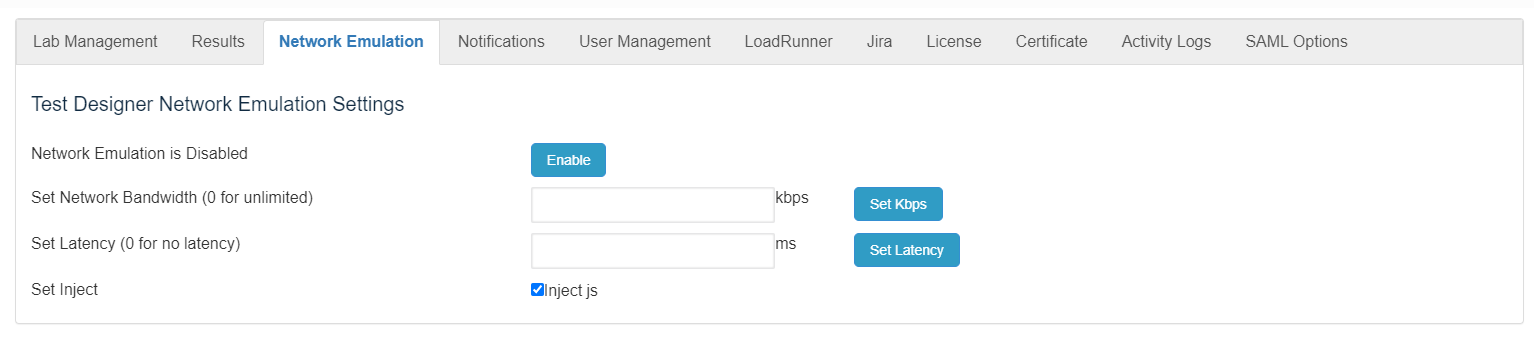
Network emulation helpsis evaluatea applicationtechnique behaviorfor undertesting constrainedthe latency,performance bandwidth,of real applications over a virtual network. This is different from network simulation where virtual models of traffic, network models, channels, and protocols are applied. The aim is to assess performance, predict the impact of change, or packet-lossotherwise conditions.optimize technology decision-making.
From Wikipedia article on Network Emulation
Recommended guidance
Use network emulation only when the test objective requires it.Document the network profile used for each run.Do not compare emulated and non-emulated results without noting the difference.
Validation workflow
Define the target network profile and expected constraints.Apply the profile in the supported AIQ or test-node configuration.Run a small validation to confirm latency/bandwidth behavior.Execute the scenario and label results with the network profile.Disable or reset emulation after the test if it was temporary.
Note: Leaving network emulation enabled accidentally can invalidate later test results.
Last updated: SeptemberJuly 22,10, 20262023
If you have any feedback on this topic, please contact us at documentation@appvance.ai.