
User Management
Appvance IQ will provide you the login credentials for Admin Users. Admin Users can then create multiple users. Normal users cannot create other users.
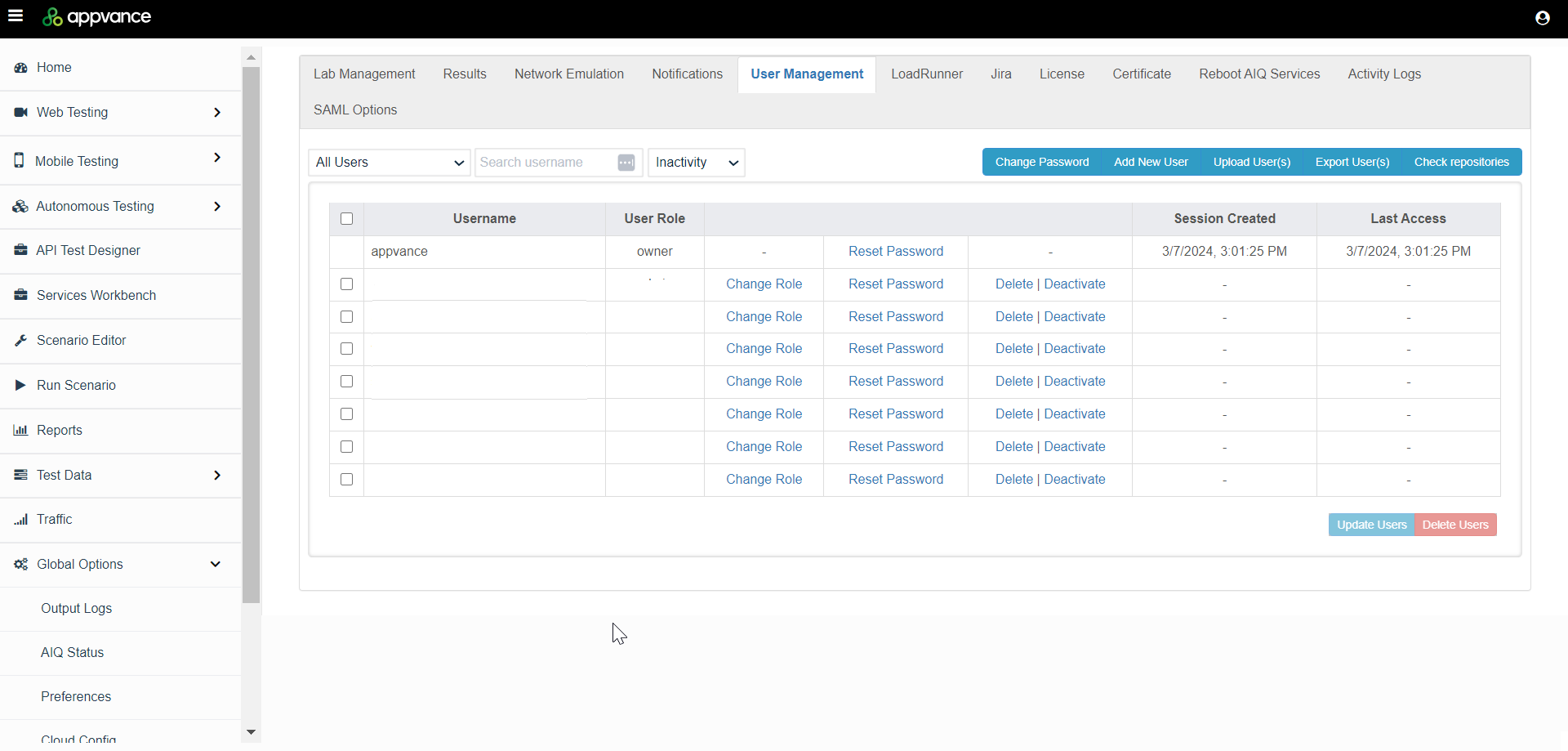
To access the User Management function, navigate to Global Options > Admin Options > User Management tab.
href="https://docs.appvance.net/Content/AIQ/Global_Options/AdminOptions/User Management/UserMgmt_ChangePassword.htm"Changing Password
href="https://docs.appvance.net/Content/AIQ/Global_Options/AdminOptions/User Management/UserMgmt_AddUser.htm"Adding Users
href="https://docs.appvance.net/Content/AIQ/Global_Options/AdminOptions/User Management/UserMgmt_ChangeRole.htm"Changing Roles
href="https://docs.appvance.net/Content/AIQ/Global_Options/AdminOptions/User Management/UserMgmt_LoginUser.htm"Logging in as a User
href="https://docs.appvance.net/Content/AIQ/Global_Options/AdminOptions/User Management/UserMgmt_RemoveUser.htm"Removing Users
href="https://docs.appvance.net/Content/AIQ/Global_Options/AdminOptions/User Management/UserMgmt_ResetPassowrd.htm"Reset Password
Last updated: March 07, 2024
If you have any feedback on this topic, please contact us at documentation@appvance.ai