
User Management in AIQ
Appvance
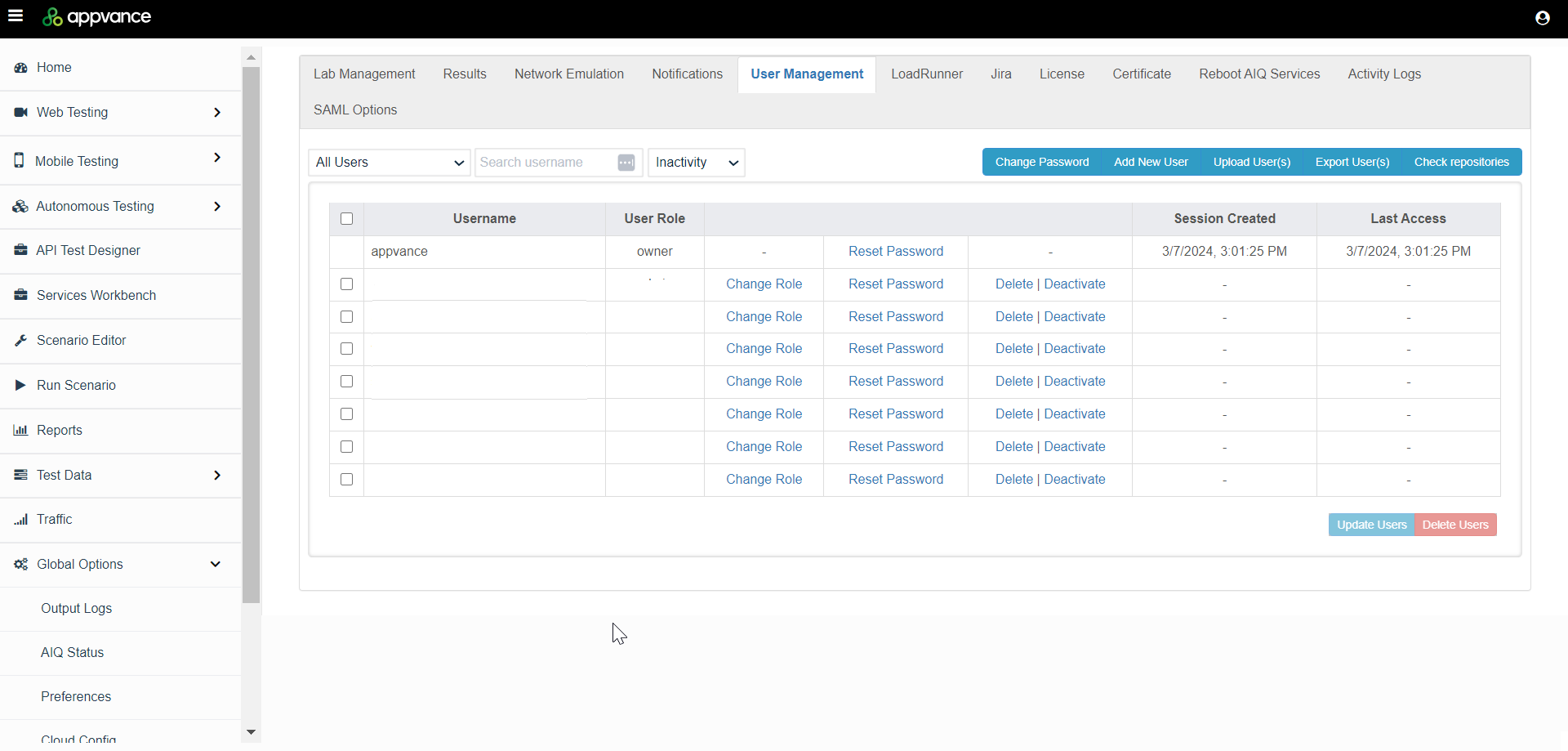
Recommended IQ will provide you the login credentials for Admin Users. Admin Users can then create multiple users. Normal users cannot create other users.guidance
To access theUse User Management function,to navigatecontrol who can access AIQ projects, execute tests, manage configuration, and view results. Access should follow least privilege and should be reviewed whenever team membership, responsibilities, or environments change.
Recommended controls
- Assign roles based on job responsibility, not convenience.
- Use named accounts instead of shared accounts whenever possible.
- Remove or disable accounts for users who no longer need access.
- Review administrators, project owners, and integration/service accounts regularly.
- Protect sensitive projects, credentials, DPLs, repositories, and execution evidence from unnecessary access.
Operational checklist
- Confirm the user identity, role, project access, and expected responsibilities.
- Grant the minimum access required for the task.
- Document exceptions such as temporary elevated access.
- Audit inactive users and accounts tied to
GlobaloldOptionsintegrations. - Escalate
>authenticationAdminorOptionsSSO>issuesUserwithManagementtimestampstab.and affected accounts, without sharing passwords.
Security reminder: Do not paste passwords into tickets, chat messages, or documentation. Ask users to reset passwords or sign in through the approved login flow.
Last updated: MarchOctober 07,5, 20242026
If you have any feedback on this topic, please contact us at documentation@appvance.ai