
Azure Monitor Integration for AIQ
AppvanceUse supportsthis anarticle Applicationwhen Performance Monitoring (APM) integration with Microsoft's Azure Monitor.
This integration was added in theconnecting AIQ 5.0.0workflows release.
Forperformance more information see Microsoft's overview of Azure Monitor.
Configure AIQ Integrationtests with Azure Monitor
metrics, logs, Navigateor to Global Options > Preferences > APM Integration.alerts.
What
Select Azure Monitor.
Enter the URL of your Azure Monitor portal and a name for the integration.
Select a Time Range to set the time to analyze along the execution. For example, if you select 30 minutes, it will analyze 5 minutes before and 5 minutes after a point selectedchanged in thethis execution.
ClickSave.
Confirm the integration is saved in the dropdown at the top left corner.
Seeing the Data in Azure Monitor
In AIQ run the scenario.
When the scenario is complete, navigate to Reports > Test Case Executions.
Click the link to see the report.
Click any of the green triangles. Make note of the time index. Example: Azure Monitor execution details at 4:03:49 PM.
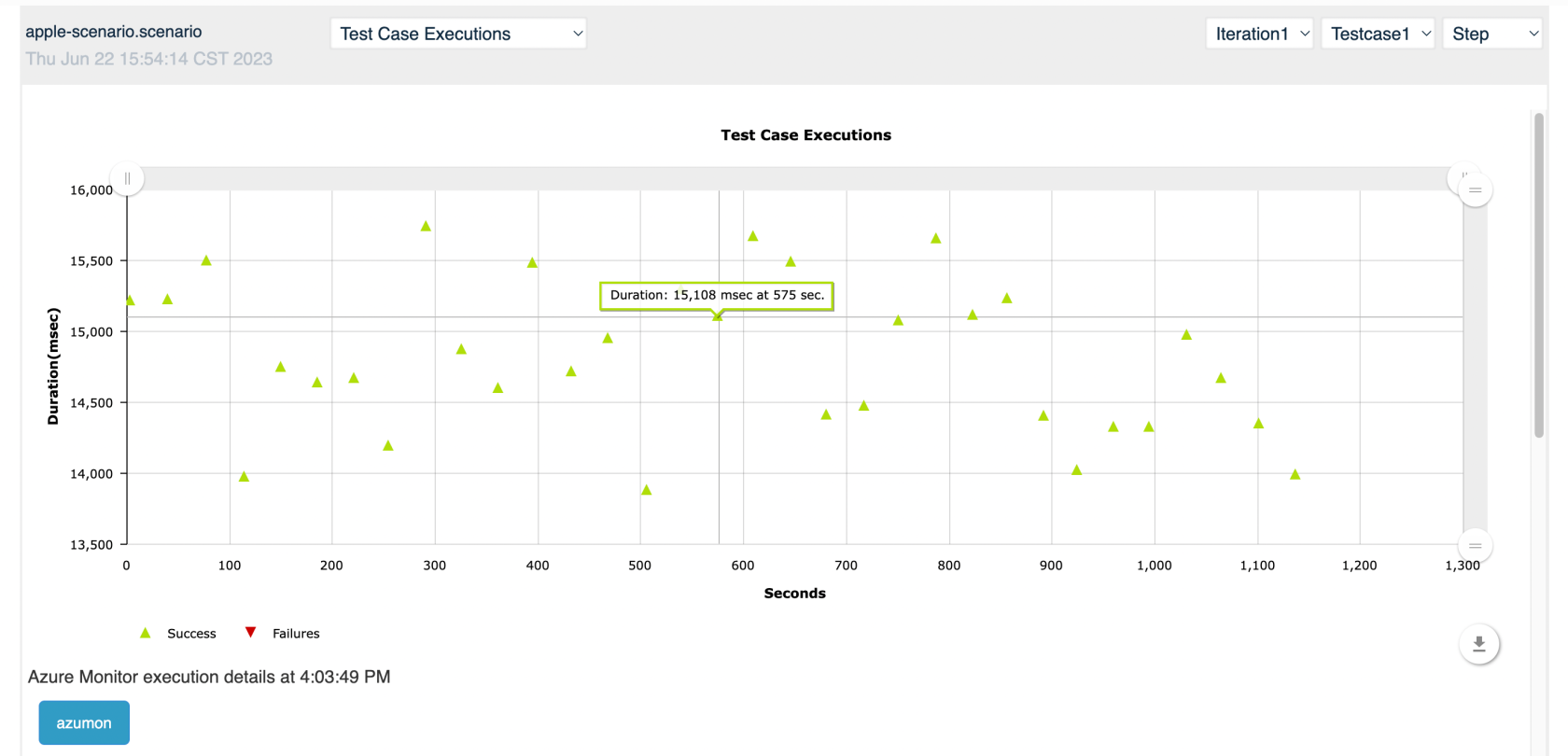
Click the blue button to open a new window withScoped the Azure Monitor reportpage betweento AIQ integration and observability use cases.
Validation workflow
- Identify the Azure resources, metrics, logs, and time
specifiedwindowsin the APM integration settings. Example: 30 minutesthat shouldshowbethecorrelatedreportwithbetweenAIQ3:48runs. - Validate
pmauthentication, permissions, workspace access, and4:18querypm.results with a small execution. - Review AIQ results and Azure Monitor data together before diagnosing bottlenecks.
Review 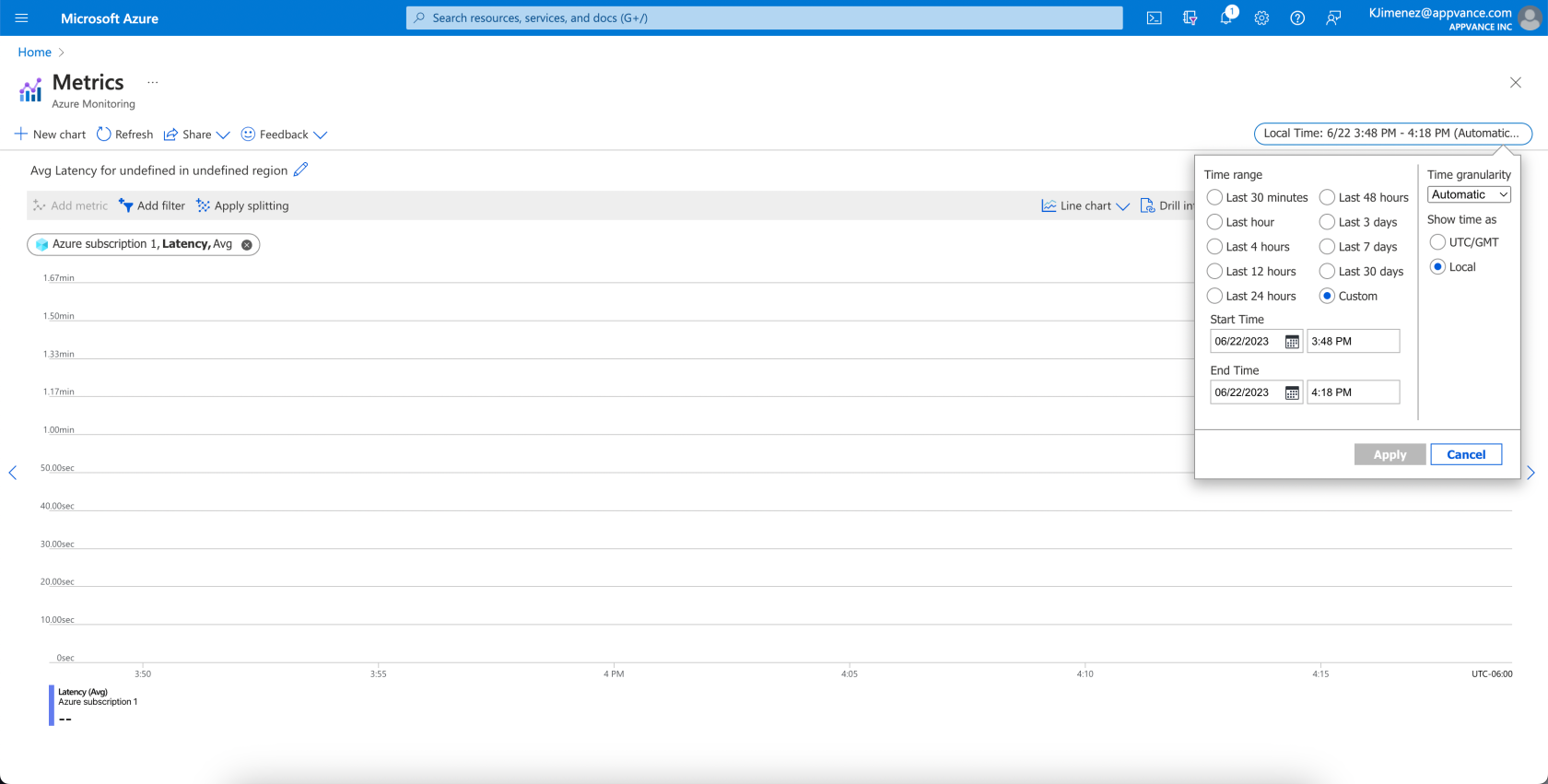
Last updated: JanuaryOctober 30,5, 20242026
If you have any feedback on this topic, please contact us at documentation@appvance.ai.