
Changing Time Zones in Jenkins
By default, the timezone is in UTC.
If you want to change the timezone to a different one:
Navigate to Build Triggers.
Check the Build Periodically option.
Define the Schedule as:
TZ=EST5EDT
0 16 * * 1-5
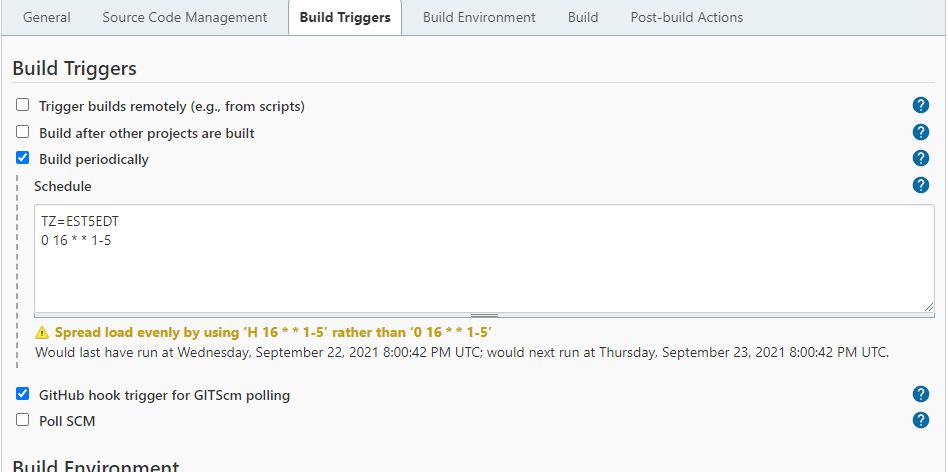
This means we are setting the timezone to be EST and setting the run time at 16:00 PM from Monday to Friday.
For more timezone codes, please refer toTime Zones information at Java Locale for “English (United States)” (en-US) at LocalePlanet.
Last updated: April 28, 2023
If you have any feedback on this topic, please contact us at documentation@appvance.ai