
JMeter FAQ
File Downloads from JMeter
How to run Jmeter DB script in AIQ
Jmeter - Java.lang.RuntimeException: Could not find the TestPlan class! Getting this error while running the scenario from AIQ.
JMeter - Note able to see the transactions in the Reports or Test Controller.
Jmeter - Steps Average duration calculation in Appvance IQ
Jmeter: Error while running MySQL DB script
Running JMeter Scripts in AIQ - Best Practices
File Downloads from JMeter
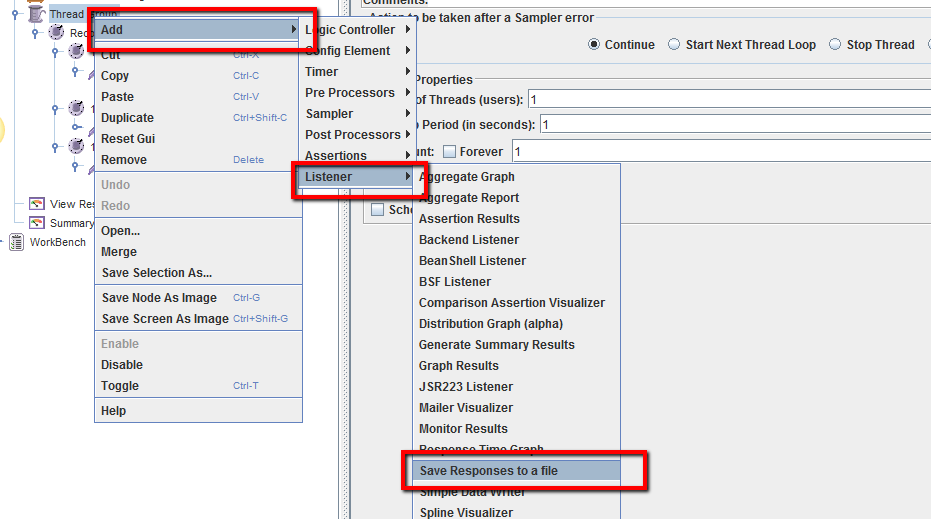
In JMeter, we need to add a "Save Responses to a file" listener to save the file downloads, we can provide a file name prefix or even the directory path for the download file.
Please refer to below screenshot on how to add "Save Responses to a file" Listener
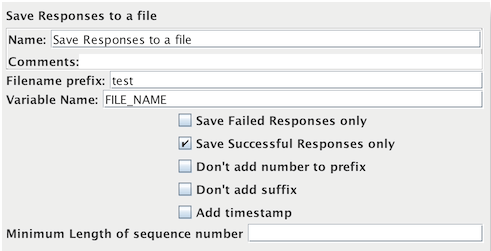
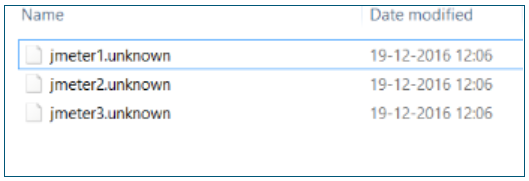
For each sample in its scope, it will create a file of the response Data. The file name is created from the specified prefix, plus a number (unless this is disabled, see below). The file extension is created from the document type if known. If not known, the file extension is set to 'unknown'. If numbering is disabled, and adding a suffix is disabled, then the file prefix is taken as the entire file name. This allows a fixed file name to be generated if required. The generated file name is stored in the sample response and can be saved in the test log output file if required.
The current sample is saved first, followed by any sub-samples (child samples). If a variable name is provided, then the names of the files are saved in the order that the sub-samples appear. See below.
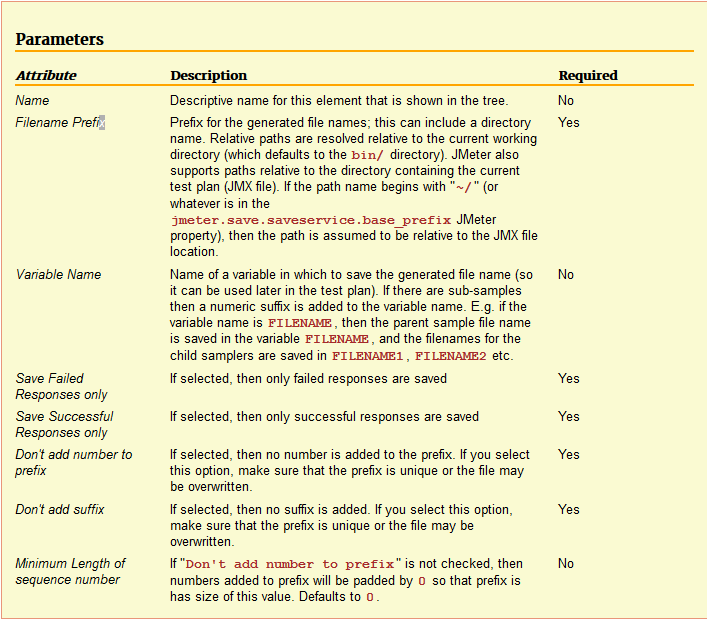
Please find below the detailed description of the parameters used
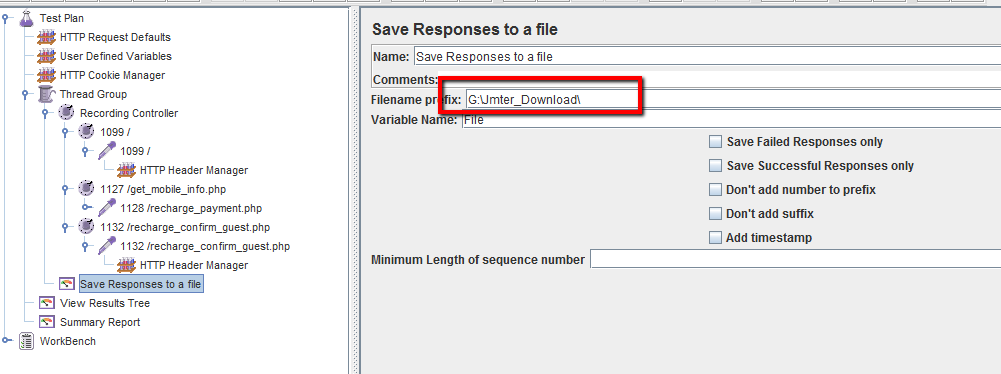
Without providing the path, the file gets saved in the "JMeter/bin" directory.
We can mention the path in the "Save Responses to a file" listener as seen below and this script can be used in Appvance IQ.
File downloaded after running the scenario from Appvance IQ
How to run Jmeter DB script in AIQ
We assume that the reader has knowledge of how to create a scenario and run the test in AIQ
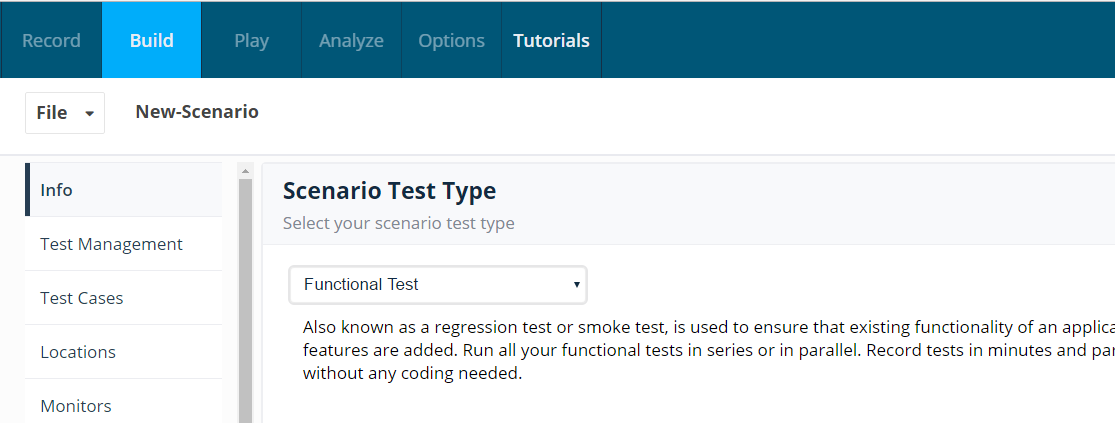
The user creates a new scenario and selects a functional test
Navigates to Test case tab and selects Test type as "Jmeter" and attaches the Jmeter script which ran successfully in Jmeter
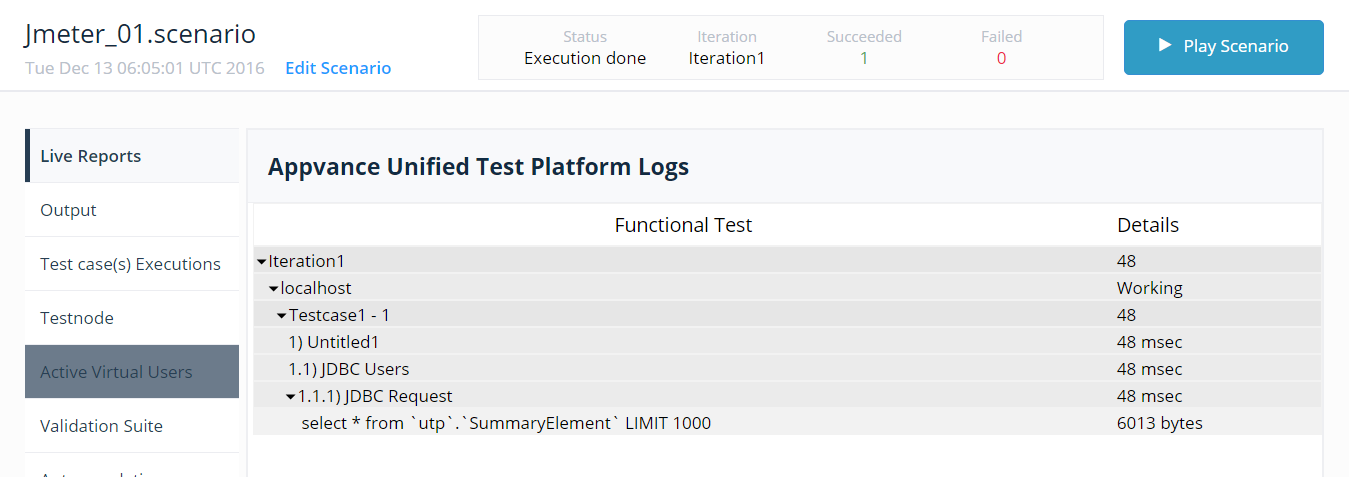
User now saves the scenario and runs the tests and navigates to Test Controller screen and verifies the output
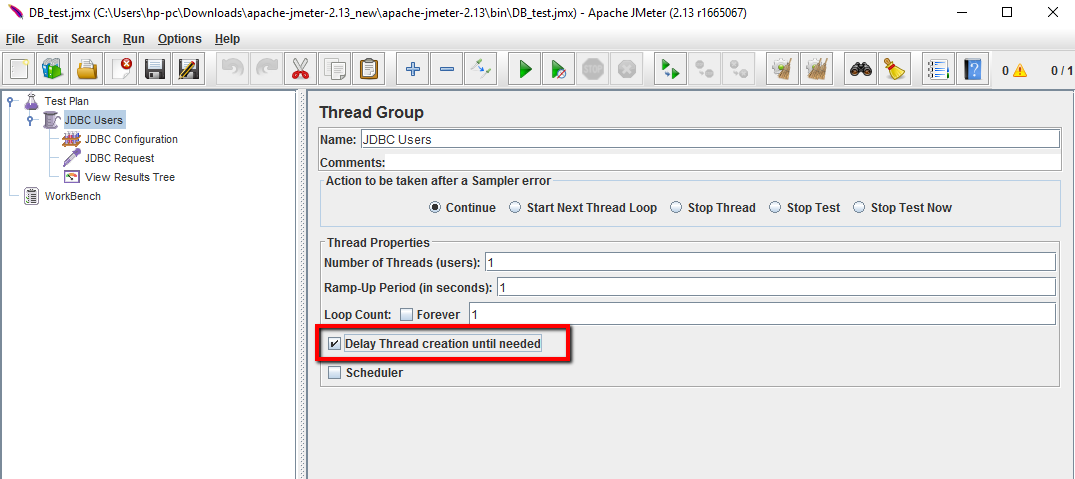
In the above scenario we are running a simple functional test in AIQ. However if the user wants to run a Load test we will have to make some changes in the Jmeter script. The below screenshot highlights the changes that needs to be done to run the Load test in AIQ.
Need to check in the Thread Group the option Delay Thread Creation Until Needed. Once the changes is made we can go ahead and save the script.
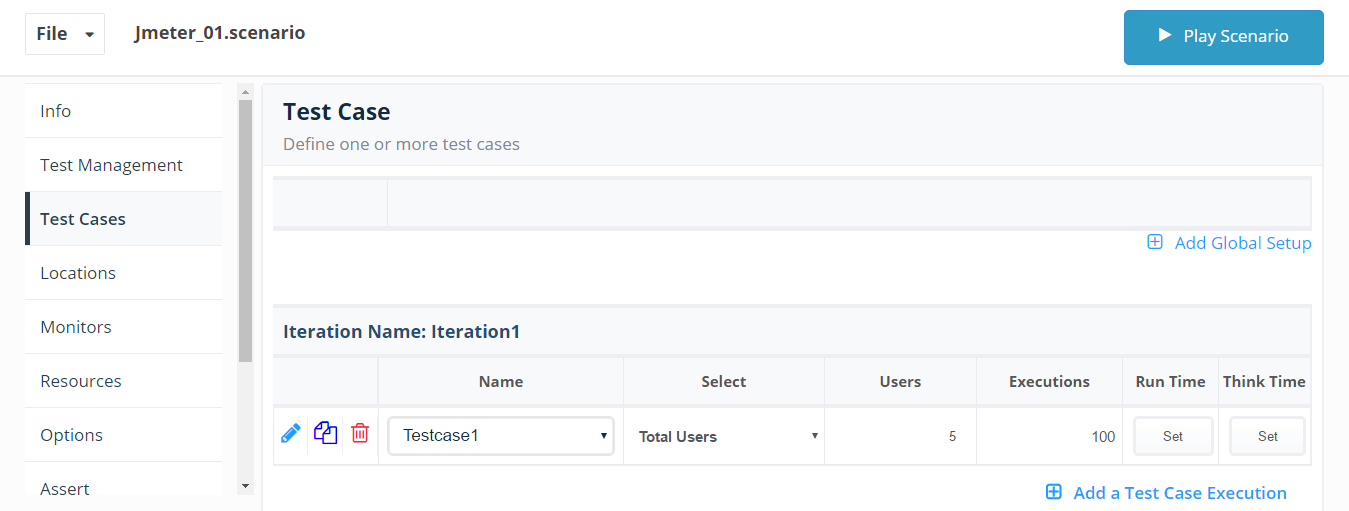
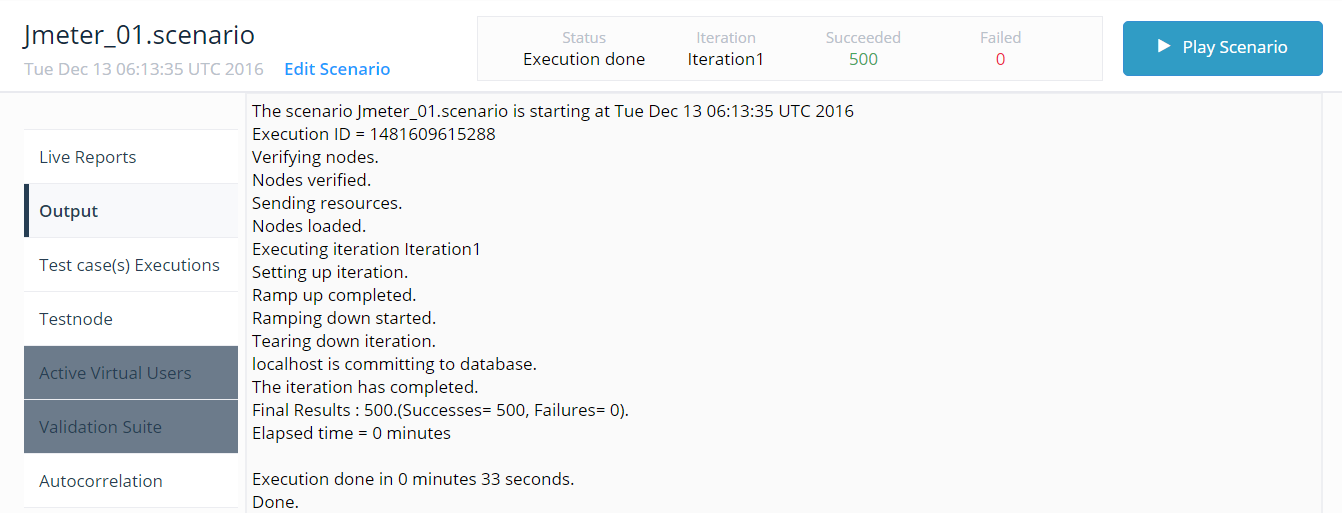
User creates a Load test scenario with 5 users and 100 executions
Jmeter - Java.lang.RuntimeException: Could not find the TestPlan class! Getting this error while running the scenario from AIQ
Solution : Please add htmlunit - 2.15.2648 bundle.
Navigate to Scenario builder and open the scenario created.
Navigate to Resource Panel and click Add bundle.
Add htmlunit with version as 2.15.2648, Save and Re-run the scenario.
JMeter - Note able to see the transactions in the Reports or Test Controller
Resolution: Add a new bundle 'httpclient' with value '4.3.4' in the Resources panel of the Scenario Builder, Save and re-run the scenario to see the results in Reports as well as in Test Controller
Jmeter - Steps Average duration calculation in Appvance IQ
The below example gives a detailed explanation of how Step's average duration is calculated in the Jmeter-Appvance IQ combination.
1.3 TC01_DealID_03 - Average duration is 1.33 secs
All the requests below and calculations are shown below.
Number of Success transaction * Average duration of each request
72*10.92 = 786.24
37*3.23 = 119.51
36*2.15 = 77.4
37*0.93 = 34.41
36*0.9 = 32.4
580*0.04 = 23.2
36*0.48 = 17.28
36*1.88 = 67.68
Addition of all the successful transactions.
72+37+36+37+36+580+36+36 = 870
786.24 + 119.51 + 77.4 + 34.41 + 32.4 + 23.2 + 17.28 + 67.68 = 1158.2
1158.2/870 = 1.33
Jmeter: Error while running MySQL DB script
The user tries to run a MySQL DB script in Jmeter and receives the below error
Java.sql.SQLException: No suitable driver found for jdbc:mysql://localhost:3306/apc
The error message is self-explanatory stating that there is no suitable driver for running the MySQL script. For the script to run successfully we need to download the MySQL connector jar file and place it under the lib folder of Jmeter
For Ex:
If the Jmeter is in the C folder we need to place the mysql-connector-java-5.1.37-bin.jar in C:\Program Files\apache-jmeter-2.13\lib
Download link :
http://dev.mysql.com/downloads/connector/j/
and download the Zip file, Extract the file and copy the mysql-connector-java-5.1.37-bin.jar and place it in the lib folder of Jmeter
Running JMeter Scripts in AIQ - Best Practices
Disable the "View Result Tree" listener during the Load test in AIQ. Because it consumes more memory and causes JMeter running to run out of memory
Disable any other listeners from the Jmeter script before running it in AIQ
The number of Threads should be given 1 in Jmeter when running performance tests in AIQ because this will add up to the iterations
Better to give Ramp-up as 0 in Jmeter
Same as Number of Threads, loop count to be given as 1 by default
Thread group - Use continue, Stop test now accordingly, using stop now will stop all other remaining threads when a thread is a failure
Last updated: June 26, 2023
If you have any feedback on this topic, please contact us at documentation@appvance.ai