
Integrating SoftwareAG X-Registry
Appvance and SoftwareAG took the Appvance As A Service concept into reality. A proof of concept (POC) project for adding governance information to SoftwareAG’s X-Registry. In the POC, Appvance IQ monitors a service registered in X-Registry and sends that service's governance results statistics information to the X-Registry governance’s registry system, including current up / down service status, time since the last problem, and average response times. Within X-Registry, the statistics appear as the registered service's metadata.
Introduction
AIQ has the capacity to work as a soap-based Web service known as Appvance As A Service (PAAS). SoftwareAG owns webMethods, a company providing business process integration to the world's largest corporations and government agencies. SoftwareAG publishes X-Registry (formerly WebMethods and Infravio X-Registry). X-Registry is a commercial software product providing registry, repository, and governance essentials for successful company-wide adoption of service-oriented architecture (SOA). The integration of AIQ and X-Registry delivers necessary functions to X-Registry users needing to govern services, by enabling X-Registry to realize the current state of a service and other governance information by adding PAAS to the governance platform. PAAS runs tests to the Web Services registered in X-Registry and stores governance information about the quality of those services. To accomplish this, several architectural and functional issues needed to be resolved:
-
Who will write the test?
-
How will PAAS information be accessed?
-
Who will update the governance repository’s information?
-
How often must governance information be updated?
-
How will the security issues be managed?
-
Does the monitor test only check the system or should it also update the repository information?
Specification of the Appvance IQ / X-Registry Integration
This figure illustrates the implementation of the Proof of Concept.
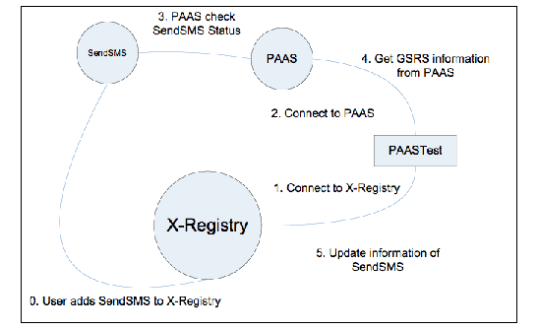
The following steps demonstrate the integration.
The user adds SendSMS to X-Registry
-
Start X-Registry
-
Start SendSMS
-
Compile SendSMS project
To compile SendSMS, use an ant jar in the SendSMS folder.
-
In file SendSMS/dist/TOMCAT/bin run startup.sh or startup.cmd according your OS.
-
Add SendSMS to X-Registry
-
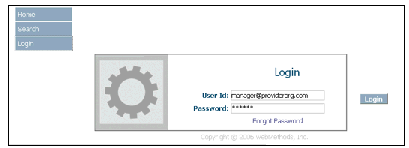
Log in to the X-Registry system as a provider manager:
-
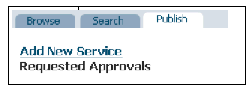
Click Add New Service:
-
Add SendSMS service information. In the POC the service is named SendSMS and the WSDL
is:
http://localhost:8686/SendSMS/ws/SMS?wsdl
where localhost is the name of the system hosting the SendSMS service
-
Connect to X-Registry
-
Start PAAS using the command startup.sh or startup.cmd according to your OS. The files are located in the directory TRUNK/AIQ/TestNetwork/TestNode/bin
-
Start the PAAS test using the command PAASTest.bat or PAASTest.sh according to your OS. The files are located in the folder TRUNK/SendSMS
-
The program will connect to X-Registry
-
Connect to PAAS
-
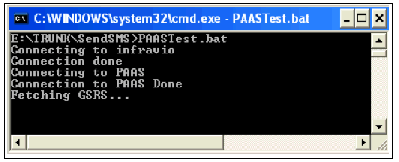
The program PAASTest will connect to both systems using web services:
-
PAAS check SendSMS Status
-
PAAS system will periodically check the Service SendSMS by a user-specified time; for POC this time is 2 minutes
-
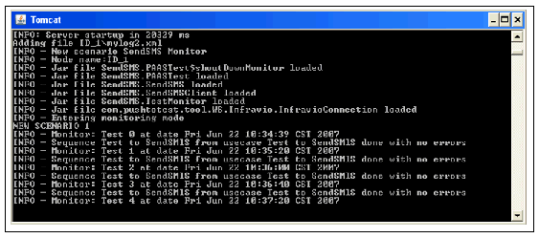
If the SendSMS test works, the system will state there were no errors
-
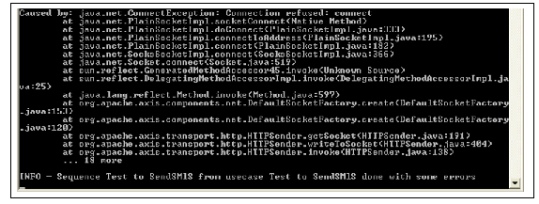
If the service is not running or is not working as expected, PAAS will state the test failed with the reason for the failure
-
Get GSRS information from PAAS
-
The PAAS test will automatically get historical service information from PAAS
-
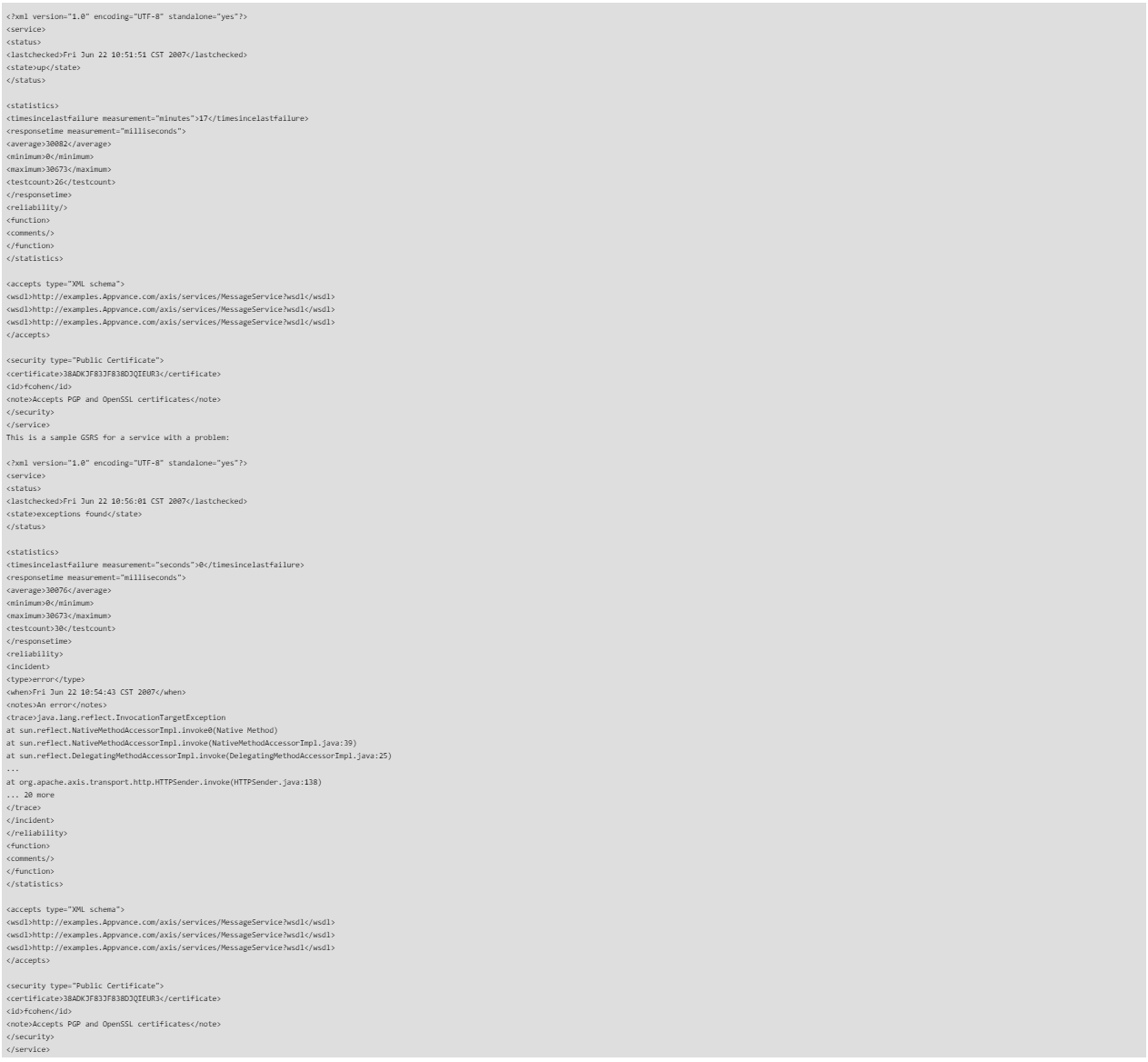
The service information is XML data known as GSRS (Governance Statistics ResultSet)
-
The GSRS is known as Appvance-Governance and the document Appvance_Governance.pdf describes its specification and design
-
This is a sample GSRS for a correctly running service:
-
Update SendSMS information
-
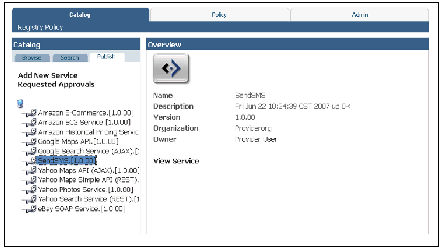
PAAS will send the GSRS to X-Registry. Currently, it is posted in the description place, but being restricted to 255 characters is a problem. The future plan is to have the GSRS file added as a separate file and a new field added to indicate the service status
-
This figure shows a POC display of a service running as expected:
-
This figure shows a POC display of service not running as expected:
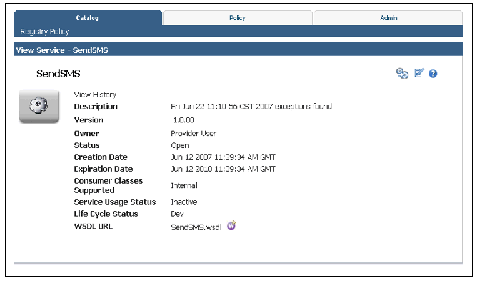
The preceding steps demonstrated how Appvance IQ monitors a service registered in X-Registry and sends service Governing SOA Through Test Automation information, to X-Registry governance registry system, such as current up / down service status, time since the last problem, and average response times as well as how X-registry stores and displays registered service information as metadata.
Further information can be found at:
-
X-Registry description (Adobe Acrobat PDF format)
-
WebMethods
Last updated: July 28, 2023
If you have any feedback on this topic, please contact us at documentation@appvance.ai