
Legacy SoftwareAG X-Registry Integration Reference
AppvanceLast andreviewed: September 28, 2026
This page is retained as a legacy reference for the historical SoftwareAG took the Appvance As A Service concept into reality. AX-Registry proof of concept (POC) project for adding governance information to SoftwareAG’s X-Registry. In the POC, Appvance IQ monitors a service registered in X-Registry and sends that service'sconnected AIQ governance results statistics information to an SOA registry.
What changed in this article
- Marked the SoftwareAG X-Registry
governance’sworkflowregistryassystem,historicalincludingPOC/legacy content rather than currentupintegration/guidance. - Replaced
downthe old PAAS-heavy narrative with a concise explanation of what was integrated: service status,timegovernancesincestatistics,theresponselast problem,timing, andaverage response times. Within X-Registry, the statistics appear as the registered service'sregistry metadata.IntroductionAIQ has the capacity to work as - Added a
soap-basedclearWebdecisionservicepoint:knownonlyasuseAppvancethisAspageAwhenService (PAAS). SoftwareAG owns webMethods,supporting acompanycustomerprovidingthatbusinessstillprocess integration to the world's largest corporations and government agencies.references SoftwareAGpublishesX-Registry(formerlyorWebMethodstheandoldInfravioGSRSX-Registry).governance result format.
Validation workflow
- Confirm the customer still has a SoftwareAG X-Registry
isdependencyabeforecommercialusingsoftwarethisproductarticle. - Validate
providingtheregistry,servicerepository,endpoint, registry access, and governanceessentialsresultforformatsuccessfuloutsidecompany-wideproductionadoptionfirst. - Document any remaining X-Registry dependency as migration or legacy-support work.
Review note: The original article described a proof of service-orientedconcept architecturewith (SOA).SendSMS, ThePAAS, integration of AIQGSRS, and X-Registry deliversscreenshots. necessaryIt functionsis tonow X-Registry users needing to govern services, by enabling X-Registry to realize the current state of a service and other governance information by adding PAAS to the governance platform. PAAS runs tests to the Web Services registered in X-Registry and stores governance information about the quality of those services. To accomplish this, several architectural and functional issues needed to be resolved:
Who will write the test?
How will PAAS information be accessed?
Who will update the governance repository’s information?
How often must governance information be updated?
How will the security issues be managed?
Does the monitor test only check the system or should it also update the repository information?
Specification of the Appvance IQ / X-Registry Integration
This figure illustrates the implementation of the Proof of Concept.
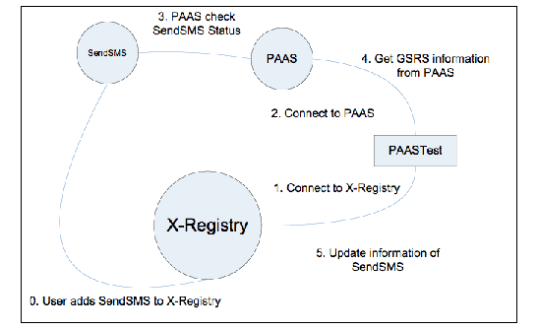
The following steps demonstrate the integration.
The user adds SendSMS to X-Registry
Start X-Registry
Start SendSMS
Compile SendSMS project
To compile SendSMS, use an ant jar in the SendSMS folder.
In file SendSMS/dist/TOMCAT/bin run startup.sh or startup.cmd according your OS.
Add SendSMS to X-Registry
Log in to the X-Registry systemscoped as alegacy providerreference manager: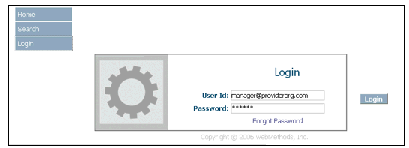
Click Add New Service:
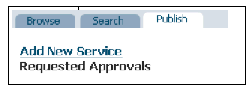
Add SendSMS service information. In the POC the service is named SendSMS and the WSDLis:
http://localhost:8686/SendSMS/ws/SMS?wsdl
where localhost is the name of the system hosting the SendSMS service
Connect to X-Registry
Start PAAS using the command startup.sh or startup.cmd according to your OS. The files are located in the directory TRUNK/AIQ/TestNetwork/TestNode/bin
Start the PAAS test using the command PAASTest.bat or PAASTest.sh according to your OS. The files are located in the folder TRUNK/SendSMS
The program will connect to X-Registry
Connect to PAAS
The program PAASTest will connect to both systems using web services: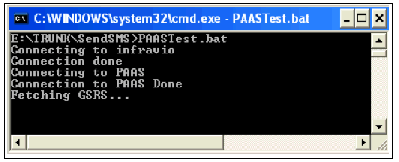
PAAS check SendSMS Status
PAAS system will periodically check the Service SendSMS by a user-specified time; for POC this time is 2 minutes
If the SendSMS test works, the system will state there were no errors
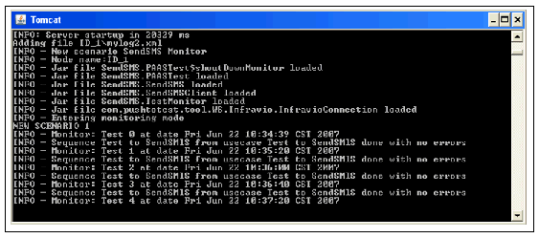
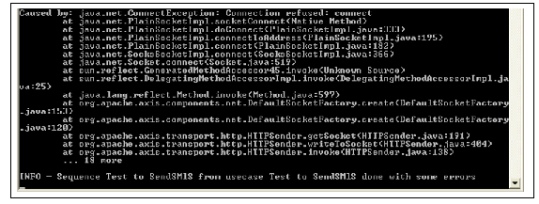
If the service is not running or is not working as expected, PAAS will state the test failed with the reason for the failure
Get GSRS information from PAAS
The PAAS test will automatically get historical service information from PAAS
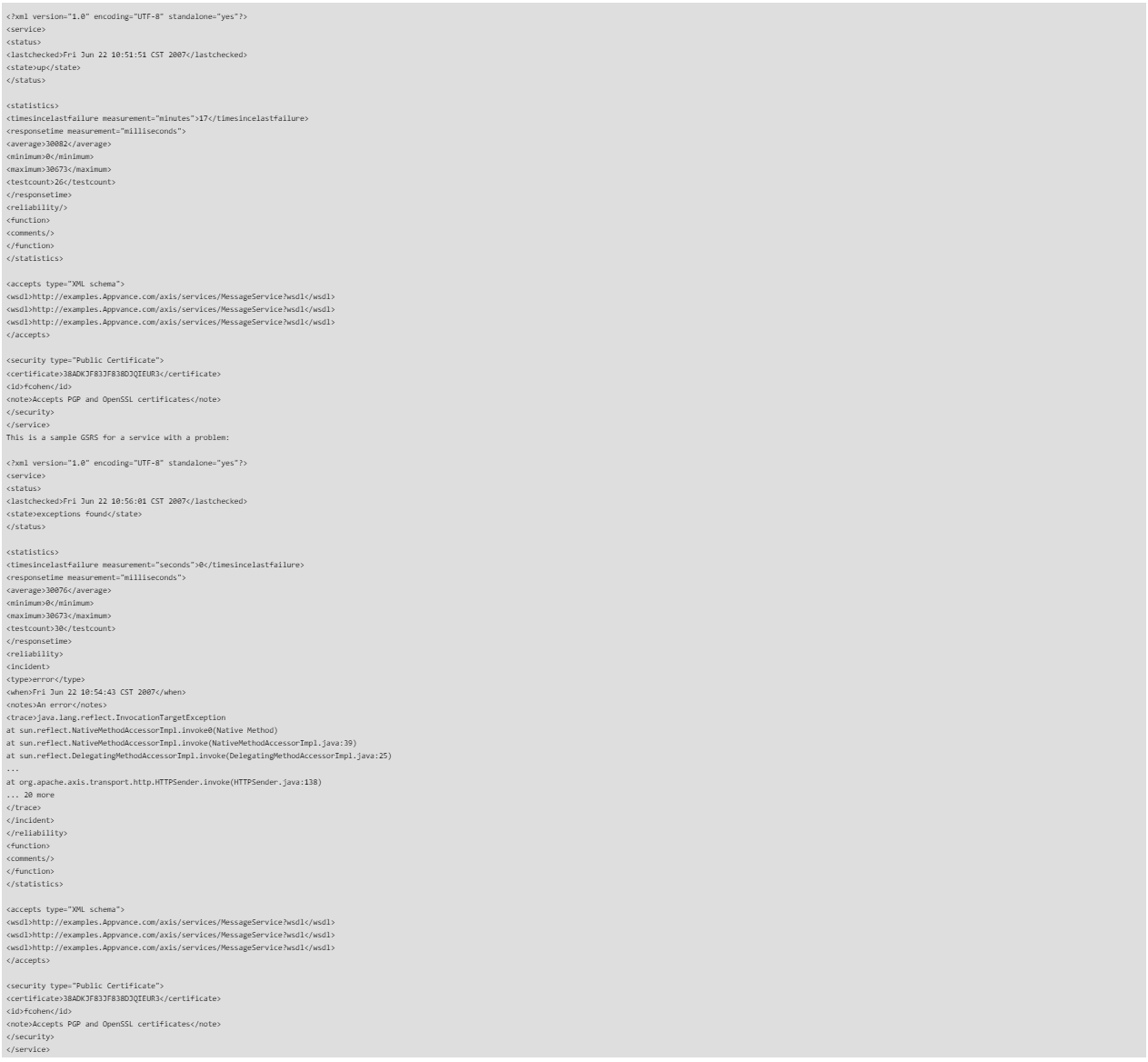
The service information is XML data known as GSRS (Governance Statistics ResultSet)
The GSRS is known as Appvance-Governance and the document Appvance_Governance.pdf describes its specification and design
This is a sample GSRS for a correctly running service:
Update SendSMS information
PAAS will send the GSRS to X-Registry. Currently, it is posted in the description place, but being restricted to 255 characters is a problem. The future plan is to have the GSRS file added as a separate file and a new field added to indicate the service status
This figure shows a POC display of a service running as expected:
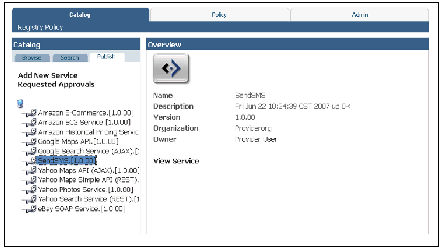
This figure shows a POC display of service not running as expected:
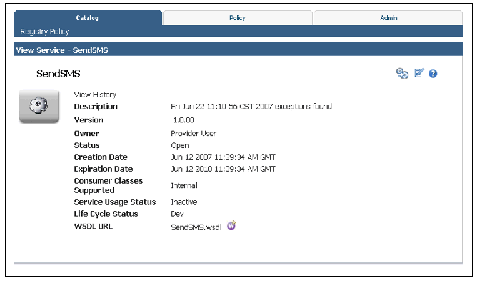
The preceding steps demonstrated how Appvance IQ monitors a service registered in X-Registry and sends service Governing SOA Through Test Automation information, to X-Registry governance registry system, such as current up / down service status, time since the last problem, and average response times as well as how X-registry stores and displays registered service information as metadata.
Further information can be found at:
X-Registry description (Adobe Acrobat PDF format)
WebMethods
Last updated: JulySeptember 28, 20232026
If you have any feedback on this topic, please contact us at documentation@appvance.ai.