
Configure ant to run Scenarios from Jenkins
Recommended
guidanceAll the ant calls are case-sensitive.
UseTo run scenarios using local files, Jenkins andmust Antbe onlyinstalled whenon a local machine, after which local paths can be specified in place of REPOSITORY paths using SERVER.
Save this Jenkins project with these configurations.
Click build now.
Upon successful build, the projectuser stillcan requires an Ant-based automation pipeline. For new pipelines, confirm whether a newer CI/CD approach is available before extending legacy Ant jobs.
Before configuringsee the job
logs Confirmby clicking on the build link and then clicking on Console Output which will display all the logs and the link to navigate to Reports of the test run.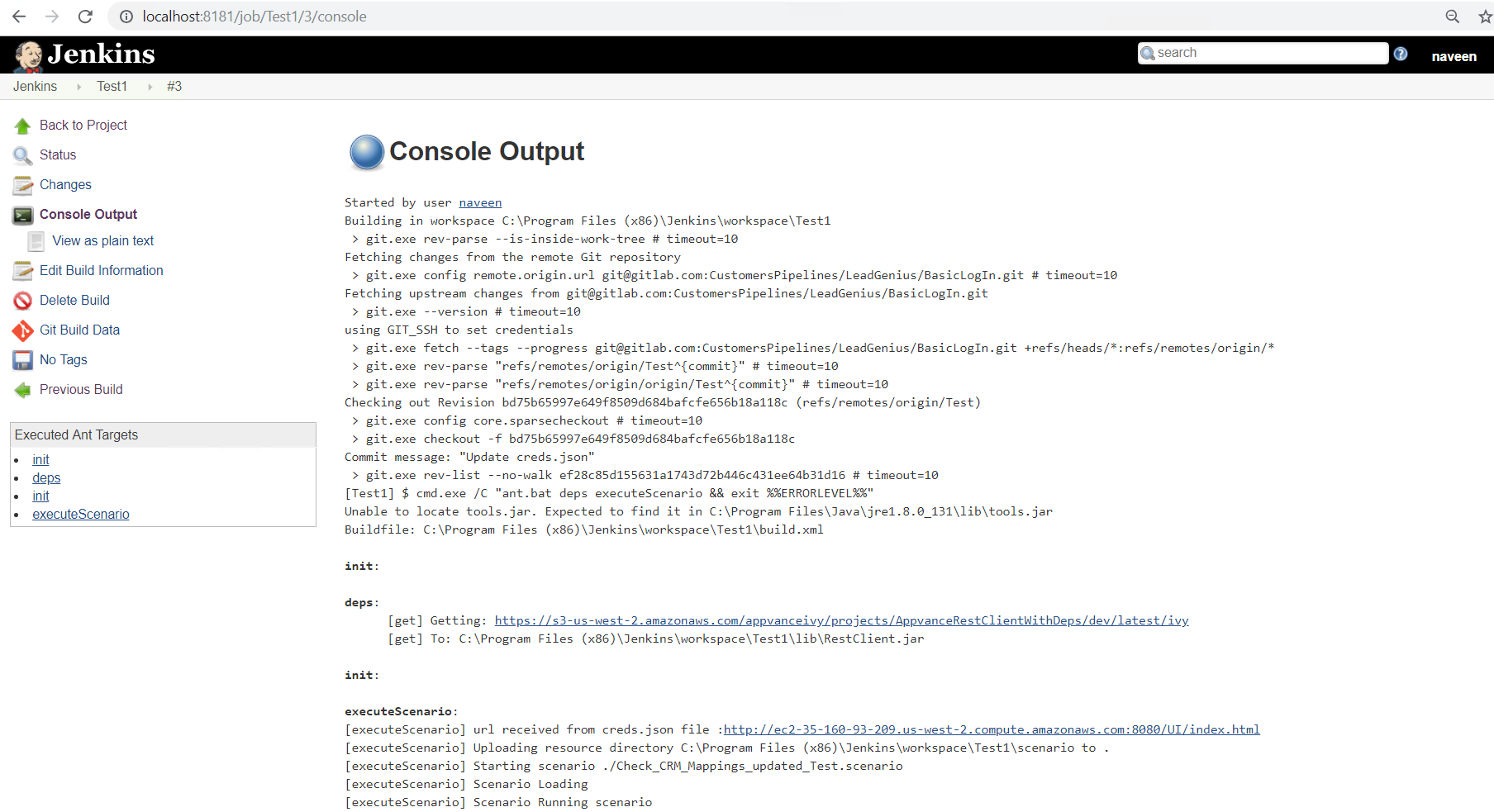
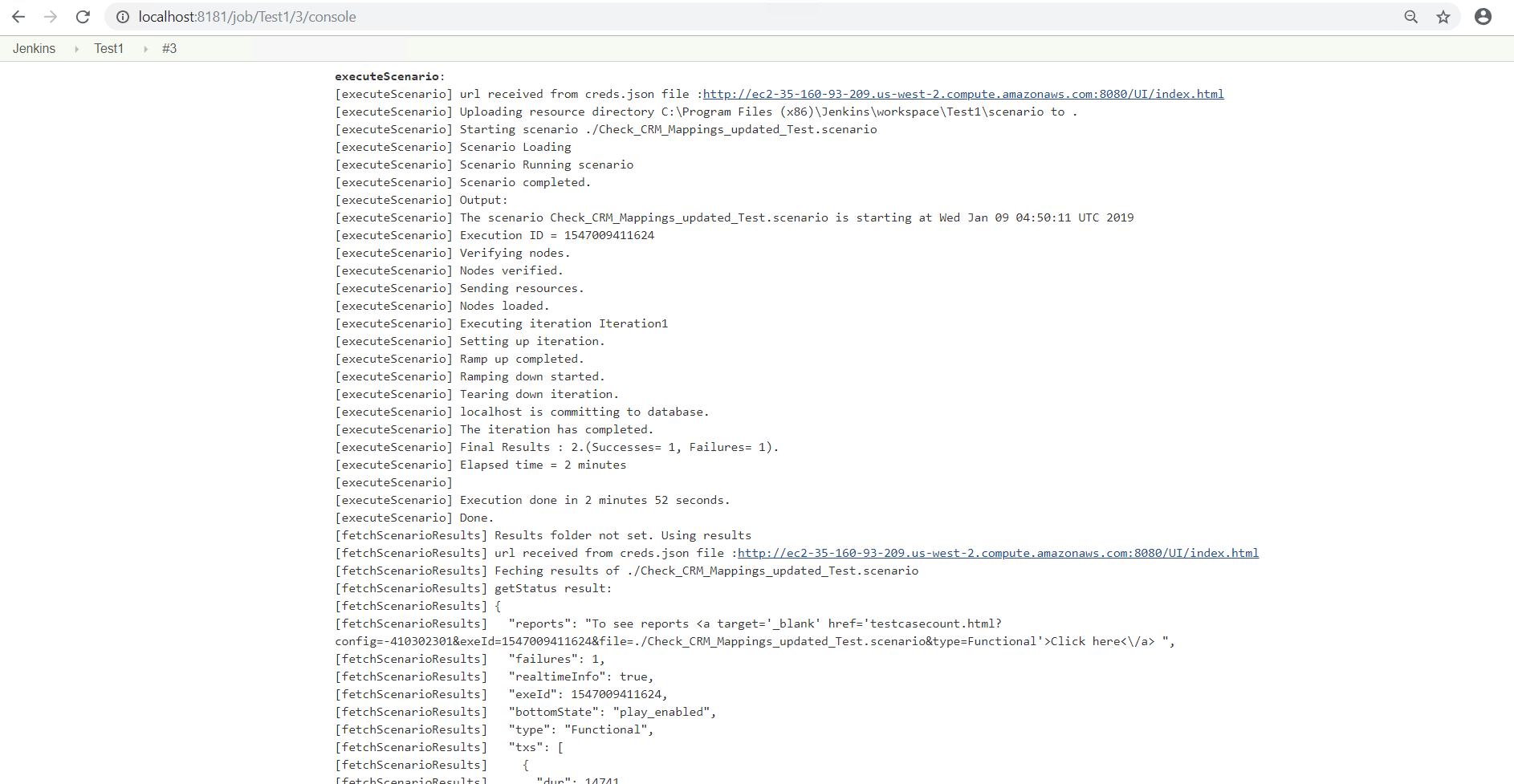
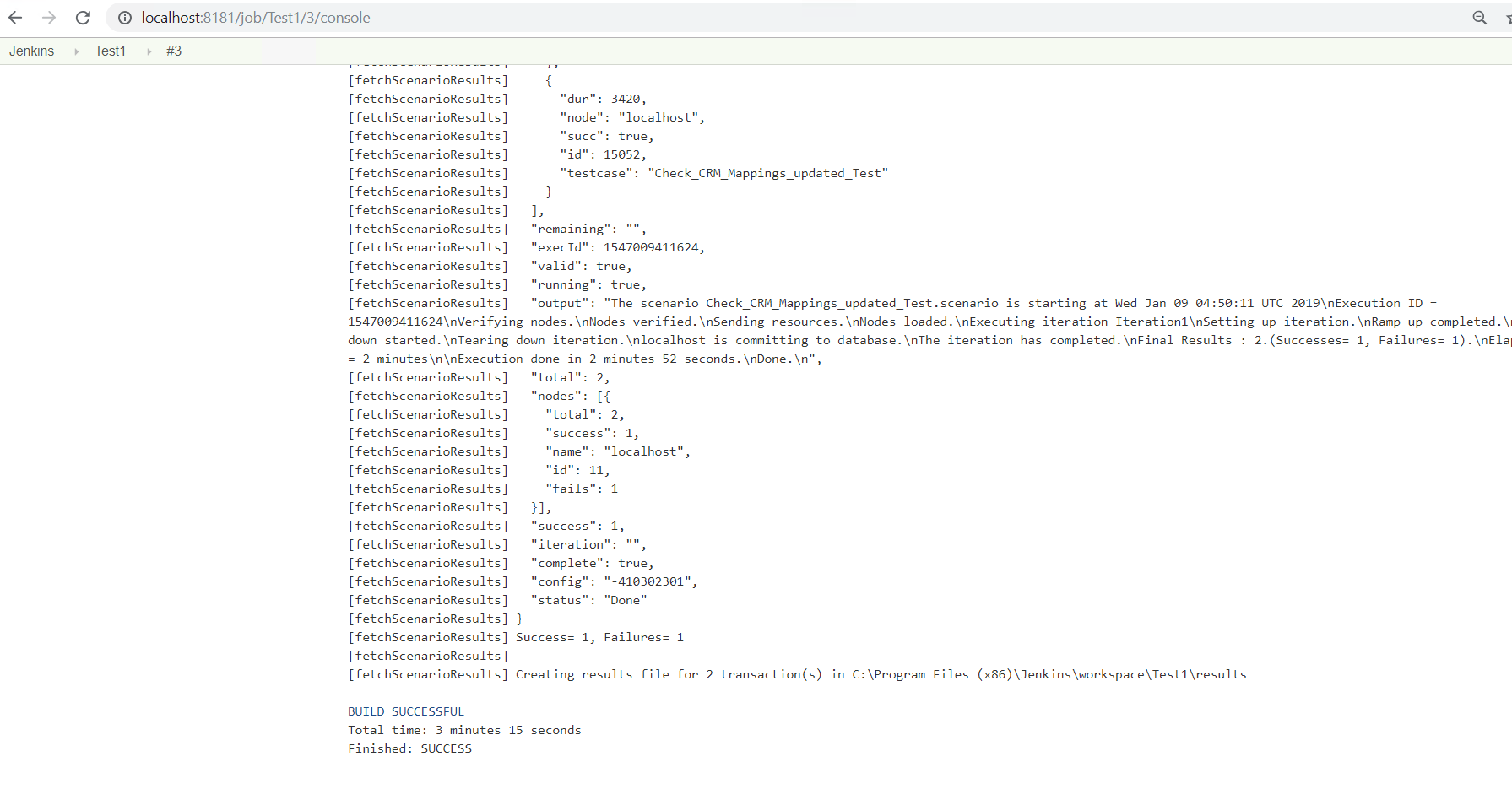
Jenkins console or output logs (run from the command line) will show all the details, test case pass / fail, Execution times being taken from all the iterations.
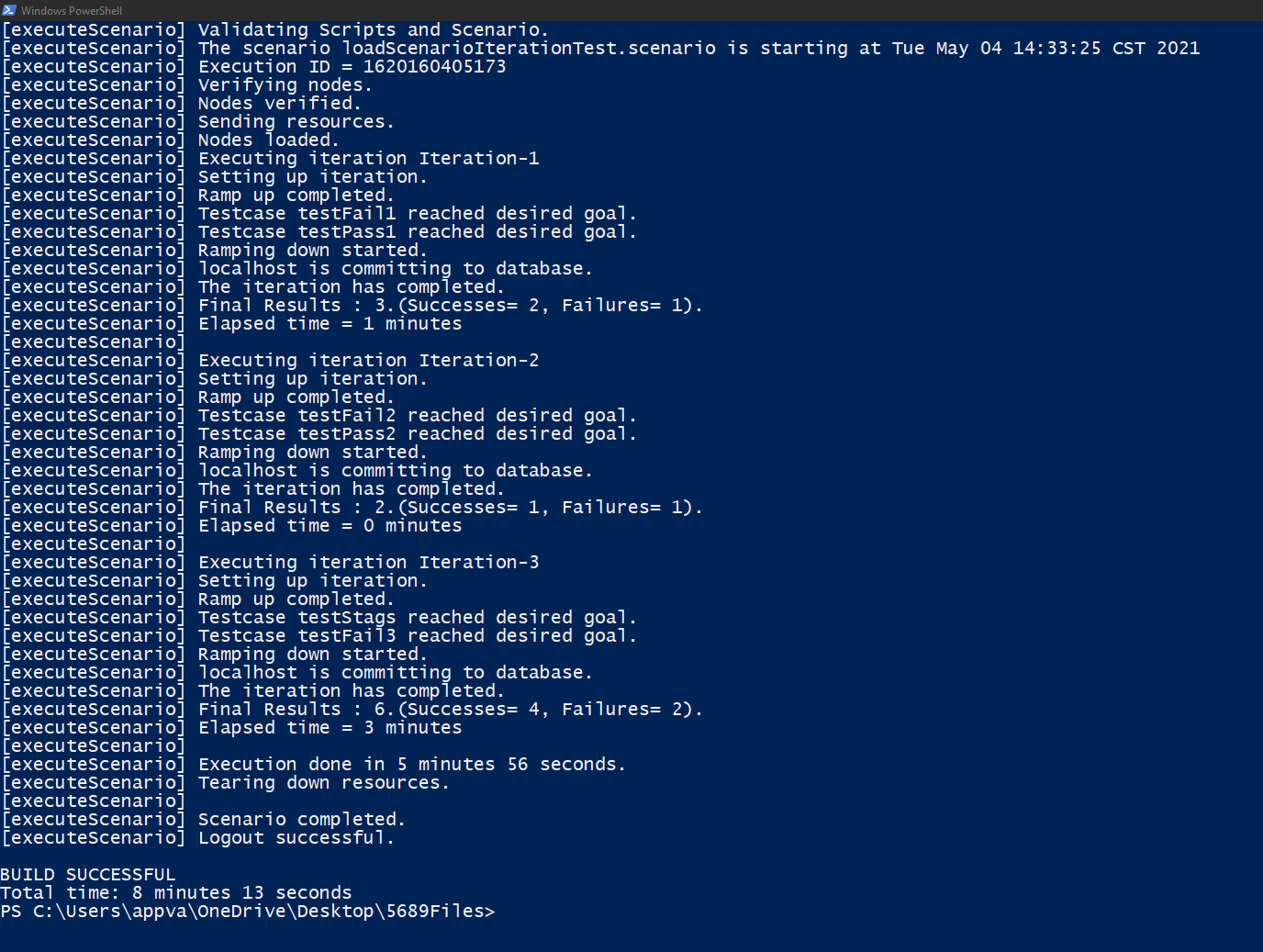
Beginning in the AIQ environment,4.10.0 project,release, scenario,if you want to run multiple scenarios in parallel you no longer have to specify the individual scenarios in the build.xml file. You can now just add the root folder and executionCICD target.
To Jenkinspass credentialsscenario management.
In the build.xml file, parameters on top should have the variable reference for the value.
<!-- Execute Scenario's parameters -->
<property name="dir" value="${dirName}" />

<!-- folder that contains scenario and resources needed by it -->

<property name="scenario" value="${scenarioName}" />
Execute Scenario target should have the same variable name defined for the dir and scenario.
<target name="executeScenario" depends="setupEnvironment">

<taskdef name="executeScenario" classname="com.appvance.ci.ExecuteScenario">

<classpath refid="RestClientLibPath" />

</taskdef>

<executeScenario aiqCreds="${credsData}" dir="${dirName}" scenario="${scenarioName}" consoleDetails="${consoleDetailsData}" resultsFolder="${scenarioResults}" />


<taskdef name="fetchScenarioResults" classname="com.appvance.ci.FetchScenarioResults">

<classpath refid="RestClientLibPath" />

</taskdef>

<fetchScenarioResults aiqCreds="${credsData}" consoleDetails="${consoleDetailsData}" resultsFolder="${scenarioResults}" scenario="${scenarioName}" stopOnFailure="${stopOnFailure}" />

</target>
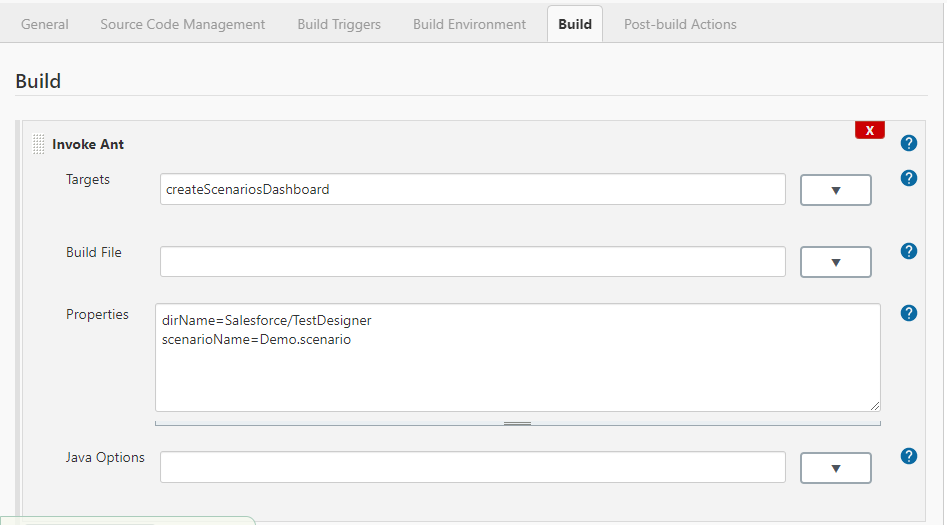
From Jenkins, the parameters for dir and scenario can reachbe AIQ,passed repositories,by browsers, Test Nodes, and required application URLs.
Pipeline checks
Runusing theAntBuild>target locally or on a controlled Jenkins agent before scheduling it.Capture AIQ execution IDs, Jenkins build numbers, logs, and artifacts.Fail the Jenkins job when the AIQ result fails, times out, or cannot be retrieved.Archive only the evidence required for troubleshooting and compliance.Review old Ant jobs periodically and retire duplicate or unused jobs.
Terminology note:Advanced Use Scenario Editor when referring to current AIQ scenarios. Keep legacy terms only when describing old job names, file names, or historical assets.option
Last updated: OctoberMarch 5,01, 20262024
If you have any feedback on this topic, please contact us at documentation@appvance.ai