
Run Data-Enabled SoapUI Tests in AIQ
Recommended guidance
Run data-enabled SoapUI support was removedtests in releaseAIQ 5.2.0only ofwhen AIQ.the SoapUI asset remains required. For new API automation, consider whether Service Suite and DPLs can provide the same coverage with fewer legacy dependencies.
Make
Before surerunning
- Confirm SoapUI version, project file, data source, environment, endpoint, and credentials.
- Validate the data file or DPL values before execution.
- Check network, proxy, certificate, and firewall access from the AIQ host.
- Define expected pass/fail behavior for each data row.
Validation workflow
- Run the SoapUI project
createdwithhasa small sample outside AIQ. - Run the
propertiesAIQdefined and the request is data enabled properly as shown below in the screenshot.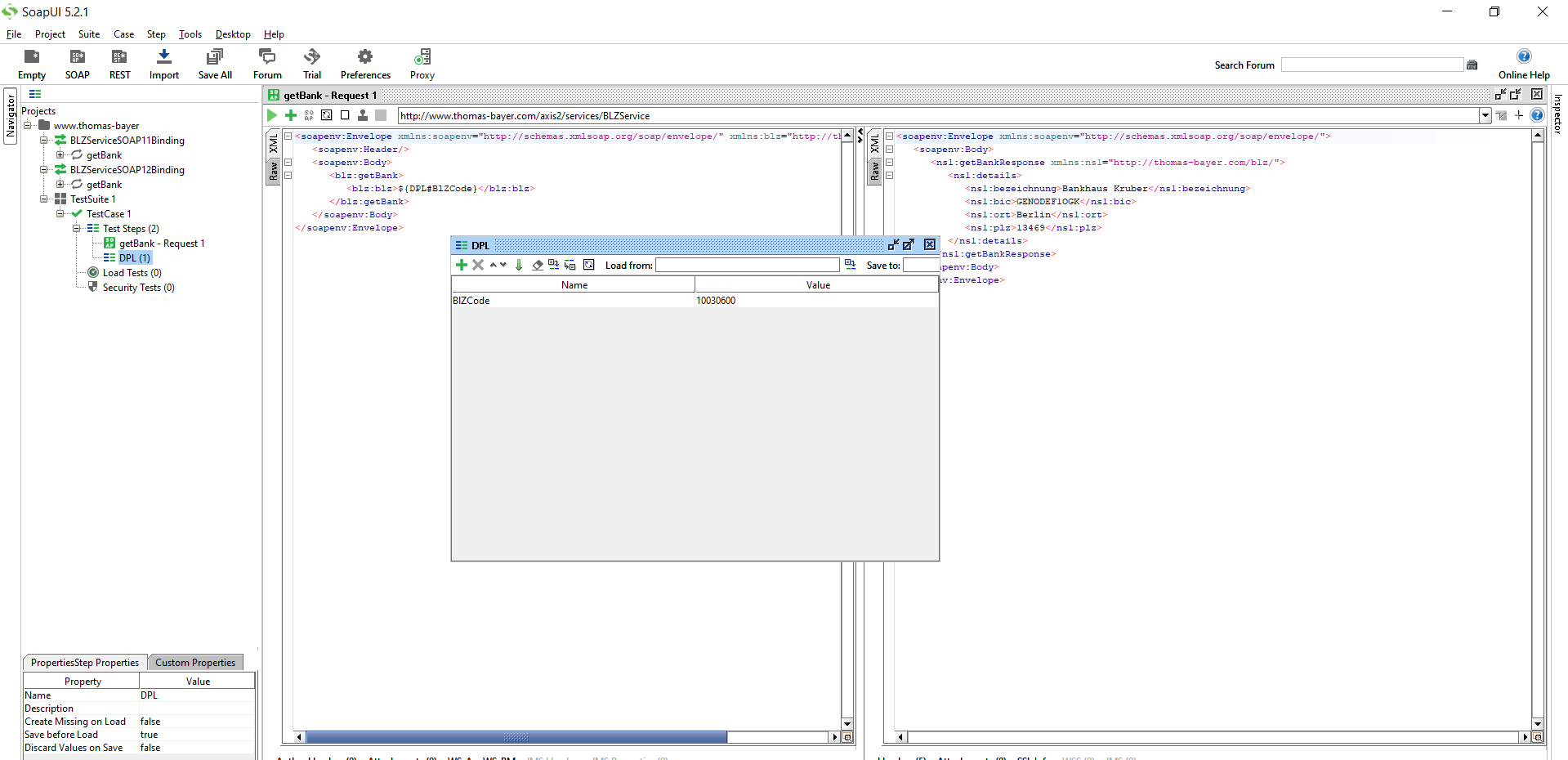
Save the project in SoapUI.From Appvance IQ:Navigate to the Appvance IQ Home screen and click BuildClick File ->New to create a new scenarioSelect Functional Test from the Scenario Test Type drop-downClick the Test Management tab and check: "Repeat scenario's test cases 2 times"Click the Test Cases tab and click the link for Add test case linkEnter the Test case name and Script nameSelect "Service Suite-SoapUI" from the Script Type drop-downClick Browse and browse the Soap UI file and then the Test Suite and then the Test Case from the drop-down. Save the test caseClick the Locations tab10. Enter Name: localhost and URL: http://localhost:8080/TMServer/ws/TestNode (Should be added by default)Navigate to Resources and make sure SoapUI bundlewrapper withversion 5.2.1 is added by defaultAlso make sure the resources are added with Name, Type, and the correct path of the XML file13. Go to the Resources tab, Click Add DPL, Select 'Hash DPL - Reads CSV, provides Map dictionary' from the Type drop-down, Provide Name (Important: Should be same as the property name provided in SoapUI), select the Data source (the CSV file with all the entries created)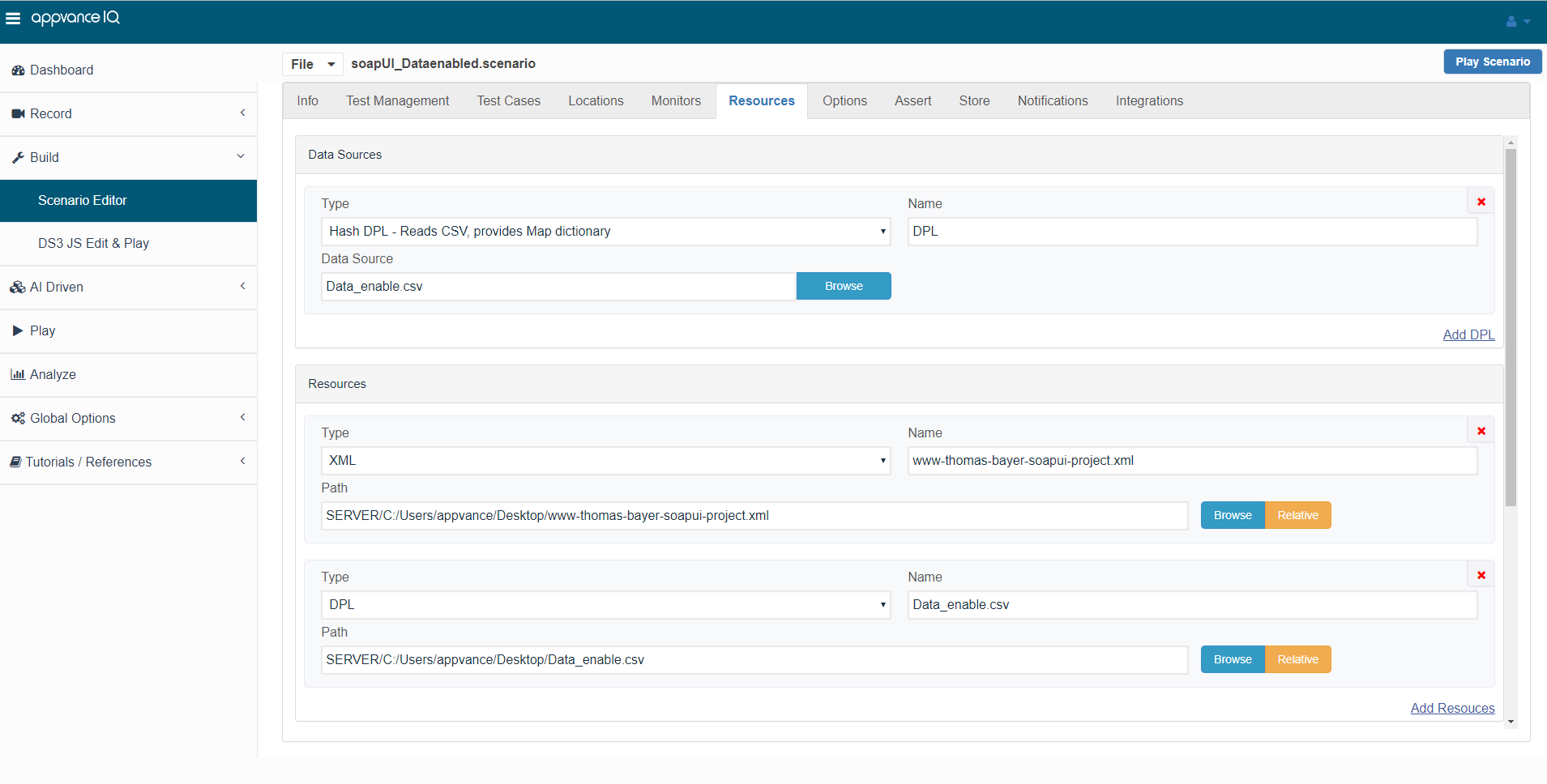
Come back to the Test cases panel, click edit and click Add DPL, under Select DPL, select the DPL that we just added, provide the name (Important: Should bethe sameassample.- Review failures for malformed data, exhausted rows, endpoint issues, or assertion defects.
- Document migration options if Service Suite can replace the
propertySoapUIname provided in SoapUI). Click Save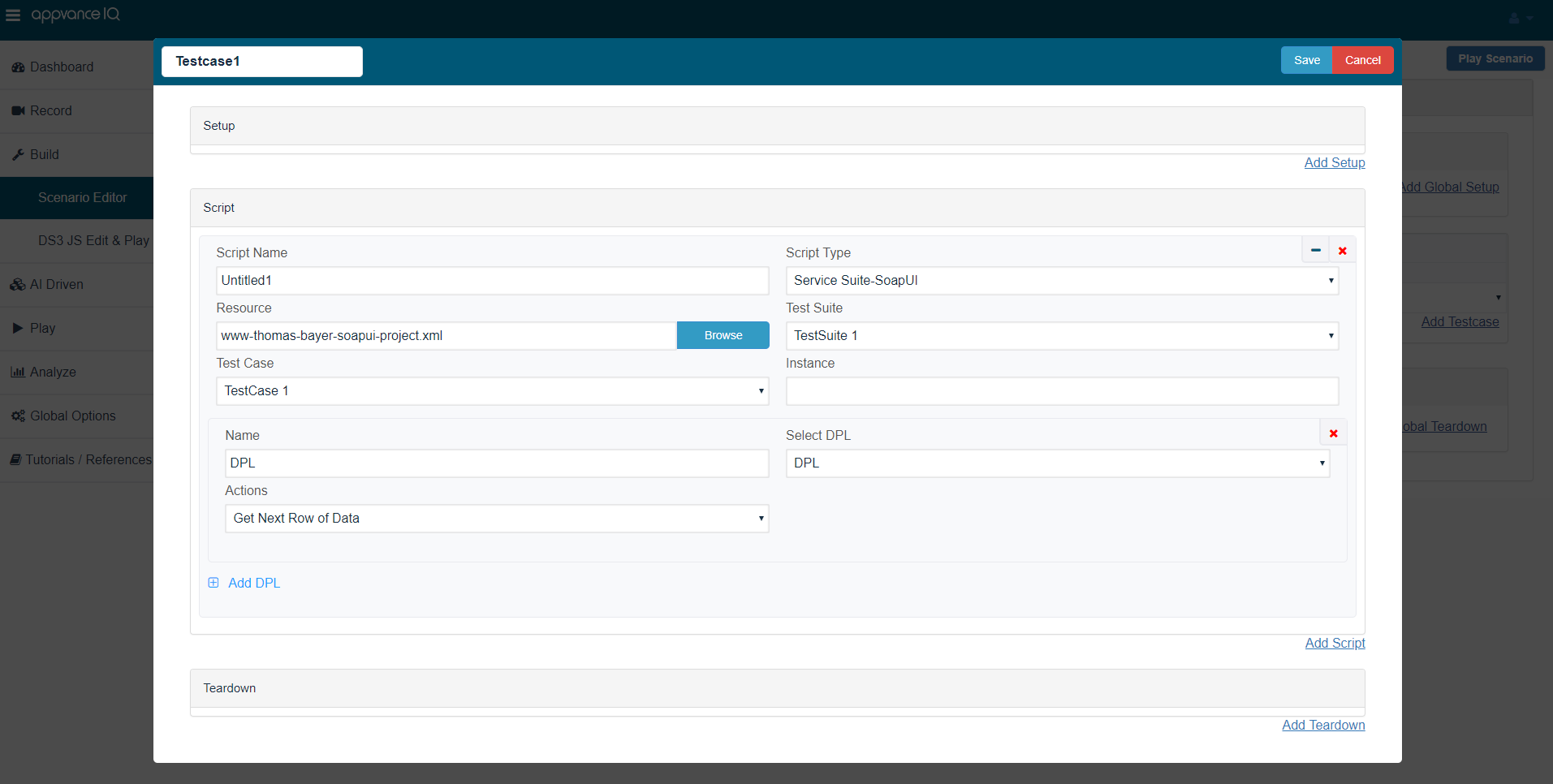
Navigate to Options and make sure that Enable logging, Save logs on Failure are selectedClick check box Custom Database Credentials (Database Logging) and make the following settings:Database Type: MySQLDriver: com.mysql.jdbc.DriverURL: jdbc:mysql://localhost:3306/utp?useSSL=falseDefault Schema: utpUsername: utpPassword: utpClick File ->Save to save the new scenarioClick Play Scenario from the top navigation barThe controller window will open in a new tab which displays the tests running and will display the pass / fail status of the tests upon the test completionThe left part shows the steps and the duration in milliseconds and the right side shows the test run status under the Output tabOn The transactions tab, we can find the request/response and an error tab to drill down furtherClick the Click here link to get to the list of Reports that Appvance IQ supportsdependency.
Last updated:
JulyOctober25,7,20242026If you have any feedback on this topic, please contact us atdocumentation@appvance.ai