
Set Up IAM Role Permissions for an AWS EC2 AIQ Controller
Set Up IAM Role Permissions for an AWS IdentityEC2 andAIQ AccessController
Use (IAM)an rolesIAM arerole entitiesfor youan createEC2-hosted andAIQ assignController specificwhen the controller must access AWS services without long-lived access keys. Scope permissions to thatthe allowexact trusted identities such as workforce identitiesservices and applicationsresources torequired performby actionsthe in AWS.integration.
For
Security morechecklist
- Prefer
onan EC2 instance profile over static IAMrolesusersee the Amazon AWS documentation site:IAM Roles Create
AWSanaIAMleast-privilegeRolepolicy for theEC2requiredinstance.services,
and resources.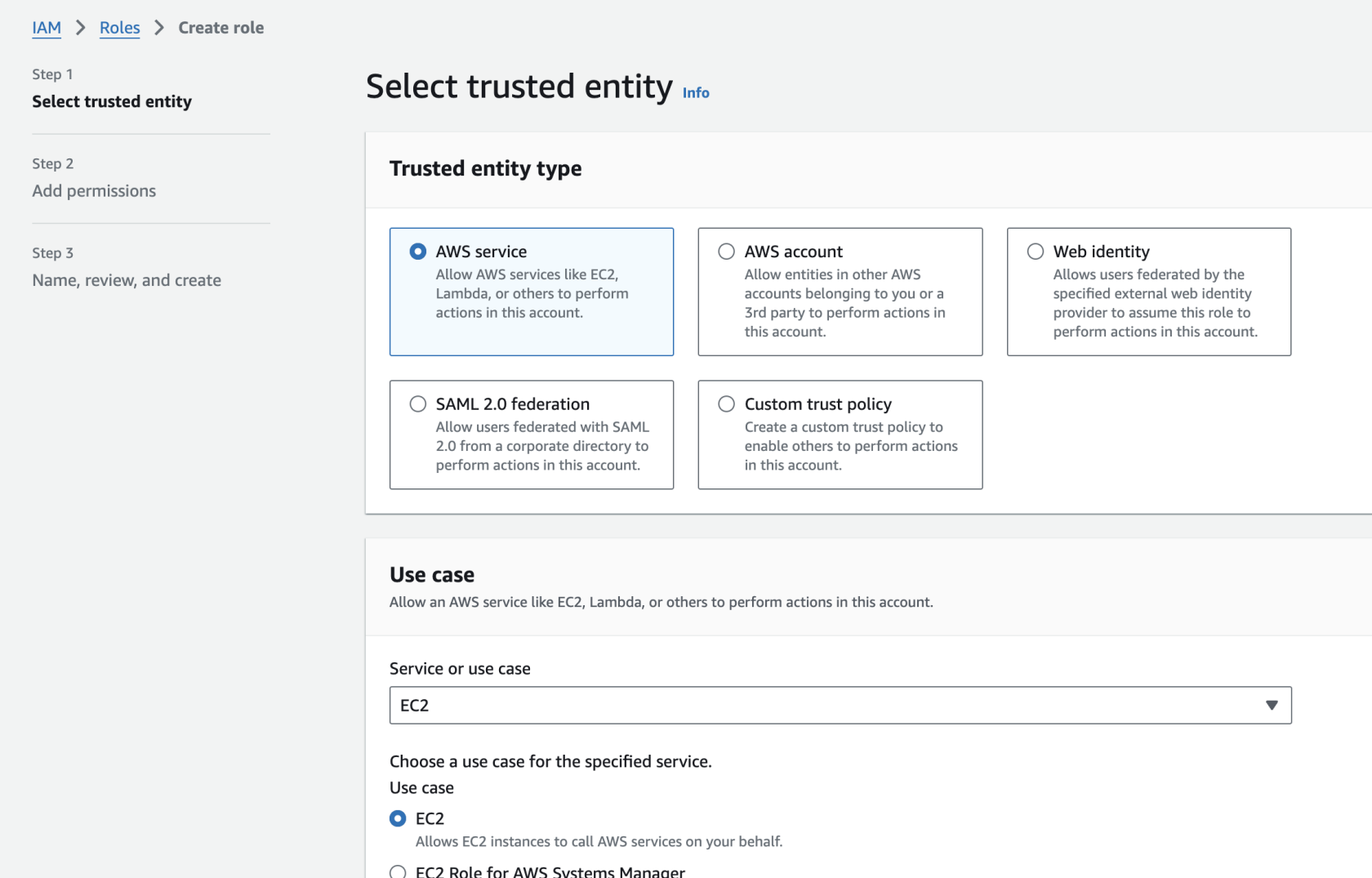
- Attach the role only to the AIQ Controller instances that need the access.
- Use
Oncetags, account boundaries, and environment separation to avoid cross-environment access. - Review CloudTrail or equivalent logs after the first validation run.
Validation workflow
- Attach the IAM role
isorcreated,instanceassign the following policiesprofile to therole.
EC2 Policy
Controller.Restart Theor following JSON policy, when added torefresh the IAMintegration EC2if Rolerequired assigned toby the controller,workflow.
{
role "Version": "2012-10-17",
    "Statement": [
        {
            "Sid": "VisualEditor0",
            "Effect": "Allow",
            "Action": [
                "ec2:DescribeInstances",
                "ec2:TerminateInstances",
                "ec2:DescribeTags",
                "ec2:CreateTags",
                "ec2:RunInstances",
                "ec2:StopInstances"            ],
            "Resource": "*"        }
    ]
}
S3 Policy for a given bucket
Thisname, policy will allow the AIQ controller to setupowner, AWS S3 storages without the need to provide Access Credentials. In the JSON below replace the your-bucket-name with the bucket name you will be using for your AIQ dashboards.
This is only for AIQ release 5.2.3+.
{
    "Version": "2012-10-17",
    "Statement": [
        {
            "Effect": "Allow",
            "Action": [
                "s3:PutObject",
                "s3:GetObjectAcl",
                "s3:GetObject",
                "s3:ListBucket",
                "s3:DeleteObject",
                "s3:PutObjectAcl"
            ],
            "Resource": [
                "arn:aws:s3:::your-bucket-name",
                "arn:aws:s3:::your-bucket-name/*"
            ]
        }
    ]
}
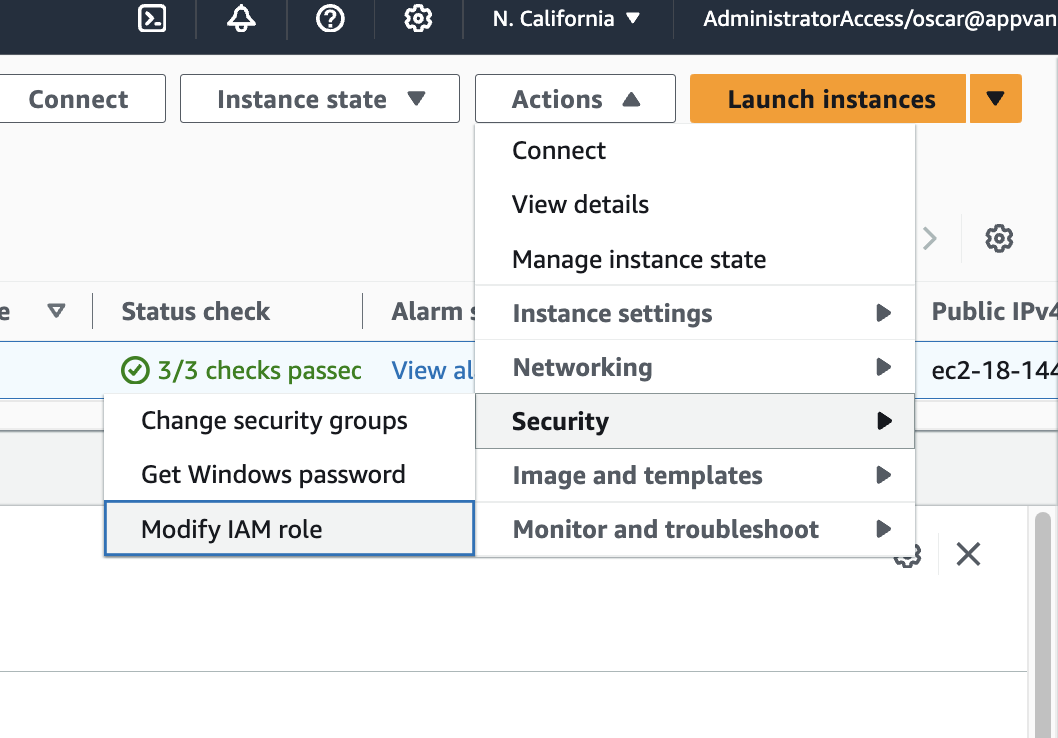
Select the controller instanceaccount, and assignreview the created Role to the controller instance using the Modify IAM role option.
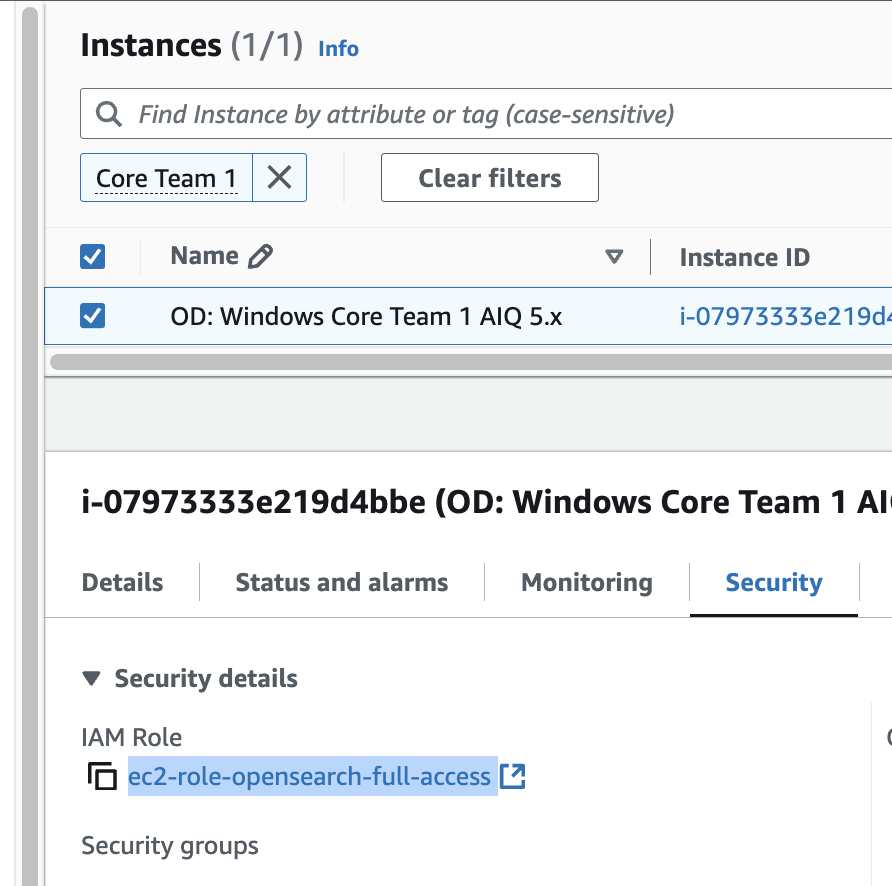
Check the Security tab of the controller instance and verify that the AIM role you created is visible.
Last updated: DecemberOctober 04,8, 20242026
If you have any feedback on this topic, please contact us at documentation@appvance.ai