
Setup IAM Role Permissions for the AWS EC2 Controller
Set
AWS UpIdentity and Access Management (IAM) roles are entities you create and assign specific permissions to that allow trusted identities such as workforce identities and applications to perform actions in AWS.
For more information on IAM roles see the Amazon AWS documentation site: IAM Roles
Create an IAM Role Permissions for an AWS EC2 AIQ Controller
Use an IAM role for an EC2-hosted AIQ Controller when the controller must access AWS services without long-lived access keys. Scope permissions to the exact services and resources required by the integration.
Security checklist
Prefer an EC2 instance profile over static IAM user keys.Create a least-privilege policyfor therequiredEC2AWSinstance.services,actions,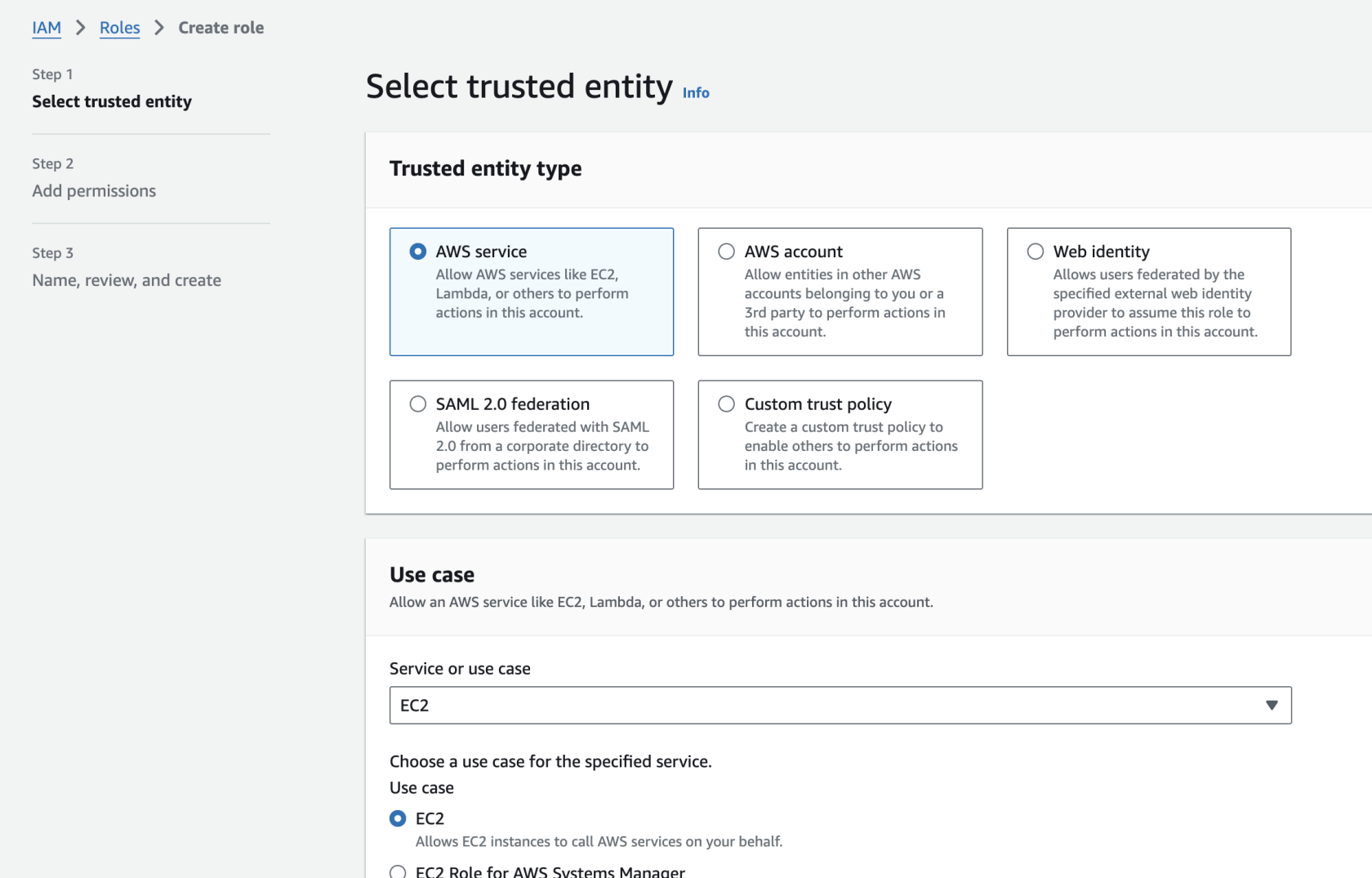
andresources.
Validation workflow
AttachOnce the IAM role
orisinstancecreated,profileassign the following policies to the role.
EC2 Controller.
The refreshfollowing JSON policy, when added to the integrationIAM ifEC2 requiredRole byassigned to the workflow.
{
    "Version": "2012-10-17",
    "Statement": [
        {
            "Sid": "VisualEditor0",
            "Effect": "Allow",
            "Action": [
                "ec2:DescribeInstances",
                "ec2:TerminateInstances",
                "ec2:DescribeTags",
                "ec2:CreateTags",
                "ec2:RunInstances",
                "ec2:StopInstances"            ],
            "Resource": "*"        }
    ]
}
S3 Policy for a smallgiven bucket
This policy will allow the AIQ operationcontroller to setup AWS S3 storages without the need to provide Access Credentials. In the JSON below replace the your-bucket-name with the bucket name you will be using for your AIQ dashboards.
This is only for AIQ release 5.2.3+.
{
    "Version": "2012-10-17",
    "Statement": [
        {
            "Effect": "Allow",
            "Action": [
                "s3:PutObject",
                "s3:GetObjectAcl",
                "s3:GetObject",
                "s3:ListBucket",
                "s3:DeleteObject",
                "s3:PutObjectAcl"
            ],
            "Resource": [
                "arn:aws:s3:::your-bucket-name",
                "arn:aws:s3:::your-bucket-name/*"
            ]
        }
    ]
}
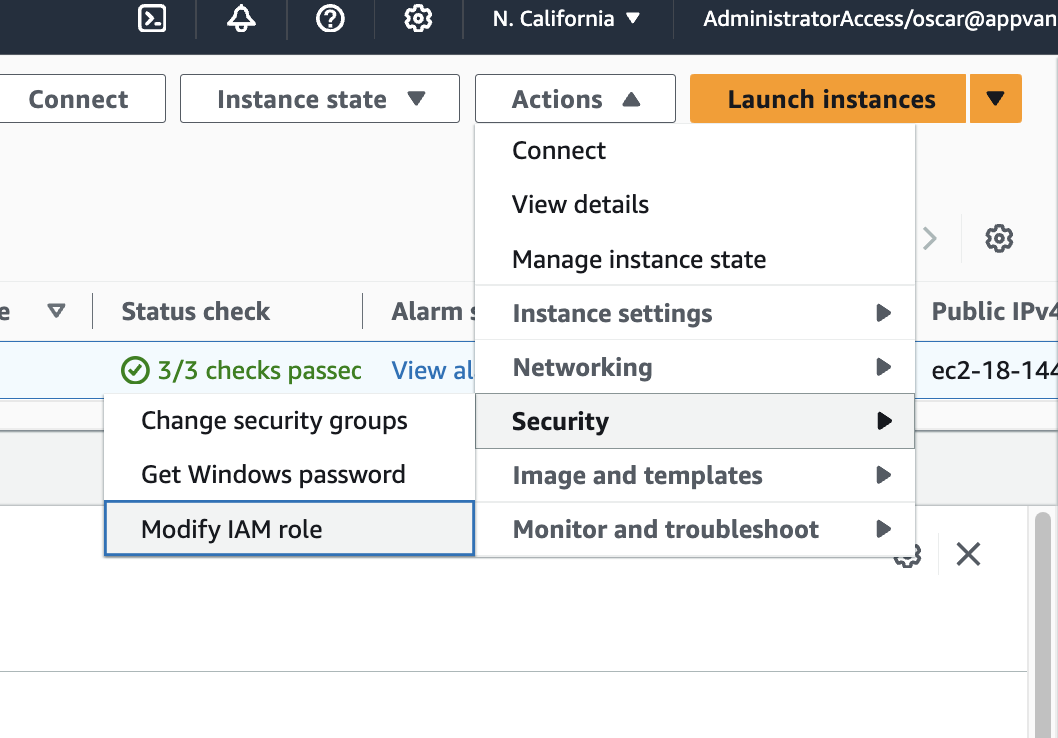
Select the controller instance and assign the created Role to the controller instance using the Modify IAM role option.
Check the Security tab of the controller instance and verify that uses the AWS permission.
and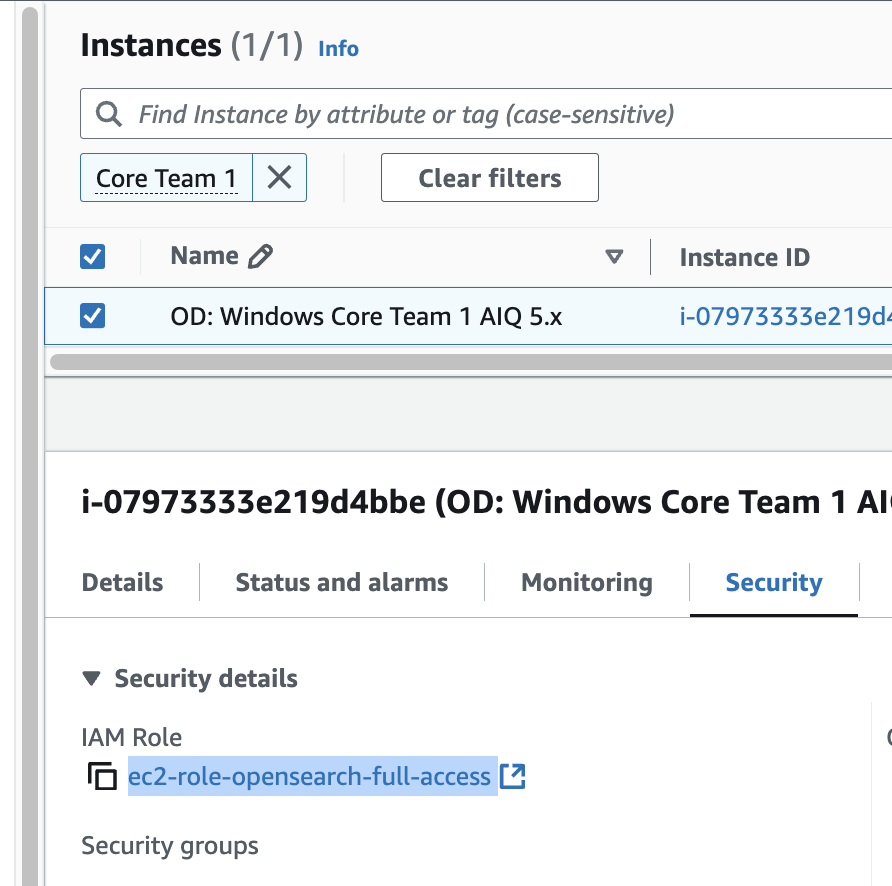
review
Last updated: OctoberDecember 8,04, 20262024
If you have any feedback on this topic, please contact us at documentation@appvance.ai