
Convert an XML Request to JSON in Service Suite
This
Convert example details how to convertan XML responses generated from a Services Workbench scriptRequest to JSON andin thenService backSuite
Use this article when a Service Suite workflow needs to transform XML input into JSON for API testing, integration validation, or downstream service calls. Validate the converted structure before using Designerit .jsscripts.later steps.
Recommended guidance
- Confirm the expected XML schema, namespaces, attributes, and repeated elements before conversion.
- Define
Customhow.jsfunctionsarrays,areemptywrittennodes, and text values should map to JSON. - Validate the converted JSON against the target API contract or expected response shape.
- Keep sample payloads small and remove secrets or customer data from examples.
- Add assertions for required fields after conversion.
Validation workflow
- Start with a known XML fixture.
- Convert the
conversion ofXML to JSONand JSON to XML. in javascript (.js) file.
In a Services Workbench script, the response data is stored in locker so that it can be retrieved and used in Designer .js script.
The Designer .js script includes the previous two files, and once the data is retrieved from locker, uses the custom .js function to parse the XML back to JSON and perform the required validations.
XML to JSON Function
Converts XML to JSON and JSON to XML.
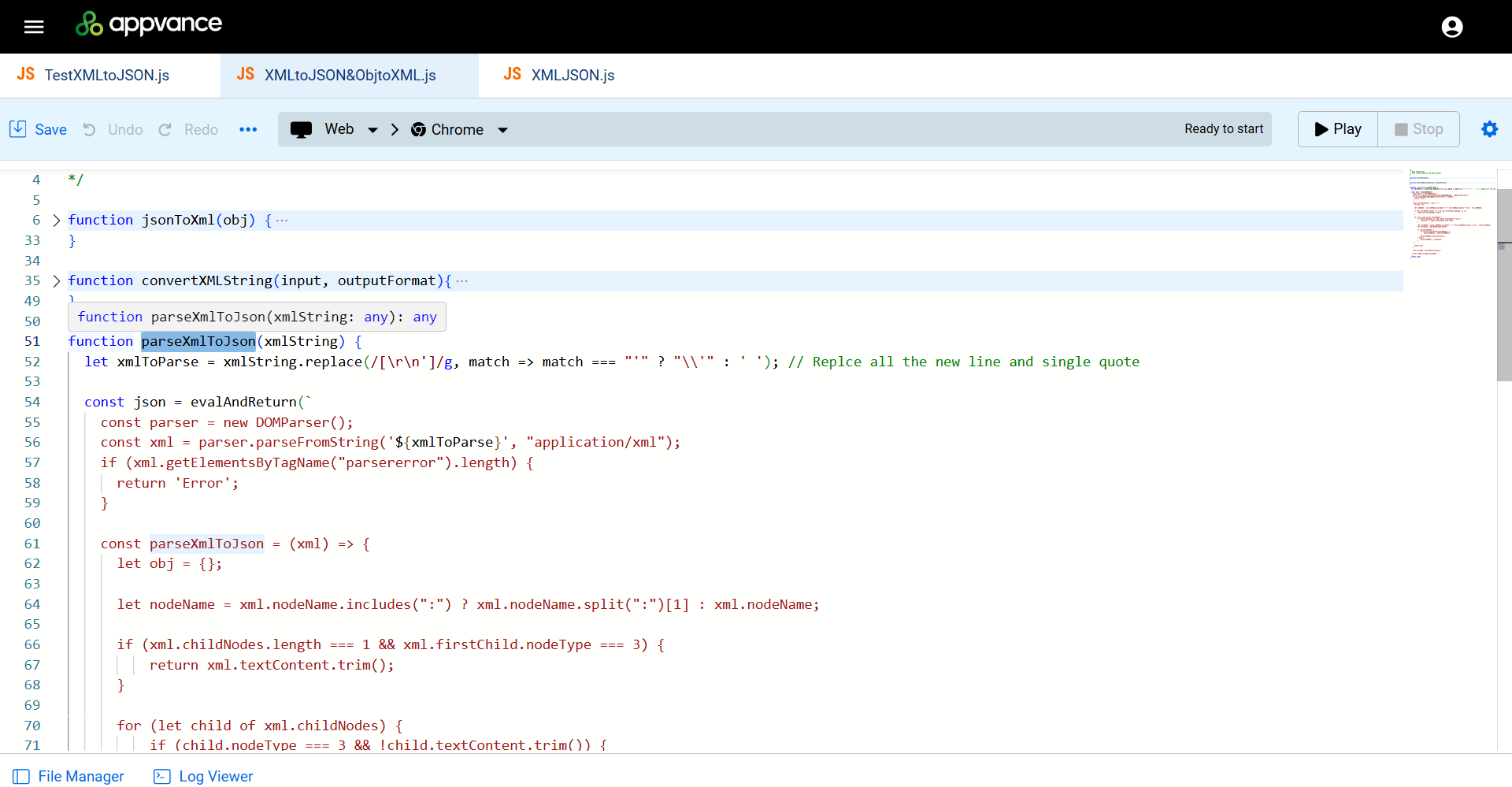
Sample Script
/**
* @aiq.webdesigner
* This script requires AIQ Web Designer
*/
function jsonToXml(obj) {
// create xml string
var xml = '';//'<?xml version="1.0" encoding="UTF-8"?>';
//loop through and add each property as a an xml tag as well as sub properties
for (var prop in obj) {
if (!obj.hasOwnProperty(prop)) {
continue;
}
if (obj[prop] == undefined)
continue;
xml += "<" + prop + ">";
if (typeof obj[prop] == "object")
xml += jsonToXml(new Object(obj[prop]));
else
xml += convertXMLString(obj[prop], 'xml');
xml += "</" + prop + ">";
}
// searches the string for numbers surrounded by underscores and removes them; used for multiple properties in the jsonService thatSuite are set up an an object instead of an array
let reducedXML = xml.replace(/([_]\d)\w+/g, '');
return reducedXML;
}
function convertXMLString(input, outputFormat){
if(typeof input === 'string'){
if(outputFormat === 'xml'){
return input.replace(/(&)/g, '&').replace(/(<)/g, '<').replace(/(>)/g, '>').replace(/(')/g, ''')
} else if(outputFormat === 'string'){
return input.replace(/(<)/g, '<').replace(/(>)/g, '>').replace(/(')/g, "'").replace(/(&)/g, '&')
} else {
// invalid outputFormat
return input;
}
} else {
// not a stringF
return input;
}
}
function parseXmlToJson(xmlString) {
let xmlToParse = xmlString.replace(/[\r\n']/g, match => match === "'" ? "\\'" : ' '); // Replce allflow.Inspect the newJSON linekeys, arrays, and singlevalues quote
before constsending jsonthe =request.Run evalAndReturn(`
the consttarget parserAPI =call newand DOMParser();
validate conststatus xml = parser.parseFromString('${xmlToParse}', "application/xml");
if (xml.getElementsByTagName("parsererror").length) {
return 'Error';
}
const parseXmlToJson = (xml) => {
let obj = {};
let nodeName = xml.nodeName.includes(":") ? xml.nodeName.split(":")[1] : xml.nodeName;
if (xml.childNodes.length === 1 && xml.firstChild.nodeType === 3) {
return xml.textContent.trim();
}
for (let child of xml.childNodes) {
if (child.nodeType === 3 && !child.textContent.trim()) {
continue; // Ignore whitespace text nodes
}
let childName = child.nodeName.includes(":") ? child.nodeName.split(":")[1] : child.nodeName;
let childJson = parseXmlToJson(child);
if (obj[childName]) {
if (!Array.isArray(obj[childName])) {
obj[childName] = [obj[childName]];
}
obj[childName].push(childJson);
} else {
obj[childName] = childJson;
}
}
return obj;
}
const jsonObj = parseXmlToJson(xml);
return JSON.stringify(jsonObj);
`)
return json;
}Services Workbench Script
Thecode, response data is stored in locker so that it can be retrievedbody, and useddownstream in a Designer .js script.
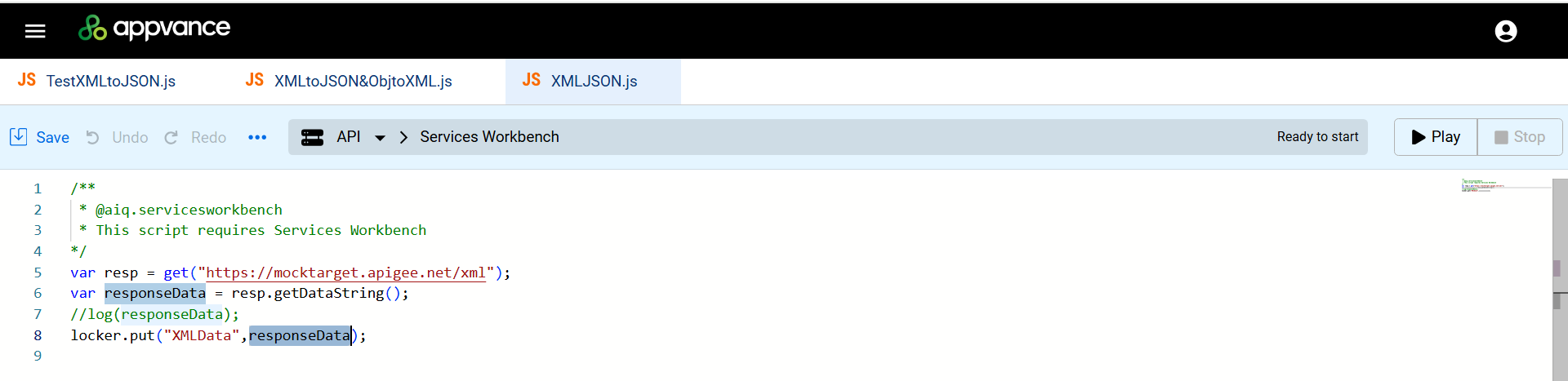
Sample Script
/**
 * @aiq.servicesworkbench
 * This script requires Services Workbench
*/
var resp = get("https://mocktarget.apigee.net/xml");
var responseData = resp.getDataString();
//log(responseData);
locker.put("XMLData",responseData);
Designer Script
Includes the previous two scripts, and once the data is retrieved from locker, uses the custom .js function to parse the XML back to JSON and perform the required validations.
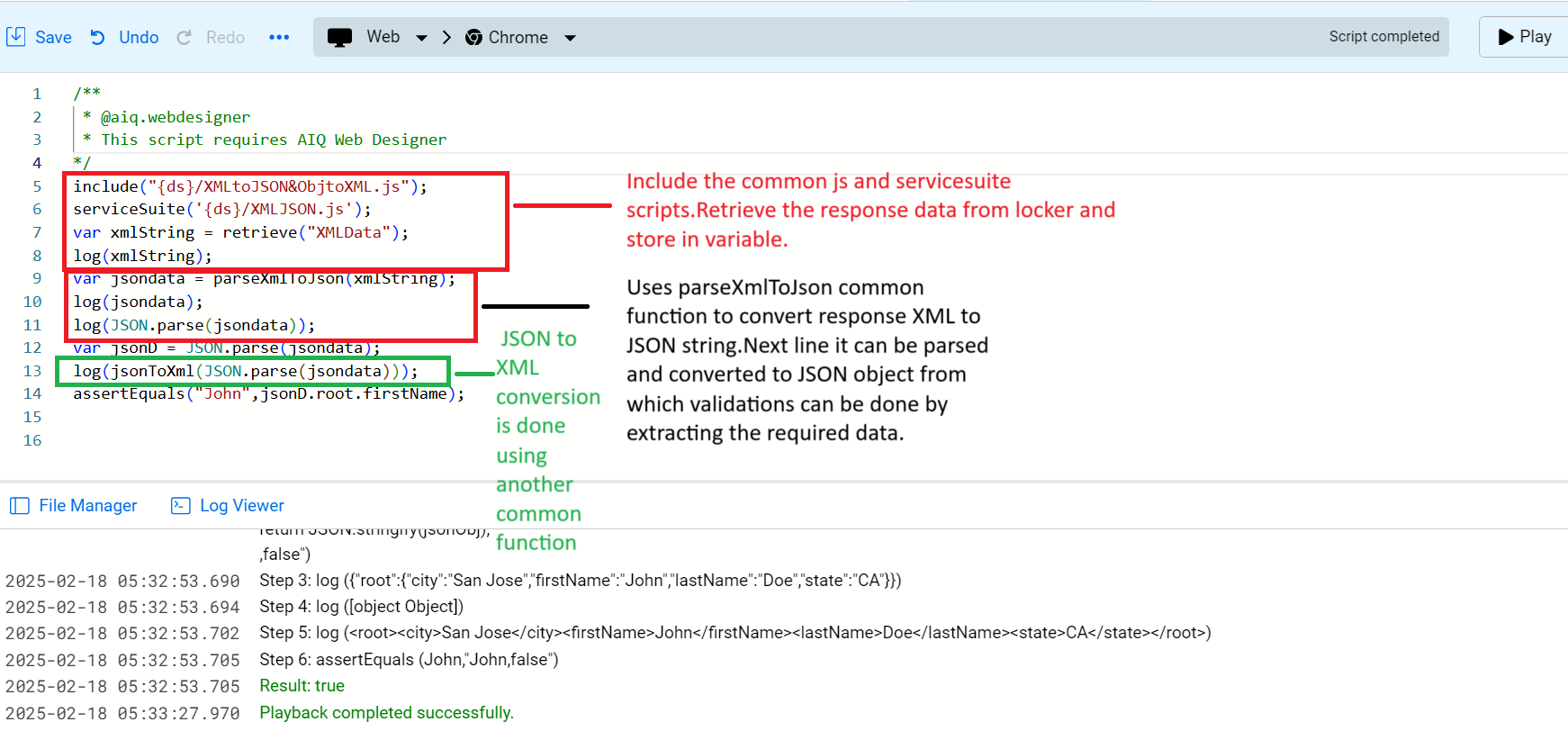
Sample Script
1 2 3 4 5 6 7 8 9 10 11 12 13 14/*** @aiq.webdesigner* This script requires AIQ Web Designer*/include("{ds}/XMLtoJSON&ObjtoXML.js");serviceSuite('{ds}/XMLJSON.js');var xmlString = retrieve("XMLData");log(xmlString);var jsondata = parseXmlToJson(xmlString);log(jsondata);log(JSON.parse(jsondata));var jsonD = JSON.parse(jsondata);log(jsonToXml(JSON.parse(jsondata)));assertEquals("John",jsonD.root.firstName);
Lines 5 through 8 : Includes the common JavaScript and Service Workbench scripts. Retrieves the data from the locker and store in a variable.
Lines 9 through 11 : Uses the parseXmlToJson function to convert the response XML to JSON string. Next line it can be parsed and converted to JSON object, from which validations can be performed by extracting the required data.
Line 13 : JSON to XML conversion is done using the JsonToXml function.
Resources : Sample Scripts
You can download the sample scripts from these links.
Last updated: MarchOctober 04,9, 20252026
If you have any feedback on this topic, please contact us at documentation@appvance.ai