
Gmail App Password Use in Service Suite Tests
Last reviewed: September 24, 2026
LoginThis tolegacy yourarticle Gmail account and create an App Password.
To Create an App Password:
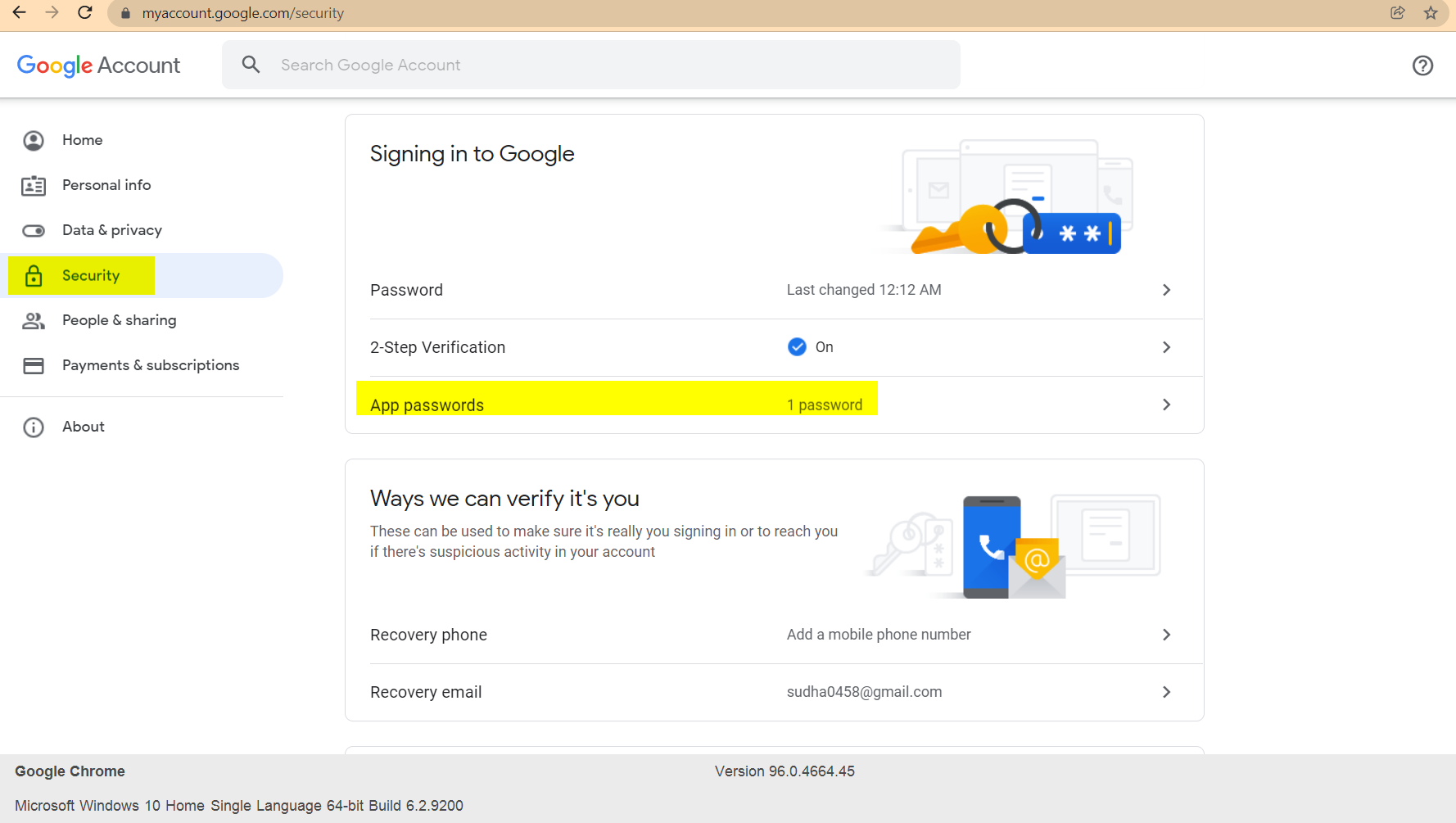
Go to your Google Account.
Select Security.
Under "Signing in to Google," select App Passwords. You may need to sign in. If you don’t have this option, it might be because:
2-Step Verification is not set up for your account.
2-Step Verification isapplies only setwhen upa for security keys.
YourGoogle account is throughexplicitly work,allowed school,to use app passwords for automated Service Suite mail validation.
What changed in this article
- Prefer Gmail API/OAuth or
otheranorganization.approved test-mail service for current implementations. - Use a dedicated test account; do not automate a personal mailbox or production user account.
You turned on Advanced Protection.
Navigate to: https://myaccount.google.com/apppasswords
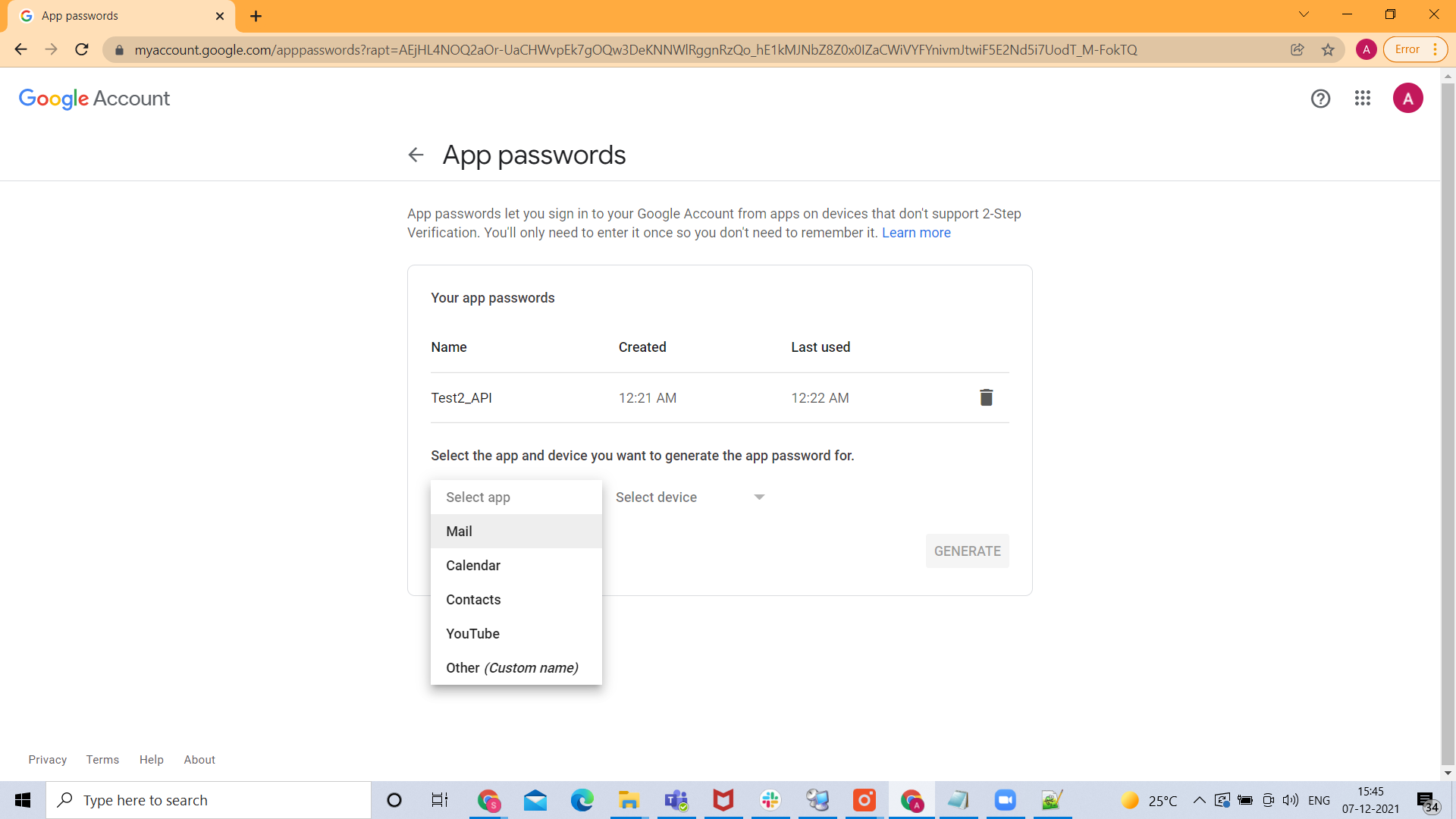
SelectTreat the app droppassword downas a secret and chooseremove Other.it Selectfrom logs, screenshots, exported results, and sample code.
Validation workflow
- Confirm that the
deviceGoogledropWorkspacedownpolicy permits app passwords for the selected test account. - Create the password outside AIQ and
choosestoreWindowsitComputer.onlyin
approved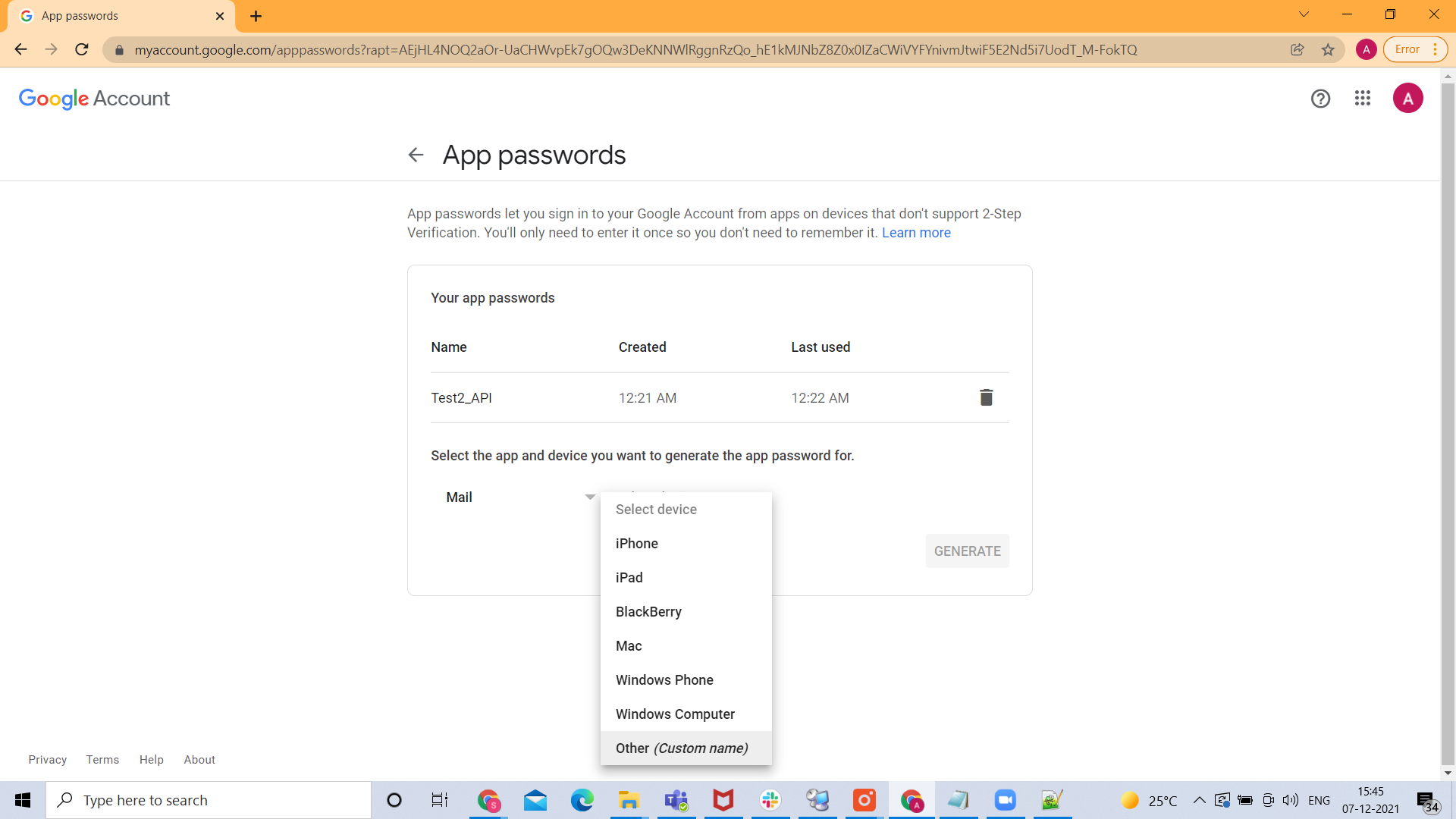
secret
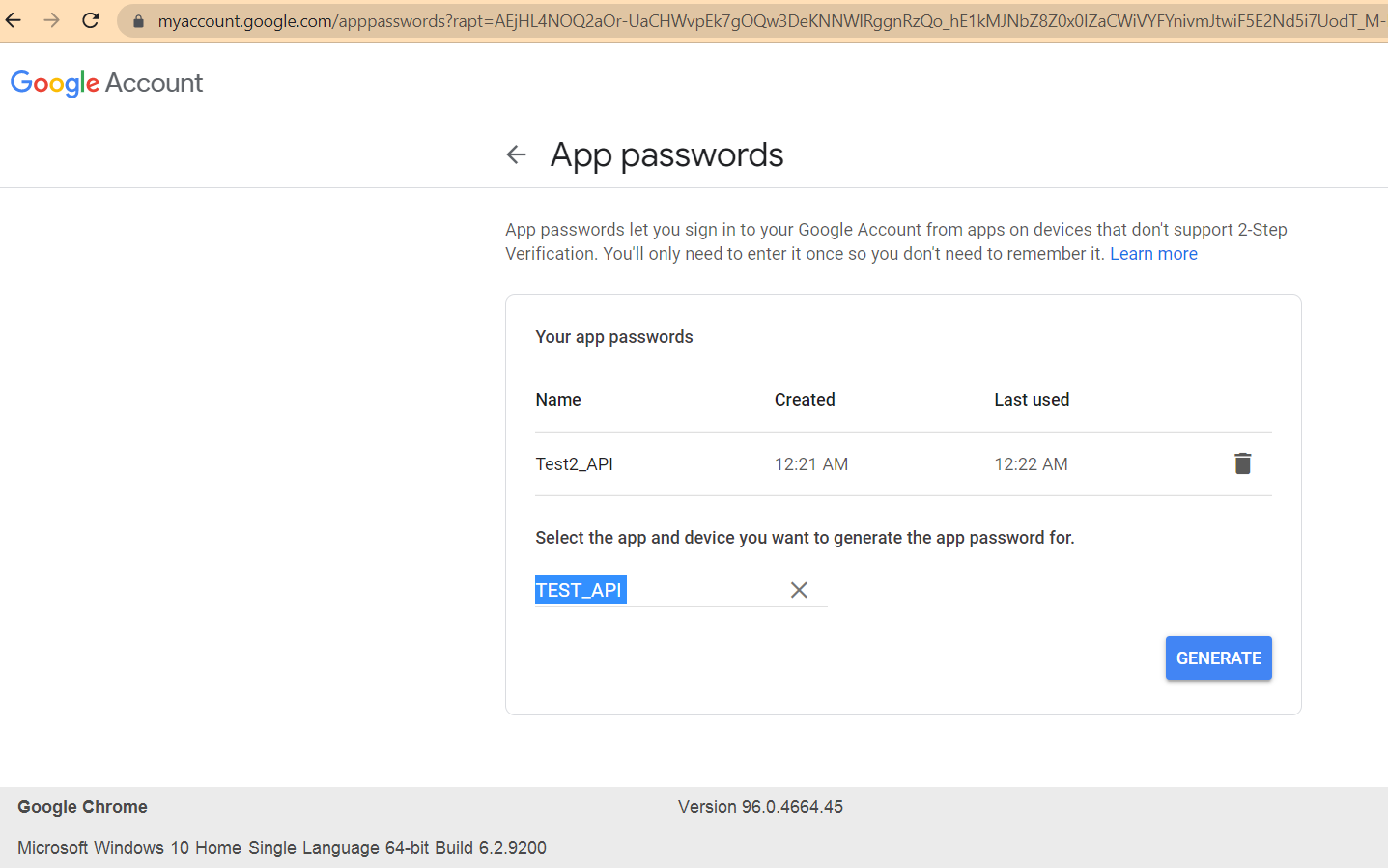
- Run the Service Suite script with a small mailbox test and verify no secret value appears in output.
Click Generate. An app password will be generated.
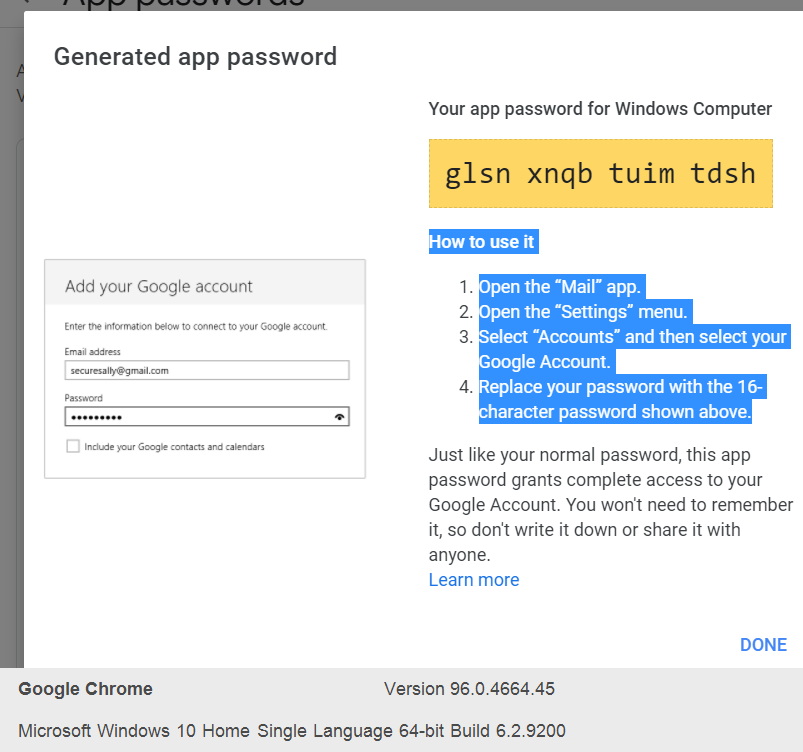
UseReview thisnote: app Password in-service suite script instead ofMarked the originalGmail password.app-password
Exampleas Code Snippet:
const IMAP_SERVER = "imap.gmail.com";
const SUBJECT = "Your MyAccount security code";
const EMAIL ="example@gmail.com";
const APP_PASSWORD ="juyyefjismupgqwf" ;
//
// To generate the APP_PASSWORD need to enable 2FA authentication in your google account
//legacy/security-sensitive and thenadded generateOAuth/test-mail the APP_PASSWORD at https://myaccount.google.com/apppasswords
//

function getCode(body) {
  return body.match(/\d+/g)[0];
}

var mailClient = createMailClient(IMAP_SERVER, EMAIL, APP_PASSWORD, "IMAP");

mailClient.login();
try {
   var lastUnread = mailClient.getLastUnreadMessages(1);
   if (lastUnread.length > 0) {
        var subject = lastUnread.get(0).getSubject();
      if (subject.contains(SUBJECT)){
        code = getCode(lastUnread.get(0).getBody());
        log(code);
        locker.put("THE_CODE",code);  // PUTS CODE IN THELOCKER TO SHARE WITH DS SCRIPT
      } else {
        log("Last unread message do not match the expected subject: "+subject);
      }
   } else {
     log("There are no new email messages in account "+EMAIL)
   }
} catch(e) {
   log(e.message)
} finally {
   mailClient.logout();
}Last updated: JulySeptember 18,24, 20232026
If you have any feedback on this topic, please contact us at documentation@appvance.ai.