
Create an App Password for Gmail account and use in Service Suite script to login to account with 2FA enabled
ThisLogin legacyto articleyour appliesGmail account and create an App Password.
To Create an App Password:
Go to your Google Account.
Select Security.
Under "Signing in to Google," select App Passwords. You may need to sign in. If you don’t have this option, it might be because:
2-Step Verification is not set up for your account.
2-Step Verification is only whenset aup Googlefor security keys.
Your account is explicitlythrough allowedwork, school, or other organization.
You turned on Advanced Protection.
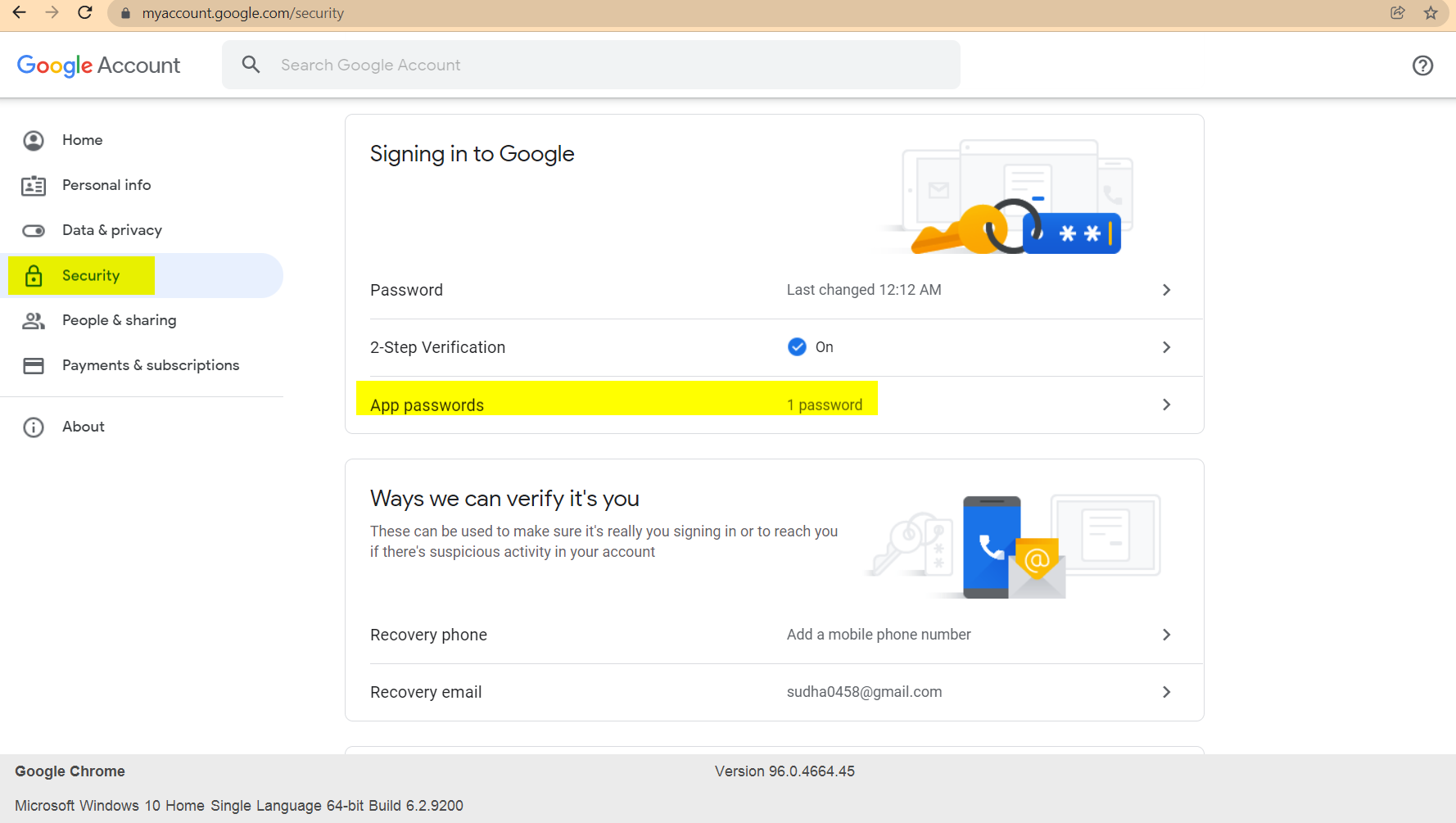
Navigate to: https://myaccount.google.com/apppasswords
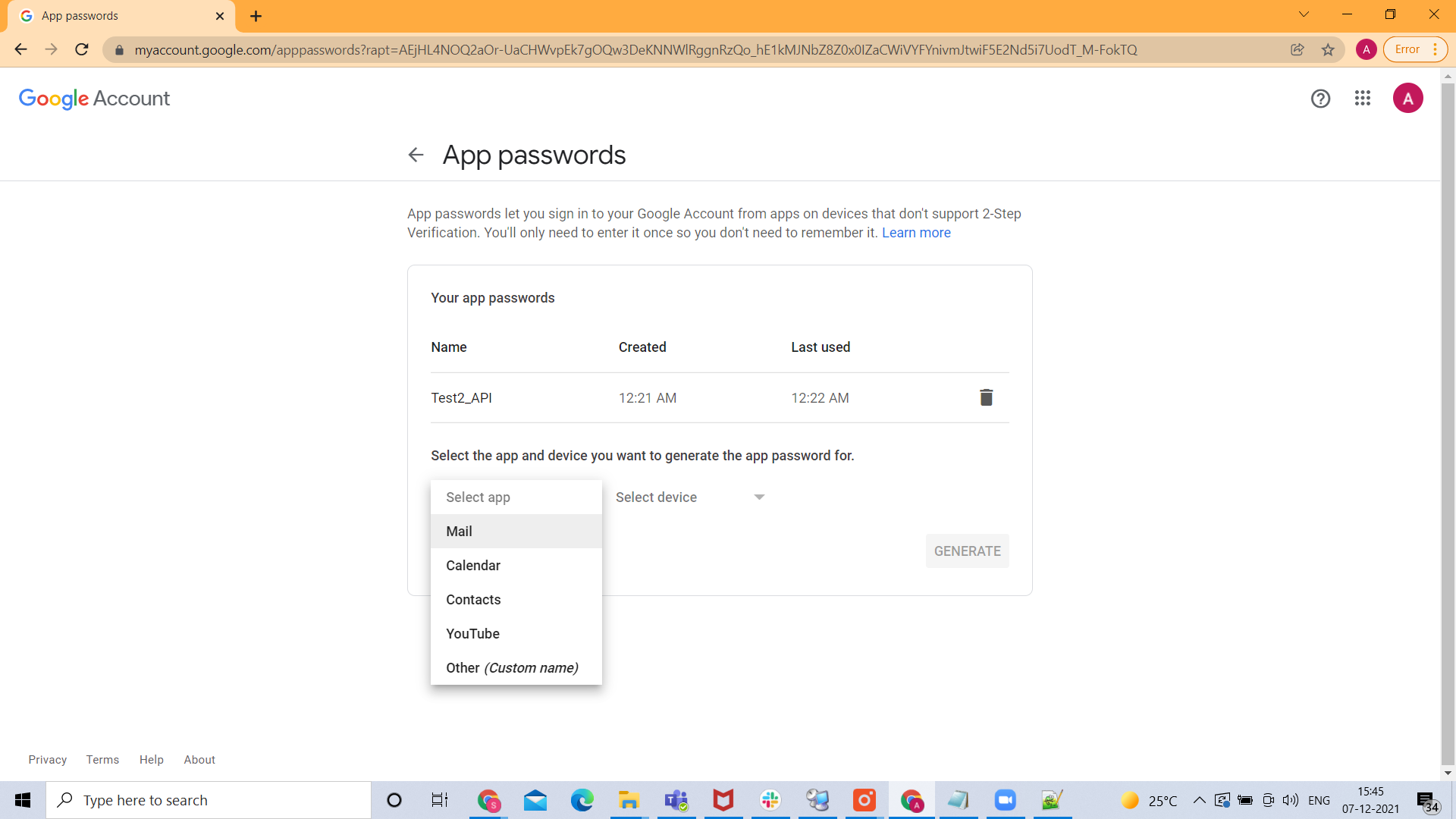
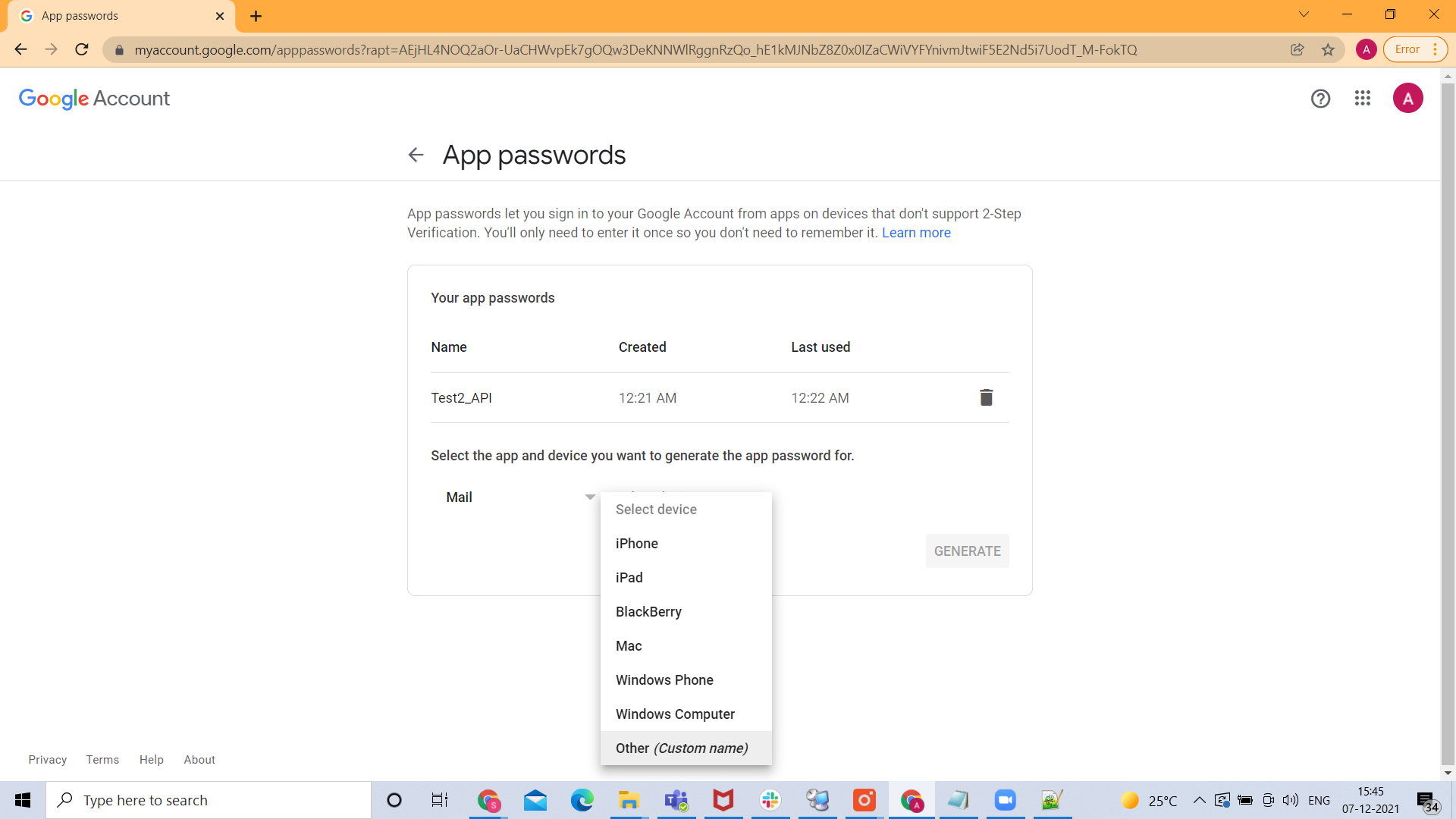
Select the app drop down and choose Other. Select the device drop down and choose Windows Computer.
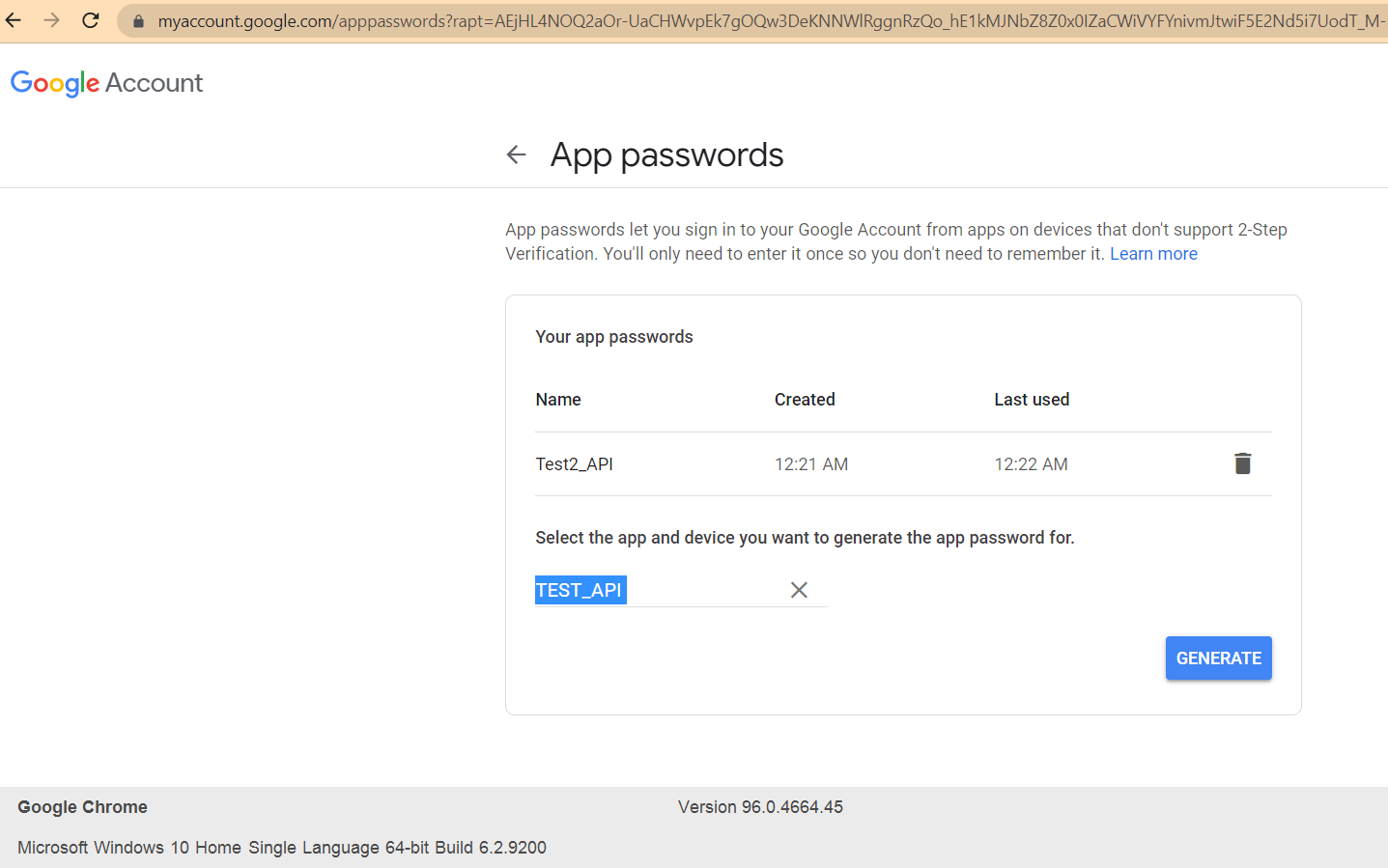
Click Generate. An app password will be generated.
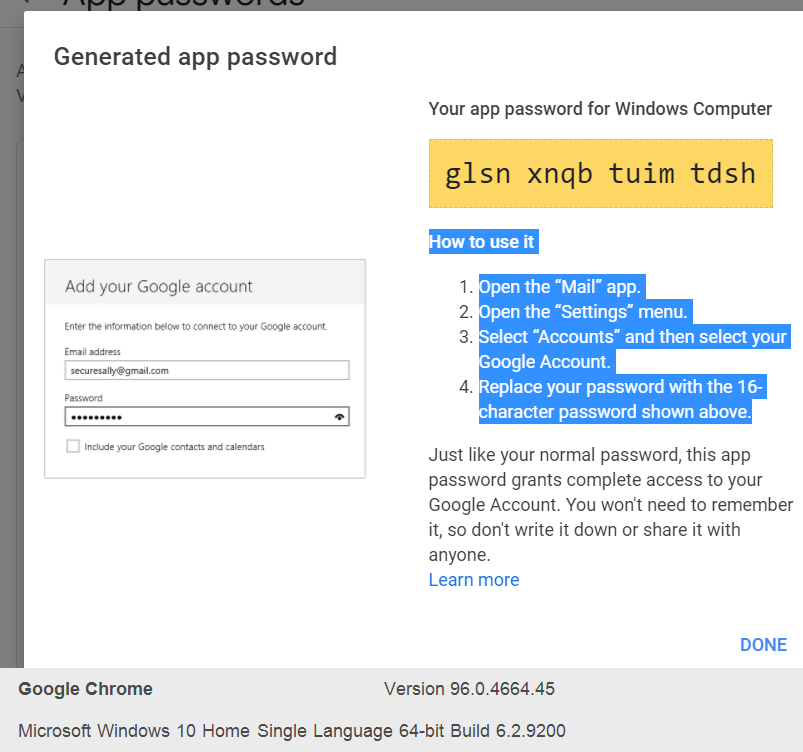
Use this app Password in-service suite script instead of the original password.
Example Code Snippet:
const IMAP_SERVER = "imap.gmail.com";
const SUBJECT = "Your MyAccount security code";
const EMAIL ="example@gmail.com";
const APP_PASSWORD ="juyyefjismupgqwf" ;
//
// To generate the APP_PASSWORD need to useenable app2FA passwordsauthentication forin automatedyour Servicegoogle Suiteaccount
// mailand validation.then
Validation workflow
Confirm thatgenerate theGoogleAPP_PASSWORDWorkspaceatpolicyhttps://myaccount.google.com/apppasswords
//
functionpermitsgetCode(body)app{
passwordsreturnforbody.match(/\d+/g)[0];
}
var mailClient = createMailClient(IMAP_SERVER, EMAIL, APP_PASSWORD, "IMAP");
mailClient.login();
try {
var lastUnread = mailClient.getLastUnreadMessages(1);
if (lastUnread.length > 0) {
var subject = lastUnread.get(0).getSubject();
if (subject.contains(SUBJECT)){
code = getCode(lastUnread.get(0).getBody());
log(code);
locker.put("THE_CODE",code); // PUTS CODE IN THELOCKER TO SHARE WITH DS SCRIPT
} else {
log("Last unread message do not match theselectedexpectedtestsubject:account.Create"+subject);
the}
password}outsideelseAIQ{
andlog("Therestoreareitnoonlynew email messages intheaccountapproved"+EMAIL)
secret}
}manager.Runcatch(e)the{
Servicelog(e.message)
}Suitefinallyscript{
withmailClient.logout();
}
Last updated: SeptemberJuly 24,18, 20262023
If you have any feedback on this topic, please contact us at documentation@appvance.ai