
Maximum Retry Settings for Scenario Editor Tests
Recommended guidance
ThisUse topicretry containssettings informationto onreduce thenoise Maxfrom retriestemporary iftiming or environment issues, not to hide unstable locators, incorrect waits, broken test data, or real application defects. A retry should make a valid test more resilient; it should not turn a failing test into an unclear result.
Good use cases
- Short-lived network delays during page load or service calls.
- Minor timing variation in asynchronous UI behavior.
- Known non-deterministic behavior in a test environment that is already being tracked.
Use caution when
- The same step fails repeatedly across retries.
- The retry makes execution time too long for CI/CD or nightly runs.
- The failure
happensinvolvesoptiondata creation, purchases, messages, or any action thatwas added to the Scenario Editor in the 4.10.8 and 5.0.0 releases of AIQ.SituationIf you are noticing any of these behaviors you may want to consider implementing the Max retries if failure happens option: Test scripts work without issue in Test Designer, but sometimes have intermittent failures when run as scenarios in Scenario Editor.
Inconsistent results between tests run in Test Designer and Scenario Editor.
Multiple scenario executions have different results.
Scenario Execution hangs or doesn’t execute all script.
Appvance is working to diagnose the reasons behind these issues.
Solution
Retry logic has been added as a global option for scenario executions in the Scenario Editor. This option allows you to set the number of times a scenario will be rerun if it fails during the initial run.
For example, if you specify “3” as the maximum number of retries, the scenario will be rerun a maximum of three times if the first execution fails.
Notes
The default value is “0” default value is “0” which means that failed scenarios willshould not be rerun.repeated Ablindly.
Recommended workflow
- Fix selectors, waits, and test
willdatastopbeforeafterincreasingone execution.
If a test passes onSet the initialsmallest execution,retry count that addresses the known transient issue.
If a scenario succeeds before the maximum number of retries is reached,allow it won’t run the additional executions. For example if you “3” as the maximum number of retries, and the scenario succeeds on the second retry, it will notto be executedremoved.
The scenario retry options was added in the 4.10.8 and 5.0.0 releases of AIQ.
Setting the Maximum Number of Retries
To set this option navigate to Scenario Editor > Options > Global Options.
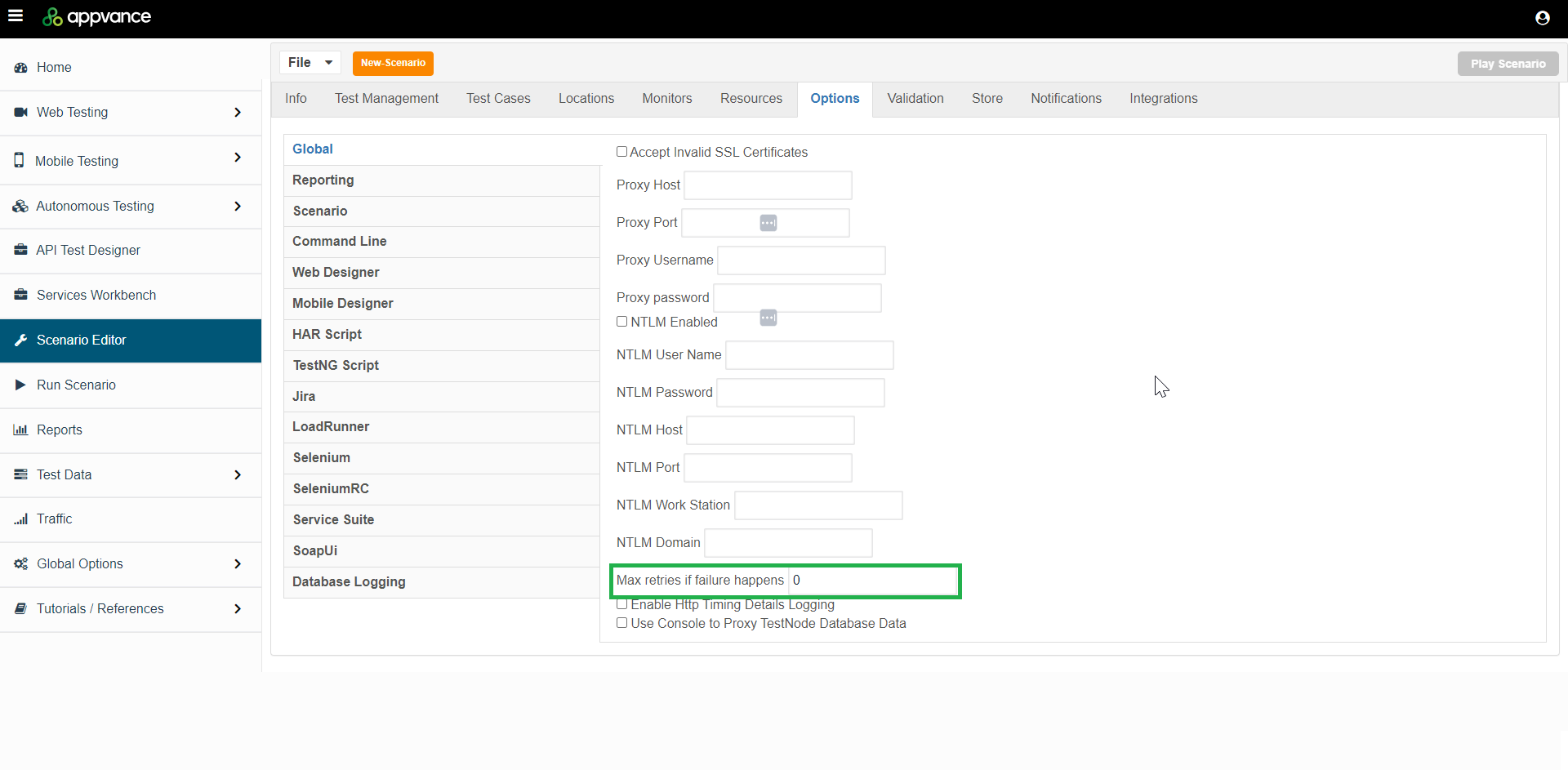
The Max retries if failure happens option determines the number of times a scenario will be rerun. The default value is “0” which means that failedretry-heavy scenarios willduring notmaintenance bebecause rerun.they Seeoften aboveindicate forhidden guidance on settings.

Last updated: FebruaryOctober 27,5, 20242026
If you have any feedback on this topic, please contact us at documentation@appvance.ai