
Create Multiple Orders and Write Order IDs to a Repository CSV
HereLast arereviewed: someSeptember sample30, files,2026
Use this article when a Scenario Editor test needs to create multiple records and apersist linkgenerated order IDs to a demorepository video.CSV for later validation or reuse.
SampleWhat Fileschanged in this article
- Shortened and corrected the long title while preserving the order-ID-to-CSV use case.
- Replaced Designer framing with Scenario Editor and repository CSV terminology.
- Added
- checks CSV headers, append versus overwrite behavior, concurrency collisions, cleanup, and sensitive data masking.
DSValidation File Exampleworkflow
- Create the
Orderorderbyrecordsprovidingandallcapture each generated order ID from themandatoryresponse,values.UI,or
output.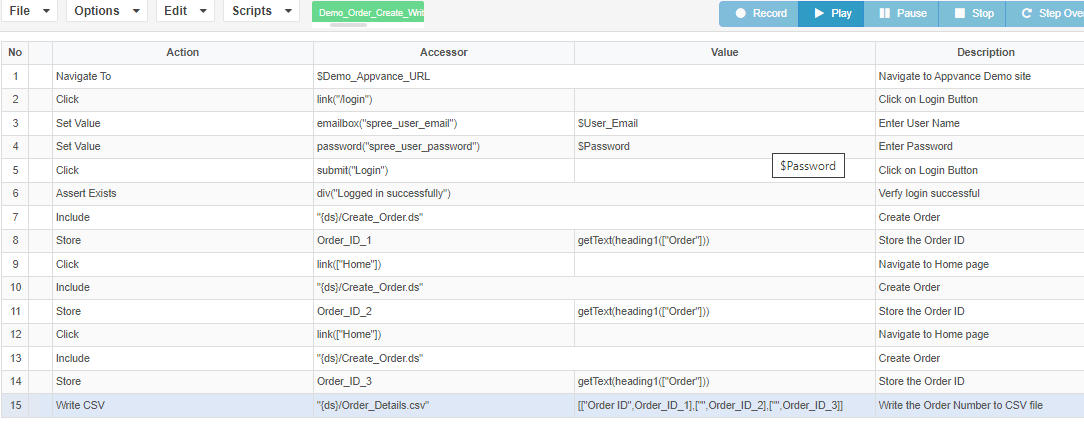
- Write
repositoryWriteonly thecreatedrequiredOrderfieldsIDs intoto therepository.CSV
a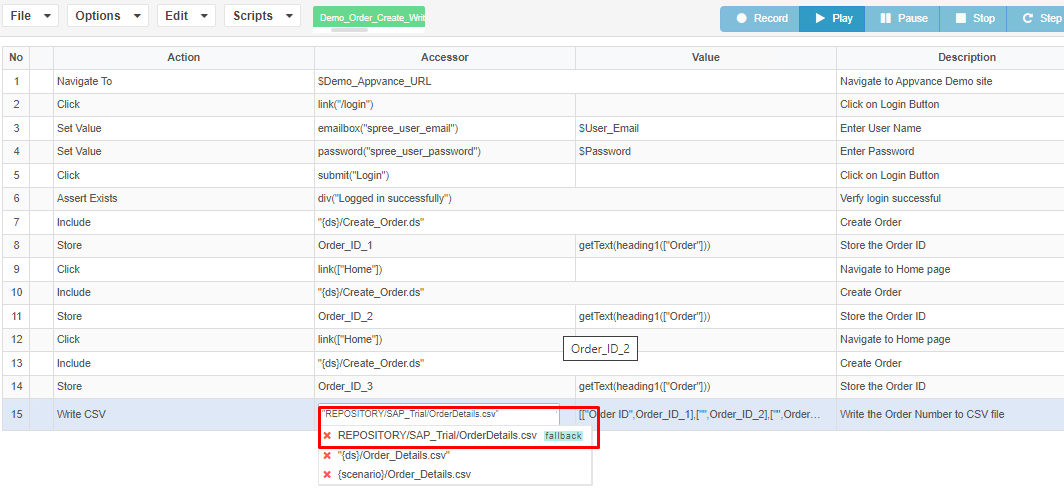
DemoclearVideoheaderDemonstratingand deterministic file path. - Replay the
Executionconsuming - and
Watchconfirm it reads theDemoexpectedVideorows without duplicate or stale IDs.
Review note: This page now focuses on the data handoff pattern and calls out concurrency risks when multiple runs write to the same CSV.
Last updated: AugustSeptember 25,30, 20232026
If you have any feedback on this topic, please contact us at documentation@appvance.ai.