
Date Functions and Formatting
First example is this:
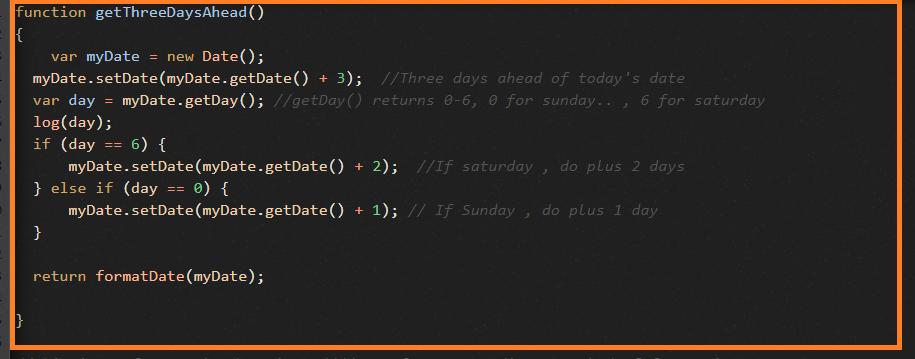
Create a logic so that the script should always choose a date that is 3 days ahead of the todays date and make sure that 3 days ahead date is not landing on any weekends i.e., Sat/Sun.
function getThreeDaysAhead()
{
var myDate = new Date();
myDate.setDate(myDate.getDate() + 3); //Three days ahead of today's date
var day = myDate.getDay(); //getDay() returns 0-6, 0 for sunday.. , 6 for saturday
log(day);
if (day == 6) {
myDate.setDate(myDate.getDate() + 2); //If saturday , do plus 2 days
} else if (day == 0) {
myDate.setDate(myDate.getDate() + 1); // If Sunday , do plus 1 day
}
return formatDate(myDate);
}
Date Formatting functions:
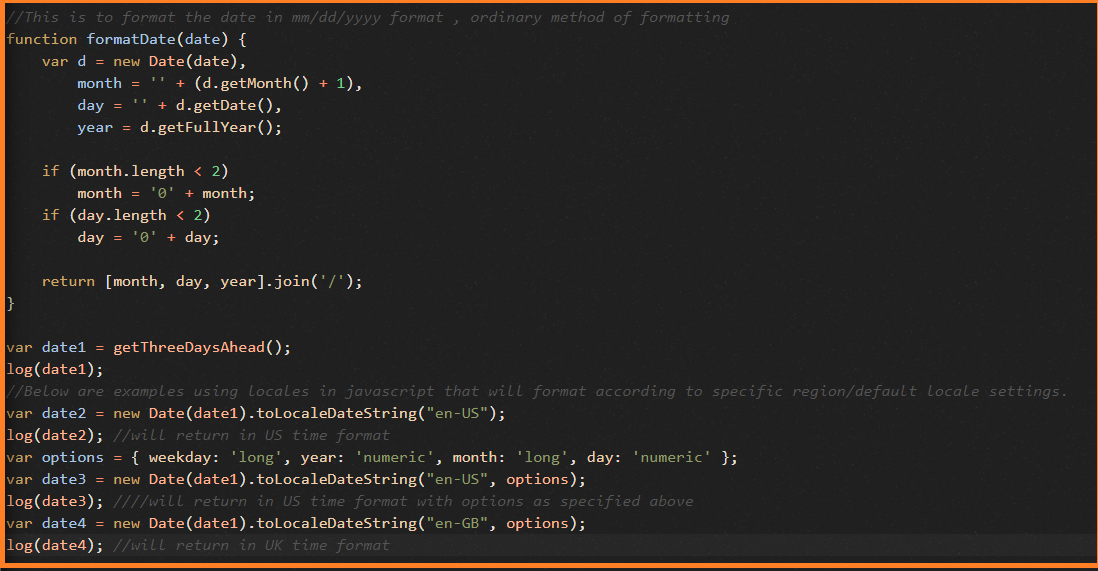
function formatDate(date) {
var d = new Date(date),
month = '' + (d.getMonth() + 1),
day = '' + d.getDate(),
year = d.getFullYear();
if (month.length < 2)
month = '0' + month;
if (day.length < 2)
day = '0' + day;
return [month, day, year].join('/');
}
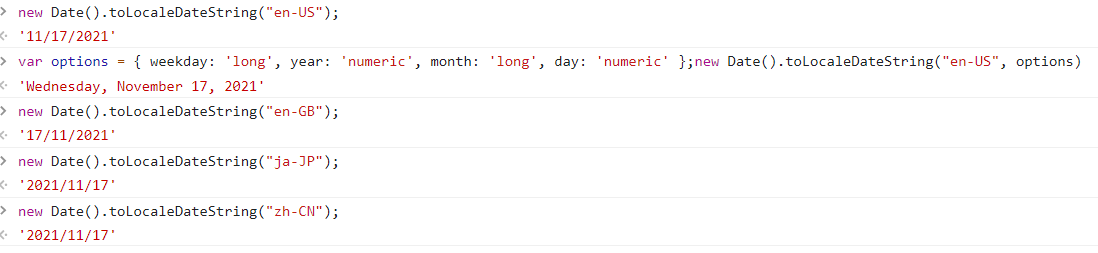
Below are some examples using toLocaleDateString();
var date2 = new Date(date1).toLocaleDateString("en-US");
log(date2); //will return in US time format
var options = { weekday: 'long', year: 'numeric', month: 'long', day: 'numeric' };
var date3 = new Date(date1).toLocaleDateString("en-US", options);
log(date3); ////will return in US time format with options as specified above
var date4 = new Date(date1).toLocaleDateString("en-GB", options);
log(date4); //will return in UK time format
some examples from browser console using toLocaleDateString functions:
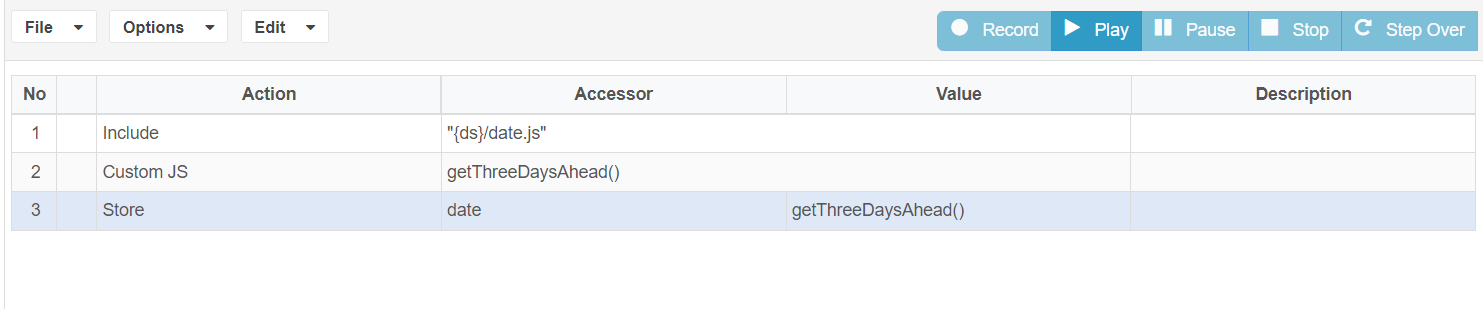
These functions can be directly used in ds file – customJS as action and function name can be called simply like the normal javascript calling.
Last updated: July 03, 2023
If you have any feedback on this topic, please contact us at documentation@appvance.ai