
Date Functions and Formatting in Scenario Editor
FirstLast examplereviewed: September 21, 2026
Use this article when Scenario Editor tests need to generate, transform, or validate dates. Make date handling explicit to avoid timezone and locale issues.
Recommended guidance
- Define the expected input and output date formats before scripting.
- Use consistent timezone assumptions across test data and application UI.
- Avoid hard-coded dates unless validating a fixed historical record.
Validation workflow
- Identify whether the value is
this:generatedCreate a logic so thatby thescripttest,shouldreadalwaysfromchoosetheaUI, or returned by an API. - Normalize date
thatstringsisbefore3comparingdaysvalues. - Parameterize
aheadoffsets such as today, tomorrow, or end-of-month. - Validate edge cases around month boundaries, leap years, and daylight-saving changes when relevant.
- Log both raw and formatted values when troubleshooting failures.
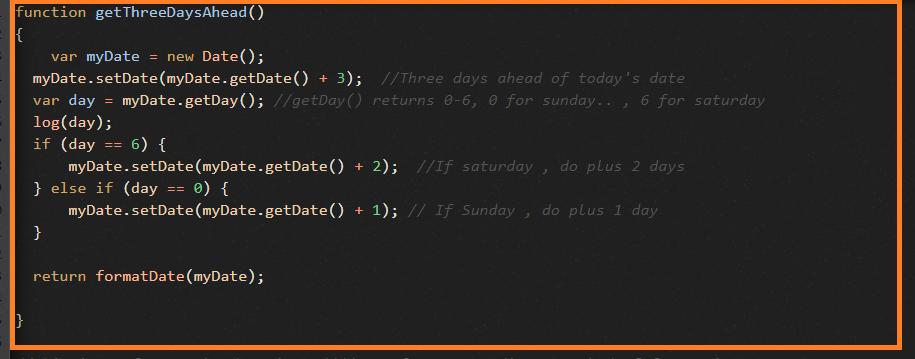
Note: Use “Scenario Editor” in current documentation instead of theolder todaysTest dateDesigner andnaming make sure that 3 days ahead date is not landing on any weekends i.e., Sat/Sun.
function getThreeDaysAhead(){var myDate = new Date();myDate.setDate(myDate.getDate() + 3); //Three days ahead of today's datevar day = myDate.getDay(); //getDay() returns 0-6, 0 for sunday.. , 6 for saturdaylog(day);if (day == 6) {myDate.setDate(myDate.getDate() + 2); //If saturday , do plus 2 days} else if (day == 0) {myDate.setDate(myDate.getDate() + 1); // If Sunday , do plus 1 day}
return formatDate(myDate);
}
Date Formatting functions:
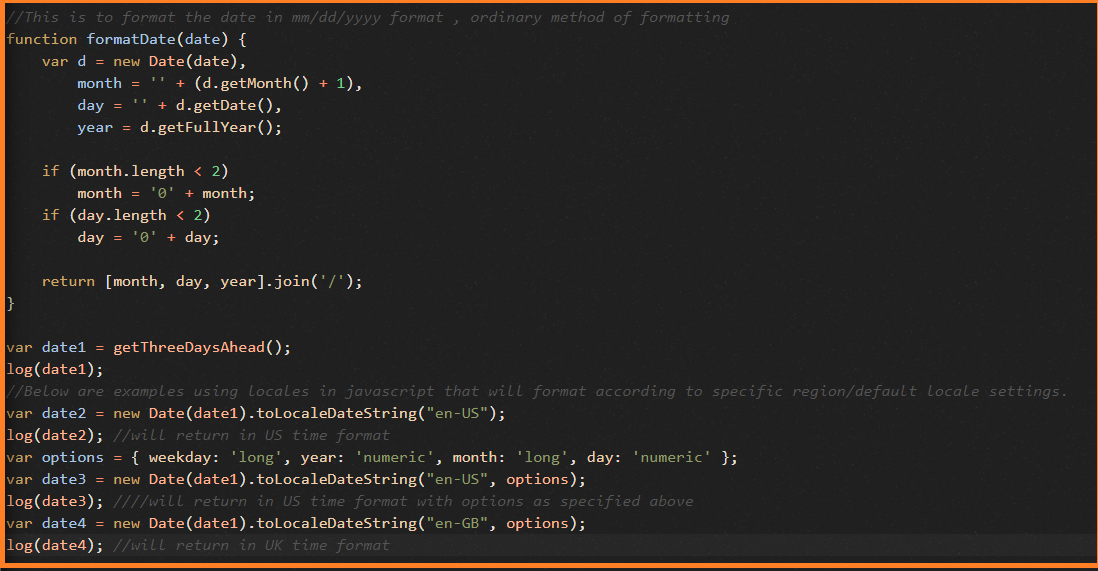
function formatDate(date) {var d = new Date(date),month = '' + (d.getMonth() + 1),day = '' + d.getDate(),year = d.getFullYear();
if (month.length < 2)month = '0' + month;if (day.length < 2)day = '0' + day;
return [month, day, year].join('/');
}
Below are some examples using toLocaleDateString();
var date2 = new Date(date1).toLocaleDateString("en-US");log(date2); //will return in US time formatvar options = { weekday: 'long', year: 'numeric', month: 'long', day: 'numeric' };var date3 = new Date(date1).toLocaleDateString("en-US", options);log(date3); ////will return in US time format with options as specified abovevar date4 = new Date(date1).toLocaleDateString("en-GB", options);log(date4); //will return in UK time format
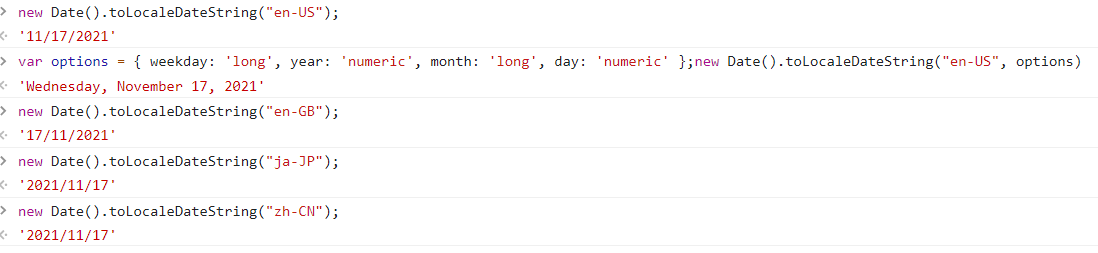
some examples from browser console using toLocaleDateString functions:
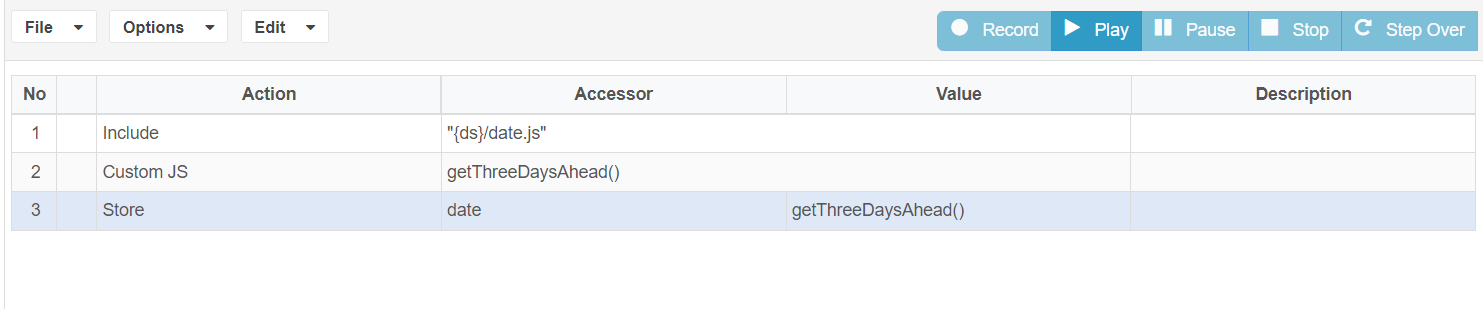
These functions can be directly used in ds file – customJS as action and function name can be called simply likewhere the normalworkflow javascriptapplies calling.to current AIQ.
Last updated: JulySeptember 03,21, 20232026
If you have any feedback on this topic, please contact us at documentation@appvance.ai.