
Date Functions and Formatting
LastFirst reviewed:example Septemberis 21,this:
2026
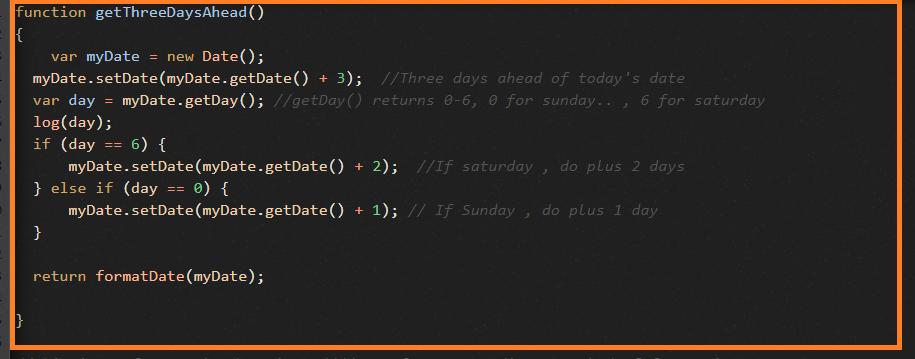
UseCreate thisa articlelogic whenso Scenariothat Editorthe testsscript needshould toalways generate,choose transform, or validate dates. Makea date handlingthat explicitis to3 avoiddays timezoneahead of the todays date and localemake issues.sure that 3 days ahead date is not landing on any weekends i.e., Sat/Sun.
Recommended
function guidancegetThreeDaysAhead()
{
var
DefinemyDate = new Date();
myDate.setDate(myDate.getDate() + 3); //Three days ahead of today's date
var day = myDate.getDay(); //getDay() returns 0-6, 0 for sunday.. , 6 for saturday
log(day);
if (day == 6) {
myDate.setDate(myDate.getDate() + 2); //If saturday , do plus 2 days
} else if (day == 0) {
myDate.setDate(myDate.getDate() + 1); // If Sunday , do plus 1 day
}return formatDate(myDate);
}
Date Formatting functions:
function formatDate(date) {
var d = new Date(date),
month = '' + (d.getMonth() + 1),
day = '' + d.getDate(),
year = d.getFullYear();if (month.length < 2)
month = '0' + month;
if (day.length < 2)
day = '0' + day;return [month, day, year].join('/');
}
Below are some examples using toLocaleDateString();
var date2 = new Date(date1).toLocaleDateString("en-US");
log(date2); //will return in US time format
var options = { weekday: 'long', year: 'numeric', month: 'long', day: 'numeric' };
var date3 = new Date(date1).toLocaleDateString("en-US", options);
log(date3); ////will return in US time format with options as specified above
var date4 = new Date(date1).toLocaleDateString("en-GB", options);
log(date4); //will return in UK time format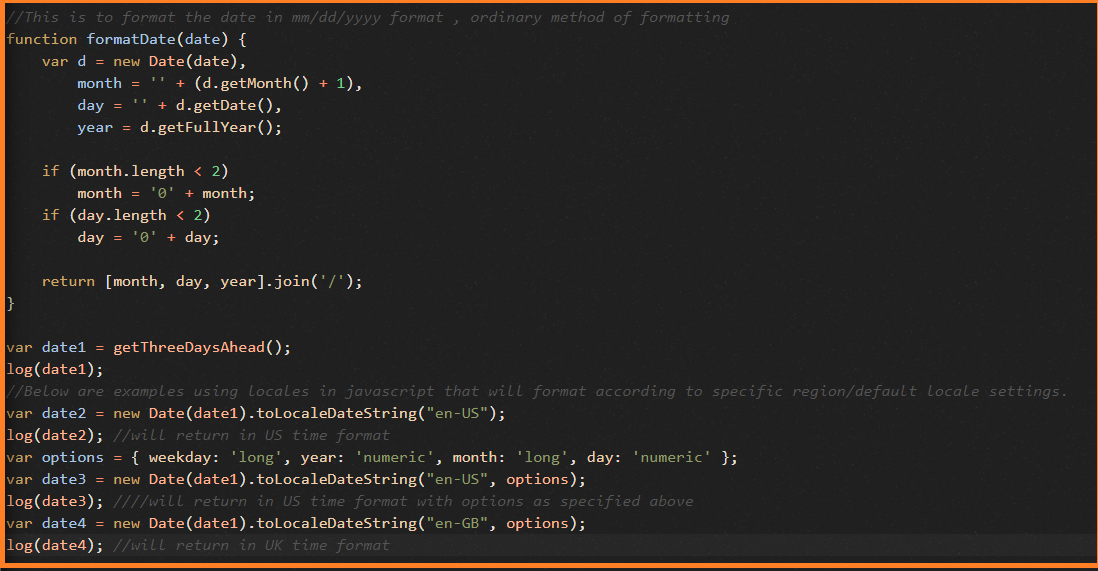
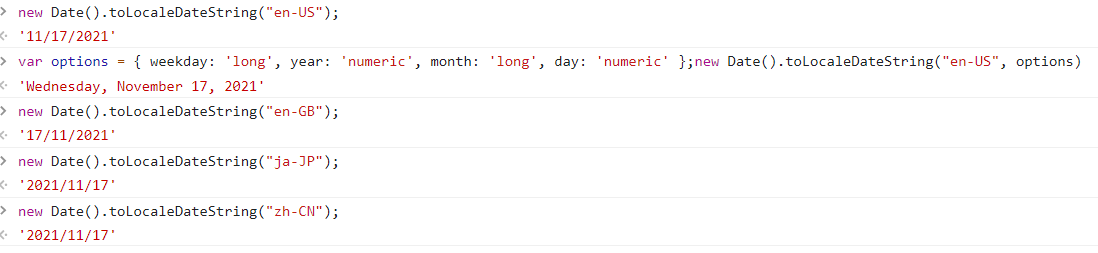
some examples from browser console using toLocaleDateString functions:
These functions can be directly used in ds file – customJS as action and function name can be called simply like the
expectednormalinputjavascriptandcalling.output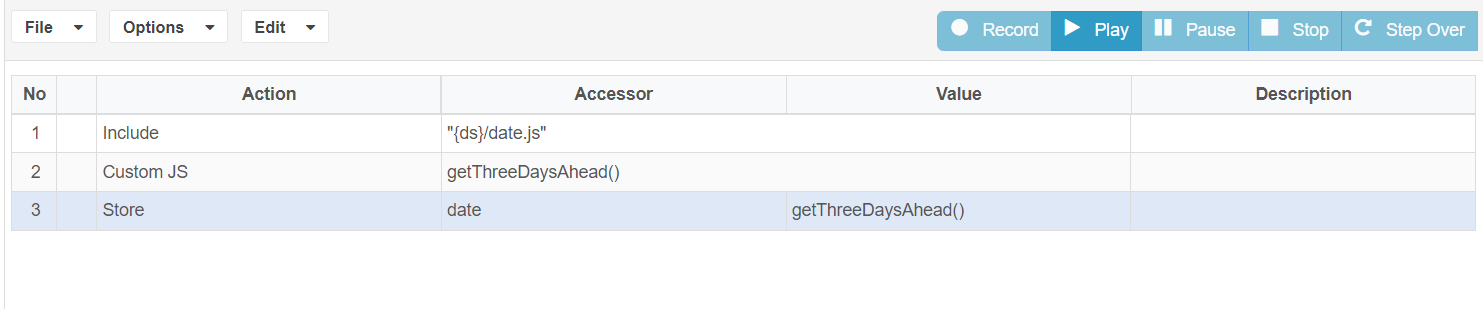
date formats before scripting.Use consistent timezone assumptions across test data and application UI.Avoid hard-coded dates unless validating a fixed historical record.
Validation workflow
Identify whether the value is generated by the test, read from the UI, or returned by an API.Normalize date strings before comparing values.Parameterize offsets such as today, tomorrow, or end-of-month.Validate edge cases around month boundaries, leap years, and daylight-saving changes when relevant.Log both raw and formatted values when troubleshooting failures.
Note: Use “Scenario Editor” in current documentation instead of older Test Designer naming where the workflow applies to current AIQ.
Last updated: SeptemberJuly 21,03, 20262023
If you have any feedback on this topic, please contact us at documentation@appvance.ai.