
How to access and extract the content of the table
LastBelow reviewed:is Septemberexample 21,script 2026
Usedemosite thisto article when a Scenario Editor test must readget table rows, columns, or specific cell values from a web application.
Recommended guidance
Prefer stable table selectors and accessible labels when available.Decide whether the test needs one cell, one row, or the full table.Account for pagination, sorting, filters, and lazy-loaded rows.
Validation workflow
Identify the table and therow/columncriteria before extracting values.Use stable locators for headerslength andcellsgetratherthethantextvisualofpositioncell.Thisalone.Normalizeexamplewhitespacedoesntandhaveformattinganybeforeuniquecomparingaccessorvalues.Validatesopaginationgoingorbyscrollingrow/cell counter along with relational accessor.In case ifthethere’sexpectedanyrowunique identifier isnotavailableinitiallytovisible.Storeaccessextractedrow/cell,samevaluescanonlybewhenusedtheydirectlyareasneededwell.by later steps or assertions.
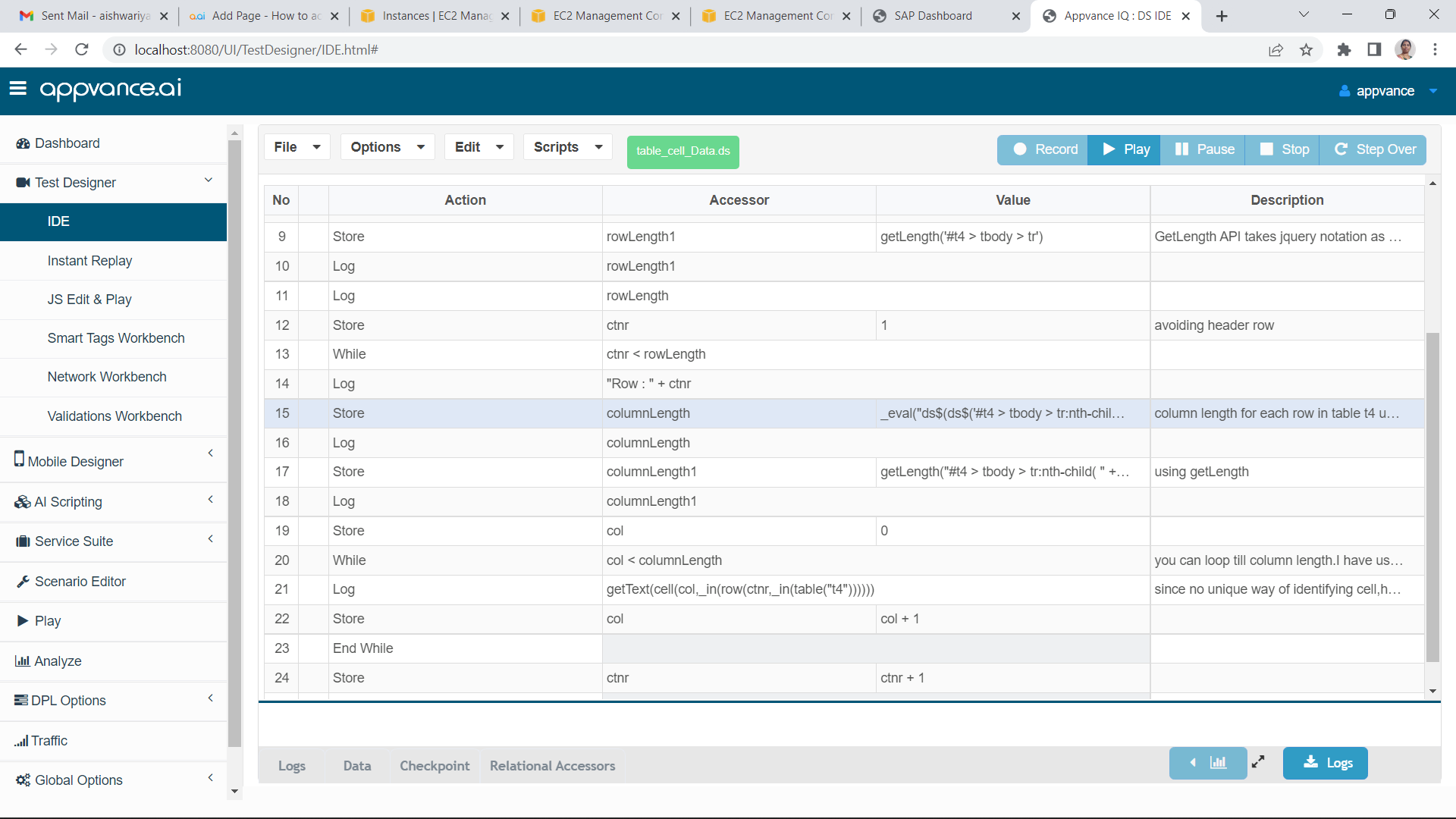
Note:table_cell_Data.ds
If
Last updated: SeptemberJuly 21,03, 20262023
If you have any feedback on this topic, please contact us at documentation@appvance.ai.