
Manage Multiple DPL Data Sources in Scenario Editor
Manage Multiple DPL Data Sources in Scenario Editor
We can addUse multiple DPL filesdata insources Testonly Designerwhen IDE.a Oncescenario needs clearly separated data sets, such as users, accounts, products, or generated values.
Recommended guidance
- Name each DPL according to the
userbusinessaddsdataoneit provides. - Keep credentials and environment values out of
theDPL filesinandDatadocumentation. - Document
tabhowUserrowscanadvance,stillreset,addorotherrelate across data sources. - Use the smallest data set that validates the test objective.
Validation workflow
- Identify each data source required by the scenario.
- Map DPL
filesfieldsiftoanyScenariowithEditor inputs or validations. - Run a small validation execution to confirm row consumption behavior.
- Review output before scaling or scheduling the
help of API that is already available for Hash DPL and JS DPL.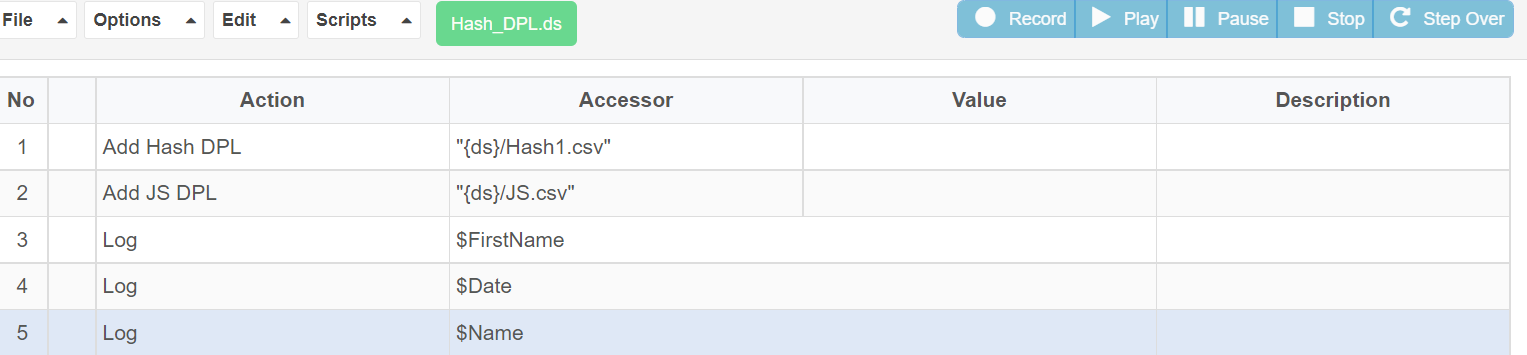
With the help of the above API called “Add Hash DPL” and “Add JS DPL”. User can add multiple DPL’s in the IDE.
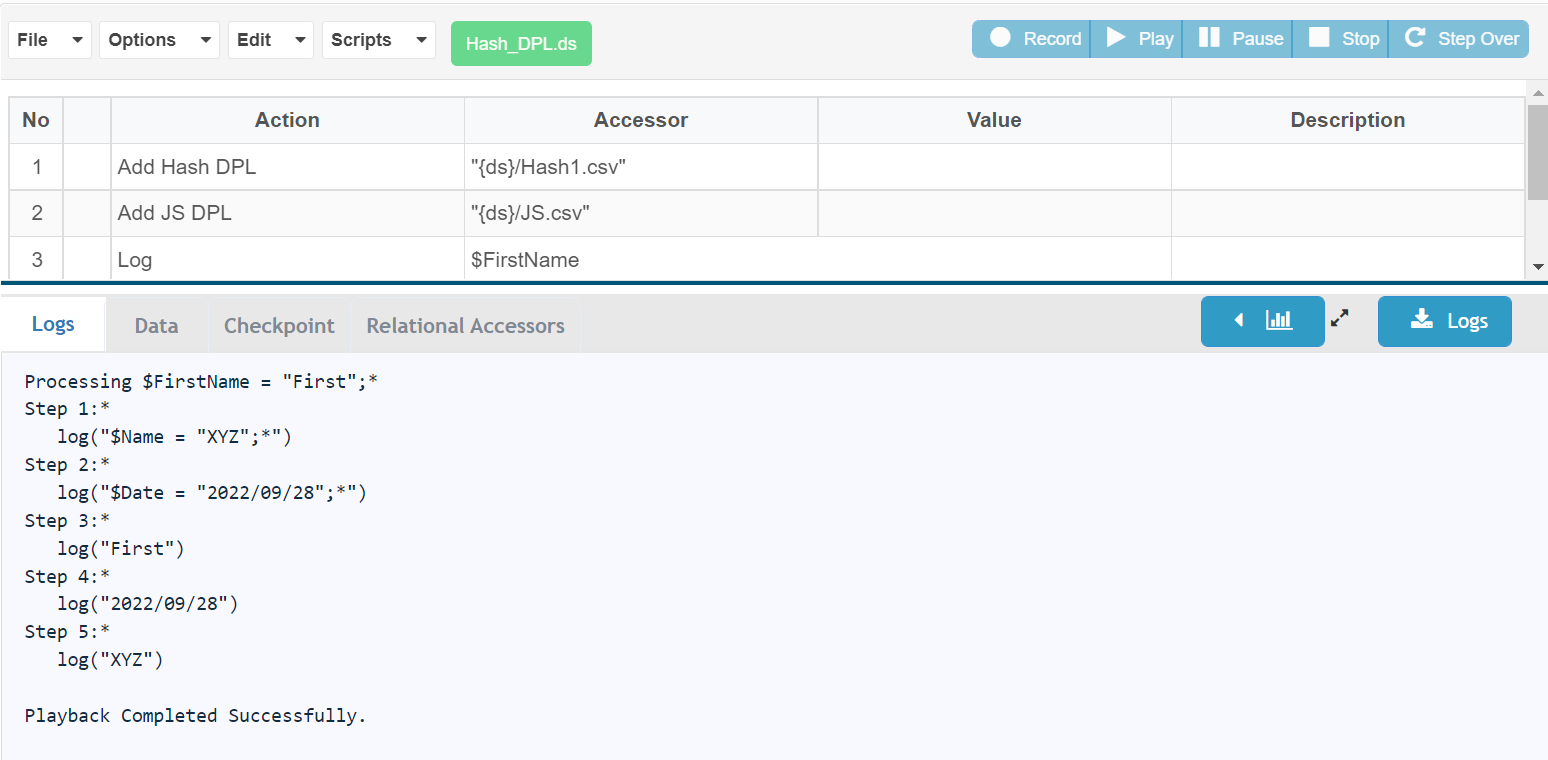
Below is the screenshot for the successful execution of the same
Last updated: JuneSeptember 26,20, 20232026
If you have any feedback on this topic, please contact us at documentation@appvance.ai