
How to handle Multiple DPL files in Test Designer IDE
Manage
We Multiplecan DPL Data Sources in Scenario Editor
Useadd multiple DPL datafiles sourcesin onlyTest whenDesigner aIDE. scenario needs clearly separated data sets, such as users, accounts, products, or generated values.
Recommended guidance
Name each DPL according toOnce thebusinessuserdataaddsit provides.Keep credentials and environment values outone of the DPL filesandindocumentation.DocumentDatahowtabrowsUseradvance,canreset,stilloraddrelateotheracrossDPLdatafilessources.Useif any with thesmallesthelpdataofsetAPI thatvalidatesis already available for Hash DPL and JS DPL.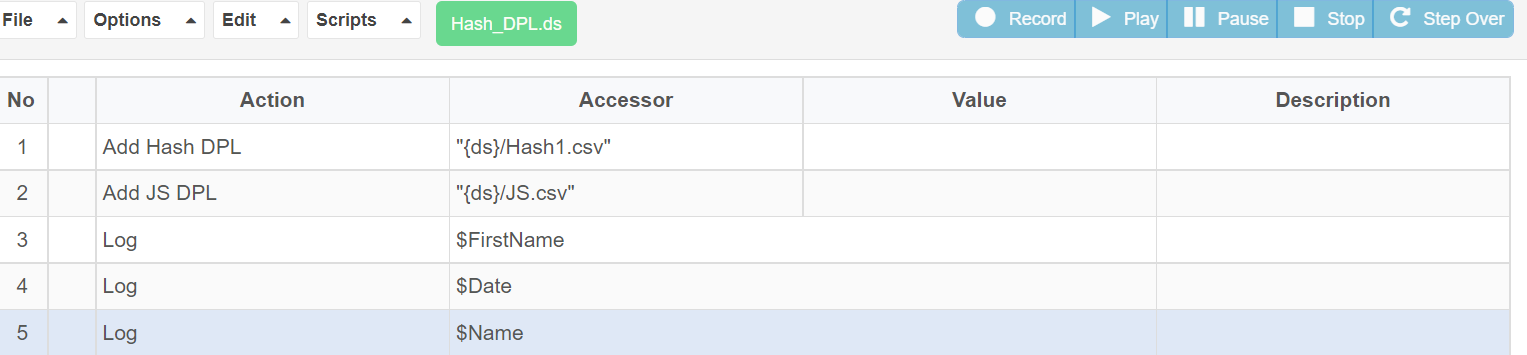
With the
testhelpobjective.
Validation workflow
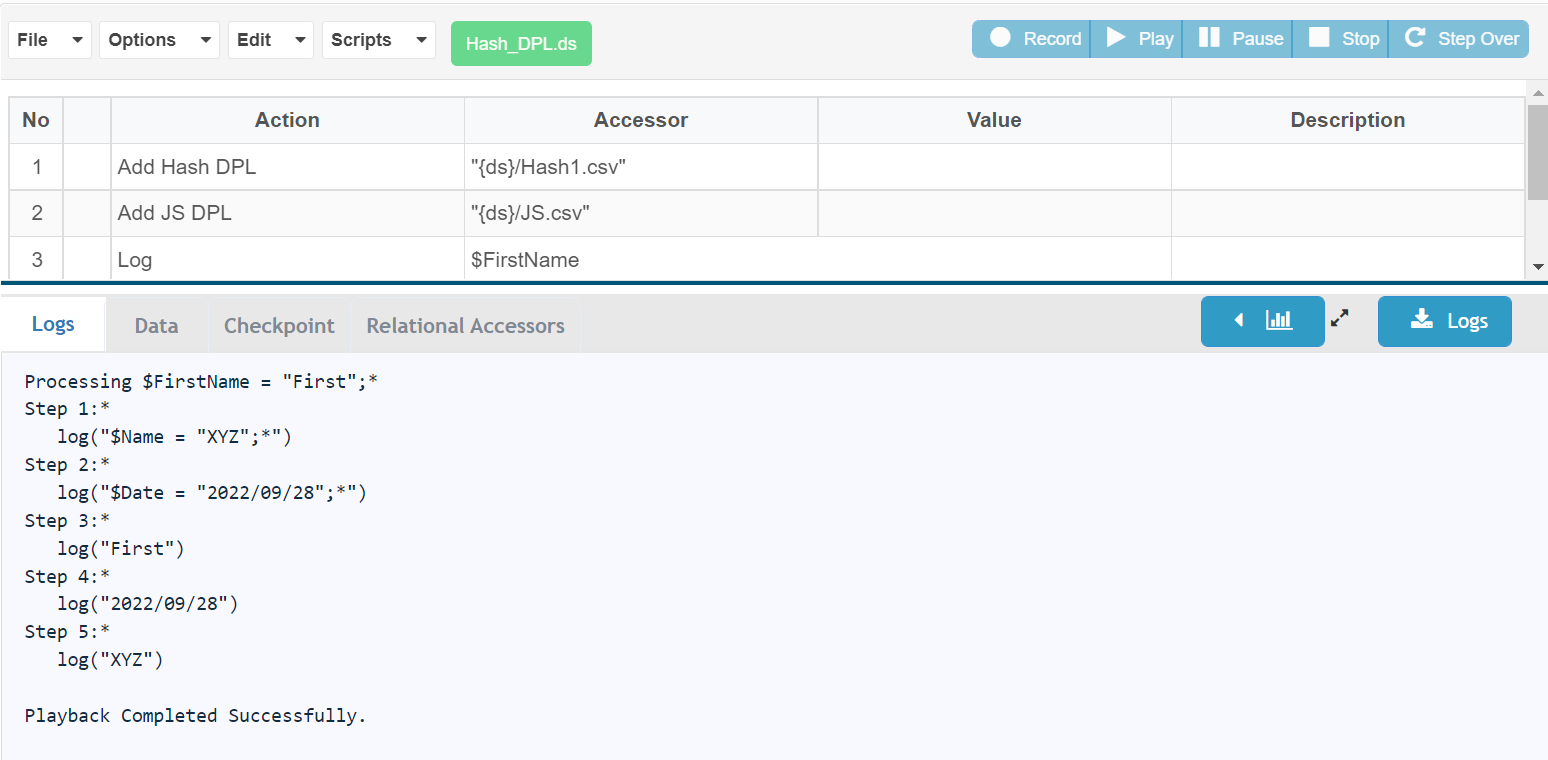
Identify each data source required byof thescenario.MapaboveDPLAPIfieldscalledto“AddScenarioHashEditorDPL”inputsandor“Addvalidations.RunJSaDPL”.smallUservalidationcan add multiple DPL’s in the IDE.Below is the screenshot for the successful execution
to confirm row consumption behavior.Review output before scaling or schedulingof thesuite.
Last updated: SeptemberJune 20,26, 20262023
If you have any feedback on this topic, please contact us at documentation@appvance.ai