
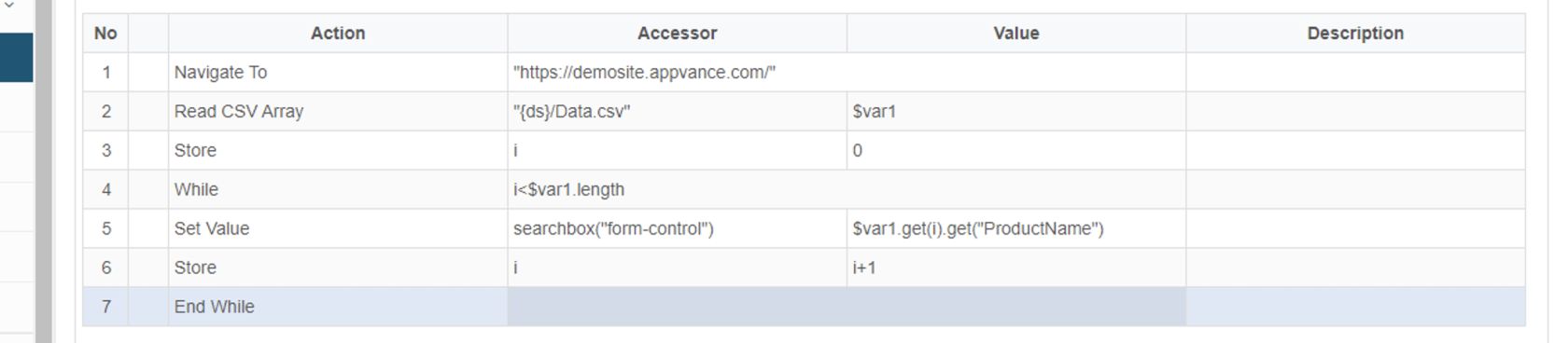
How to Read and Write multiple rows from the CSV file?
Read
var andAccount Write= CSVreadCSVListHashMap("{ds}/Account.csv");
var Rowsini=0;
var fori=0;
var Scenario$data Editor= Datanew Array();
$data.push(["Email", "Password","PhoneNumber","Date","Month","Year"])
while (ini<Account.length){
var Email=Account.get(ini).get("Email");
var Password=Account.get(ini).get("Password");
var PhoneNumber=Account.get(ini).get("PhoneNumber");
var Date=Account.get(ini).get("Date");
var Month=Account.get(ini).get("Month");
var Year=Account.get(ini).get("Year");
log(Email);
Usevar CSV files as controlled test data sources when Scenario Editor tests need repeatable rows of input or expected values.file="{ds}/Result.csv";
Recommended guidance
Keep CSV headers clear and stable.Document whether rows are consumed once, reused, or reset between runs.Avoid writing sensitive runtime data to shared CSV files.Prefer DPL-managed data behavior when available.
Validation workflow
Prepare a small CSV sample with known rows.Map fields to Scenario Editor inputs and validations.Run a validation execution and confirm row usage.Review generated or updated rows before using the data in larger runs.
$data.push([Email,Password,PhoneNumber,Date,Month,Year])
var ini=ini+1;
};
writeCSV(file, $data);
Last updated: SeptemberJune 20,26, 20262023
If you have any feedback on this topic, please contact us at documentation@appvance.ai