
Retrieve Page Elements in Scenario Editor
Retrieve Page Elements in Scenario Editor
PleaseRetrieve usepage elements when a test needs to validate a list, count results, inspect repeated controls, or choose a dynamic item.
Recommended guidance
- Prefer stable locators and semantic attributes over visual position.
- Scope element retrieval to the
followingsmallestlineusefulofcontainer. - Avoid
codecollectinginevery page element unless the testdesignerobjectiveIDErequiresthatit. - Document
willhowlogempty,allhidden, or disabled elements should be handled.
Validation workflow
- Wait for the
elementspageonoracontainergiventopage.be - Retrieve the
elementstargetofelementacollection. - Filter
webthepage.collection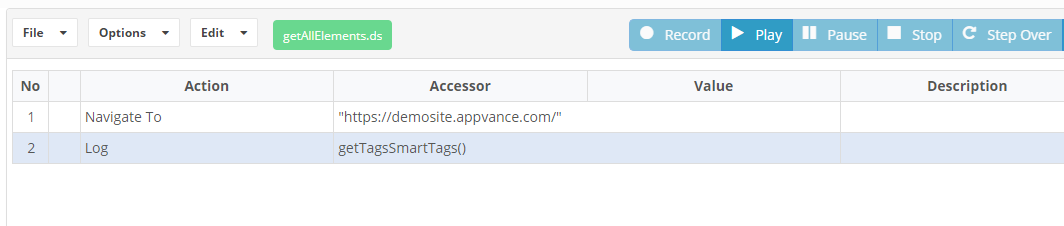 text,
text,
attribute, state, or index only when appropriate. - Validate the expected count or selected element before taking action.
Last updated: JuneSeptember 26,20, 20232026
If you have any feedback on this topic, please contact us at documentation@appvance.ai