
How to retrieve all the elements on a page
Retrieve
Please Pageuse Elementsthe following line of code in Scenariotest Editordesigner
RetrieveIDE pagethat will log all the elements whenon a testgiven needspage.
Recommended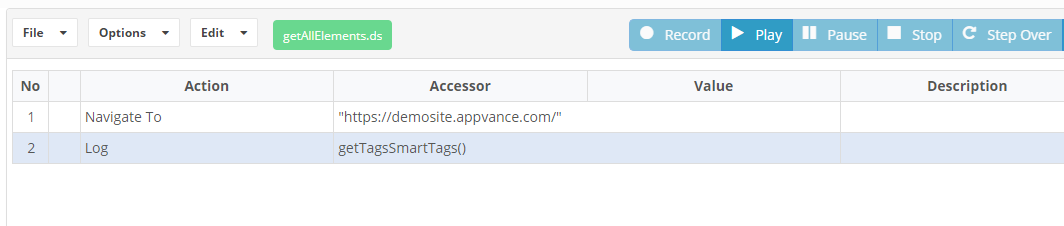
guidance
Prefer stable locators and semantic attributes over visual position.Scope element retrieval to the smallest useful container.Avoid collecting every page element unless the test objective requires it.Document how empty, hidden, or disabled elements should be handled.
Validation workflow
Wait for the page or container to be stable.Retrieve the target element collection.Filter the collection by text, attribute, state, or index only when appropriate.Validate the expected count or selected element before taking action.
Last updated: SeptemberJune 20,26, 20262023
If you have any feedback on this topic, please contact us at documentation@appvance.ai