
Use Custom JavaScript Helpers in Scenario Editor
Use
Custom JavaScript Helpers in Scenario EditorUse Wecustom JavaScript helpers only when a reusable function is needed and the behavior cannot be expressed clearly with standard Scenario Editor steps.
Recommended guidance
- Keep helper functions small, named clearly, and scoped to reusable logic.
- Do not embed credentials, tenant URLs, or environment-specific values in helper files.
- Version helper files with the scenario or project maintenance process.
- Prefer built-in Scenario Editor capabilities when they are
callingsufficient.
Validation workflow
- Define the
JShelper function and expected inputs. - Validate it with a small controlled example.
- Call it from the
DSscenarioscriptwhere the reusable behavior is needed. - Review output and failures before using it
returnsinthelargervalues after evaluation
The JS function that we have created is shown below
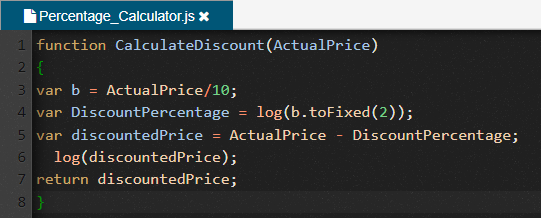
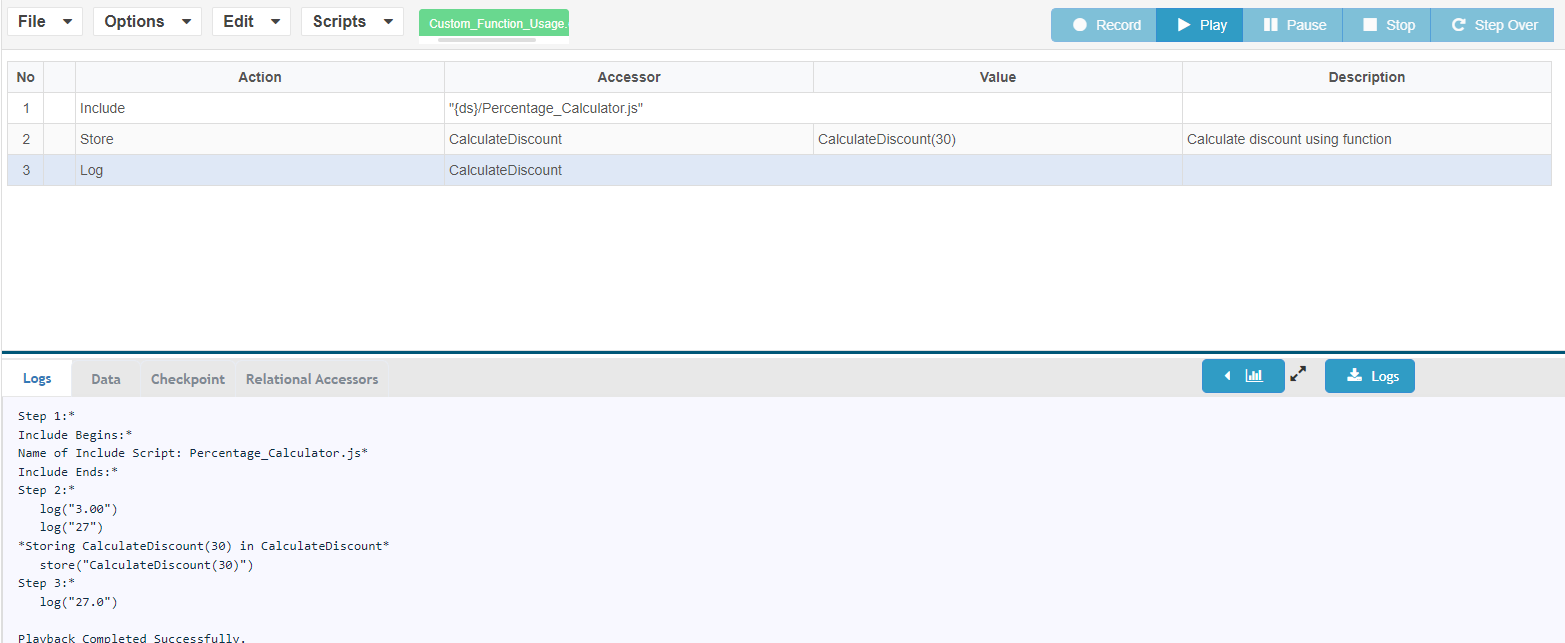
This function will calculate a 10% discount on a Price that is entered. The usage of function in TD script is shown below
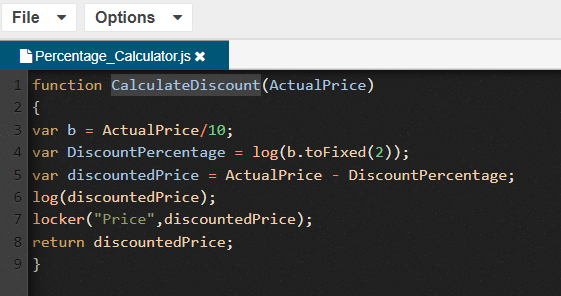
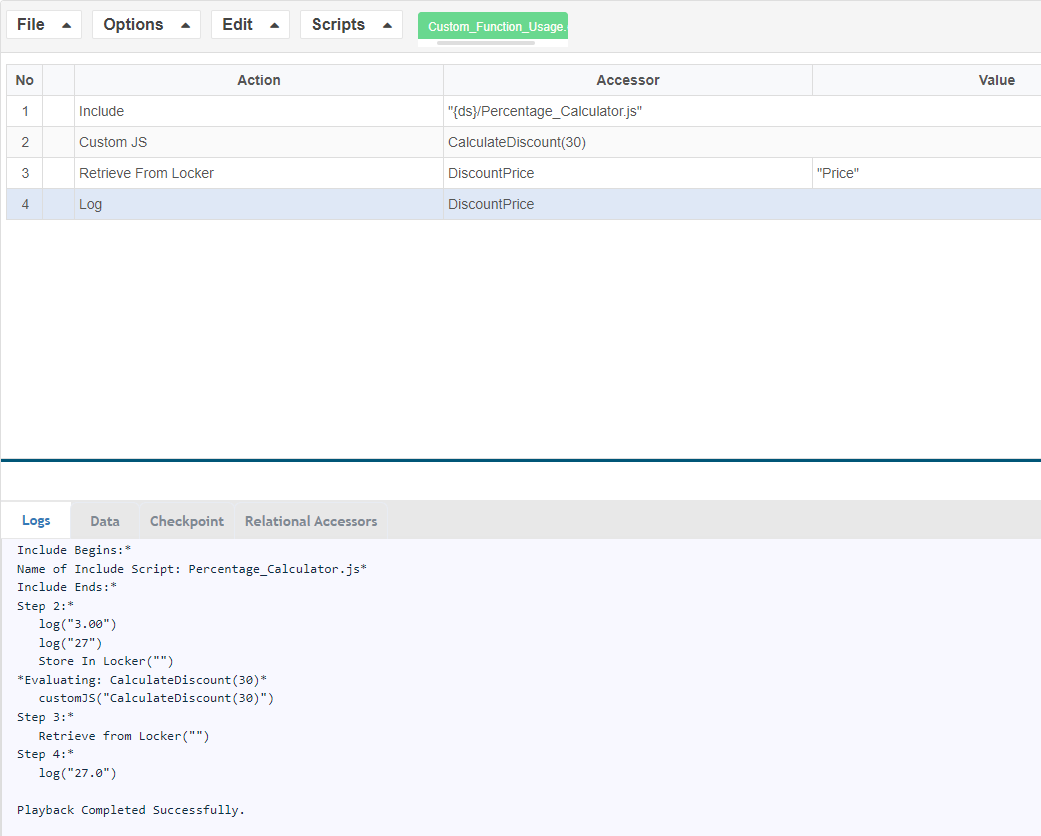
2. We can also make use of the Custom JS action in DS and then fetch the value using the locker
Last updated: JuneSeptember 26,20, 20232026
If you have any feedback on this topic, please contact us at documentation@appvance.ai