
Log Specific Errors During Scenario Execution
YouLast canreviewed: createSeptember 29, 2026
Use this article when a customScenario CSVEditor errortest report of specific error types. You might find this helpful if you are trying to trace specific errors that might get overlooked in a large log file.
The ability to produce a log of these errors was added in AIQ release 4.10.0.
Example
You have configured a website, that you will be testing, to forward all 404 errors to a specific page. However, you may wantneeds to capture the 404targeted errors withfor debugging or reporting.
What changed in this article
- Changed the
badvagueURLs.title into an execution logging task. - Added guidance for capturing step context, input data, browser state, response details, and assertion messages.
- Added caution to avoid logging secrets, tokens, passwords, or customer-sensitive payloads.
Validation workflow
- Decide
- which
Inerroryourconditiontestneedsscript,explicitaddloggingaandLogwhereactionitwithoccursa$responsesWith404accessor.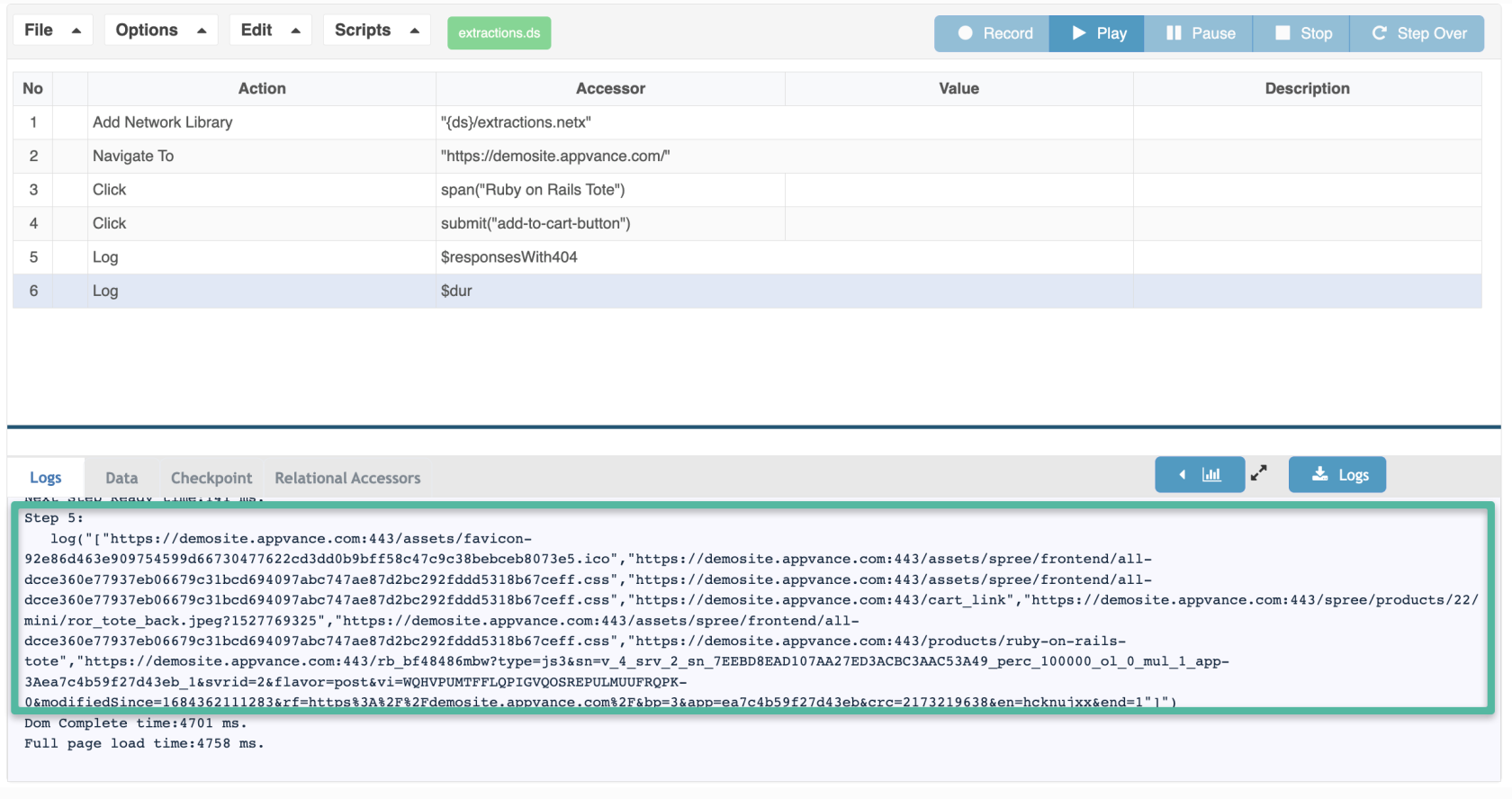
In Network Workbench, extractin the errors usingscenario.
responsesWith404useful
context: 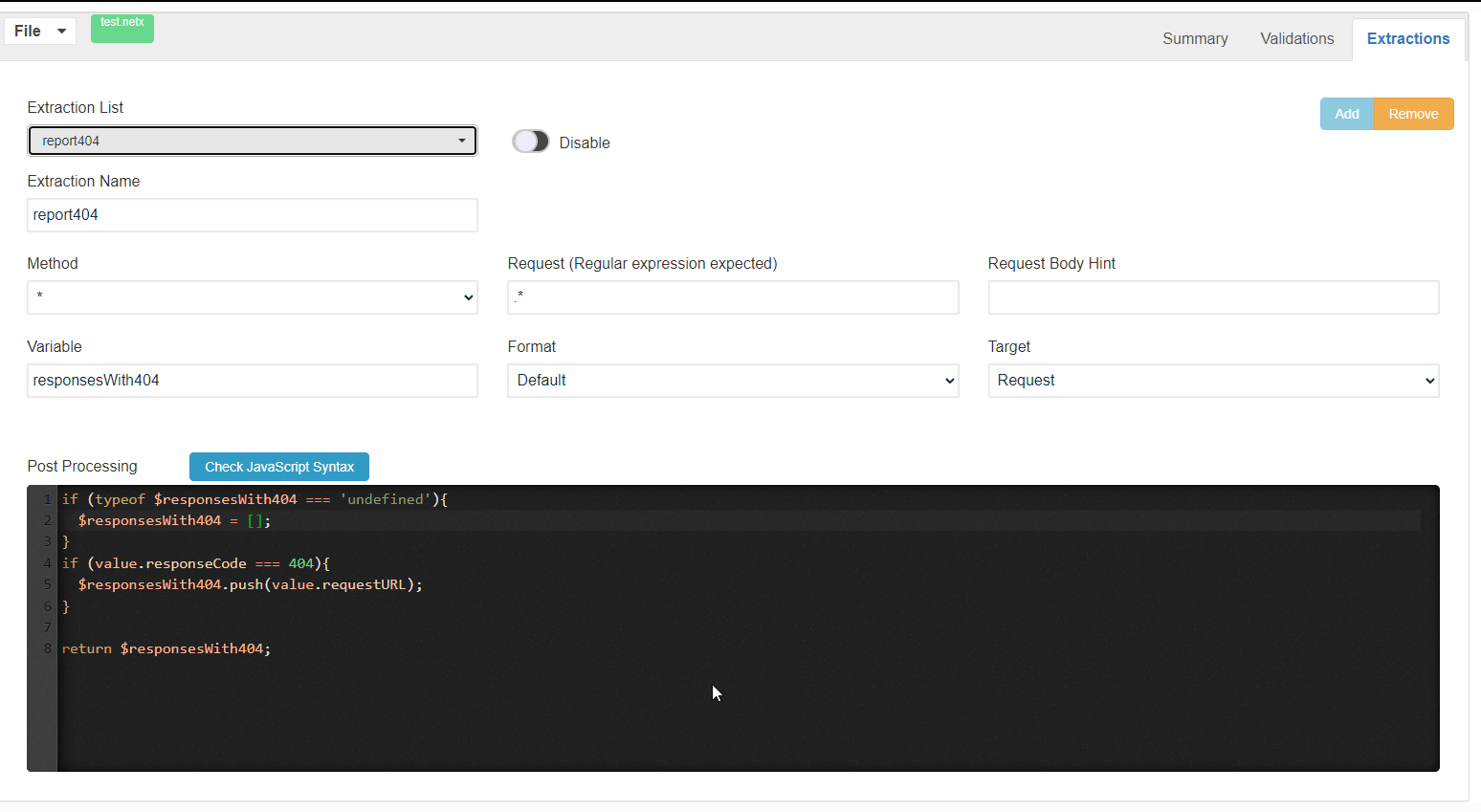
AReview samplenote: ofAdded adata-safety logguidance fileso showingerror thelogging loggedis 404useful errors:but not noisy or risky.
https://demosite.appvance.com:443/spree/products/21/mini/ror_tote.jpeg?1527769324
https://demosite.appvance.com:443/spree/products/21/product/ror_tote.jpeg?1527769324
Last updated: AugustSeptember 02,29, 20232026
If you have any feedback on this topic, please contact us at documentation@appvance.ai.