
Iteration Summary Error Message
Scenario
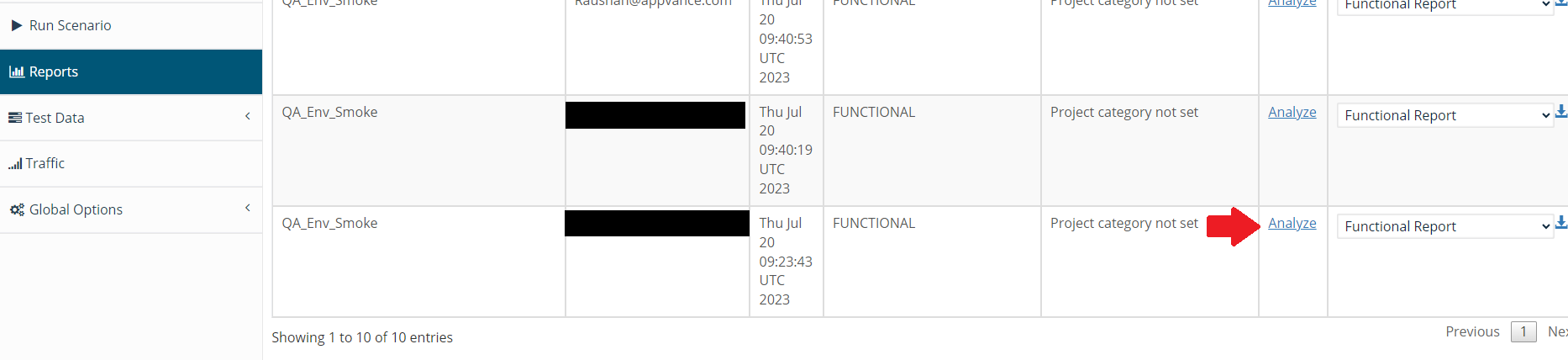
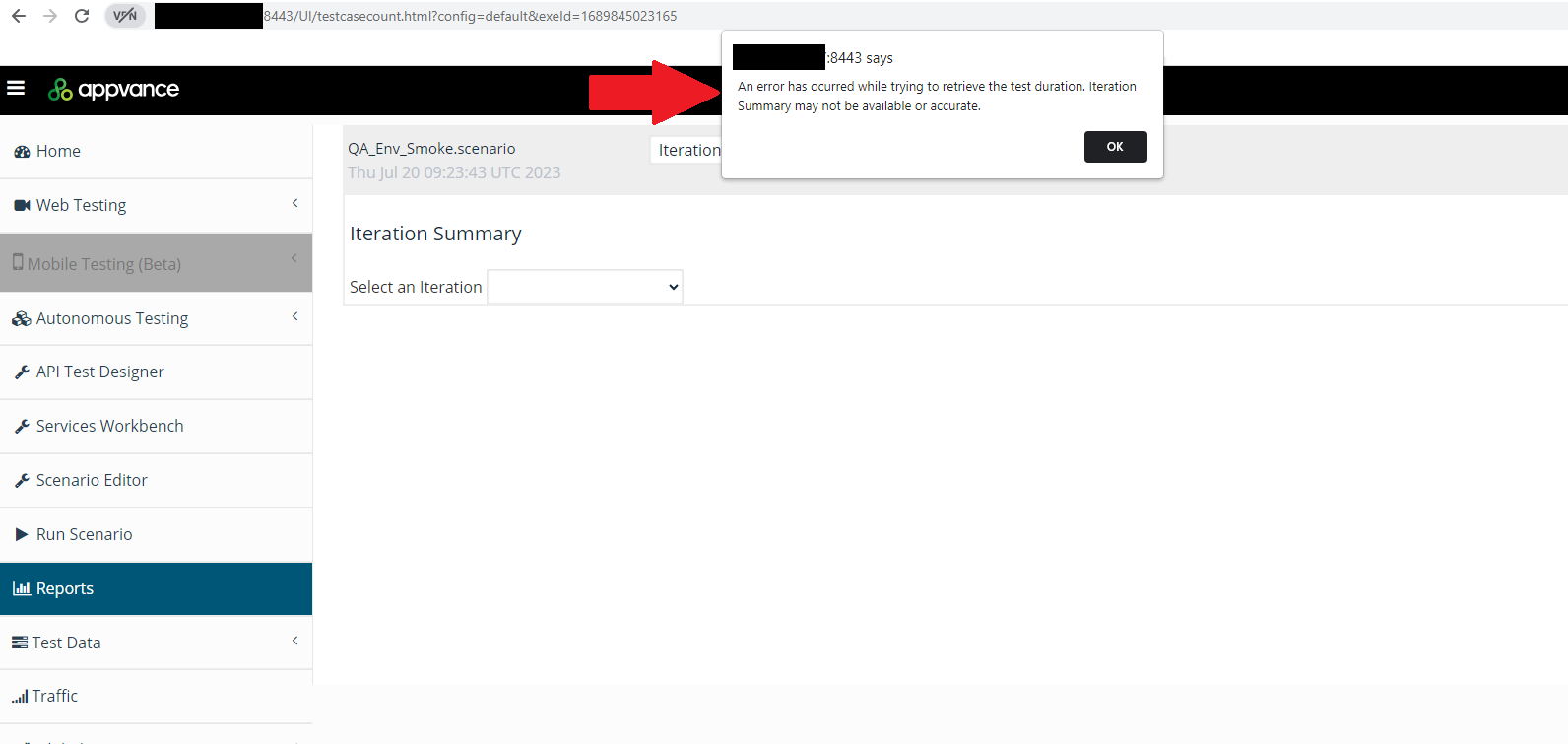
You are trying to download/analyze a report from the Report option and AIQ displays the following message: "An error has occurred while trying to retrieve the test duration. Iteration Summary may not be available or accurate."
Selected Report Option
Message
Solution / Workaround
This situation can happen when the URL of the RDS database server is changed (or even the password), the parameter config=default used to access the reports, needs to be changed with a config=<db-config-hash-number> and then the reports are accessible.

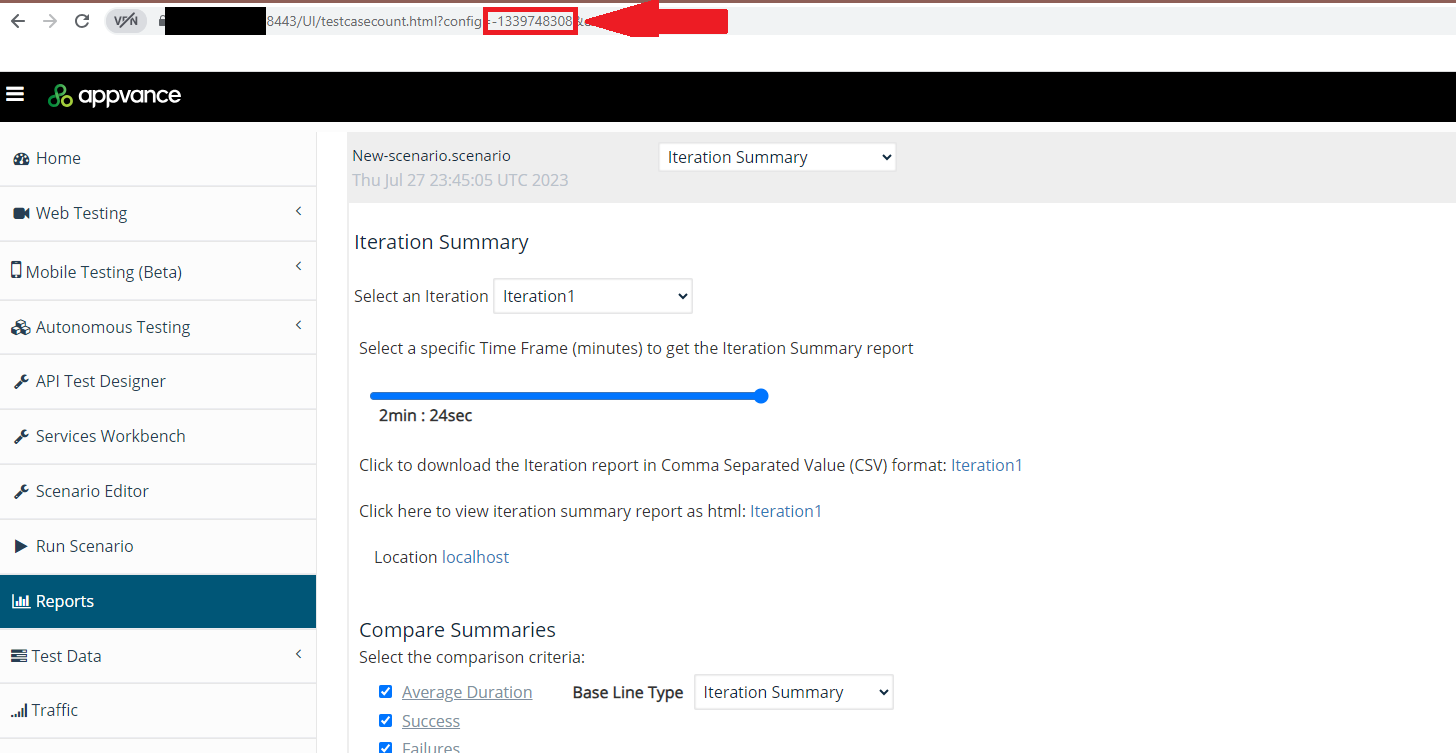
The <db-config-hash-number> can be obtained by inspecting the URL opened by the link “Click here to see reports” seen in the playback-controller.html page when running a scenario. That number does not change unless you change something in the AIQ database URL or DB user creds.
Process
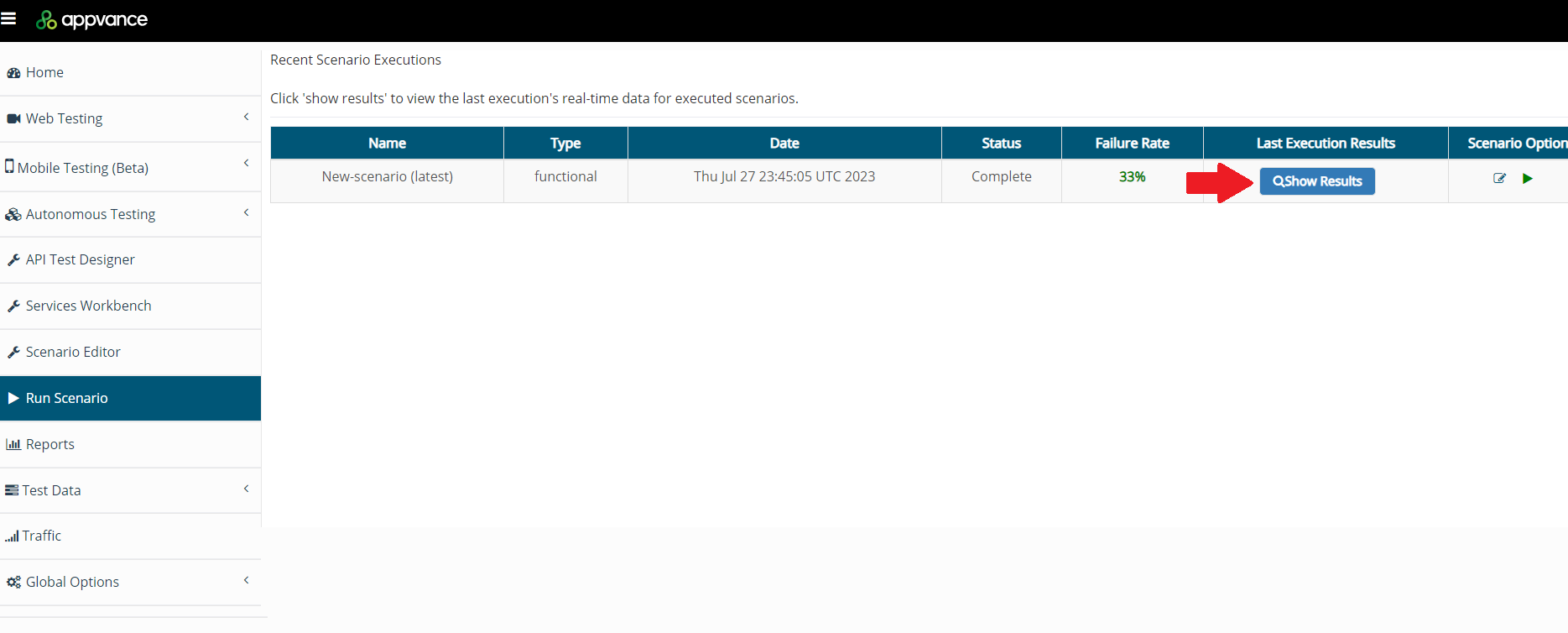
Navigate to the Run Scenario option.
Select the most recent scenario executed and click Show Results.
Click Click Here.
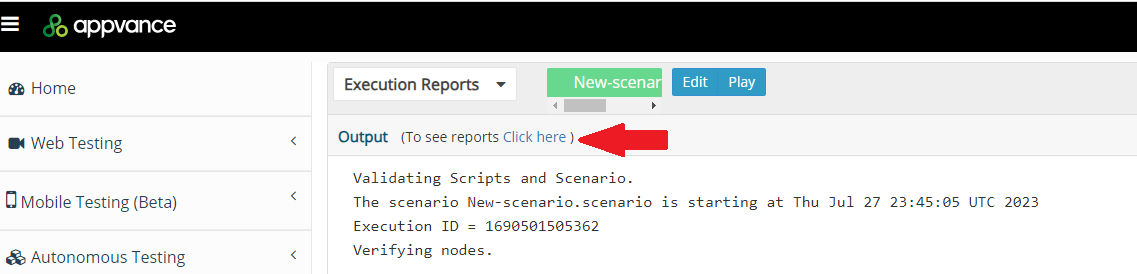
Take the config ID (Copy) displayed in the URL

Navigate back to the Report Option, select the report that is broken, replace the cID displayed in the URL with the one obtained in the previous step, and press <Enter>, the report will be displayed and ready to be analyzed.
Last updated: July 28, 2023
If you have any feedback on this topic, please contact us at documentation@appvance.ai