
Performance Report Optimization
If you have a situation where you are having trouble downloading the execution summary file for a large number of users because of the amount of data. A example of this situation is where you can download the data for 200 users, but you have problems downloading the data for 500 or 1000 users.
Here are some guidelines for suppressing some of the data by replacing dynamic values with regular expressions.
For more information on handling dynamic requests with regular expressions see href="https://docs.appvance.net/Content/AIQ/Installation/Best_practices_to_improve_AIQ_performance.htm"Best practices to improve AIQ performance.
Report Optimization
The following optimization will greatly reduce the tear down duration of the scenario and also improve the time required to download the iteration summary report because it will reduce the number of rows.
In the Reporting section on the Options tab of the Scenario Editor, there is an option called “Add Dynamic Parameter” that you can use to replace dynamic values using regular expressions.
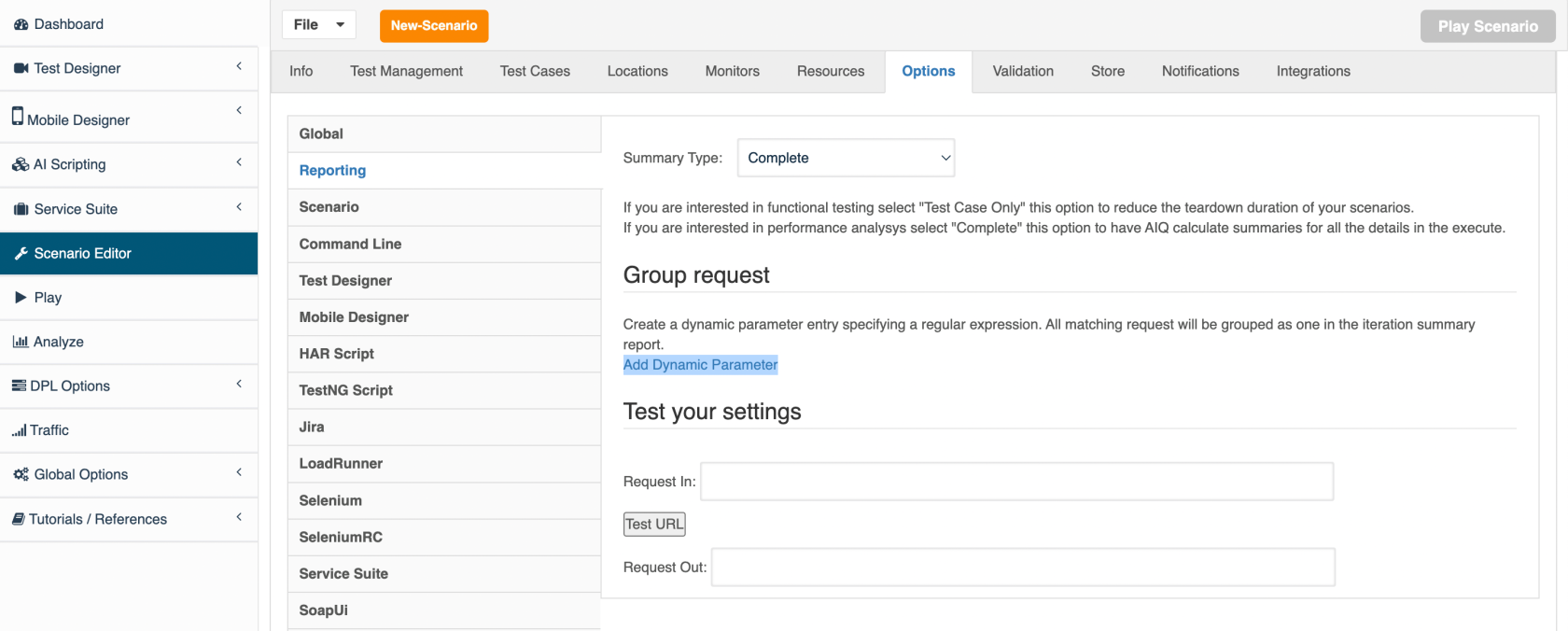
For example:
db=[\w\-\!]+

policyId=[0-9]+

_windowId%3DW[0-9]+

customerId=[0-9]+

customerNumber=[\w]+

ln=org[\w\.]+

_=[0-9]+
Open the IDE, and in the script(s) locate the steps listed below and and add a description to those steps. The descriptions that you add will be listed in the iteration summary report instead of the current step name. Until you add the description the report is listing some dynamic values which results in the steps being listed multiple times.
Generally you should not see duplicate step numbers in the iteration summary report.
1.13) SetValue(textbox('{'locators':['crmForm:generalInfo_firstName'],'DS3_Any':true}'),Jackbdamn)

1.43) Log([Jackaslnj Jillilkti, , New Person, New Corporation] // this comes after a step which name

1.42) Store(getSelectTexts(select('policyDataGatherForm:sedit_PreconfigInsured_partySelection')))

1.44) SetSelected(select('policyDataGatherForm:sedit_PreconfigInsured_partySelection'),Jackavzpc Jillzrvwg)

1.48) Log([Jackaslnj Jillilkti, , Create New Driver])

1.49) SetSelected(select('policyDataGatherForm:sedit_PreconfigAutoDriver_partySelection'),Jackaslnj Jillilkti)
Last updated: April 19, 2023
If you have any feedback on this topic, please contact us at documentation@appvance.ai