
Bamboo CI Integration with AIQ Dashboard Creation
Last reviewed: September 24, 2026
Use this article when Bamboo triggers AIQ execution and the pipeline also needs to publish or create dashboard evidence.
AbstractWhat changed in this article
Appvance
- Confirm
IQwhethertypically runs using a Docker Linux environment whichBamboo isnaturalstill the active CI tool forANT tasks, those tasks trigger different parts oftheprocess,customer;themanybehaviorteamsishaveruled by parameters that are stated in a build.xml file located in the root of the repository.Inmoved thisdocument, you will find howworkflow toimplementJenkinstheseorANTanothertasksCIusing Bamboo.Bamboo server requirementAssuming that an existantservice. - Keep Bamboo
server,planthevariablesonlyseparatethingfromweAIQneedcredentialstoandadddashboardtonames. - Validate
thedashboardservercreationisthewithApacheoneAntcontrolled buildscriptingbeforelanguage,enablingpleasescheduledfolloworthebranch-wideinstallationruns.
Validation inworkflow
- Review the Bamboo
configurationplanasvariables used to call AIQ. - Run a
serversingleexecutableproviding a labelbuild andthe full path toconfirm thepackageAIQexecutables.execution
successfully.PlancompletesConfiguration - Verify
Thethatnativethebuildexpectedconfigurationdashboard isbasedcreatedinoragents, Dockers configuration are not covered in the present documentCreate a ProjectGive the project a name and a key as an acronym, optionally you can fill the descriptionupdated withsome relevant info.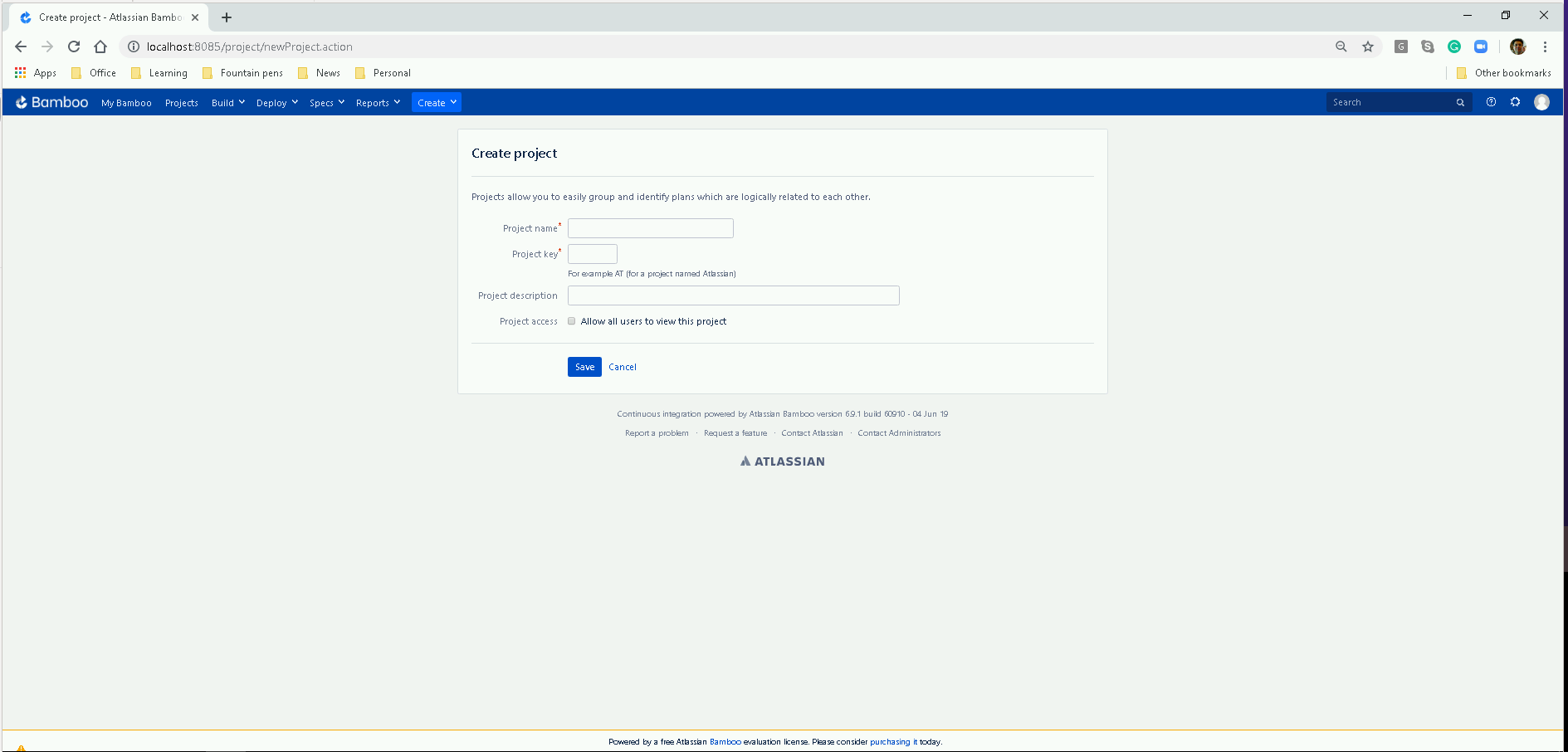
Create a PlanGive the plan a name and a key as an acronym, optionally you can fill the description with some relevant info.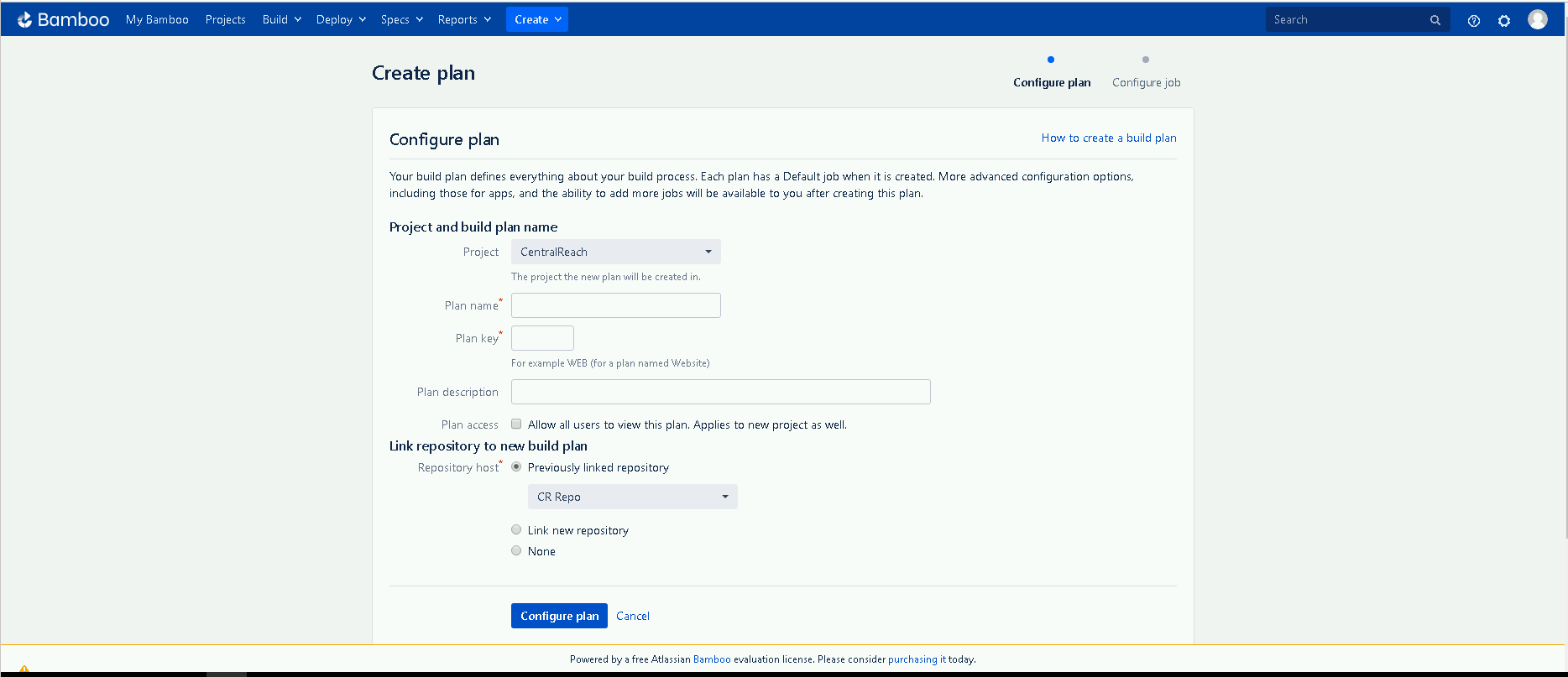
Set the repositoryFill the repository credentials fields andthe correctbranchrun data.
Review note: Marked Bamboo as customer/environment-specific CI guidance and click intightened the Configurescope Plan button
Fill the repository credentials fields and the correct branch and click in the Configure Plan button
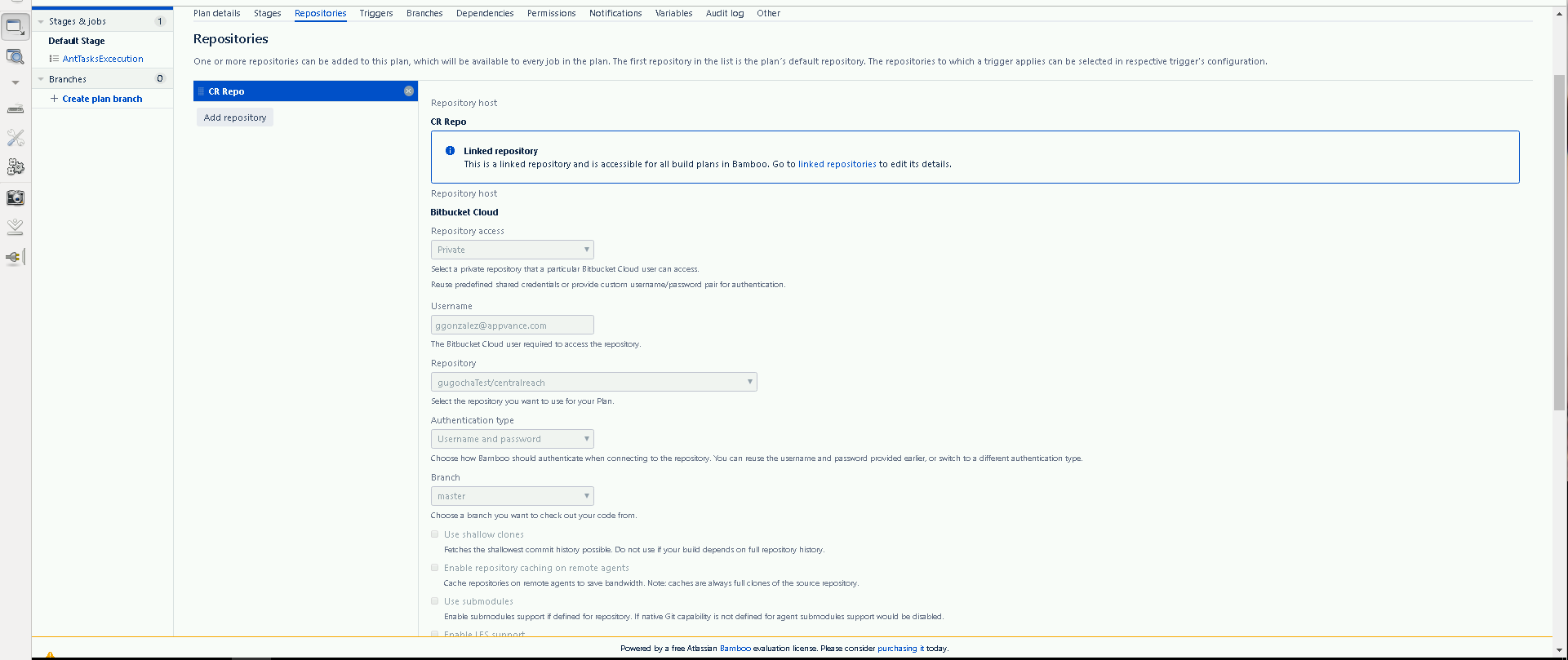
Configuring the plan
It will be redirected to this form
All the necessary jobs for the scenario execution have been created as ant tasks, please modify the paths as per the environment you are setting up and create the following tasks in this order
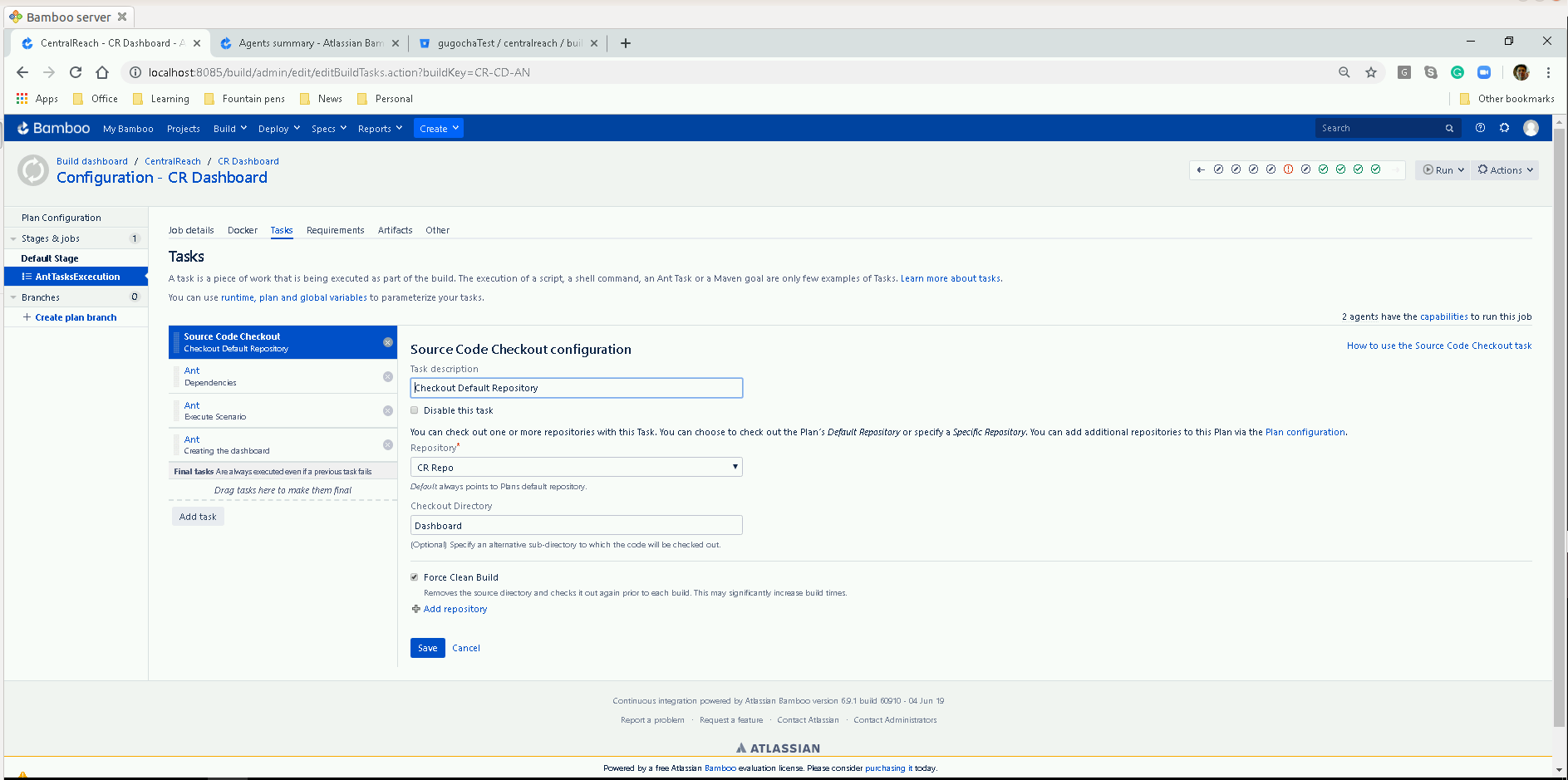
It is important to have the Force Clean Build option checked to avoid accumulating the results in the Dashboard of each of the plan executions.
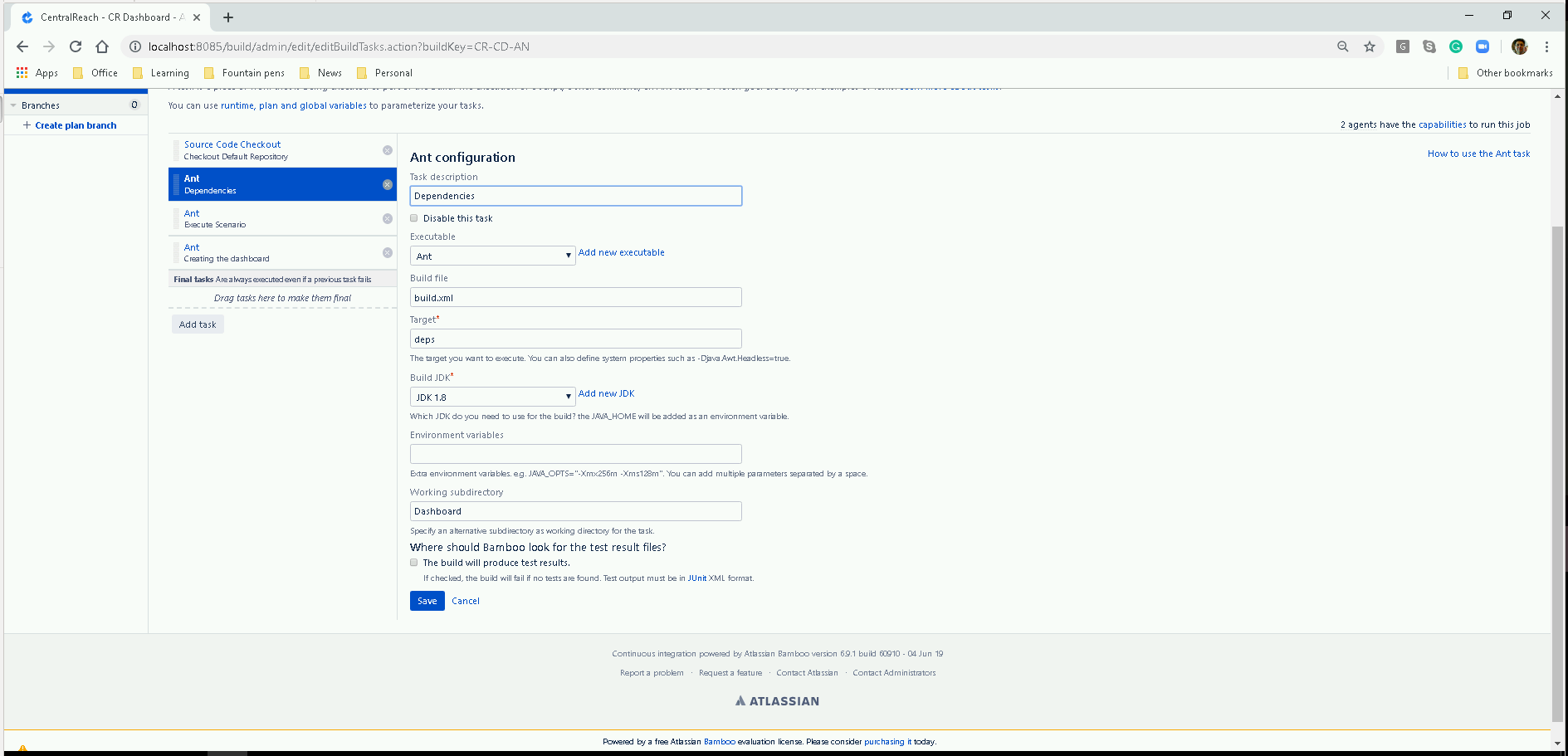
Updating necessary dependencies to execute different AppvanceRestClient ant tasks.
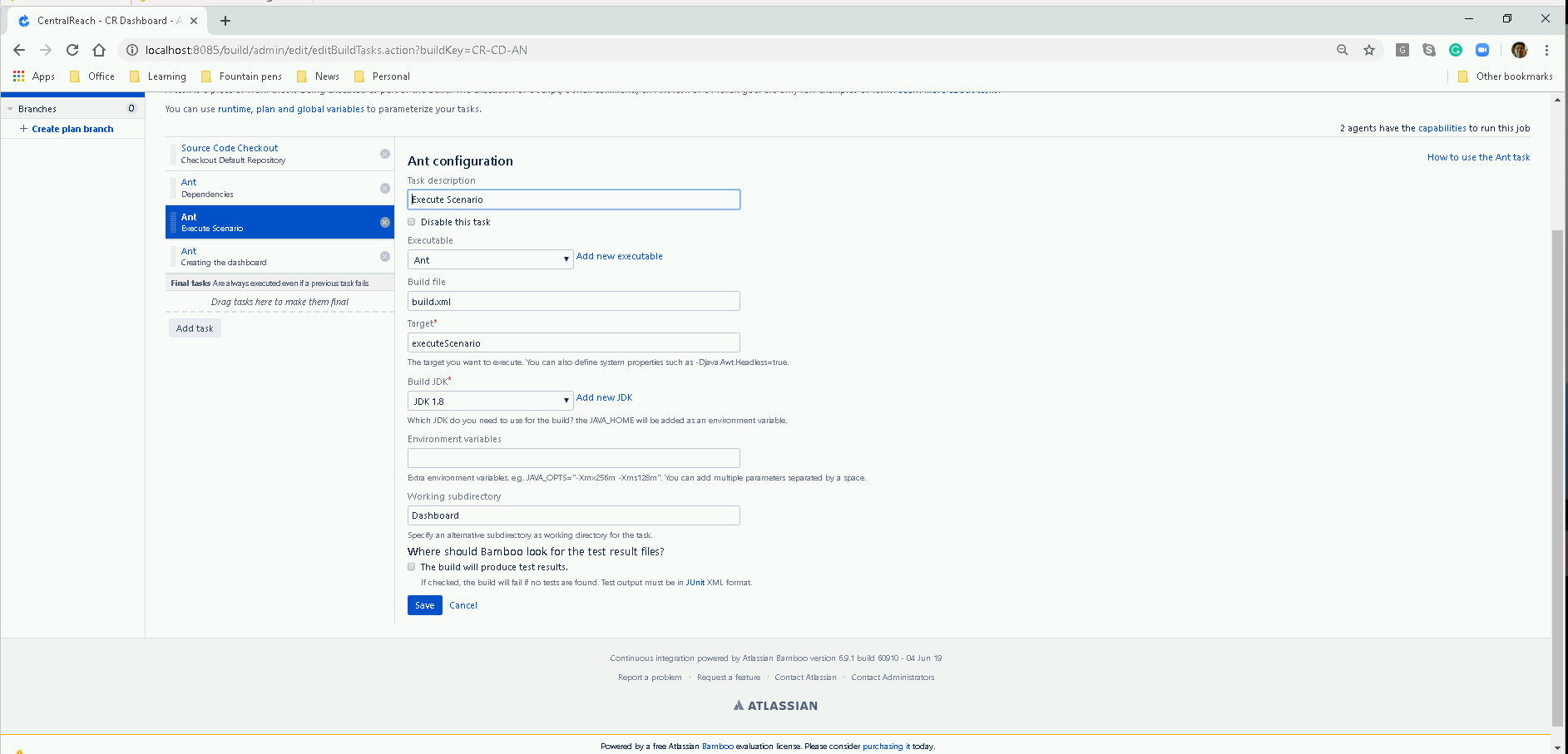
Scenario execution as it has been stated in the build.xml file
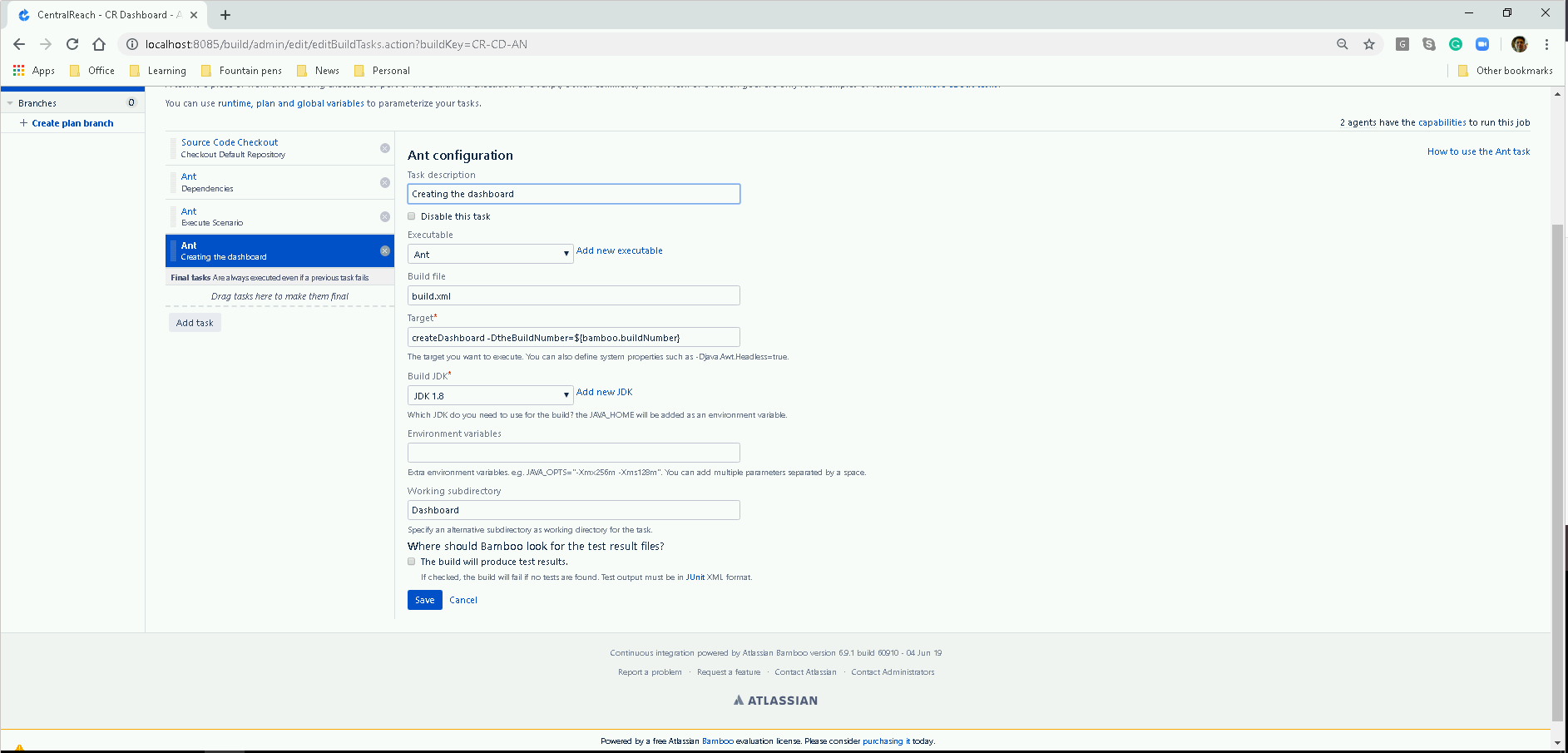
Based on the results of the scenario execution thearound dashboard is updatedcreation.
Windows agent requirements
It is needed to have Appvance IQ completely installed in the agent Run Appvance IQ on Windows using autologon tool and task scheduler (for the IE issue when running as a service). See Runing Appvance IQ on Windows as a Service
Access to a database (MySQL or Oracle) with AIQ schema created, it can be local or remote.
Apache Ant build scripting languaje, please follow the installation guide in https://ant.apache.org/manual/install.html, later it will be necessary to reference it in the Bamboo configuration.
Last updated: JulySeptember 21,24, 20232026
If you have any feedback on this topic, please contact us at documentation@appvance.ai.