
CI/CD Dashboard Credential Encryption
Recommended guidance
ThisCredential functionalityencryption for CI/CD dashboards protects sensitive values used by automation. Treat this page as security-sensitive guidance: never paste real passwords, tokens, keys, or decrypted values into documentation, tickets, chat, or screenshots.
Recommended controls
- Store secrets in approved secret managers or CI/CD credential stores.
- Encrypt values before they are committed or shared with deployment artifacts.
- Limit decryption capability to the runtime or owner that actually needs it.
- Rotate credentials when ownership, access scope, or exposure risk changes.
- Audit who can view, edit, or deploy encrypted dashboard configuration.
Validation checklist
- Confirm the dashboard can read encrypted values at runtime.
- Confirm logs do not print decrypted credentials.
- Test failure behavior when a credential is
tomissing,encryptexpired,credentialsorfilesrevoked. - Document
used for both CICD’s (s3rotation andgit)emergency.revocationPlain Text Filessteps.controller.json (template){"controller": {"url": "http://<replace_IP>:8080","instances": ["<replace_instanceID>"],"ec2Creds": "ec2.creds","timeOut": 180,"username": "<replace_username>","password": "<replace_password>","workFolder": "<replace_path/to/AIQ/resources>"}}githttp.json (template){"username": "<replace_username>","password": "<replace_password>","repository": "http://<replace_url_to_repository>.git","branch": "<replace_branch>","sshPhrase": "","sshKey": ""}ec2creds.creds (template)AWS_ACCESS_KEY_ID=<replace_awsKEYIDE>AWS_SECRET_ACCESS_KEY=<replace_awsSecretAccessKey>AIQ - Encryption UIUnderGlobal Options|PreferencesGit Credentials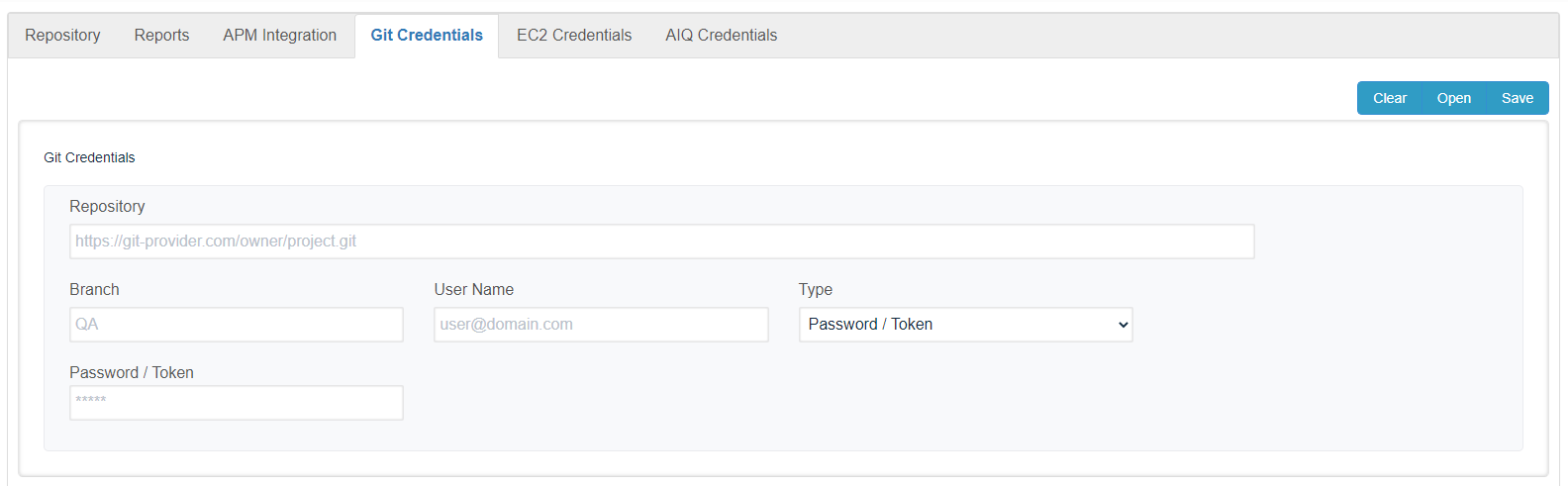
Click open to load the Git creds file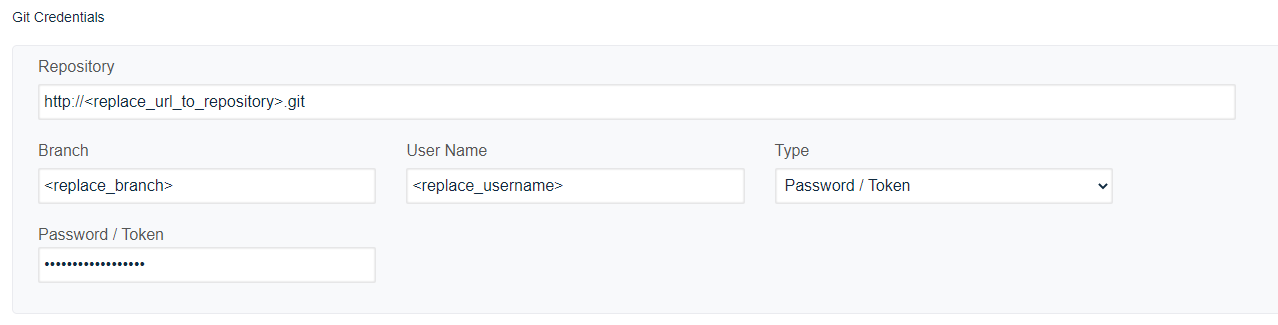
Click save to encrypt the fileEc2 CredentialsClick open to load the ec2 creds file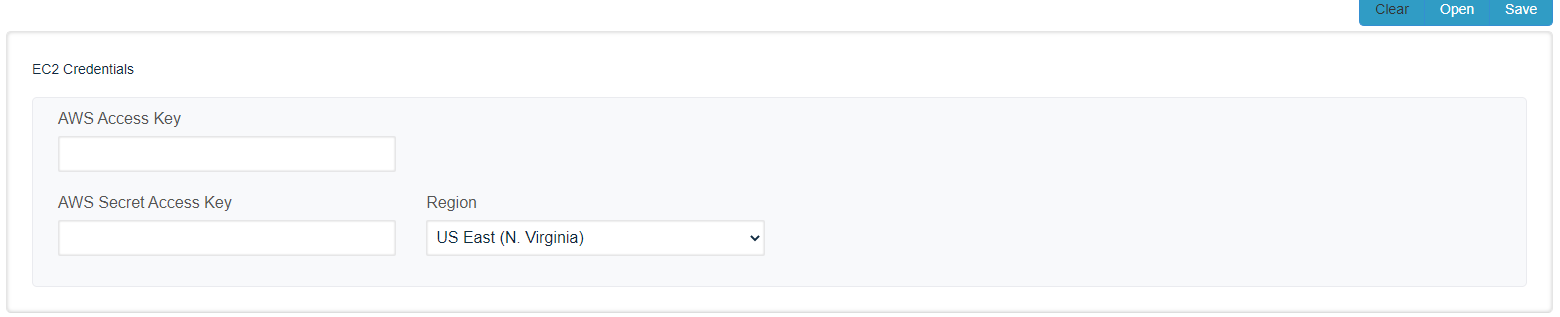
Click save to encrypt the file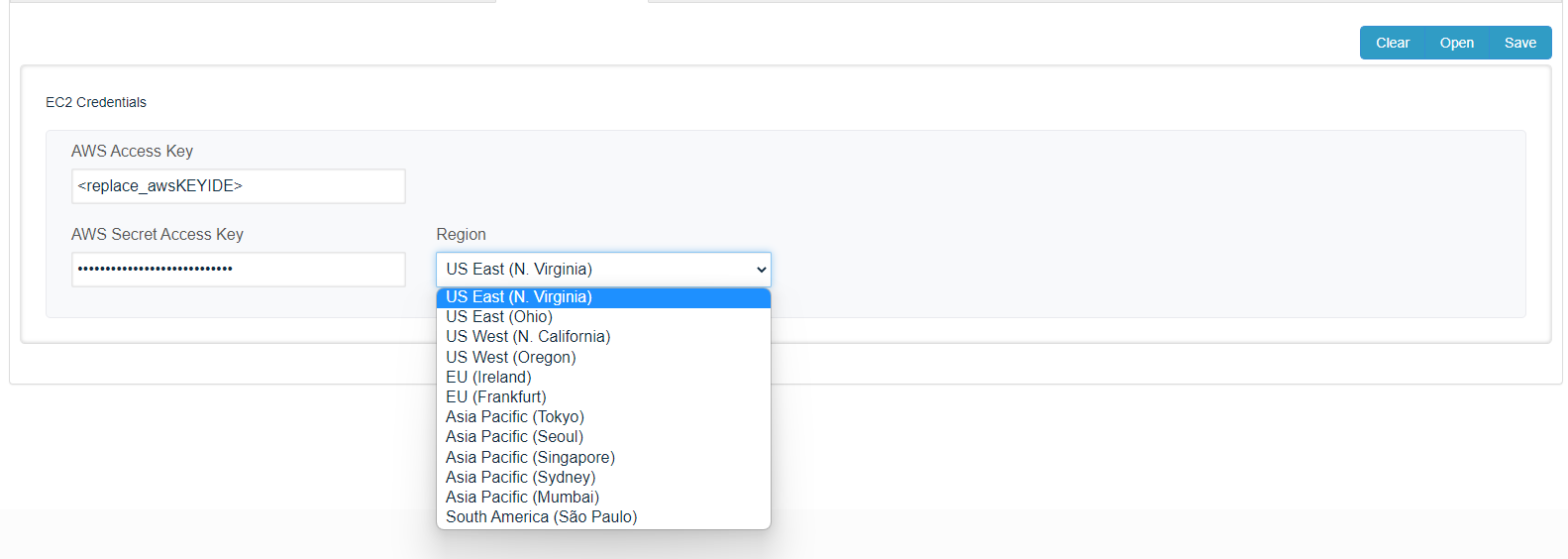
AIQ CredentialsClick open to load the AIQ creds file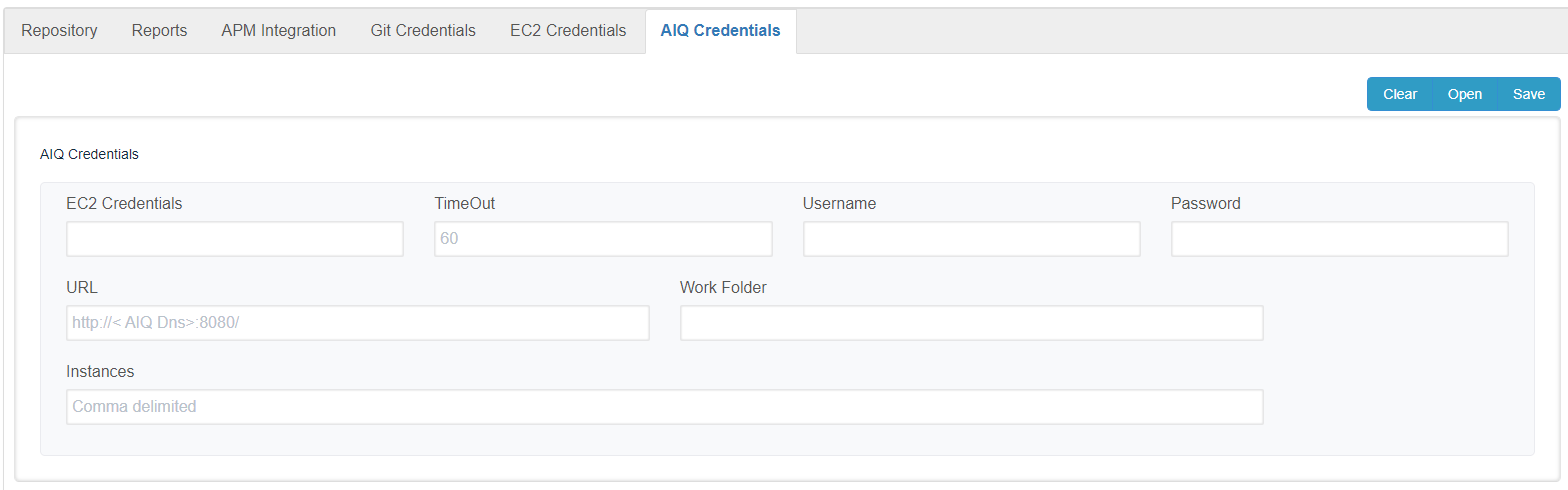
Click save to encrypt the file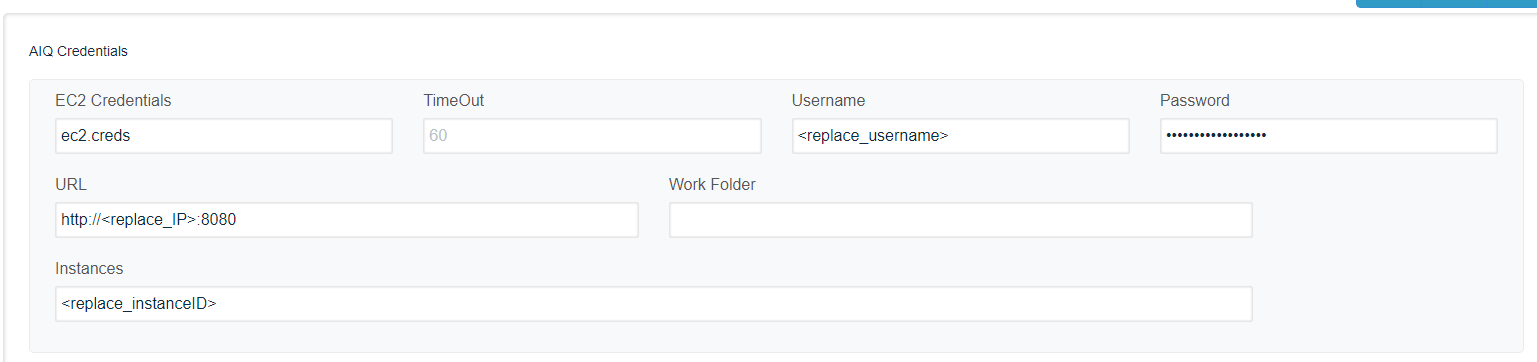
theWork Folderfield is optional on recent releases, and it will be removed soon from this page.Setting properties into the build.xmlUsing CICD GIT<property name="gitCredentials" value="githttp.json" />Access to AIQ<property name="aiqCreds" value="creds.json" />Using CICD s3<property name="awsCredentials" value="ec2.creds" />CICD Git ( clone and push to repository)<taskdef name="downloadRepository" classname="com.appvance.ci.git.DownloadRepository"> <classpath refid="RestClientLibPath" /></taskdef><downloadRepository folder="${localEmpyFolder}" credentials="${gitCredentials}" /> < ....... Methods to run scenarios, Goes here .......> <taskdef name="commitReports" classname="com.appvance.ci.git.UploadRepository"> <classpath refid="RestClientLibPath" /></taskdef><commitReports <credentials="${gitCredentials}" folder="${localEmpyFolder}" customer="${customer}" />Last updated:
MarchOctober25,6,20242026If you have any feedback on this topic, please contact us atdocumentation@appvance.ai