
Move/Re-locate Dashboard projects
Dashboard projects stored in one location can be moved into another s3 bucket or GIT repository.
The dashboard projects can be moved from one location to another :
I) s3 to another s3 bucket.
ii) s3 bucket to GIT repository.
iii) GIT to GIT Repository.
iv) GIT Repository to s3 bucket.
Steps to be followed to move/re-locate:
1.Below ant tag must be added to build.xml of a CICD project:
i) Ant Tag to relocate:
<target name="relocation" depends="deps"> <taskdef name="relocation" classname="com.appvance.ci.location.Relocation"> <classpath refid="RestClientLibPath" /> </taskdef> <relocation config="${config}" /> </target>
ii) Ant Tag to UpdateDashboard:
<target  name="updateDashboard" depends="deps">   <taskdef name="ProductDashboard" classname="com.appvance.ci.ProductsDashboard">		<classpath refid="RestClientLibPath" />   </taskdef>   <ProductDashboard
		credentials="${awsCredentials}"
		bucketBase="${Bucket}"
		customer="${customer}" /></target>
Here, ProductDashboard is to re-generate all the Html content for you (history and main file only )
2. Follow the below steps to add config.json file to move from one s3 bucket to another s3 bucket:
i. Open a CICD project.
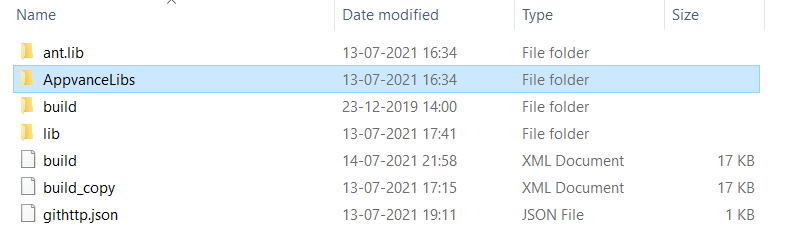
ii. Create and add config.json file to the CICD project.
In the below example, it is added inside the AppvanceLibs folder
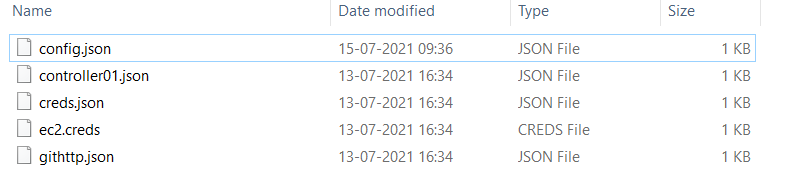
iii. Copy the below content to the config.json file.
Input S3 > S3
{
	"in": {
		"type":"s3",
		"source":"appvance-source",
		"folder": "products",
		"creds": "AppvanceLibs/ec2A.creds"	},
	"out": {
		"type":"s3",
		"target":"appvance-target",
		"creds": "AppvanceLibs/ec2B.creds"	}
}
In the above code,
source: In this field input the s3 bucket name in which already dashboard data is stored
target: In this field input the s3 bucket name in which data needs to be moved.
Note: Make sure the ec2.creds file is added for both s3 buckets if they are in a different region.
-
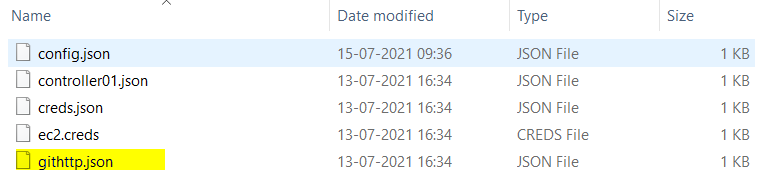
To Relocate/Move dashboard data from S3 to GIT, you need to change the config.json to below and add githhtp.json to the project:
Input S3 > GIT
{
	"in": {
		"type":"s3",
		"source":"appvance-qa",
		"folder": "products",
		"creds": "AppvanceLibs/ec2.creds"	},
	"out": {
		"type":"git",
		"creds": "AppvanceLibs/githttp.json"	}
}
Add the githttp.json file to CICD project
{
	"username": "someUserAccount@appvance.com",
	"password": "theUserPassword",
	"repository": "https://gitlab.com/theGitRepository.git",
	"branch": "thebranch",
	"sshPhrase": "";
	"sshKey": ""}
-
To Relocate/Move dashboard data from GIT to GIT, you need to change the config.json to below and add githhtp.json to the project:
Input GIT > GIT
{
	"in": {
		"type":"git",
		"creds": "AppvanceLibs/githttpA.json"	},
	"out": {
		"type":"git",
		"creds": "AppvanceLibs/githttpB.json"	}
}
Note: Add githttp.json files for both source and target repository location.
-
To Relocate/Move dashboard data from GIT to S3, you need to change the config.json to below and add githhtp.json to the project:
Input GIT > S3
{
	"in": {
		"type":"git",
		"creds": "AppvanceLibs/githttp.json"	},
	"out": {
		"type":"s3",
		"target":"appvance-wtc",
		"creds": "AppvanceLibs/ec2.creds"	}
}
3. Now, open the command prompt from the CICD location and run the below command:
Note: Not mandatory AIQ must be running to execute the below commands.
ant relocation // This command moves the file from source s3 bucket to target s3 bucket.
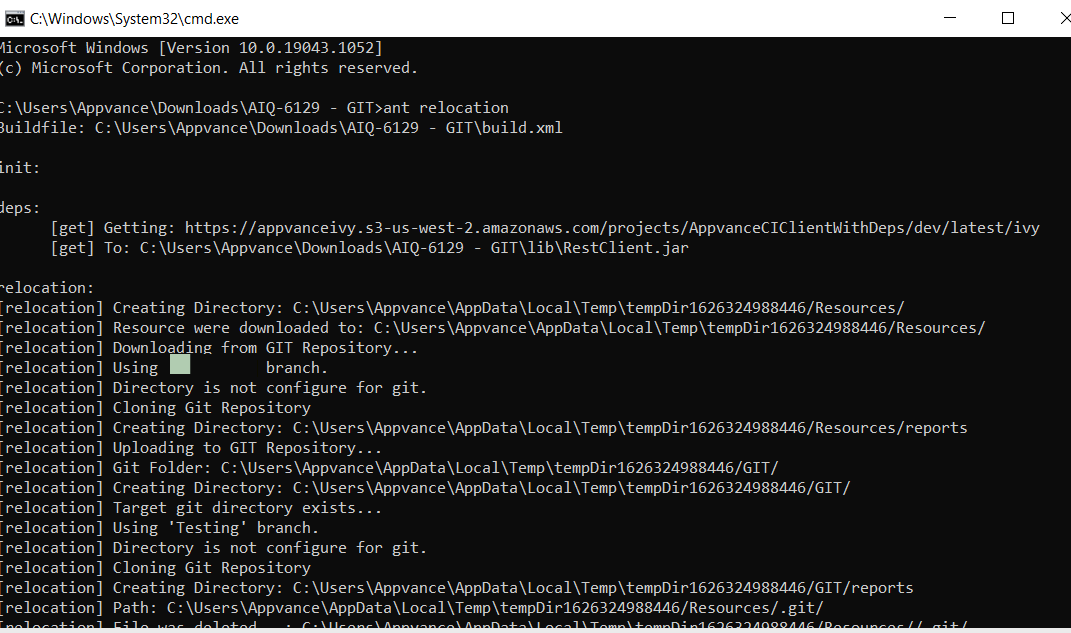
ant updateDashboard // This command updates the existing dashboard main.html and reflects newly added data in the existing main.html.
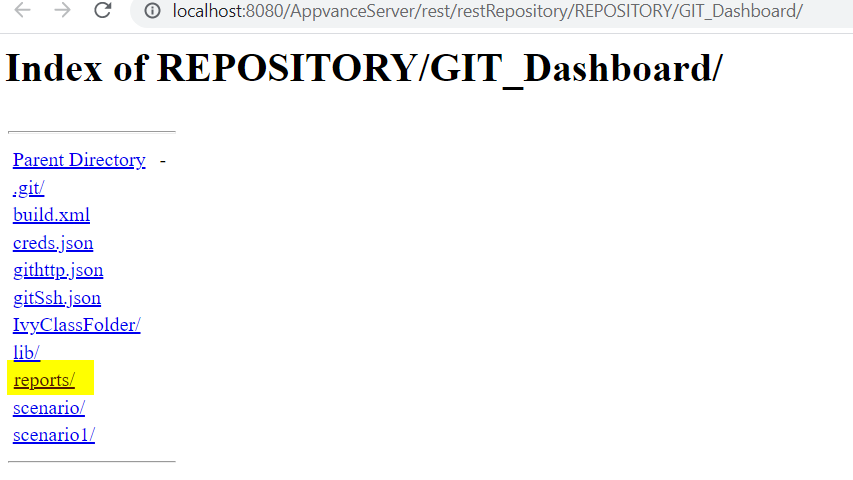
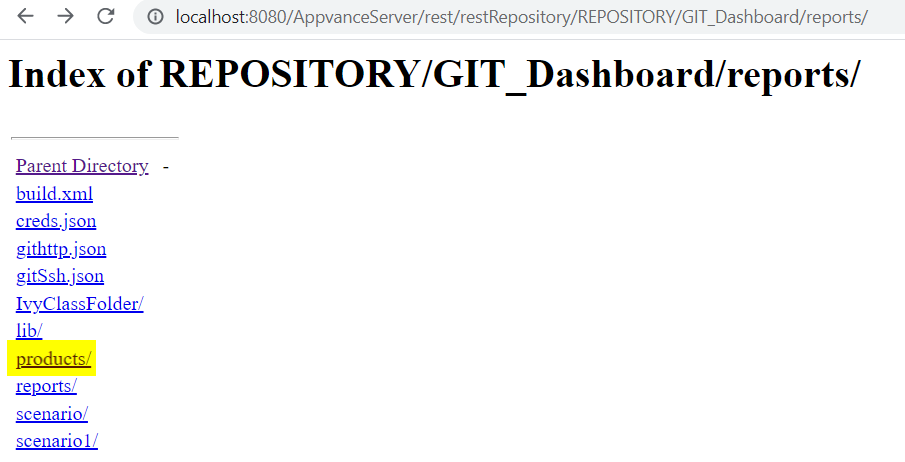
4. User can view the results with new s3 URI if the data is moved to s3 and if data is moved to GIT user must clone the GIT repository, then check out the branch>click on Explore
Last updated: June 26, 2023
If you have any feedback on this topic, please contact us at documentation@appvance.ai