
Manually Remove AIQ Executions from MySQL - Controlled Procedure
High-risk
maintenance guidanceFirst,Manually youremoving must obtain the execution IDexecutions from AIQ.
From the AIQ homepage,database clickis Analyze.a high-risk maintenance action. Use supported product cleanup features first. Direct database changes should only be performed with backups, approval, and support guidance.
Before 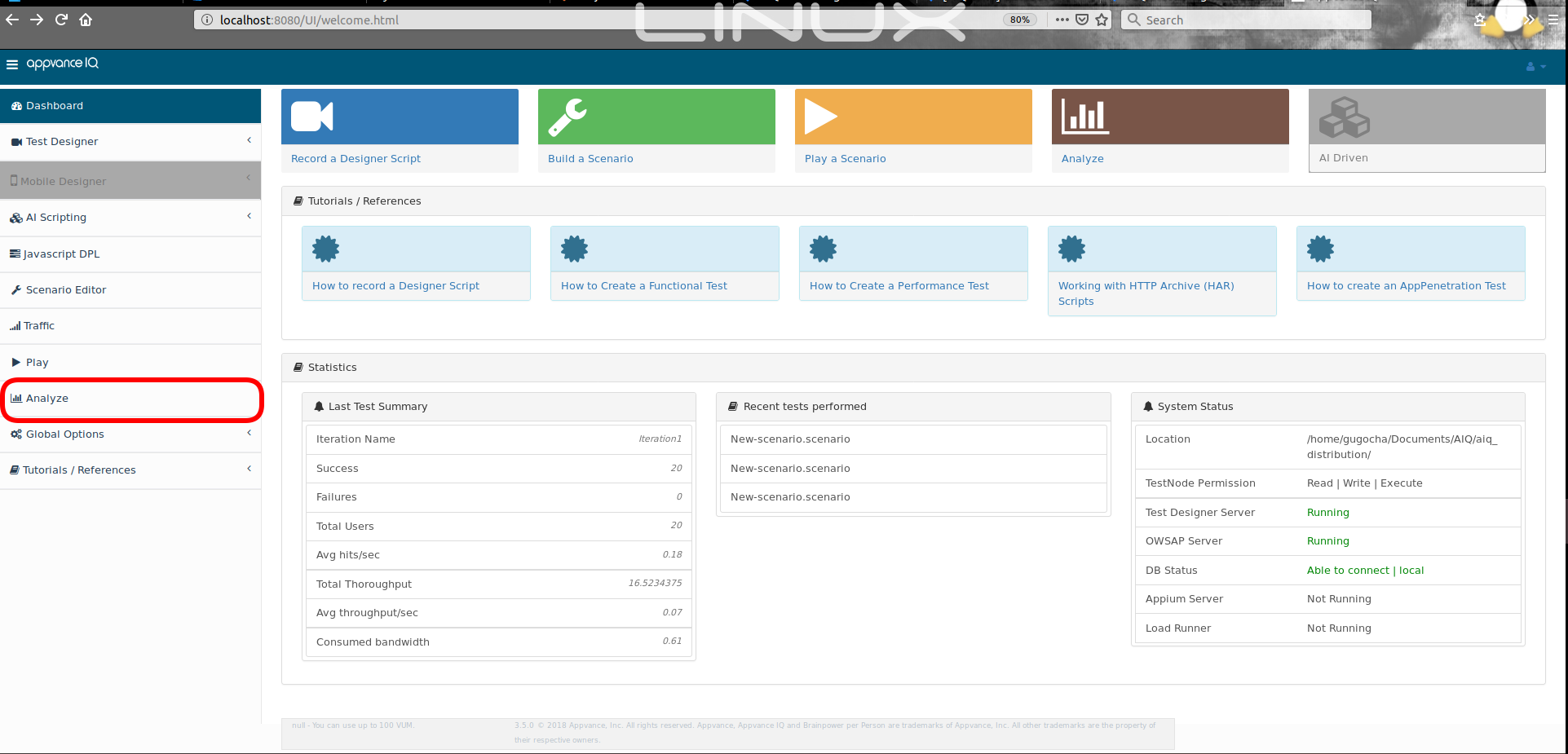
removal
Then click Analyze link located atConfirm therightreasonsideforofremoval and the exact executionwhichIDsitorisdate range.- Back up the
desireddatabaseoneand verify restore capability. - Stop or isolate affected AIQ services if required by support instructions.
- Confirm downstream impact on reports, dashboards, audits, and references.
Validation workflow
- Run queries in read-only mode first to
remove,confirmeverytargetsinglerecords. - Execute
relatedonlydatareviewedofandexecutionsapprovedoldercleanup statements. - Restart or
equalrefreshtoaffectedthisAIQoneserviceswillifberequired. - Validate
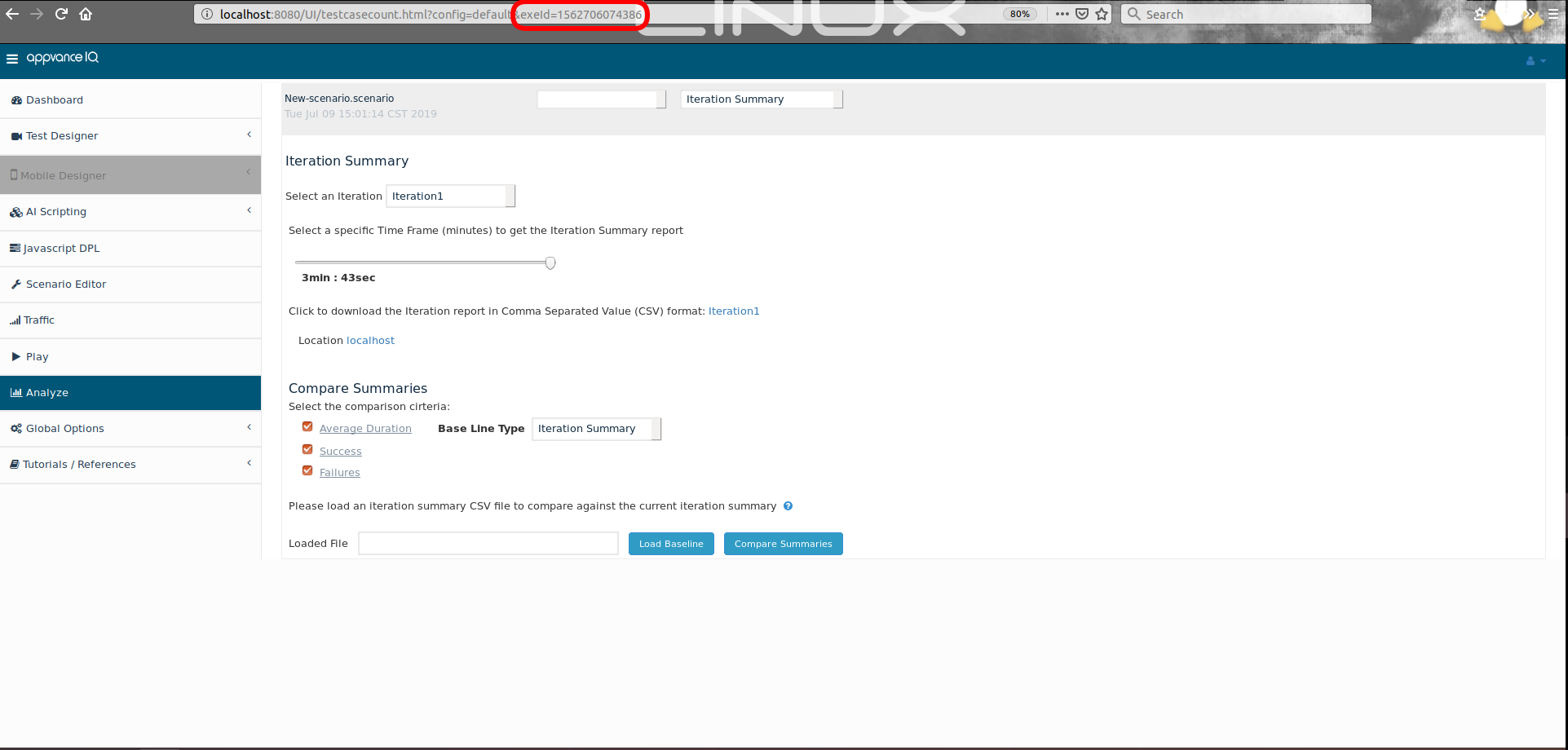
removed.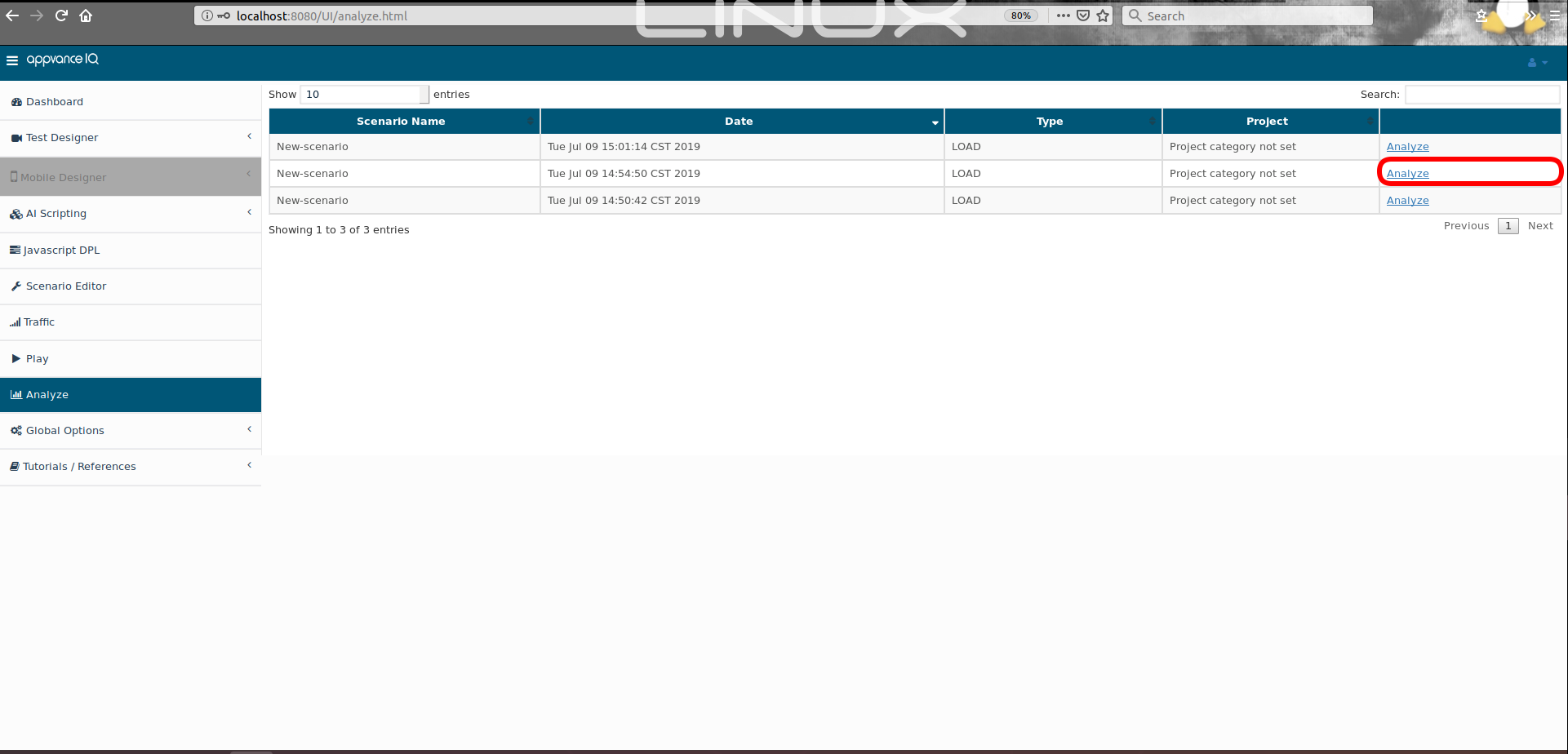
Thereports, execution numberlists, can be taken from the URL.
Oracle Instructions
Using an Oracle client, connect to your AIQ Oracle resultsand database usinglogs theafter aiq user.
On the oracle client type: 'execute rexecuntil(0000000);' , replacing the 0000000 with the execution id of the first result that you want to delete. The process will delete that execution and will continue to delete all executions that are older than the specified one.
MySQL Instructions
Using any MySQL client, connect to your AIQ MySQL results database using the aiq user.
On the MySQL client type: ‘call rexecuntil(0000000);’ , replacing the 0000000 with the execution id of the first result that you want to delete. The process will delete that execution and will continue to delete all executions that are older than the specified one.
Important warning for the MySQL procedure
If saving space on the disk is what you are looking for, the previous procedure will not be enough, you'll get available space to persist new data but the size of the physical file will still the same, so, to achieve a shrunk file size perform as below.
Backing up only datamysqldump --no-create-info -u username -hhostname -p dbname > backupsql.gz
Restore procedure
drop/create user and schema if needed using MySQLInitial.sql query file.
Recreate all the AIQ’s database objects by performing MySQLAppvance.sql query file.
truncate hashcodereference table ‘truncate hashcodereference;’
Finally restore data by issuing as belowmysql -u [user] -p [database_name] < [filename].sql
Troubleshooting
Error Code: 1419. You do not have the SUPER privilege and binary logging is enabled
If you get the above error while running the MySQLAppvance.sql script on AWS RDS, make sure that the RDS parameter group has the value 1 (ON) for the log_bin_trust_function_creators parameter. The RDS database MUST be rebooted for parameter changes to take effect.
Last updated: SeptemberOctober 18,7, 20242026
If you have any feedback on this topic, please contact us at documentation@appvance.ai