
Manually Remove Executions in AIQ
High-risk
ManuallyFirst, removingyou must obtain the execution ID from AIQ.
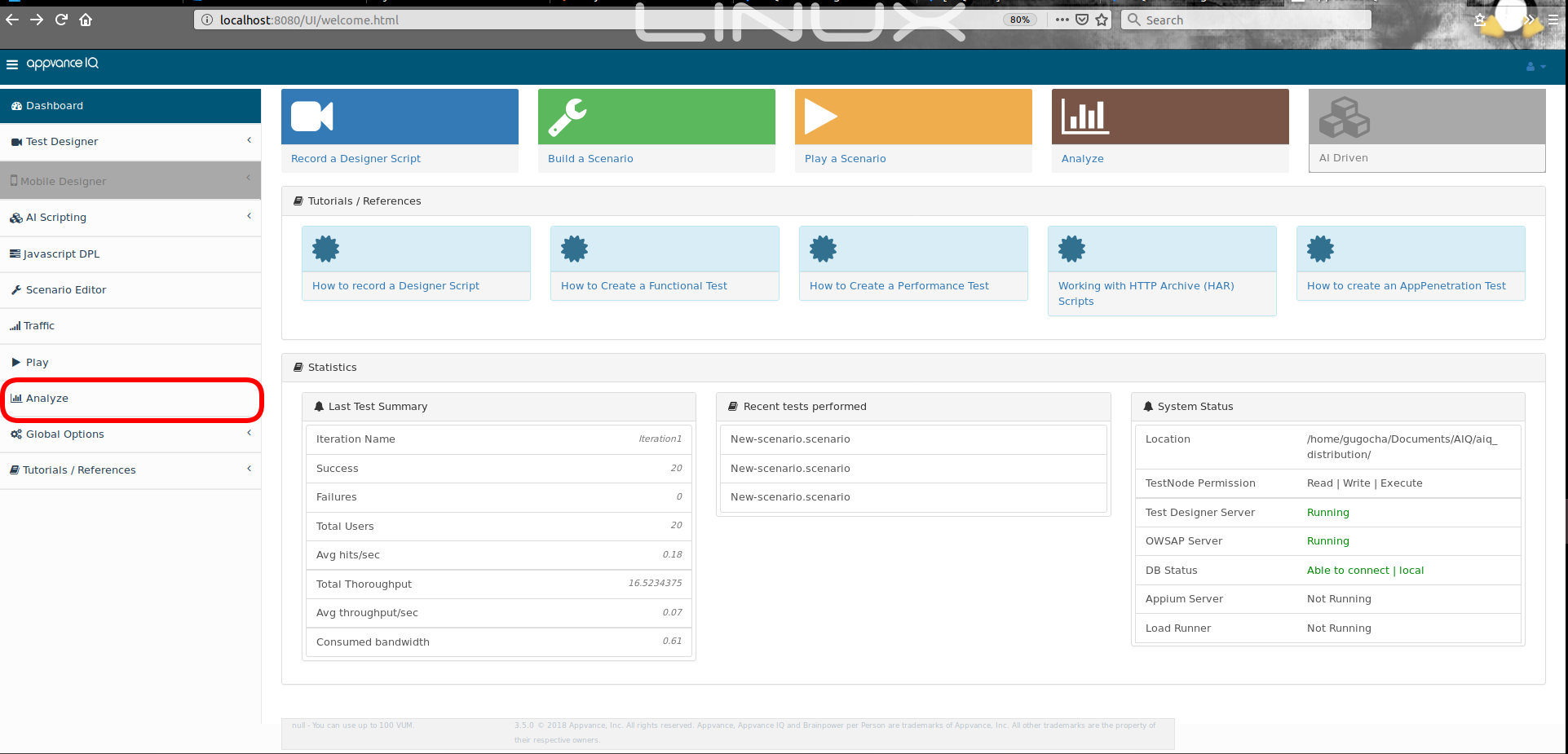
From the AIQ homepage, click Analyze.
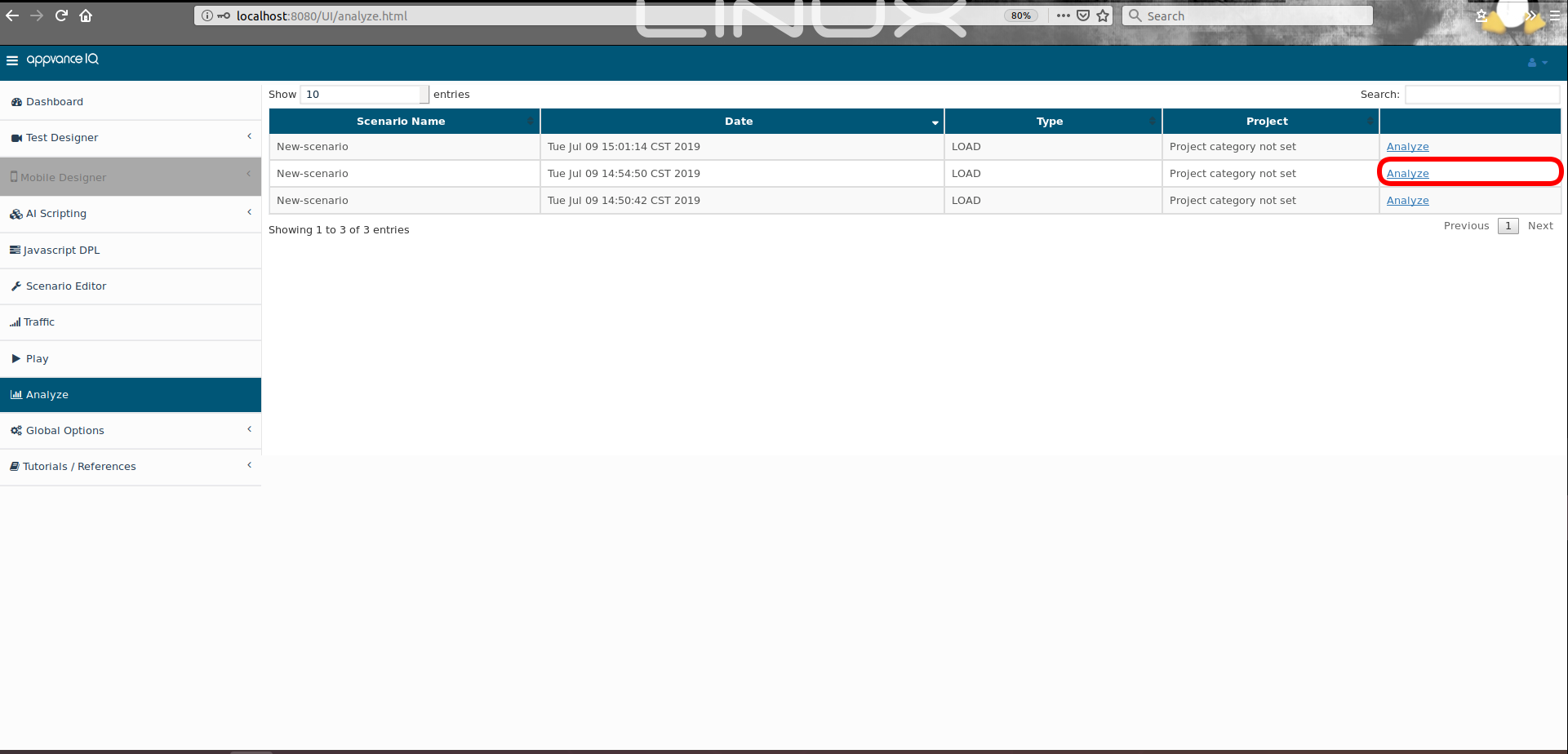
Then click Analyze link located at the right side of the execution which it is the desired one to remove, every single related data of executions older or equal to this one will be removed.
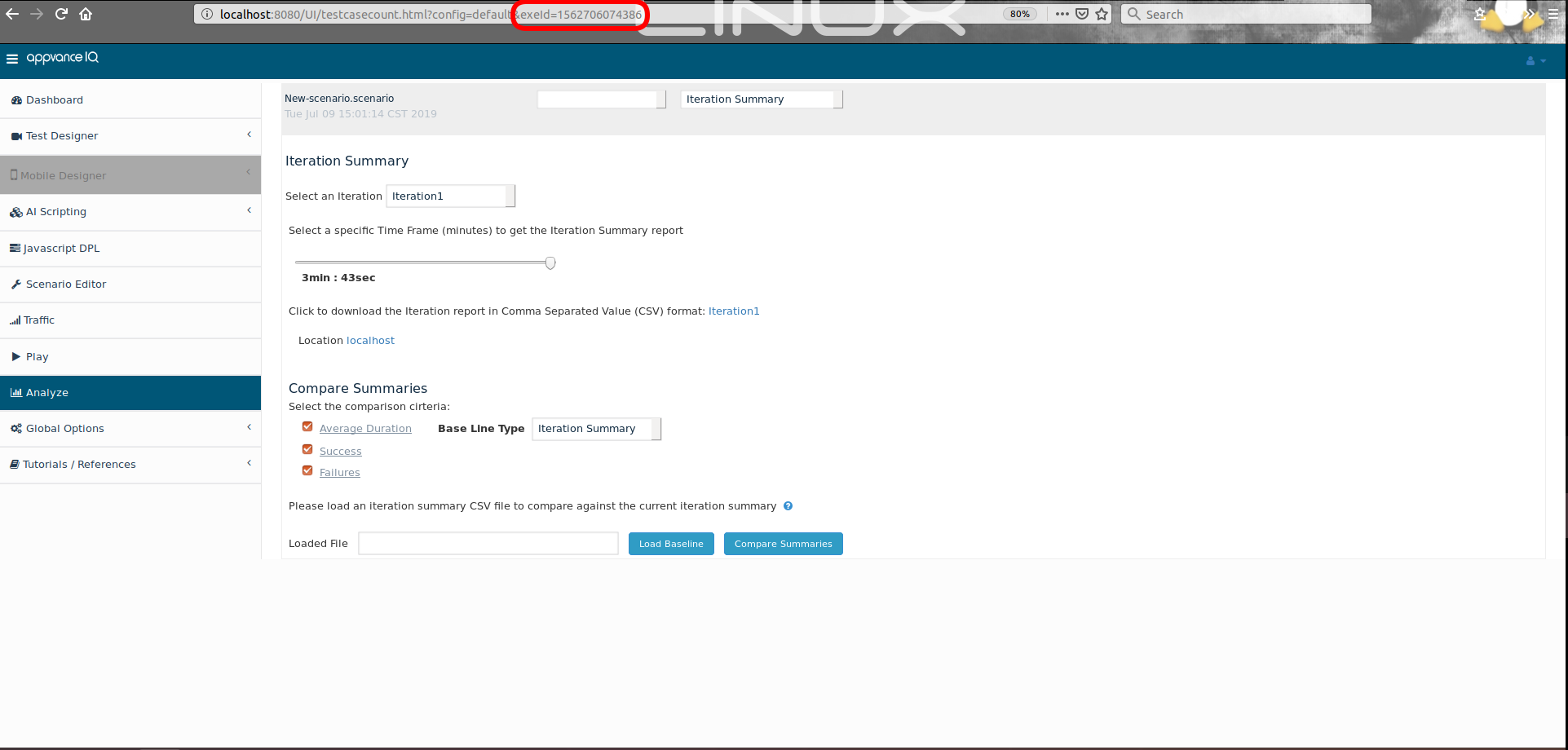
The execution number can be taken from the URL.
Oracle Instructions
Using an Oracle client, connect to your AIQ Oracle results database using the aiq user.
On the oracle client type: 'execute rexecuntil(0000000);' , replacing the 0000000 with the execution id of the first result that you want to delete. The process will delete that execution and will continue to delete all executions that are older than the specified one.
MySQL Instructions
Using any MySQL client, connect to your AIQ MySQL results database using the aiq user.
On the MySQL client type: ‘call rexecuntil(0000000);’ , replacing the 0000000 with the execution id of the first result that you want to delete. The process will delete that execution and will continue to delete all executions that are older than the specified one.
Important warning for the MySQL procedure
If saving space on the disk is what you are looking for, the previous procedure will not be enough, you'll get available space to persist new data but the size of the physical file will still the same, so, to achieve a high-riskshrunk maintenancefile action.size Useperform supportedas productbelow.
Backing Directup only data
mysqldump --no-create-info -u username -hhostname -p dbname > backupsql.gz
Restore procedure
drop/create user and schema if needed using MySQLInitial.sql query file.
Recreate all the AIQ’s database changesobjects shouldby onlyperforming MySQLAppvance.sql query file.
truncate hashcodereference table ‘truncate hashcodereference;’
Finally restore data by issuing as below
mysql -u [user] -p [database_name] < [filename].sql
Troubleshooting
Error Code: 1419. You do not have the SUPER privilege and binary logging is enabled
If you get the above error while running the MySQLAppvance.sql script on AWS RDS, make sure that the RDS parameter group has the value 1 (ON) for the log_bin_trust_function_creators parameter. The RDS database MUST be performed with backups, approval, and support guidance.
Before any manual removal
Confirm the reasonrebooted forremovalparameterand the exact execution IDs or date range.Back up the database and verify restore capability.Stop or isolate affected AIQ services if required by support instructions.Confirm downstream impact on reports, dashboards, audits, and references.
Validation workflow
Run queries in read-only mode firstchanges toconfirmtaketargeteffect.records.Executeonly reviewed and approved cleanup statements.Restart or refresh affected AIQ services if required.Validate reports, execution lists, and database logs after cleanup.
Last updated: OctoberSeptember 7,18, 20262024
If you have any feedback on this topic, please contact us at documentation@appvance.ai