
Configure Multiple IP Addresses for AIQ IP Spoofing
How to add Multiple IP address from command line?
To add Secondary IP addresses in EC2 follow below steps:
i) Step 1:
Configure Static IP Addressing on Your Windows Instance
1. Find the IP address, subnet mask, and default gateway addresses for the instance by
Performing the following steps:
a. Click Start. In the Search field, type cmd to open a command prompt window, and then press Enter.
b. At the command prompt, run the following command: ipconfig /all. Review the following section in your output, and note the IPv4 Address, Subnet Mask, Default Gateway, and DNS Servers values for the network interface.
3. Open the Network and Sharing Centre and Click Change adapter settings.
4. Right-click the network interface (Local Area Connection) and select Properties.
5. Select Internet Protocol Version 4 (TCP/IPv4) and click Properties.
6. In the Internet Protocol Version 4 (TCP/IPv4) Properties dialog box, select Use the following IP address, enter the following values, and click OK.
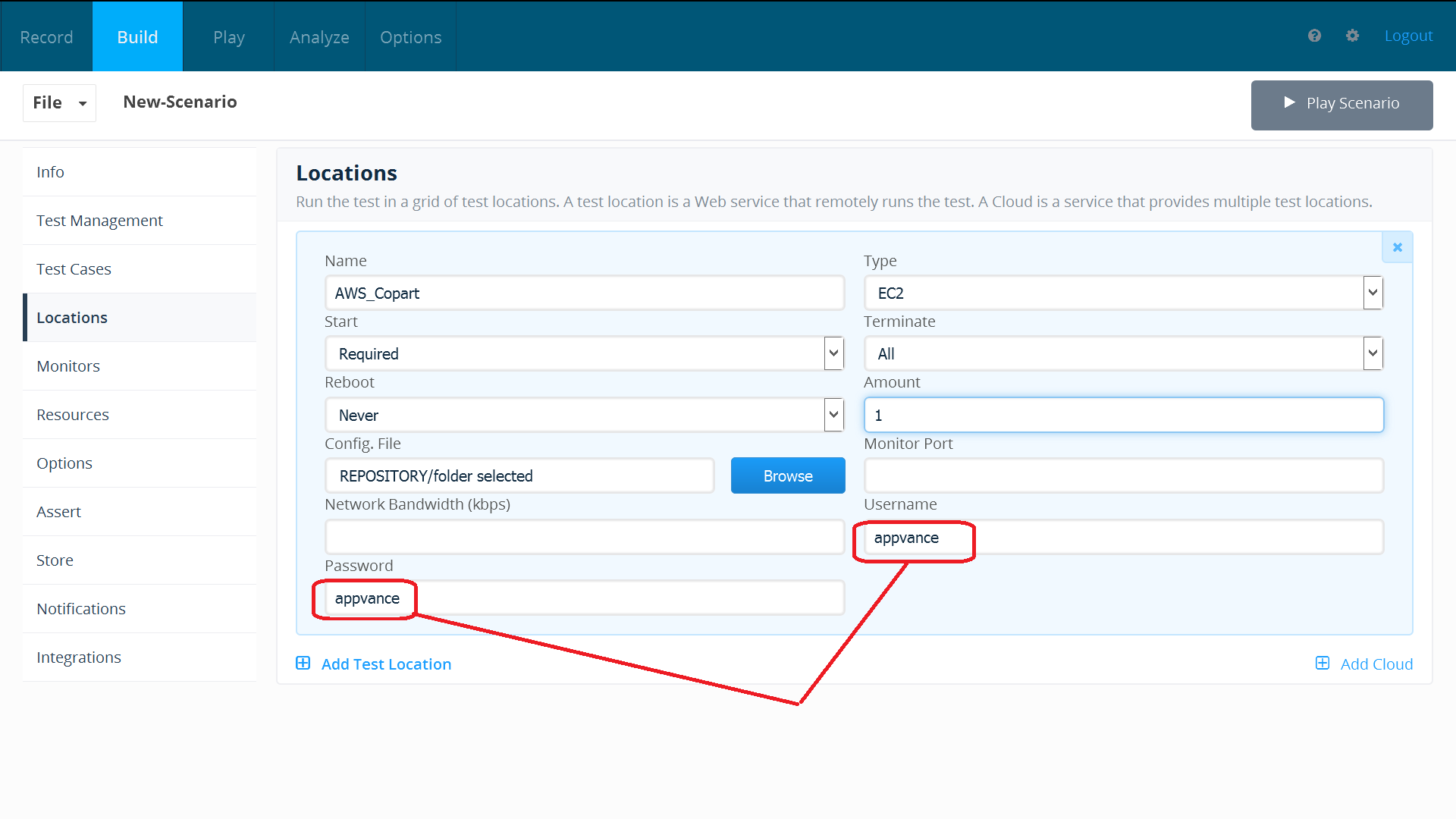
Important: If you set the IP address to any value other than the current IP address, you will lose connectivity to the instance.
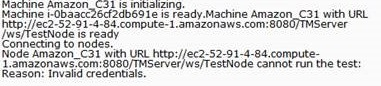
You will lose RDP connectivity to the Windows instance for a few seconds while the instance Converts from using DHCP to static addressing. The instance retains the same IP address information as before, but now this information is static and not managed by DHCP.
ii) Step2 : Run below commands in command Prompt to add multiple IP
1) Netsh commands used : “netsh /?” : To view list of commands “netsh interface show interface” :To know the interface name of your machine
2) Adding Multiple IP Addresses atfor Once:AIQ -ChangeIP Spoofing
Last reviewed: September 21, 2026
This article explains the pathmaintenance considerations for adding multiple source IP addresses for AIQ performance testing. Treat IP spoofing as an advanced network configuration that must be coordinated with infrastructure owners.
When to “C:\Windows\System32”use usingthis cdguidance
- A
-Whenperformancewetestaccompanyrequiresatrafficnetshtocommandoriginate from multiple source IPs. - The test node host and network route tables support additional addresses.
- Network, firewall, and monitoring teams have approved the source ranges.
Recommended approach
- Confirm the IP range, subnet mask, gateway, and routing requirements with the
FORnetwork/L loop, we can quickly add multiple IP addresses.for -Iterating a range of valuesUse an iterative variable to setteam. - Apply the
startingadditionalvalueaddresses(start#) and then step through a set range of values untilon thevaluetestexceedsnode host using thesetoperating-systemendingnetworkvaluetooling(end#).approved/Lforwillthatexecuteenvironment. - Restart or refresh only the
iterativeservicesby comparing start# with end#. If start# is less than end# the command will execute. When the iterative variable exceeds end# the command shell exists the loop. You can also use a negative step# to step through a range in decreasing values. For example, (1,1,5) generates the sequence 1 2 3 4 5 and (5,-1,1) generates the sequence (5 4 3 2 1). The syntaxrequired for theFOR /L loop looks like this:for /L {%% | %}variable in (start#,step#,end#) do command [CommandLineOptions] Use %variableOS tocarryrecognizeoutthefornew addresses. - Run a small validation scenario and confirm traffic appears from the
commandexpectedprompt. Use %%variable to carry outaddresses. - Document the
forcommandrangewithinandaremovebatchtemporaryfile.addresses when testing is complete.
FORNote: /LDo %variablenot IN (start, step, end) DO command
-we could easily add everyenable IP addressspoofing fromon anshared entirehosts subnetwithout usingnetwork thisapproval; command:misconfigured FORsource /Laddresses %Acan INdisrupt (0,1,255) DO netsh interface ipv4 add address “Interface Name” 192.168.222.%A 255.255.255.0
A- variable name(Variables are case-sensitive and must be represented with an alpha value, such as %A, %B,routing or %C.)monitoring.
Ex:FOR /L %A in (0, 1,255) do netsh interface ipv4 add address “Ethernet” 192.168.1.%A 255.255.255.0
Note:
1) For Windows Server 2003/XP and earlier, “ipv4” should be replaced with just “ip” in the netsh command.
2) Manually enter the above command in cmd, Sometimes you may “The filename, directory name, or volume label syntax is incorrect.”
3) Run ipconfig /all
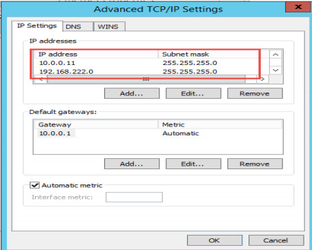
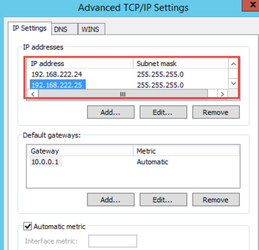
iii) To add secondary IP using command line:
1) Netsh commands used : “netsh /?” : To view list of commands “netsh interface show interface” :To know the interface name of your machine
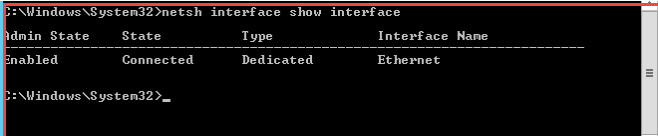
2) To add Single IP address:
-Change the path to “C:\Windows\System32” using cd cmd
- Run below command
netsh interface ipv4 add address
EX: netsh interface ipv4 add address “Interface name” 192.168.222.2 255.255.255.0
Last updated: JuneSeptember 26,21, 20232026
If you have any feedback on this topic, please contact us at documentation@appvance.ai.