
Apple Safari Mac Configuration for AIQ
Apple Safari Mac Configuration for AIQ
FollowingUse stepsthis arearticle necessarywhen configuring Safari on macOS for AIQ validation. Corrected the title prefix and scoped the guidance to improvebrowser AIQconfiguration, compatibilitypermissions, withand MacOSrepeatable systems.test Theexecution belowon stepMac.
Configuration willchecklist
- Confirm macOS, Safari, AIQ, and driver or automation dependency versions.
- Enable required Safari developer or automation settings according to the approved test procedure.
- Review macOS privacy permissions such as screen recording, accessibility, files, and network access.
- Use a
knowncleanissuebrowserslowingprofileJavaor8controlledapplicationstestwithaccountmacOSwhenSierradiagnosing playback issues. - Document proxy, certificate, cookie, pop-up, and
newer.downloadOthersettingspoints are necessary to be able to record and playback on native Safari browser.1. From MacOS Sierra to latest Mojave, this configuration is required: Type "hostname" in a terminal window. This should return your <system canonical name>. It should look similar to Joe-MacBook-Pro.local
Enter the hostname obtained in the first step into your /etc/hosts text file. To do so please type in a terminalsudo nano /etc/hosts Then add these two lines 127.0.0.1 <system canonical name> ::1 <system canonical name> Make sure to replace <system canonical name> with the value returnedrequired by the commandtest.
Validation workflow
- Run a small known-good scenario in
theSafari. - Confirm
firstlogin,step.navigation,Save your file,download, andretryvalidationexecutingstepsyourbehavescriptasinexpected. - Capture
testlogsdesigner.and
2. Removing sudo password requirementscreenshots for networksetupany command
Safari-only The mac’s networksetup command is used byfailure.
To avoid the user to have to write his password, you need to edit a file in macOS X, using the following steps:
Open a Terminal and type:
sudo visudo
(This opens a special vi editor to change this text file. It is important to not use a normal text editor, as this one prevents any syntax error from being saved. That could cause sudo functionality to brake)
When prompted, provide your password
Press “
i” to activate the "insert" mode and using arrow keys, move the cursor to search for the following line
%admin ALL=(ALL) ALL
Below the above line, type:
<your_username> ALL=(root) NOPASSWD: /usr/sbin/networksetup
(replace <your_username> with your user name. If you don't know which is your user name, just open a terminal window as type echo $USER, that will print out your user name)
Press
ESC key to leave insert mode and then type :wq to exit the editor (that is colon w q)
Do not use your Mac while running tests, as AIQ will use keyboard commands to close the running browsers that could get applied to a different application if you are using the system during a test.
3. System Preferences
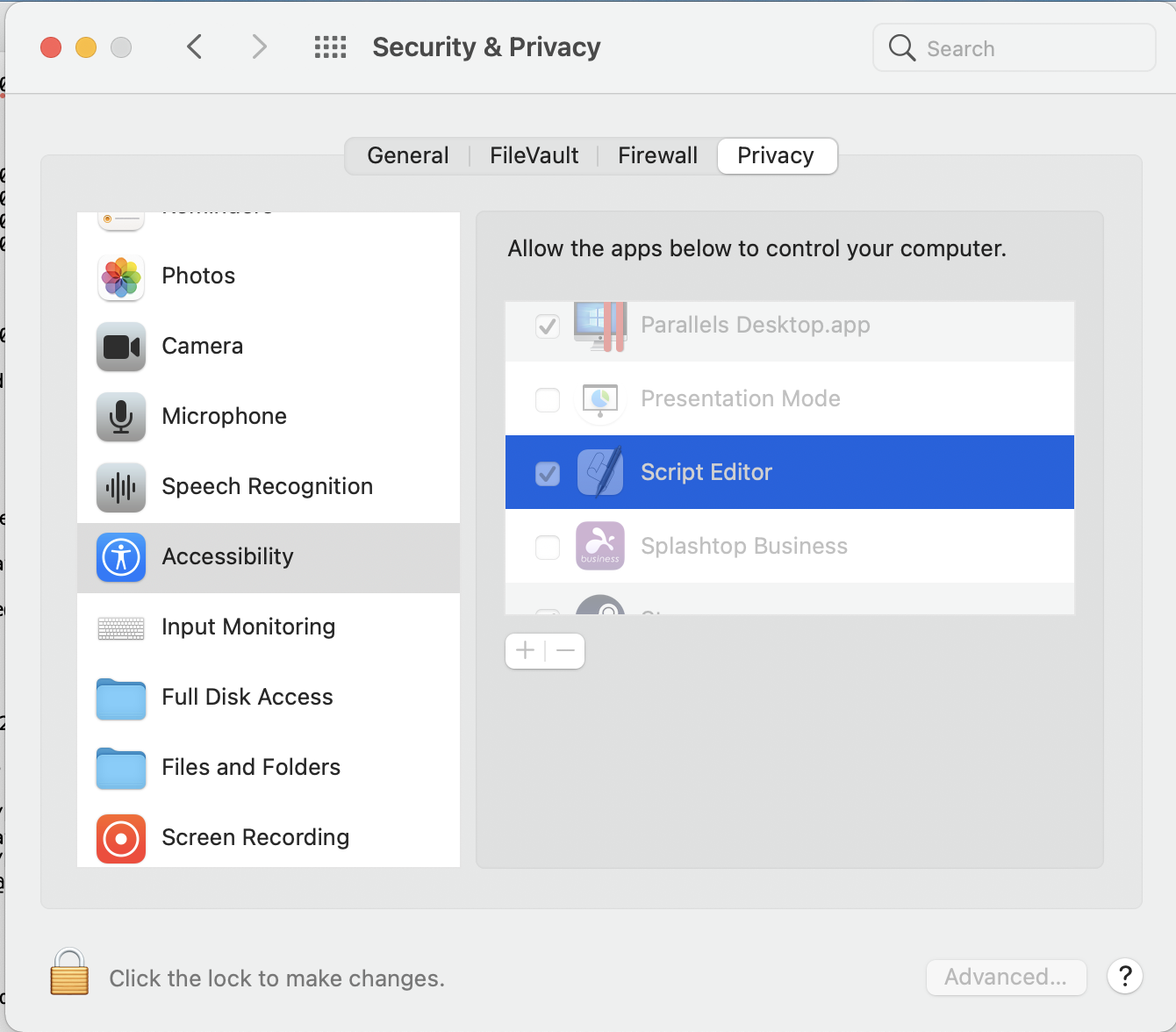
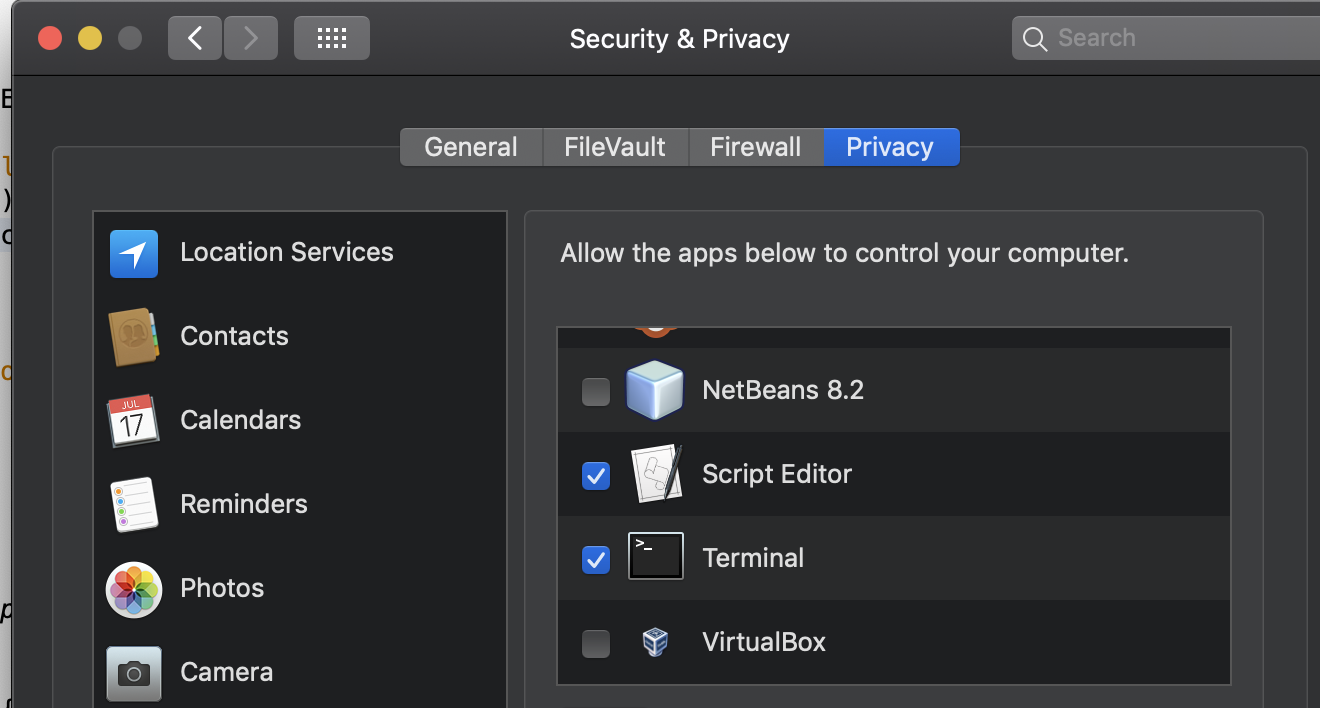
In the Security & Privacy preference, select the Privacy section and add the Terminal and the ScriptEditor applications to the apps that are allowed to control your computer.
In Security & Privacy add the Script Editor application to the Privacy > Accessibility permissions
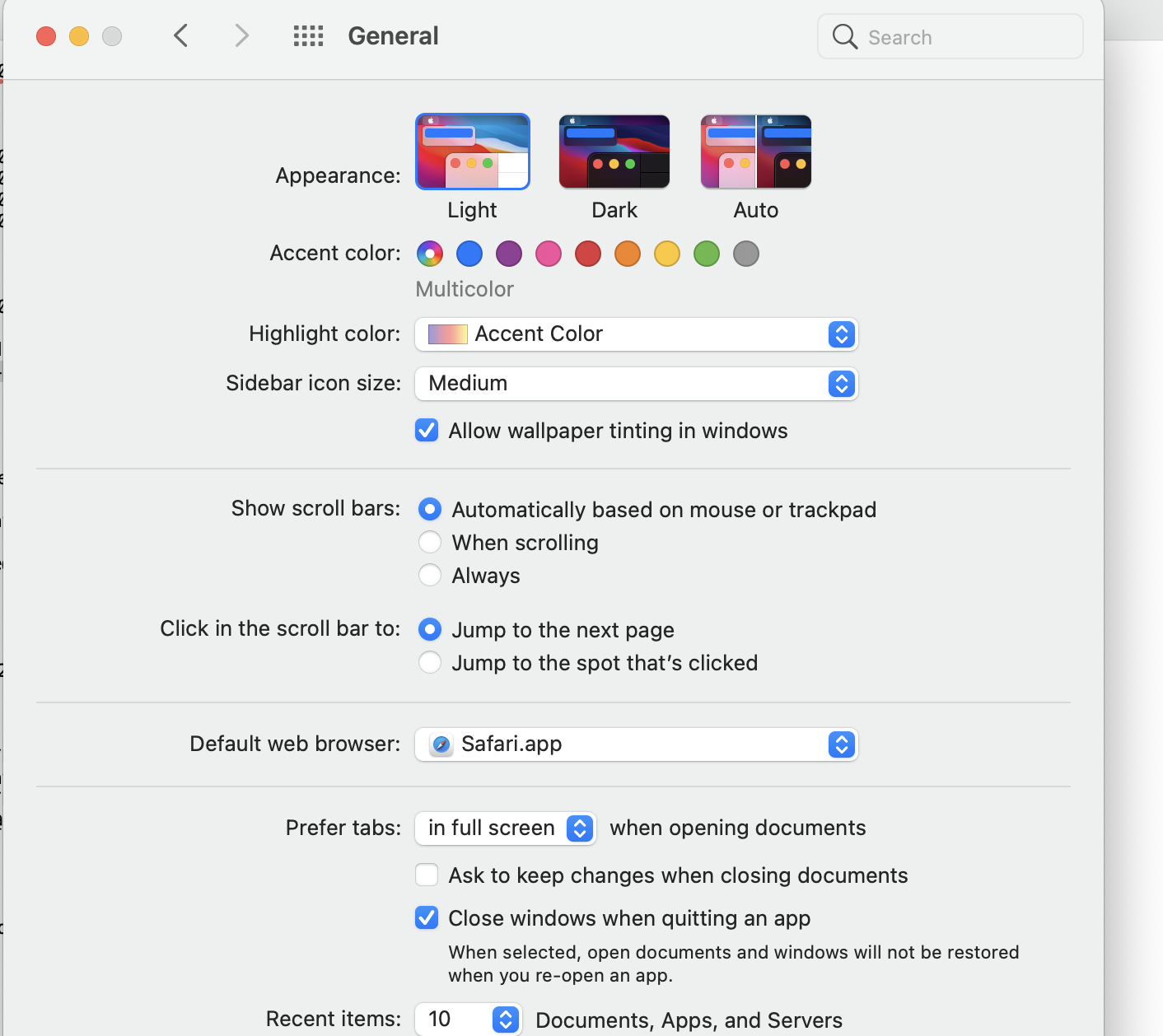
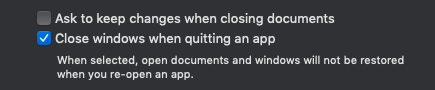
In the General section, set the system to close windows after quitting an app
And select Safari as your default browser:
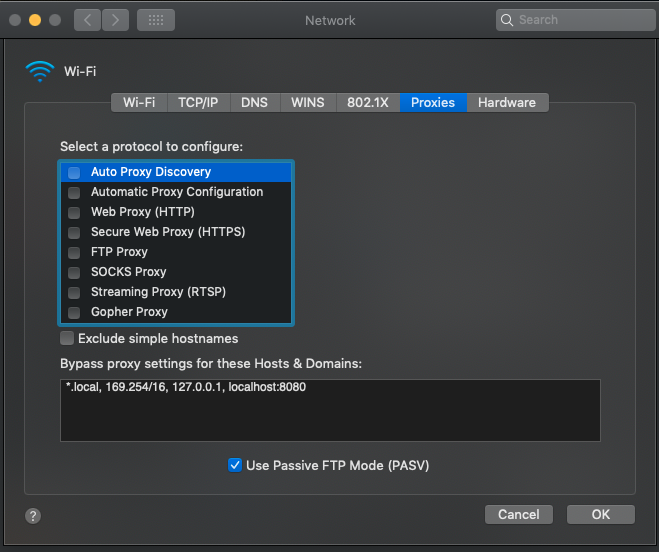
In Network, proxy settings, set the Bypass Proxy Settings to localhost:8080.
4. Safari Preferences
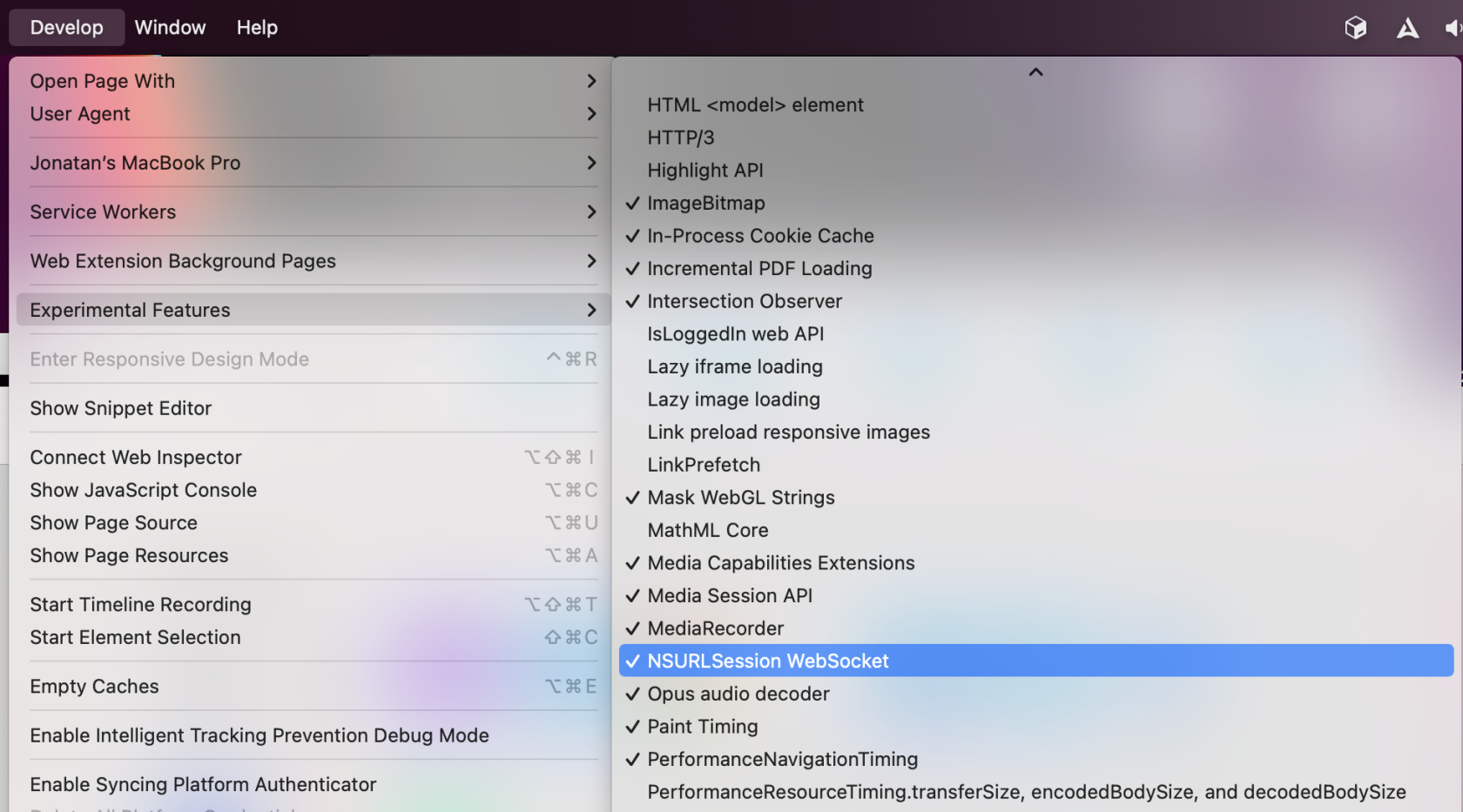
Disable NSULSession WebSocket experimental feature
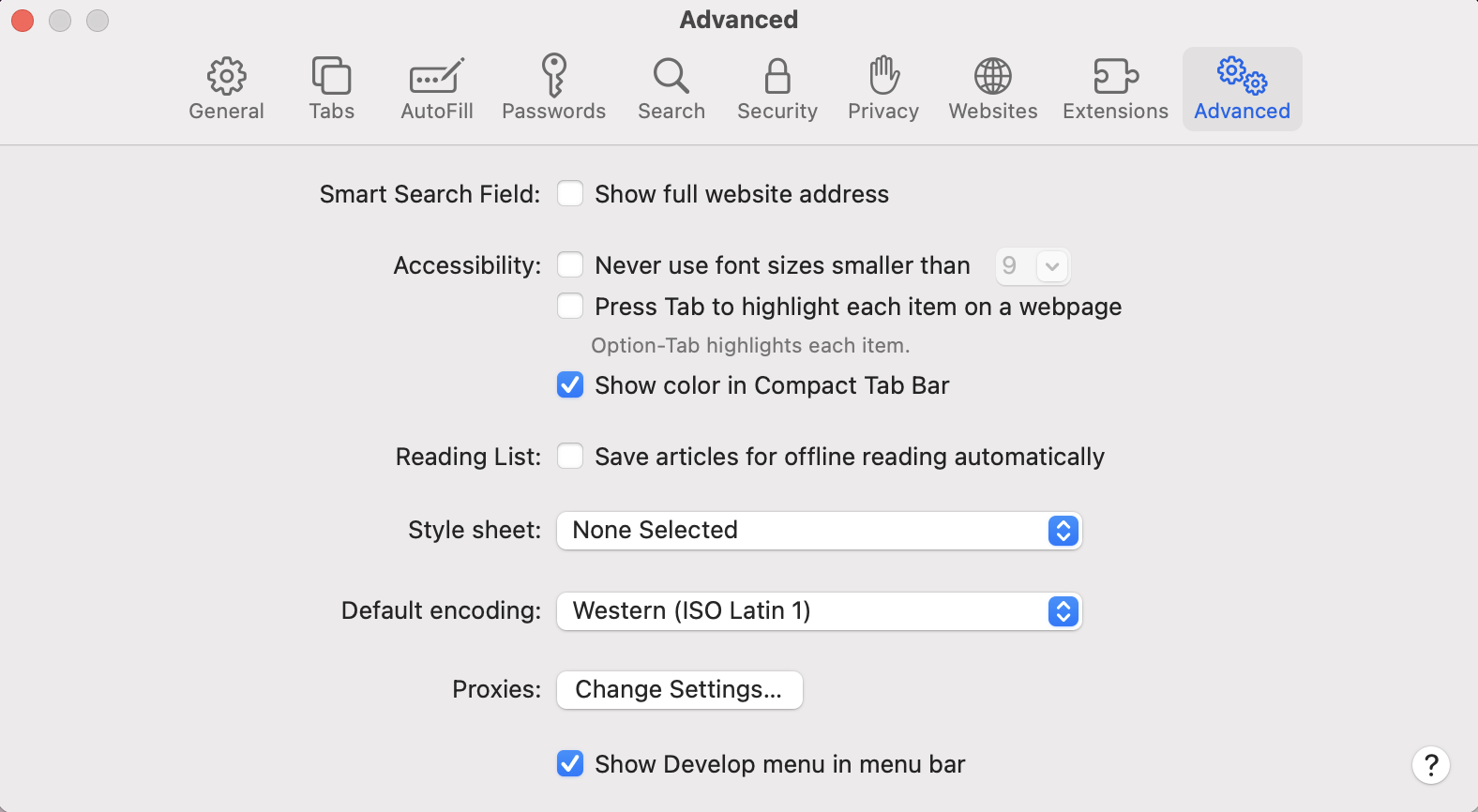
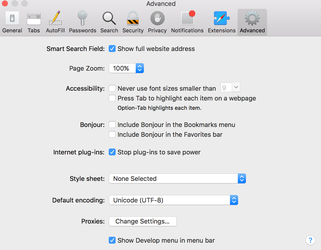
Open the Safari Preferences → Go to the Advanced tab, and check "Show Develop menu in menu bar".
Go to Develop → Experimental Features → look for NSULSession WebSocket and ensure that the option doesn't have a checkmark.
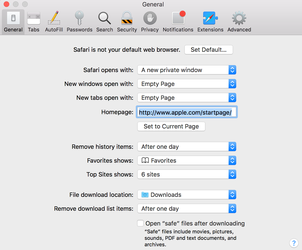
Set Safari opens with: A new private window.New window opne with: Empty PageNew tabs open with: Empty Page
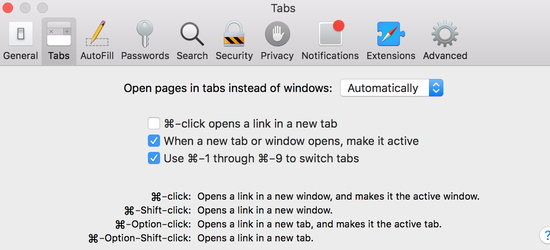
Select "When a new tab or window opens, make it active" in Tabs section
Last updated: MarchOctober 31,9, 20252026
If you have any feedback on this topic, please contact us at documentation@appvance.ai