
Install the AIQ Certificate on an iPhone
Last reviewed: September 29, 2026
OpenUse this linkarticle when an iPhone must trust the AIQ recording or proxy certificate for mobile traffic testing.
What changed in this article
- Corrected grammar from “a iPhone” to “an iPhone” and clarified the certificate is for AIQ/mobile traffic workflows.
- Added iOS-specific checks for profile installation, certificate trust settings, Wi-Fi/proxy configuration, and Safari/app validation.
- Added a warning that MDM, VPN, or corporate device policies can block manual certificate trust changes.
Validation workflow
- Install the AIQ certificate profile on the iPhone
browser:>https://aiq-certificate.s3.us-west-1.amazonaws.com/appvance.cer.A dialog will show asking to Allowusing thedownloadapprovedofdeliverya configuration profile. Press Allow.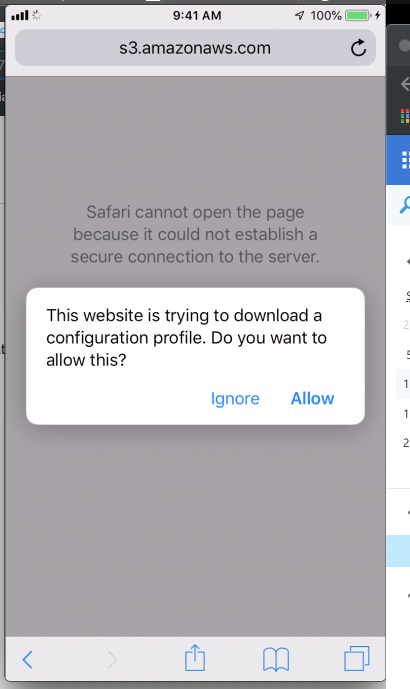
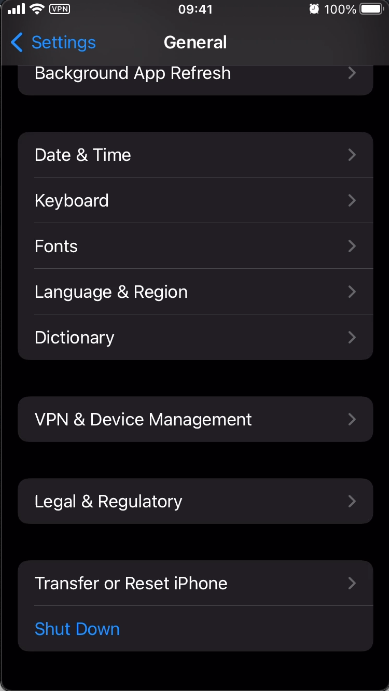
Open the Settings app and go to the General section and select the Device Management option
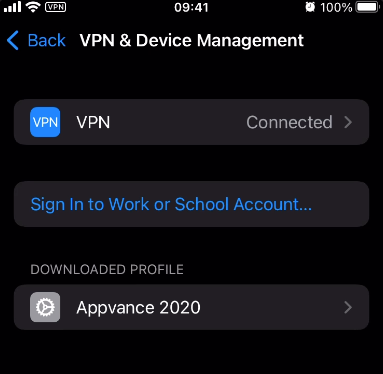
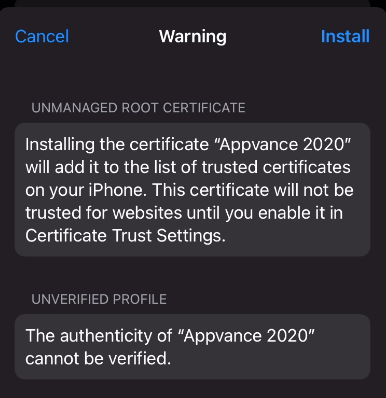
In the Profiles window, tap over the Appvance 2020 profile. Click install and verify the profile.
4. Now, navigate again to the Settings' General section, but this time enter the About option and scroll all the way down until you see the Certificate Trust Settings.
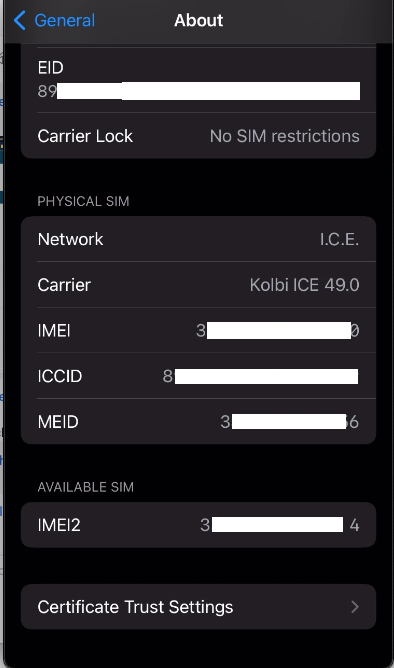
5. Enable full trust for the Appvancecertificate 2020in rootiOS certificate bytrust turningsettings onif required.
target site or app and confirm traffic is captured without TLS/certificate errors.
Review 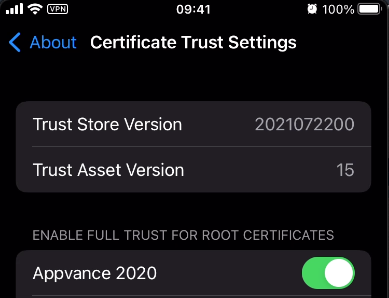
6. Done!
Last updated: AugustSeptember 03,29, 20232026
If you have any feedback on this topic, please contact us at documentation@appvance.ai.