
How to install appvance certificate on a iPhone
UseOpen this articlelink when an iPhone must trust the AIQ recording or proxy certificate for mobile traffic testing.
Validation workflow
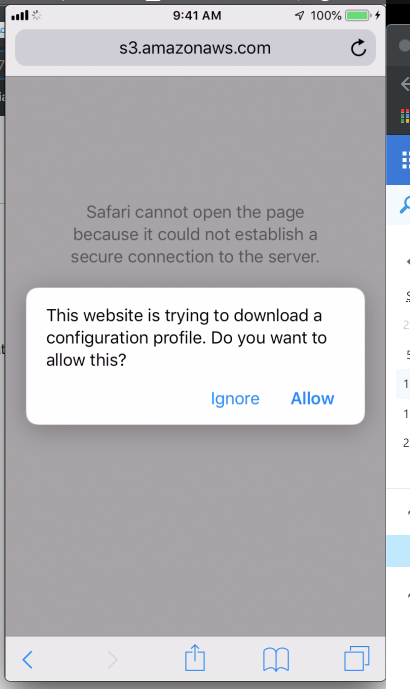
Install the AIQ certificate profile onin the iPhoneusingbrowser: >https://aiq-certificate.s3.us-west-1.amazonaws.com/appvance.cer.
A dialog will show asking to Allow theapproveddownloaddeliveryofmethod.a configuration profile. Press Allow.
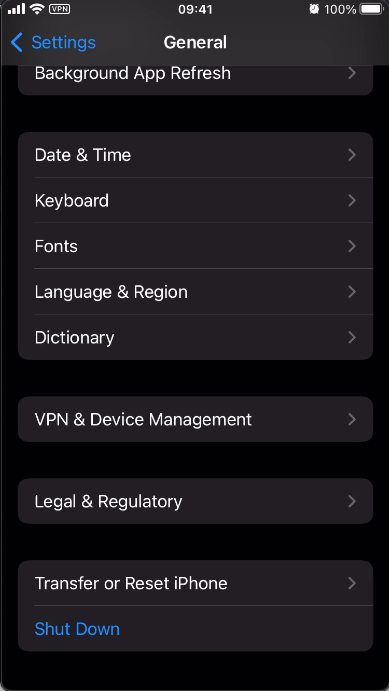
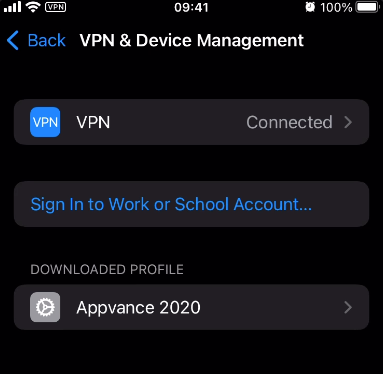
Open the Settings app and go to the General section and select the Device Management option
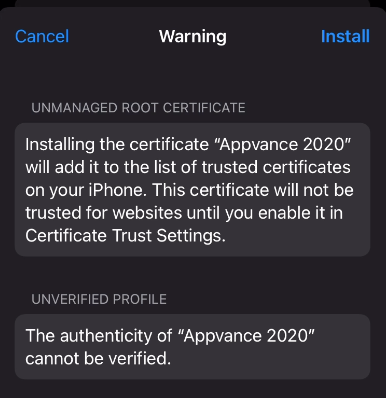
In the Profiles window, tap over the Appvance 2020 profile. Click install and verify the profile.
4. Now, navigate again to the Settings' General section, but this time enter the About option and
scroll all the way down until you see the Certificate Trust Settings.
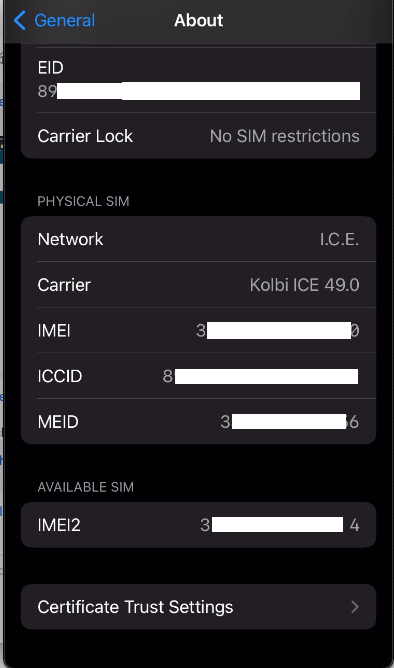
5. Enable full trust for the certificateAppvance in2020 iOSroot certificate trustby settingsturning if required.
or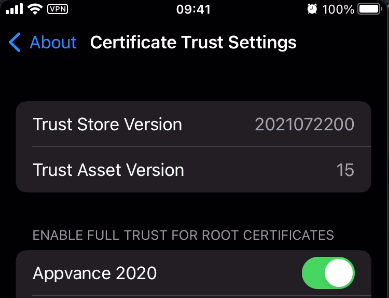
app
confirm
6. trafficDone!
Last updated: SeptemberAugust 29,03, 20262023
If you have any feedback on this topic, please contact us at documentation@appvance.ai