
Upgrading Appvance IQ with Python Script
Requirements
It’ll be necessary to have Python equal or superior to version 3.8 and the following modules need to be installed as well.
requests
sys
os
sysutil
shutil
time
zipfile
datetime
progress
Installation Procedure
Windows
Step 1
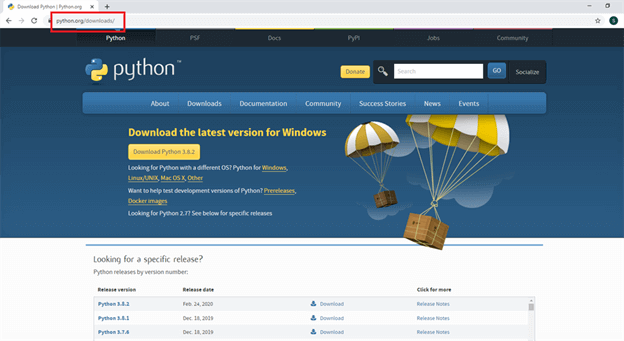
Click this link, it will take you to the Python official download website.
Website link.
Step 2
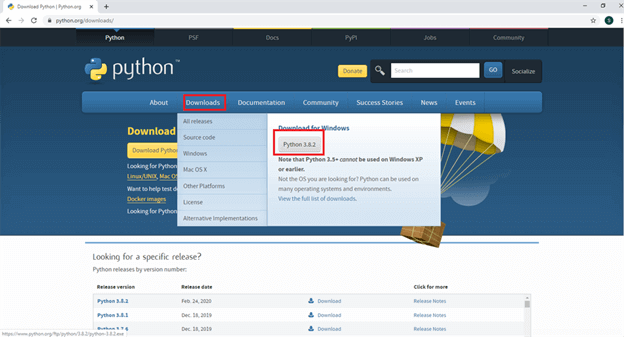
Click the download button and you will see Python 3.8.2.
Step 3
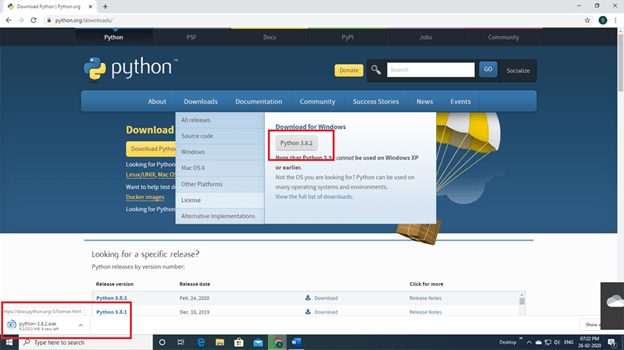
Click Python 3.8.2 and Python will start to download.
Step 4
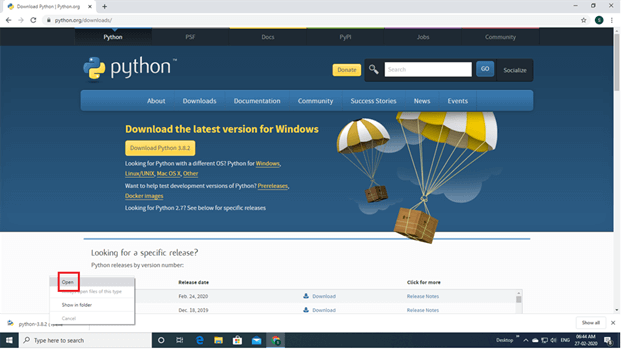
Next, right click the mouse button you will see open button click to open.
Step 5
Enable to add Python 3.8 to path and click install now.
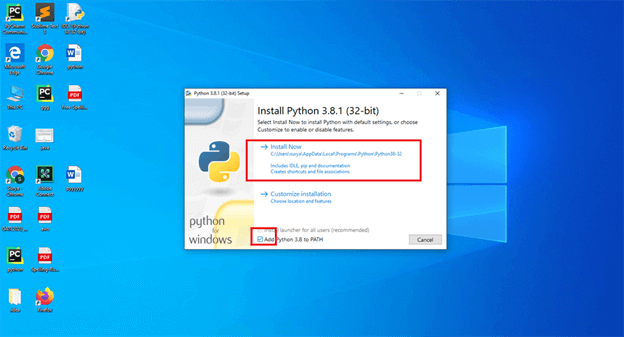
Step 6
Wait a few minutes and display setup was successful. Next you will click the close button.
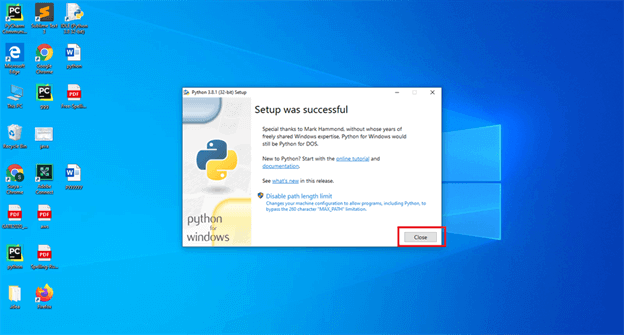
Step 7
Next you will search for IDLE Python, then click enter.
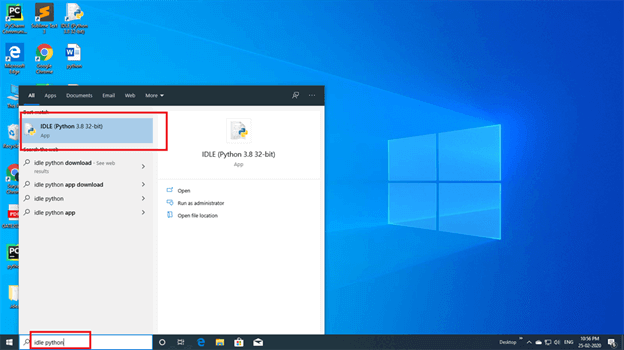
Step 8
Next, click the file button. You will see a new file again. Click the new file button.
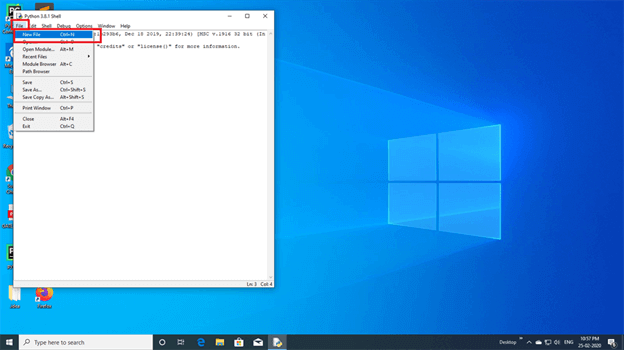
Step 9
To manually install pip, securely download get-pip.py by following this link: get-pip.py. Opening a command prompt window dialog move to the folder where the get-pip.py were downloaded and execute it as below.
py get-pip.py
Mac
I highly suggest following the instructions in the following document.
Linux
installing latest supported version (It’s 3.8.x by now)
sudo apt update -y
sudo apt install python3.8
Defining default version
Ubuntu 20.04 comes with Python 3.8.x version installed but previous Ubuntu versions come with 2.7, It's not recommended to remove 2.7 since there are some basic libraries that are still needed, but makes necessary to choose the default version, below you will find the procedure to achieve this.
sudo update-alternatives --install /usr/bin/python python /usr/bin/python2.7 1
sudo update-alternatives --install /usr/bin/python python /usr/bin/python3.8 2
Make 3.8 version default
sudo update-alternatives --config python
Package importer installation
sudo apt install -y python3-pip
Importing needed modules (all platforms)
Open a command prompt dialog and run the following commands, it’s quite possible that some of then are already installed, anyway, let’s check.
pip install requests
pip install os
pip install sys
pip install sysutil
pip install clint
pip install shutil
pip install zipfile
pip install datetime
pip install progress
AppvanceUpdate.py update procedure
Download the attached python script to a preferred location
AppvanceUpdate.py
The mentioned script has two variables that we need to change according to AIQ and the system environment.
downloadfolder
An existing folder someplace the same machine hosting AIQ
currentfolder
The folder which contains currently active AIQ
Make the changes to those variables and save the file and be sure that the path for the file is correct.
Open a command prompt dialog and navigate to the place where the python script is located.
Run command “python AppvanceUpdate.py <Build URL>“, look at the example below.
python AppvanceUpdate.py https://aiqbuilds.s3-us-west-2.amazonaws.com/4.0.5/master/aiq4.0.5.zip
Start your AIQ services to see the build updated by checking the configuration.
Last updated: June 26, 2023
If you have any feedback on this topic, please contact us at documentation@appvance.ai