
Upgrading Appvance IQ with Python Script
Legacy AIQ Upgrade Script Reference
Requirements
ThisIt’ll pagebe isnecessary retainedto ashave aPython legacyequal referenceor forsuperior olderto AIQversion upgrade3.8 processes that used helper scripts. For current upgrades, followand the supportedfollowing AIQ upgrade guide for your version.
When to use this guidance
You are reviewing an older environment that references a Python upgrade script.Youmodules need tounderstandbehistoricalinstalledupgradeasnoteswell.beforemigrating-
requests
sys
os
sysutil
shutil
time
zipfile
datetime
progress
Installation Procedure
Windows
Step 1
Click this link, it will take you to currentthe guidance.
Website link.
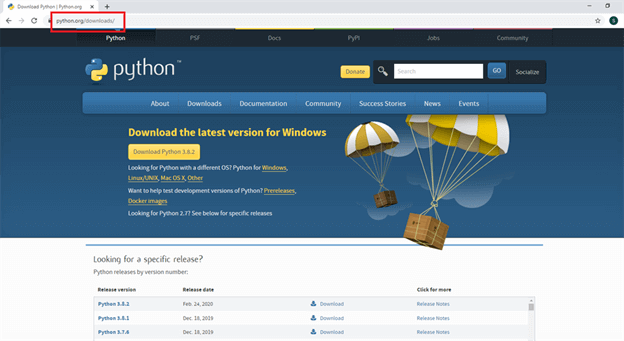
Step 2
Click the download button and you will see Python 3.8.2.
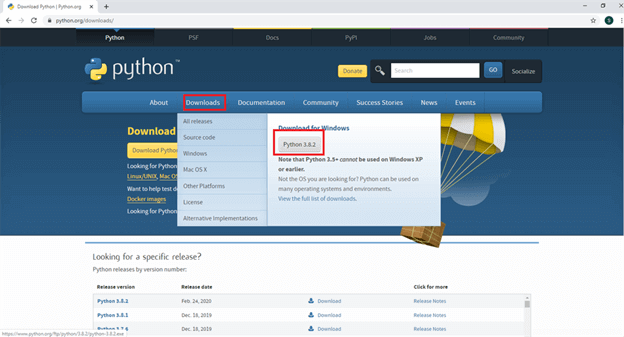
Step 3
Click Python 3.8.2 and Python will start to download.
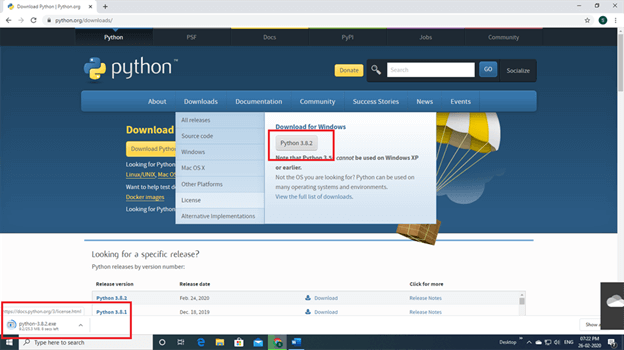
Step 4
Next, right click the mouse button you will see open button click to open.
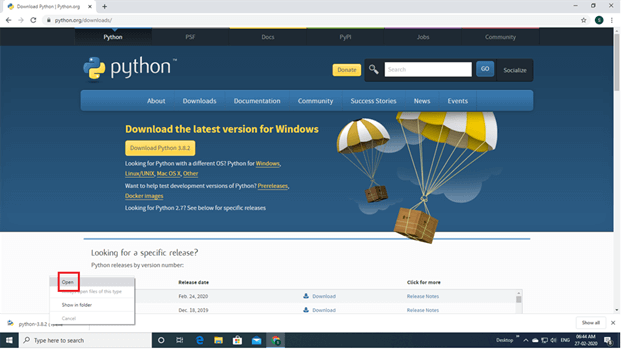
Step 5
Enable to add Python 3.8 to path and click install now.
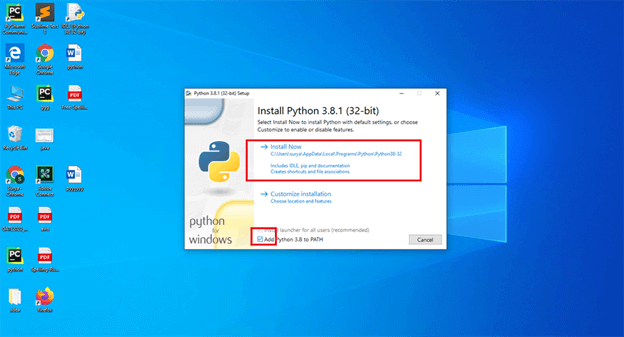
Step 6
Wait a few minutes and display setup was successful. Next you will click the close button.
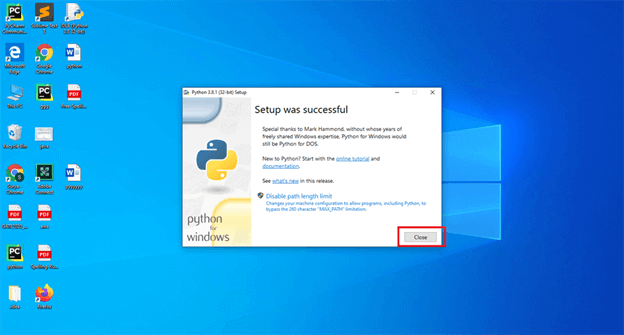
Step 7
Next you will search for IDLE Python, then click enter.
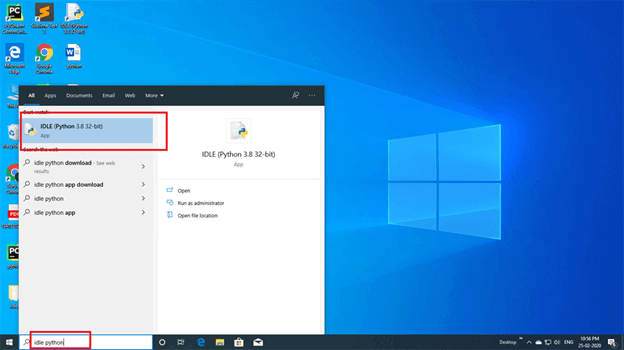
Step 8
Next, click the file button. You will see a new file again. Click the new file button.
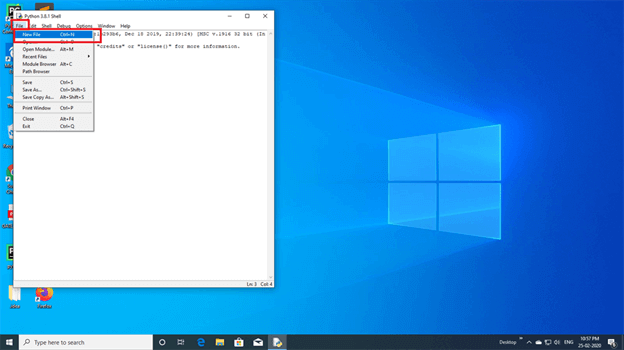
Step 9
To manually install pip, securely download get-pip.py by following this link: get-pip.py. Opening a command prompt window dialog move to the folder where the get-pip.py were downloaded and execute it as below.
py get-pip.py
Mac
I highly suggest following the instructions in the following document.
Linux
installing latest supported version (It’s 3.8.x by now)
sudo apt update -y
sudo apt install python3.8
Defining default version
Ubuntu 20.04 comes with Python 3.8.x version installed but previous Ubuntu versions come with 2.7, It's not recommended to remove 2.7 since there are decidingsome whetherbasic libraries that are still needed, but makes necessary to consolidate or retire legacy upgrade pages.
Recommended approach
Identifychoose theinstalleddefaultAIQversion, below you will find the procedure to achieve this.sudo update-alternatives --install /usr/bin/python python /usr/bin/python2.7 1 sudo update-alternatives --install /usr/bin/python python /usr/bin/python3.8 2
Make 3.8 version default
sudo update-alternatives --config python
Package importer installation
sudo apt install -y python3-pip
Importing needed modules (all platforms)
Open a command prompt dialog and run the following commands, it’s quite possible that some of then are already installed, anyway, let’s check.
pip install requests
pip install os
pip install sys
pip install sysutil
pip install clint
pip install shutil
pip install zipfile
pip install datetime
pip install progress
AppvanceUpdate.py update procedure
-
Download the attached python script to a preferred location
AppvanceUpdate.py
The mentioned script has two variables that we need to change according to AIQ and the targetsystem supportedenvironment.
downloadfolder
An existing folder someplace the currentsame officialmachine upgradehosting procedureAIQ
currentfolder
The folder which contains currently active AIQ
Make the sourcechanges ofto truth.
Open scriptsa ascommand historicalprompt referencesdialog unlessand Support explicitly instructs younavigate to usethe them.
Note: Legacy upgrade scripts can be version-specific. Do not run an oldpython script againstis alocated.
Run Supportcommand confirmation.“python AppvanceUpdate.py <Build URL>“, look at the example below.
python AppvanceUpdate.py https://aiqbuilds.s3-us-west-2.amazonaws.com/4.0.5/master/aiq4.0.5.zip
Start your AIQ services to see the build updated by checking the configuration.
Last updated: SeptemberJune 21,26, 20262023
If you have any feedback on this topic, please contact us at documentation@appvance.ai