
Working with Appvance IQ on https (https://localhost:8443) in Firefox and having issues with designer?
Working with Appvance IQ on https (>https://localhost:8443) in Firefox browser and having issues with designer?
Designer launches and downloads “start-proxy” every time when user navigates to designer and gets stuck in between and does not move forward and also does not get proxy started pop-up.
Firefox Settings:
Note: Please make sure the proxy is running (2 Java process should be running)
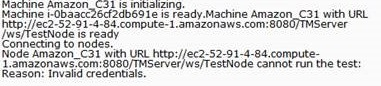
If you are seeing the above, Please click Add Exceptions and it will add the certificates for you.
We need to add the Exceptions as shown in the below screenshot.
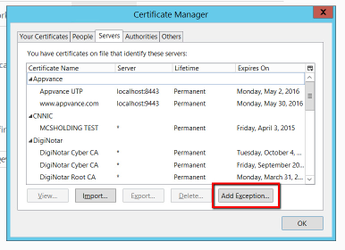
Go to Firefox settings > Advanced > Certificates tab > Click View certificates.
Go to Servers tab > Add Exceptions
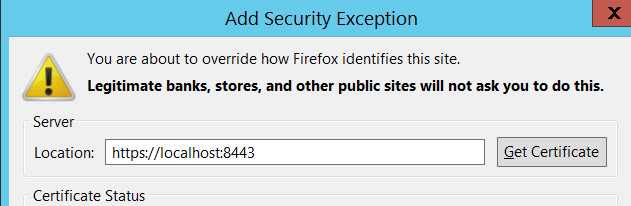
In the locations text box, type https://localhost:8443 as seen in the below screenshot, click Get Certificate and then click 'Confirm security exception'
Repeat the same step above and add the URL - >https://localhost:9443 and Confirm security Exception.
and also this URL as well: >http://localhost:9999/_s_/dyn/pro/DBReports
Restart the browser after the settings and then navigate to Designer.
Proxy Started pop-up should be displayed.
Last updated: September 11, 2023
If you have any feedback on this topic, please contact us at documentation@appvance.ai