
Legacy Firefox HTTPS Localhost Troubleshooting for AIQ
WorkingLast reviewed: September 30, 2026
This page is retained as a legacy reference for older Firefox HTTPS localhost issues in AIQ environments.
What changed in this article
- Shortened the long question-style title and marked the Firefox/Designer localhost workflow as legacy.
- Replaced Designer wording with
AppvanceAIQIQterminology while noting that old Firefox certificate/profile behavior may no longer match current browser versions. - Added checks for trusted certificate, localhost URL, port 8443, browser version, proxy settings, and whether the issue still reproduces in supported browsers.
Validation workflow
- Confirm the current supported browser path before troubleshooting an older Firefox localhost issue.
- Verify certificate trust, URL/port, proxy settings, and whether the AIQ service is reachable on
https (>https://localhost:8443) in Firefox browser and having issues with designer?Designer launches and downloads “start-proxy” every time when user navigates to designer and gets stuck in between and does not move forward and also does not get proxy started pop-up.Firefox Settings:Note: Please make surelocalhost. - If the
proxyissue isrunningFirefox-specific,(2 Java process should be running)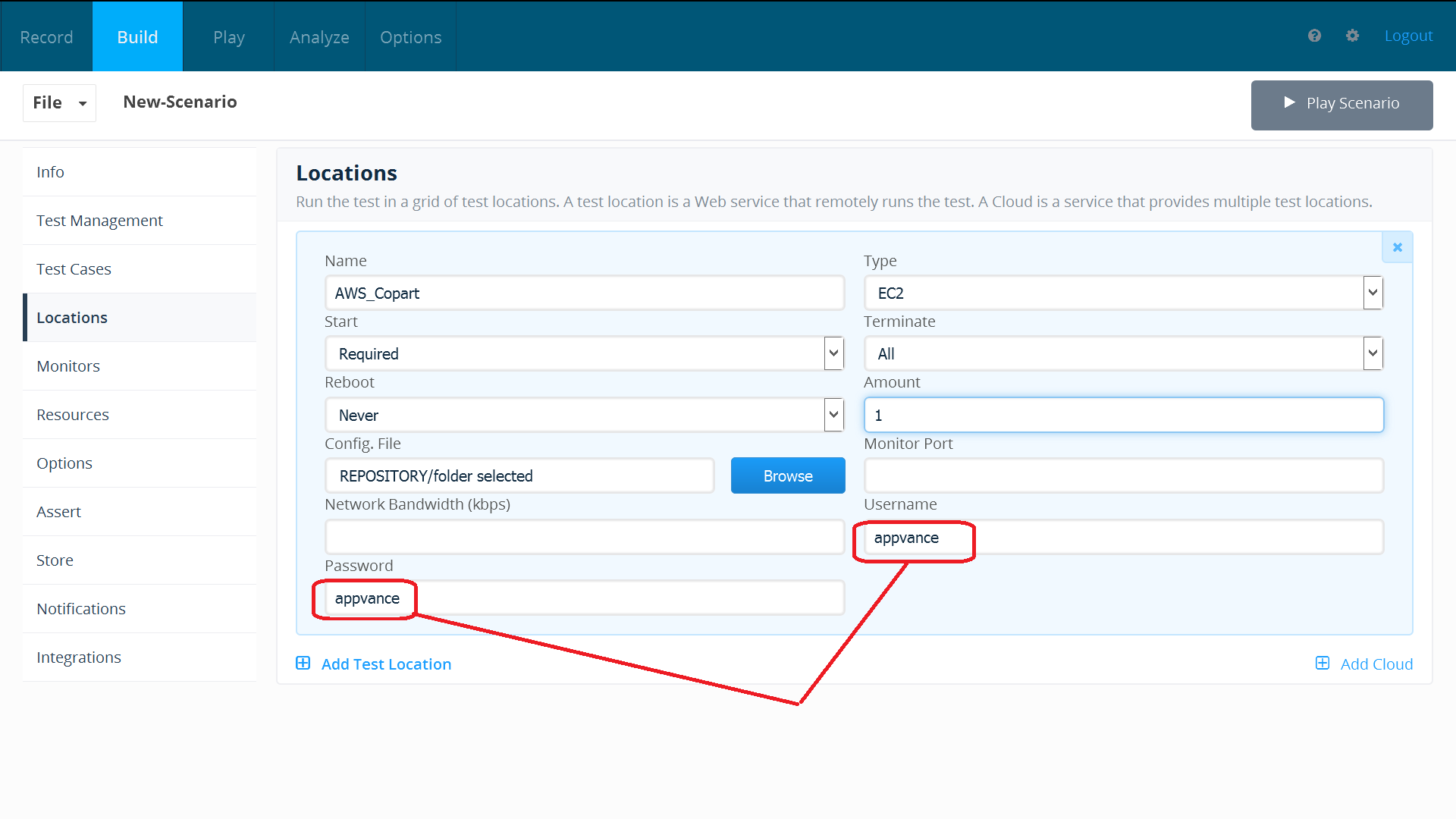
If you are seeing the above, Please click Add Exceptions and it will add the certificates for you.We need to add the Exceptions as shown in the below screenshot.Go to Firefox settings > Advanced > Certificates tab > Click View certificates.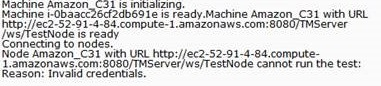
Go to Servers tab > Add Exceptions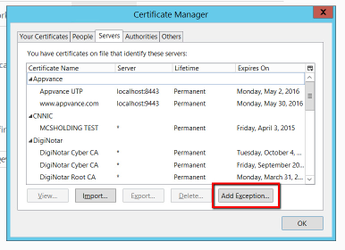
In the locations text box, type https://localhost:8443 as seen in the below screenshot, click Get Certificate and then click 'Confirm security exception'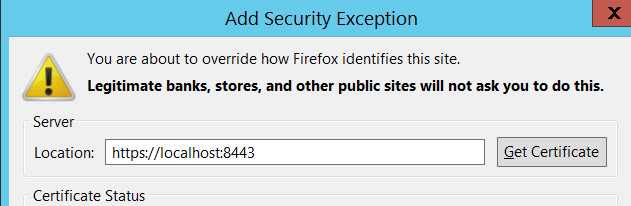
Repeat the same step above and add the URL ->https://localhost:9443and Confirm security Exception.and also this URL as well:>http://localhost:9999/_s_/dyn/pro/DBReports
supported Chrome/Edge execution path.Restartdocument the browserafter the settingsversion andthencomparenavigatewithtoaDesigner.
ProxyReview Startednote: pop-upThis page should not be displayed.used as primary setup guidance for current AIQ browser testing.
Last updated: September 11,30, 20232026
If you have any feedback on this topic, please contact us at documentation@appvance.ai.