
Obsolete Internet Explorer Whitelist Prompt Guidance
AmazonThis EC2page recentis windowsretained serveronly instancesto hasflag bythat defaultInternet activeExplorer awhitelist-prompt guidance is obsolete for current AIQ testing.
What changed in this article
- Marked the IE
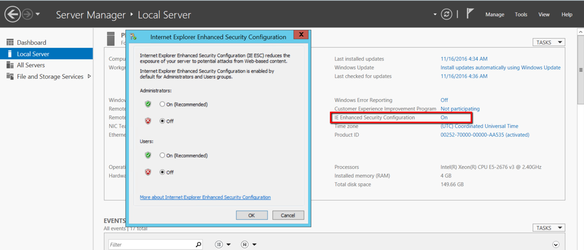
EnhancedwhitelistSecuritypromptConfiguration.workflowThisasmakesobsoleteIEbecauseto ask adding new navigated domains to a white list.Internet Explorer is no longer
supporteda current browserin AIQ.To turn this OFF, followtarget. - Removed the
belowimplicationsteps:that(Forteamswindowsshouldservermaintain2012)IE-specific
Validation workflow
For
- Do
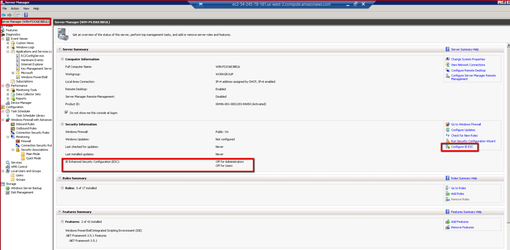
windowsnotserveradd2008:new Tocoverageturnthatoffdepends on Internet ExplorerEnhancedwhitelistSecuritybehavior.- Reproduce
Configurationthe workflow in a supported browser and review browser policy or certificate settings there.
Review Servernote: Manager
reference.
Last updated: October 25,2, 20232026
If you have any feedback on this topic, please contact us at documentation@appvance.ai.