
How can I reset a user password?
Reset
an
AIQ
An admin user can use UX to reset other users passwords back to a default “appvance” and upon next login the user will be prompted to change his password.
Just get to Global Options > Admin Options > User Passwordmanagement
Securely
Last reviewed: September 21, 2026
Use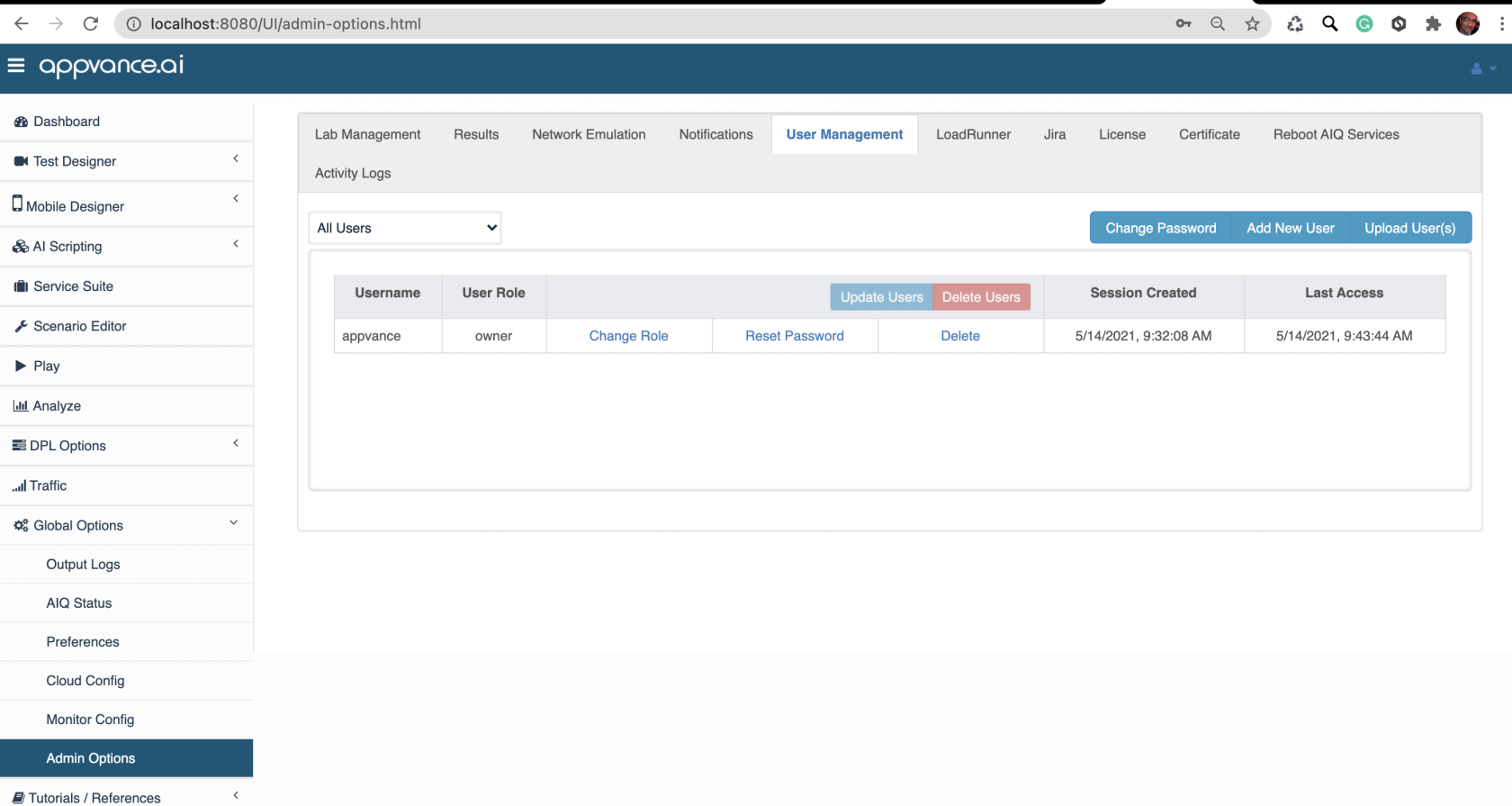
Using RDP or SSH
Alternatively there is another command line process but this article when an administrator needs to restoredirect access for an AIQ user without exposing or reusing shared passwords. Preferto the AIQ administrationcontroller workflowmachine.The following steps assume you have access to the Appvance AIQ Controller
Windows
For
Whenreset to use this guidance
A user cannot sign inappvance, andrequires an administrator reset.You need to confirm the account exists and is assigned the correct role.You need an auditable support workflow for password resets.
Recommended approach
Confirm the requester is authorized for the target account.Open AIQ administration and locatethe userrecordwillunderbeuserpromptedmanagement.to change their password upon logging in.
Linux or Unix Varieties
For example: ./utp3.3-master-18551186/utp_distribution/resetPassword.sh tsmith The user's password is reset
Note:
Do
not
Last updated: OctoberJune 16,26, 20262023
If you have any feedback on this topic, please contact us at documentation@appvance.ai