
Options page of Appavnce IQ not loading up in the browser?
Solution:
Change the internet settings,
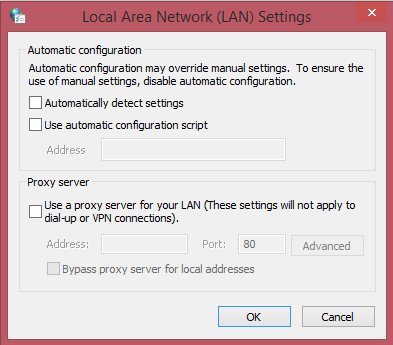
If you are using Google Chrome, Navigate to Settings > Search for Proxy > Click Change Proxy settings > Click LAN Settings. > un-check automatically detect settings.
Below is the screenshot for reference.
Last updated: June 26, 2023
If you have any feedback on this topic, please contact us at documentation@appvance.ai