
Add JMeter Plugins for AIQ Executions
ThereLast arereviewed: someSeptember cases30, where2026
Use scriptsthis arearticle createdwhen usingan AIQ JMeter execution requires a supported JMeter plugin that is not included in the base runtime.
What changed in this article
- Corrected capitalization/grammar from “Jmeter” to “JMeter” and framed plugin use as a controlled dependency task.
- Added compatibility checks for plugin version, JMeter version, Test Node availability, restart needs, and result parser impact.
- Added a caution to avoid installing arbitrary plugins
Fordirectlyexample,intoConcurrencysharedThreadexecutionGroup. However, if you try to open those scripts in Jmeterenvironments withoutinstallingreview.
Validation workflow
- Confirm the JMeter plugin is required and compatible with the AIQ-supported JMeter version.
- Install or stage the plugin
resultsthrough the approved Test Node/runtime process, then restart only the required services. - Run a small JMeter execution and verify logs, transactions, and reports before using the plugin in
anlargererror.runs.
Review 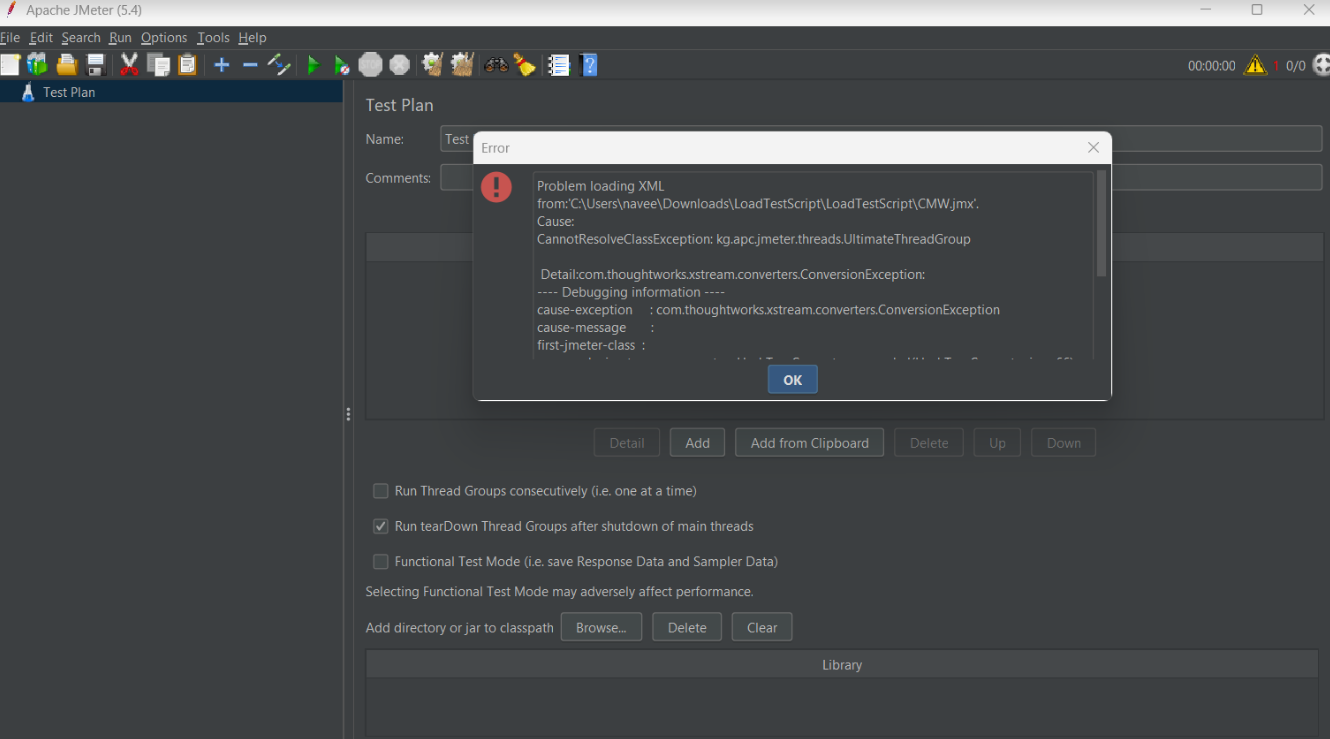
Ifpage younow tryfocuses toon runsafe theplugin scriptdependency inmanagement Appvancefor IQ,AIQ you would get errors and the script would fail.
Installing Plugins in Jmeter
Use the JMeter Plugin Manager to install plugins in Jmeter.execution.
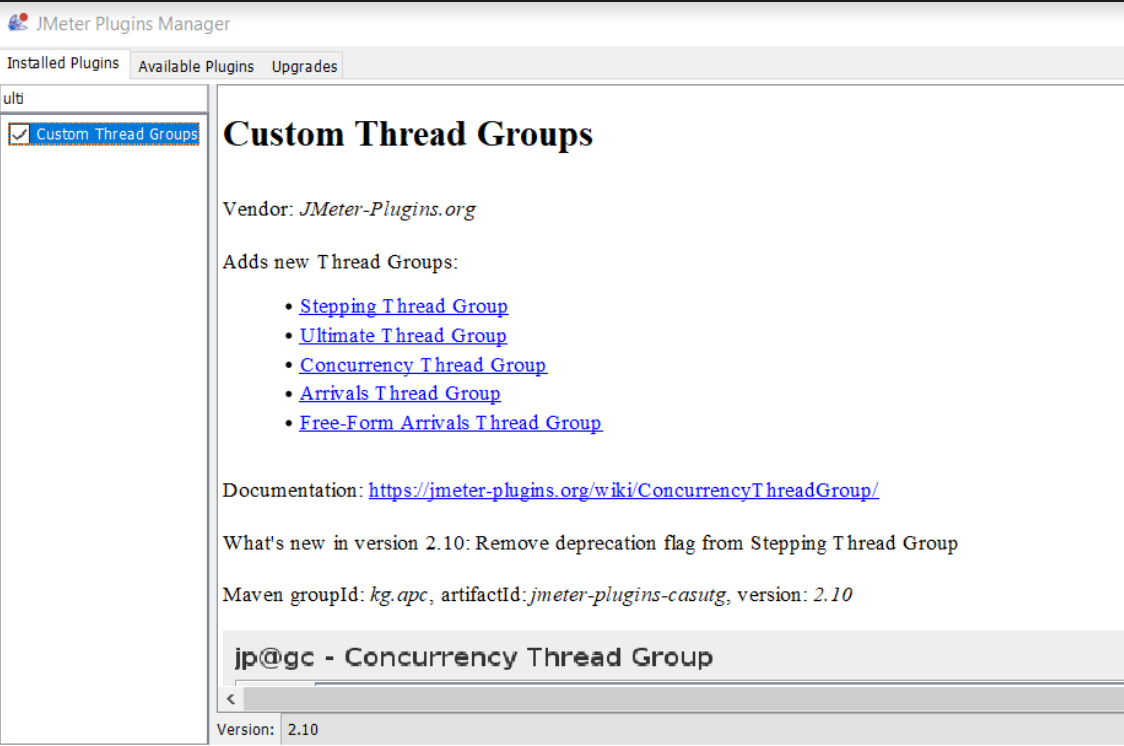
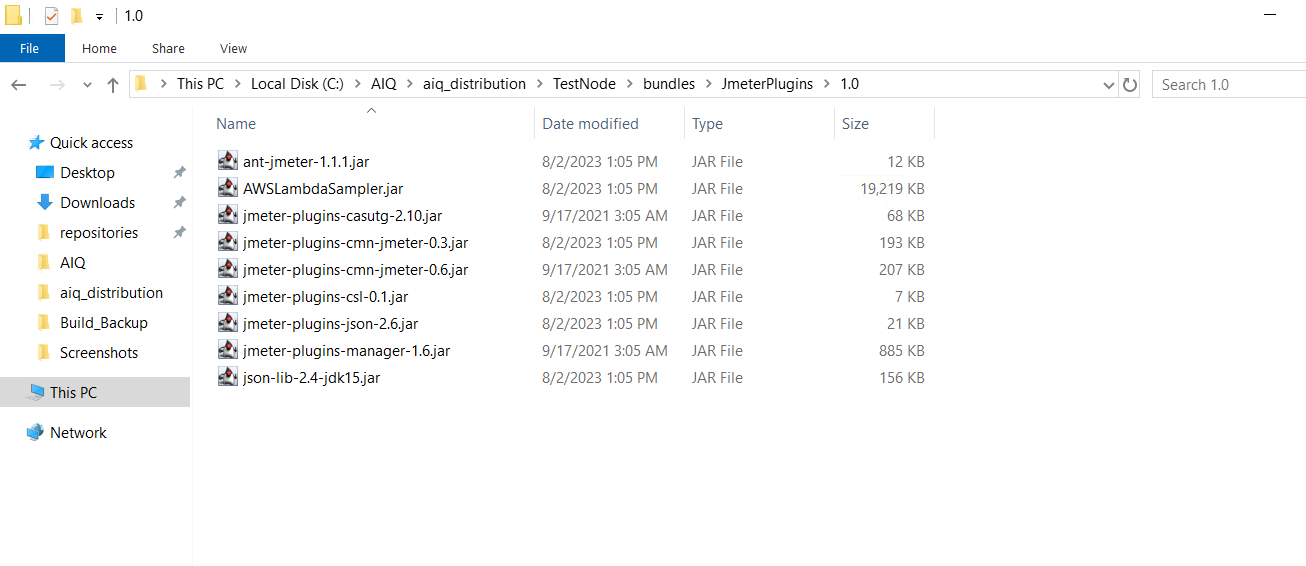
Adding Plugins in AIQ
On the controller or the test nodes where the scripts should be run, navigate to C:\AIQ\aiq_distribution\TestNode\bundles\JmeterPlugins\1.0 and include all the jar files.
From Scenario Editor, navigate to the Resources tab.
Add the JmeterPlugins bundle with a Version of 1.0.
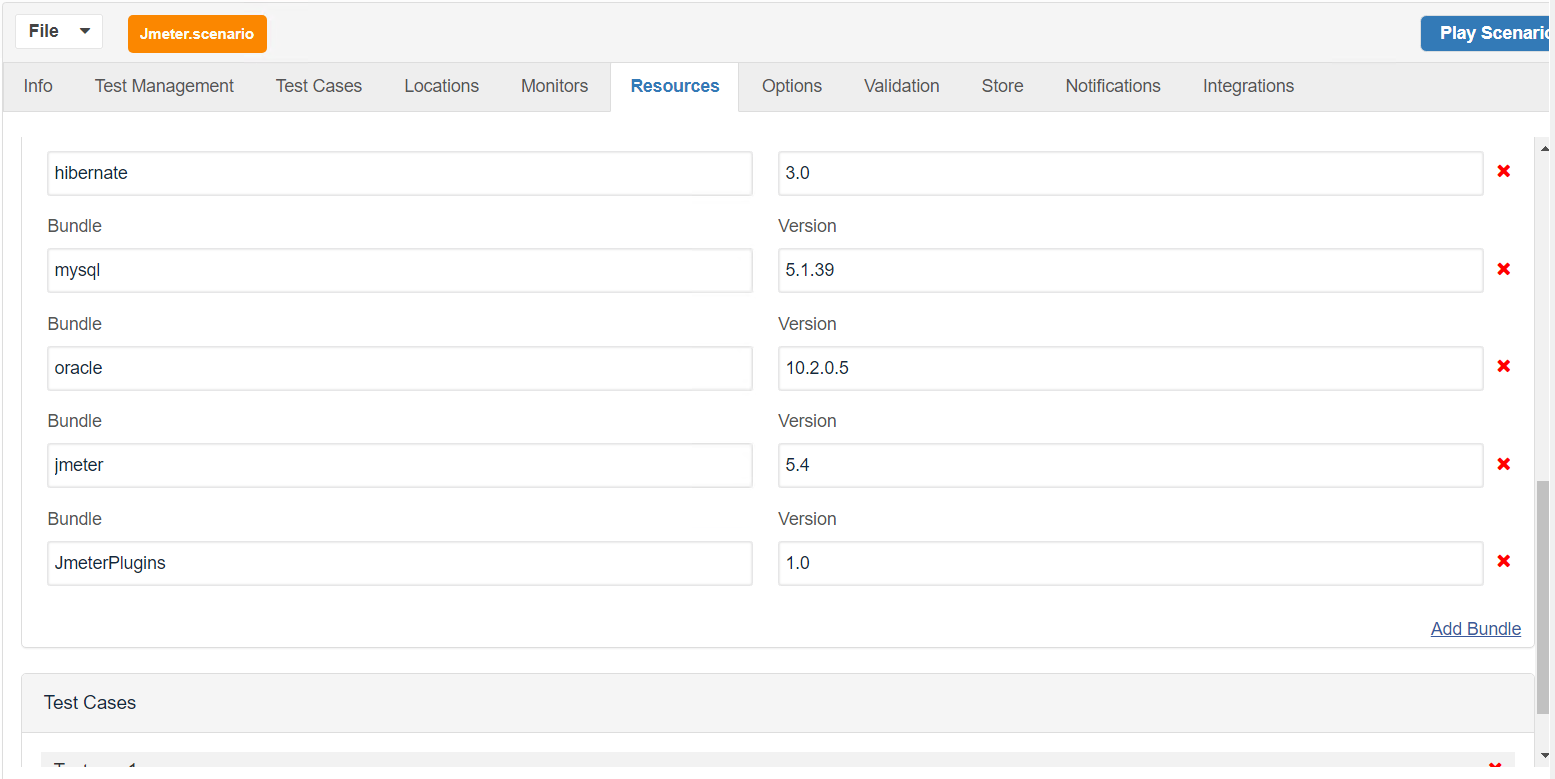
Save and play the scenario.
Last updated: AugustSeptember 25,30, 20232026
If you have any feedback on this topic, please contact us at documentation@appvance.ai.