
Adding Plugins in a Jmeter Execution
UseThere thisare articlesome whencases anwhere AIQJmeter JMeterscripts executionare requirescreated ausing supportedplugins JMeterFor pluginexample, thatConcurrency isThread notGroup. includedHowever, if you try to open those scripts in theJmeter basewithout runtime.
Validation workflow
Confirm the JMeter plugin is required and compatible with the AIQ-supported JMeter version.Install or stageinstalling the pluginthroughresults in an error.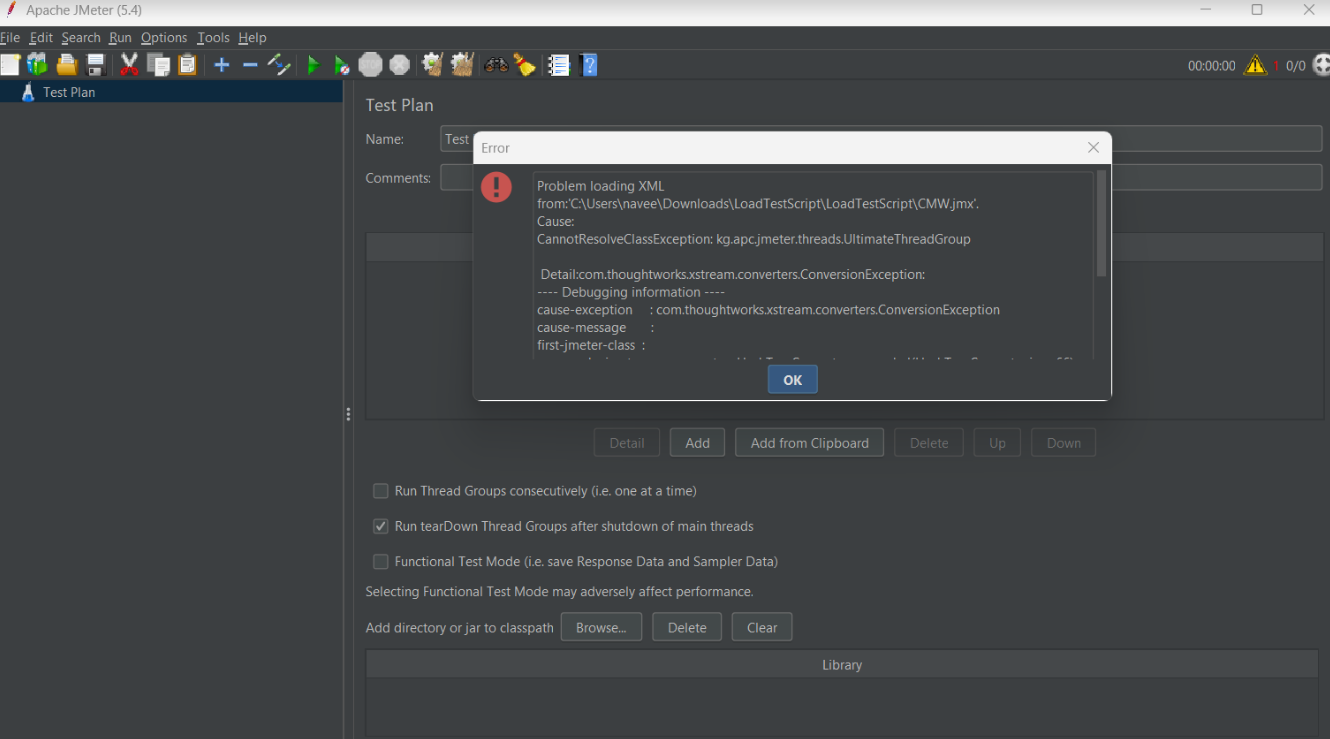
If you try to run the
approvedscriptTestinNode/runtimeAppvanceprocess,IQ,thenyourestartwouldonlyget errors and therequiredscriptservices.would fail.Installing Plugins in Jmeter
Use the JMeter Plugin Manager to install plugins in Jmeter.
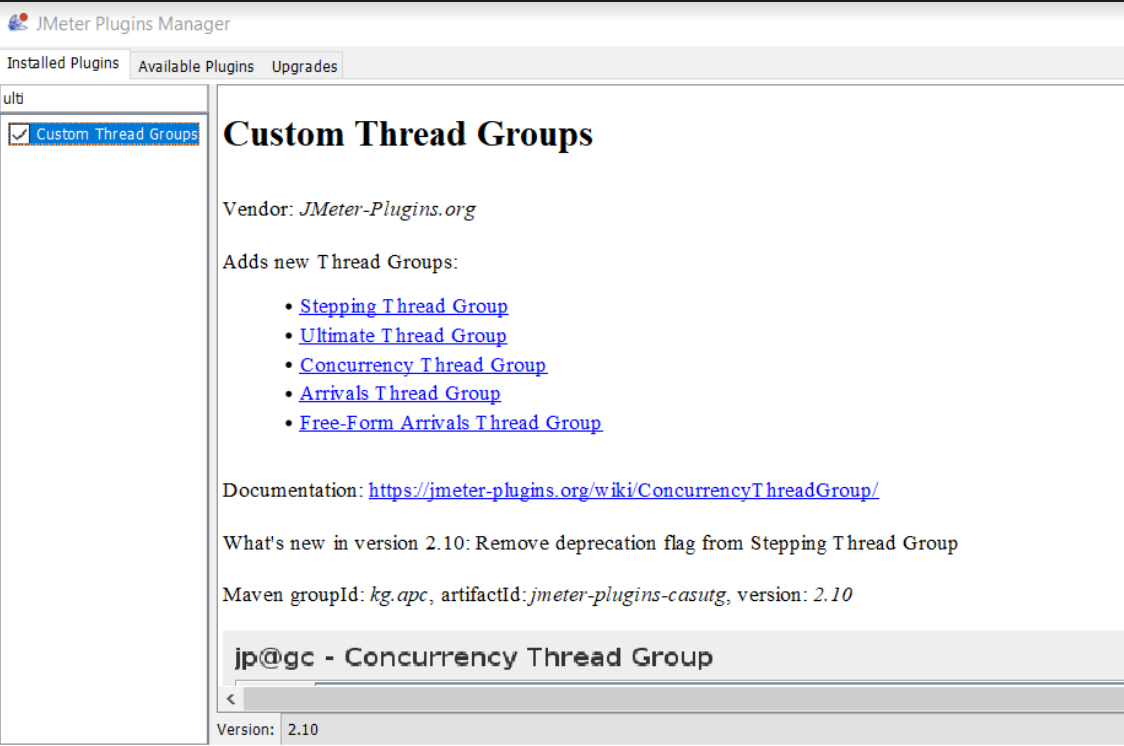
Adding Plugins in AIQ
-
On the controller or the test nodes where the scripts should be run, navigate to
C:\AIQ\aiq_distribution\TestNode\bundles\JmeterPlugins\1.0and include all the jar files.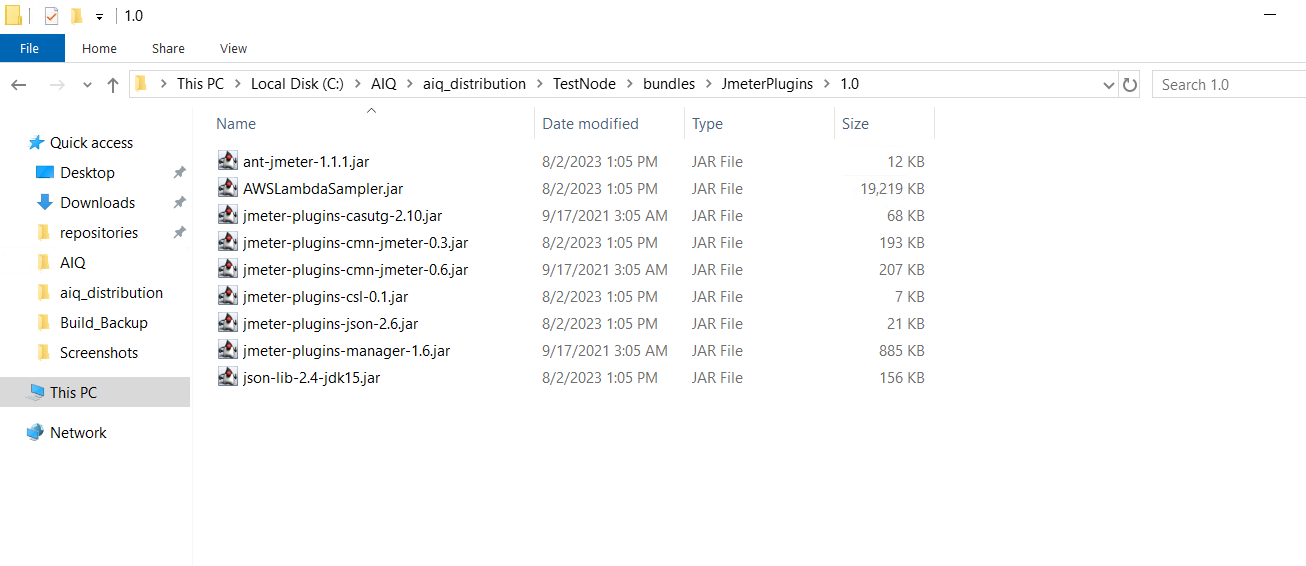
From Scenario Editor, navigate to the Resources tab.
Add the JmeterPlugins bundle with a smallVersion JMeterof execution1.0.
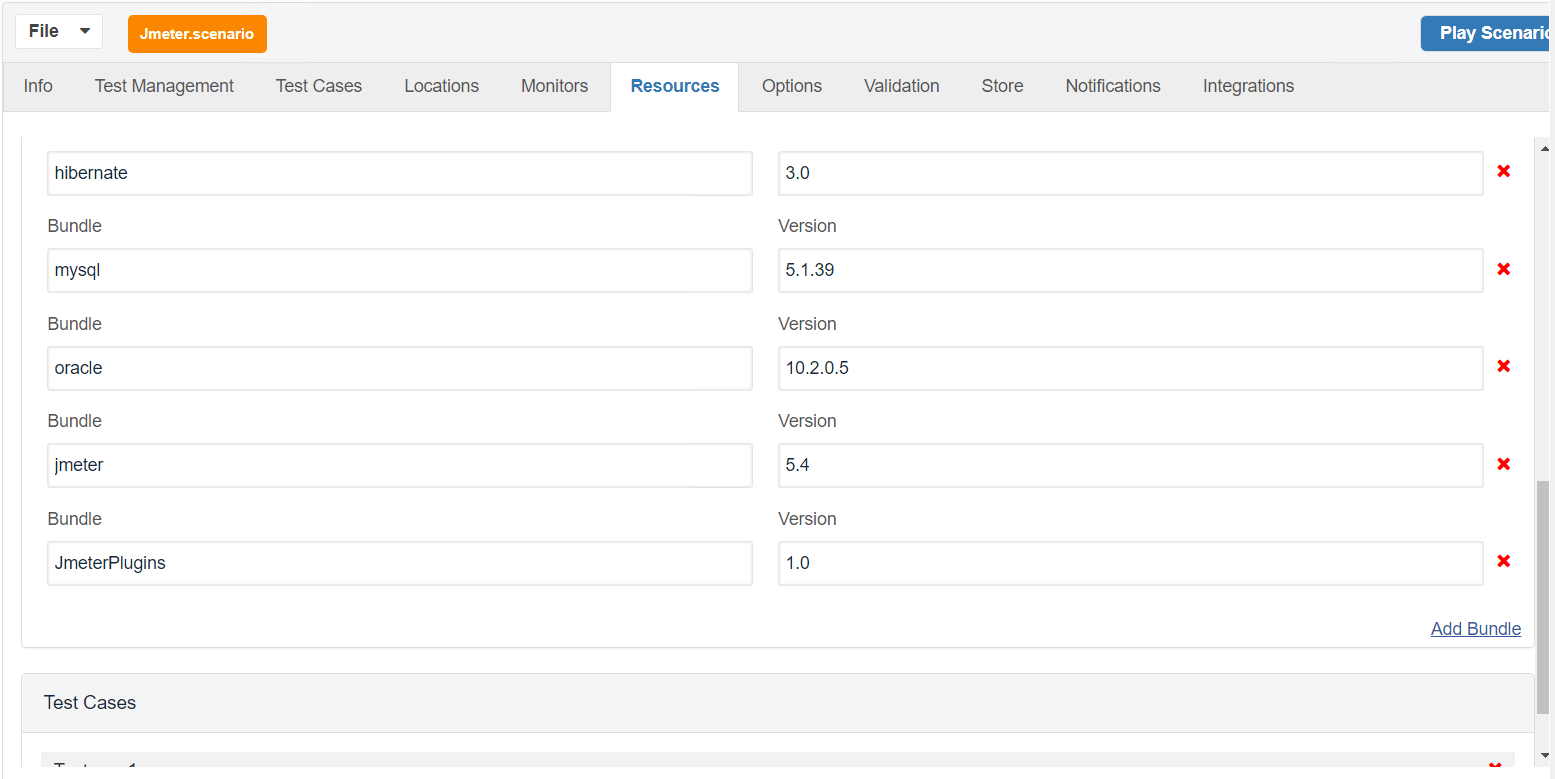
Save and verify logs, transactions, and reports before usingplay the pluginscenario.
Last updated: SeptemberAugust 30,25, 20262023
If you have any feedback on this topic, please contact us at documentation@appvance.ai